
Introduction
This manual provides detailed instructions for the use and maintenance of your GOBOULT Raven True Wireless Stereo (TWS) Earbuds. Please read this manual thoroughly before using the product to ensure proper operation and to maximize your listening experience.

Image: Overview of GOBOULT Raven TWS Earbuds showcasing main features like 70 hours playtime, app support, dual device pairing, 10mm drivers, quad mic environmental noise cancellation, and available color options.
What's in the Box
Your GOBOULT Raven TWS Earbuds package includes the following items:
- GOBOULT Raven TWS Earbuds (Left and Right)
- Charging Case
- USB Charging Cable
- Multiple Sizes of Eartips
- User Manual (this document)
- Warranty Card
Product Overview
The GOBOULT Raven TWS Earbuds are designed for comfort and high-quality audio. Familiarize yourself with the components:
- Earbuds: Left (L) and Right (R) earbuds with touch control areas and microphones.
- Charging Case: Stores and charges the earbuds. Features a USB Type-C charging port.
- LED Indicators: On both earbuds and the charging case, indicating battery status, charging, and pairing mode.
- Microphones: Quad microphones for Environmental Noise Cancellation (ENC) during calls.

Image: Detailed view of the GOBOULT Raven earbuds and their charging case, showcasing the satin metal finish and exquisite pearl body design.
Setup
1. Initial Charging
Before first use, fully charge the earbuds and the charging case.
- Place both earbuds into the charging case.
- Connect the USB Type-C charging cable to the charging port on the case and to a power source.
- The LED indicator on the case will show charging status. Once fully charged, the indicator will change or turn off.
A 10-minute charge provides approximately 120 minutes of playtime.

Image: The GOBOULT Raven earbuds being charged in their case, highlighting the impressive 70-hour total battery life and the quick charge capability (10 mins charge for 120 mins playtime).
2. Pairing with a Device
The earbuds use Bluetooth 5.4 for stable and quick connections.
- Open the charging case. The earbuds will automatically enter pairing mode (LED indicators will flash).
- On your device (smartphone, tablet, laptop), enable Bluetooth.
- Search for "GOBOULT Raven" in the list of available Bluetooth devices and select it to connect.
- Once connected, the LED indicators on the earbuds will stop flashing.
The earbuds feature Blink&Pair™ technology for instant pairing after the initial setup.

Image: The GOBOULT Raven earbuds and case, emphasizing the upgraded Bluetooth v5.4 for instant pairing and reliable connection, along with support for SBC and AAC audio codecs.
3. GOBOULT App Installation
For enhanced customization and control, download the GOBOULT App from your device's app store.
- Search for "GOBOULT" in the App Store (iOS) or Google Play Store (Android).
- Install the app and follow the on-screen instructions to connect your Raven earbuds.
- The app allows you to customize sound profiles (EQ modes), control features, and manage touch controls.

Image: A smartphone screen displaying the GOBOULT Amp APP, illustrating features like equalizer customization, custom touch controls, gaming mode activation, and widget support for a personalized audio experience.
Operating Instructions
Touch Controls
The GOBOULT Raven earbuds feature intuitive touch controls on each earbud. The specific functions can often be customized via the GOBOULT App.
| Action | Function |
|---|---|
| Single Tap (L/R) | Play/Pause Music, Answer/End Call |
| Double Tap (L) | Previous Track |
| Double Tap (R) | Next Track |
| Triple Tap (L/R) | Activate Voice Assistant |
| Long Press (L/R) | Reject Call, Toggle Gaming Mode (customizable) |
Note: These are typical touch control functions. Refer to the GOBOULT App for exact and customizable controls.
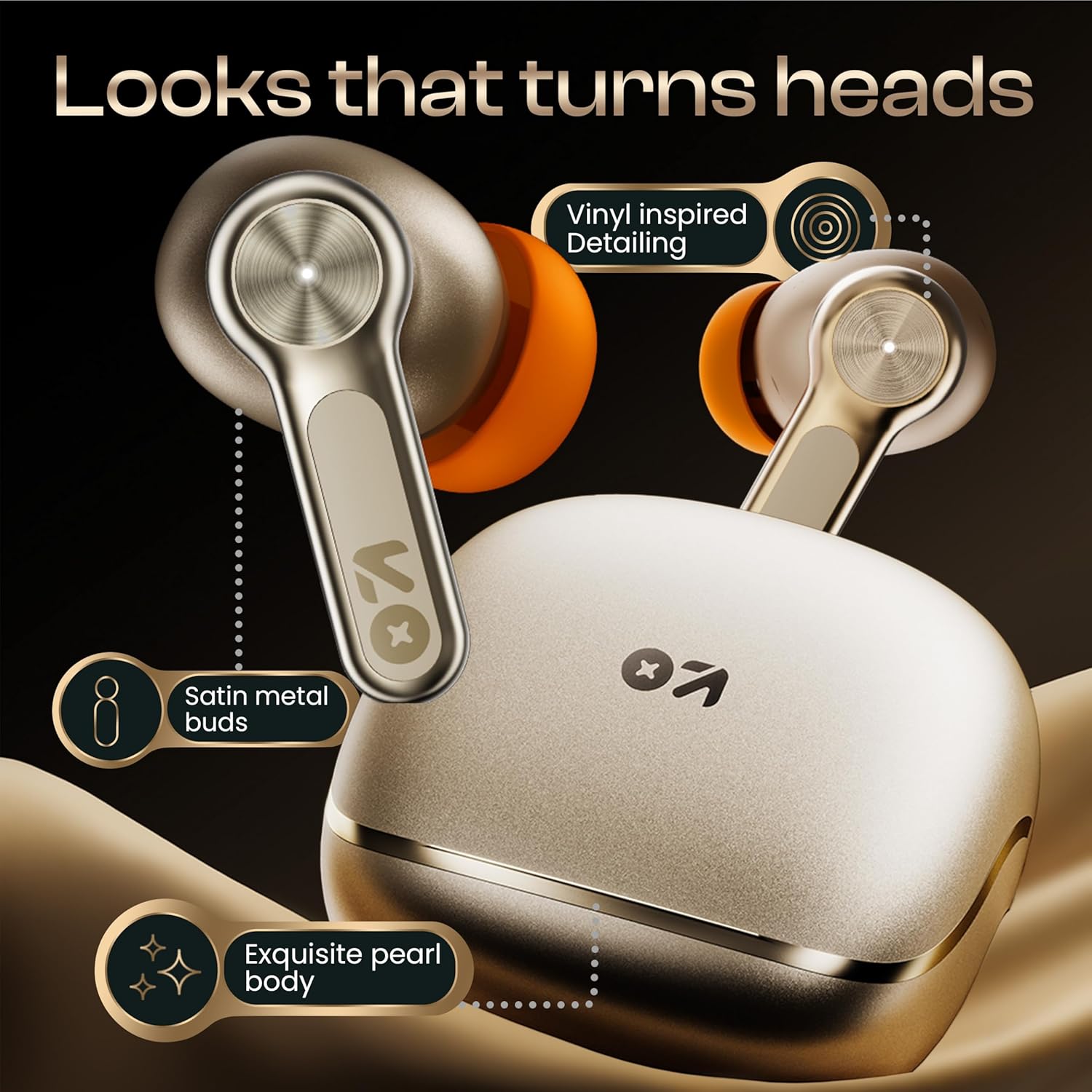
Image: A detailed view of the GOBOULT Raven earbud's touch-sensitive surface, indicating areas for music playback control and call management.
Dual Device Pairing
The earbuds can connect to two devices simultaneously, allowing seamless switching between them.
- Pair the earbuds with your first device (e.g., smartphone) as described in the "Pairing with a Device" section.
- Disconnect Bluetooth on the first device or put the earbuds back in the case and close it, then open it again to re-enter pairing mode.
- Pair the earbuds with your second device (e.g., laptop).
- Reconnect the earbuds to the first device via its Bluetooth settings. The earbuds should now be connected to both.
Audio will automatically switch to the device playing content or receiving a call.

Image: The GOBOULT Raven earbuds and their case positioned between a smartphone and a laptop, demonstrating the dual device pairing feature for seamless switching between audio sources.
Gaming Mode (Ultra-Low Latency)
Activate Gaming Mode for a 50ms ultra-low latency experience, ideal for gaming and video playback.
- Gaming Mode can typically be activated via a specific touch control gesture (refer to your GOBOULT App settings or the table above).
- You can also enable/disable Gaming Mode through the GOBOULT App.

Image: The GOBOULT Raven earbuds and their charging case next to a gaming controller, emphasizing the Combat™ Gaming Mode with 50ms ultra-low latency for an optimized gaming experience.
Voice Assistant
Access your device's voice assistant (Google Assistant, Siri) directly from the earbuds.
- Perform the designated touch control gesture (e.g., triple tap) to activate the voice assistant.
- Speak your command after the prompt.

Image: A composite image illustrating the Smart AI Voice Assistance feature, showing integration with "Ok Google" and "Hey Siri", alongside the IPX5 water-resistant rating of the earbuds.
Maintenance
Cleaning
- Regularly clean the earbuds and charging case with a soft, dry, lint-free cloth.
- Remove eartips and clean any earwax or debris from the earbud nozzles using a small brush or cotton swab.
- Ensure charging contacts on both earbuds and case are clean and dry.
Water Resistance (IPX5)
The GOBOULT Raven earbuds are IPX5 water-resistant, meaning they can withstand sweat and light rain. They are not designed for submersion in water.
- Do not expose the earbuds to running water or submerge them.
- If they get wet, wipe them dry thoroughly before placing them back in the charging case.
Storage
Store the earbuds in their charging case when not in use to protect them and keep them charged.
- Avoid storing in extreme temperatures or high humidity.
Troubleshooting
| Problem | Possible Solution |
|---|---|
| Earbuds not pairing |
|
| Only one earbud working |
|
| Poor sound quality |
|
| Charging issues |
|
Specifications
| Feature | Detail |
|---|---|
| Model Name | Raven (Airbass Earbuds) |
| Connectivity | Bluetooth v5.4 |
| Wireless Range | Up to 10 meters |
| Audio Drivers | 10mm Dynamic Drivers |
| Playtime | Up to 70 hours (with charging case) |
| Charging Time | Approx. 20 minutes (for quick charge) |
| Audio Latency | 50ms (Gaming Mode) / 45ms (as per spec) |
| Microphones | Quad Mic with Environmental Noise Cancellation (ENC) |
| Water Resistance | IPX5 |
| Control Method | Touch, Voice |
| Special Features | Dual Device Pairing, GOBOULT App Support, Smart AI Voice Assistance |
| Frequency Response | 20 Hz (lower bound) |
| Sensitivity | 115 dB |
| Hardware Interface | USB Type C |
| Product Dimensions | 5 x 4.5 x 5.4 cm |
| Item Weight | 600 g (package weight) |
Note: Specifications are subject to change without prior notice.
Warranty and Support
Warranty Information
Your GOBOULT Raven TWS Earbuds come with a 1-Year Manufacturer's Warranty from the date of purchase. This warranty covers manufacturing defects and ensures trusted performance and premium build quality.
- Please retain your purchase receipt and the warranty card for warranty claims.
- The warranty does not cover damage caused by misuse, accidents, unauthorized modifications, or normal wear and tear.
Customer Support
For any queries, technical assistance, or warranty claims, please contact GOBOULT customer support. Refer to the contact information provided on your warranty card or visit the official GOBOULT website for support details.
Manufacturer: GOBOULT, B-67 Wazirpur Industrial Area, New Delhi 110052, India
