
1. Introduction
This manual provides detailed instructions for the installation, operation, and maintenance of your Fortdows 10-inch QLED Car Radio. Please read this manual thoroughly before installation and use to ensure proper function and safety. This head unit is designed to enhance your driving experience with advanced features including Android 15, Wireless CarPlay, Android Auto, GPS navigation, and multimedia capabilities.
2. Vehicle Compatibility
This Android 15 car radio is specifically designed for:
- Chevy Silverado: 2014, 2015, 2016, 2017, 2018
- GMC Sierra: 2014, 2015, 2016, 2017, 2018
It retains all OEM features, including steering wheel control, original backup camera, and vehicle information display. Installation is plug-and-play, requiring no wire cutting.
Important Note: Not compatible with BOSE audio systems. For BOSE-equipped vehicles, an additional fiber optic interface is required to enable audio output.
Determining Vehicle Compatibility
To confirm compatibility, check your vehicle's original dashboard and RPO code:

Dashboard Type: Compare your original vehicle dashboard with the images provided to identify if it fits IO3/IO4 (4.2 inch screen), IOB (7 inch screen), or IO5/IO6 (8 inch screen).

RPO Code: Open the passenger side glove box. The RPO code can be found on the left label. This code helps determine the correct wiring harness.
3. Package Contents
Verify that all items are present in the package before beginning installation:
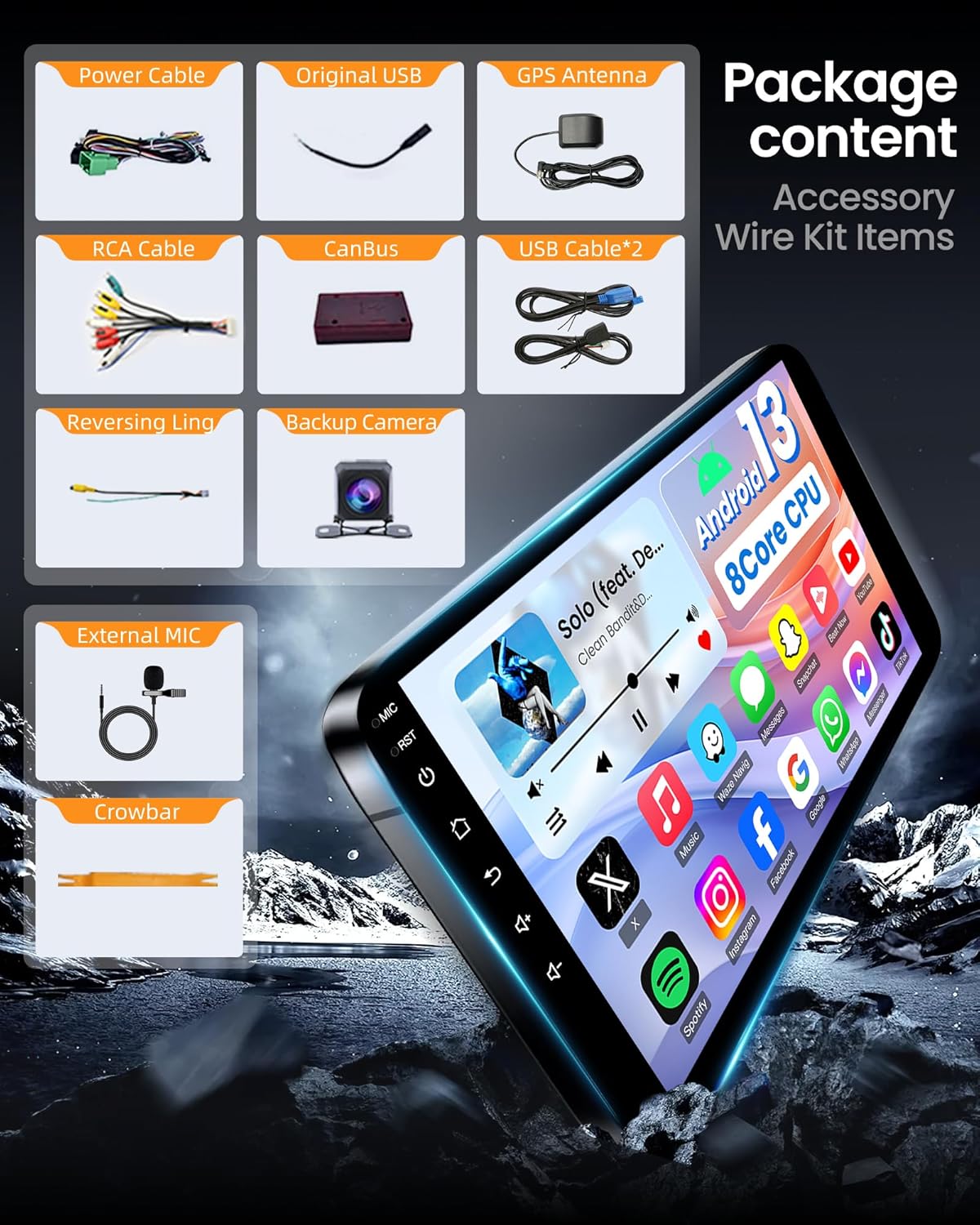
- Main Head Unit (10-inch QLED display)
- Power Cable
- Original USB Cable
- GPS Antenna
- RCA Cable
- CANBUS Decoder
- USB Cable * 2 (6-pin and 4-pin)
- Reversing Line
- Backup Camera (1080P AHD)
- External Microphone
- Crowbar (for trim removal)
4. Setup & Installation
Follow these steps for proper installation. It is recommended to disconnect the vehicle's battery before starting.
General Wiring Connections
The following video demonstrates the general wiring connections for the head unit components:
Video Description: This video provides a step-by-step guide on connecting the various cables and components to the Fortdows car radio head unit, including power, RCA, USB, GPS antenna, and camera connections.
Wiring Diagram for RPO Code IOB (XC-1255 Power Cable)
If your vehicle's RPO code is IOB, use the XC-1255 harness. Ensure all connections are secure.

Image Description: This diagram illustrates the wiring connections for vehicles with RPO code IOB, utilizing the XC-1255 power cable. It shows connections for power, USB, and the reversing camera signal.
WARNING: Do not connect wiring while power is on. Doing so may result in system errors, fuse damage, or permanent malfunction. Always disconnect the battery before installation.
Wiring Diagram for RPO Code IO3/IO4/IO5/IO6 (XC-1256 Power Cable)
If your vehicle's RPO code is IO3, IO4, IO5, or IO6, use the XC-1256 harness. Only connect the labeled plugs on the original car radio. The remaining plugs do not need to be connected.

Image Description: This diagram details the wiring for vehicles with RPO codes IO3, IO4, IO5, or IO6, using the XC-1256 power cable. It highlights specific connections for the factory camera, USB, and steering wheel control adapter.
Steering Wheel Control Adapter Cable Installation
Connect the steering wheel control adapter cable to the 10-pin connector located under the steering wheel. Ensure the correct adapter type is used based on your vehicle model (Silverado 1500/2500 for single-row, 3500 for dual-row).

Image Description: This image shows the location for connecting the steering wheel control adapter cable under the steering wheel, along with different adapter types for various Silverado models.
5. Operating Instructions
Your Fortdows car radio features an intuitive Android 15 interface. Below are key features and how to use them.
5.1 Core Performance
The head unit is powered by a Spreadtrum UIS8581A octa-core CPU with 2GB RAM and 32GB ROM, ensuring fast response and smooth multitasking.

Image Description: This graphic highlights the 8-core CPU, 2GB RAM, and 32GB ROM configuration, emphasizing improved performance and ample storage for applications.
5.2 10-Inch QLED IPS Display
Experience vibrant visuals on the 10-inch QLED Quantum Dot display with 1280*800 HD resolution, 178° ultra-wide viewing angle, and anti-glare coating for clear visibility.

Image Description: A visual comparison demonstrating the superior clarity and color saturation of the 1280x800P IPS touchscreen compared to standard 1280x720P displays.
5.3 Wireless CarPlay & Android Auto
Connect your smartphone wirelessly for navigation, music, calls, and messages. Use Siri or Google Assistant for hands-free control.

Image Description: Screenshots showing the Apple CarPlay and Android Auto interfaces on the head unit, illustrating access to navigation, music, and phone functions.
5.4 5G WiFi & Bluetooth 5.0
Dual-band 2.4GHz & 5GHz WiFi provides fast internet access for app downloads and streaming. Bluetooth 5.0 ensures stable, low-latency connections for calls and audio.
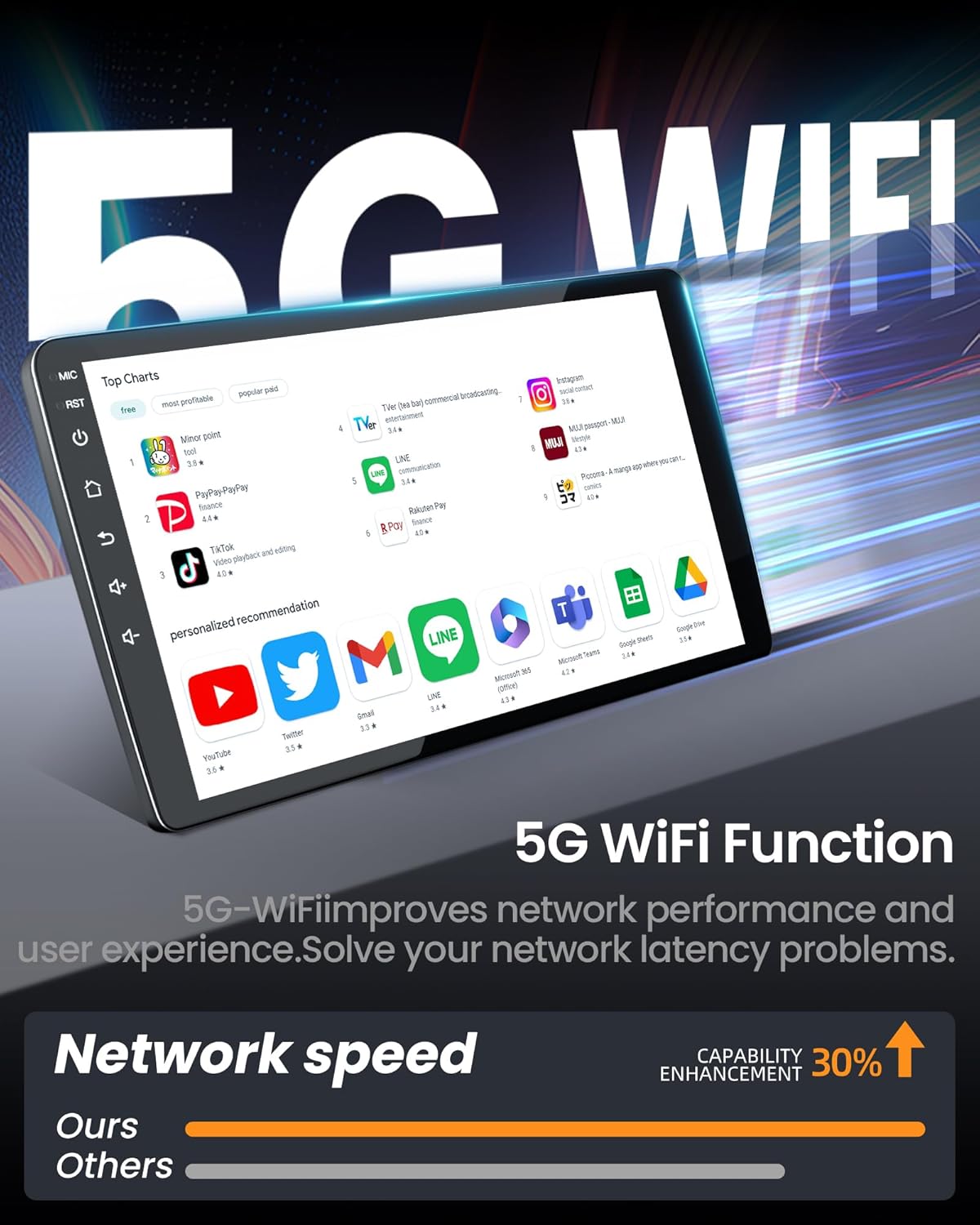
Image Description: This graphic illustrates the 5G WiFi capability, showing improved network performance and faster download speeds compared to other systems.
5.5 Online & Offline GPS Navigation
Utilize built-in high-sensitivity GPS with support for GPS, GLONASS, and BeiDou satellites. Preloaded offline maps are available, and online maps like Google Maps or Waze can be downloaded via WiFi for real-time traffic updates.
5.6 Hi-Fi Audio & Advanced Amplifier
Enjoy immersive sound with the dedicated 7388 amplifier chip and Hi-Fi audio decoding. Customize your audio with a 36-band EQ and 7 professional sound modes.
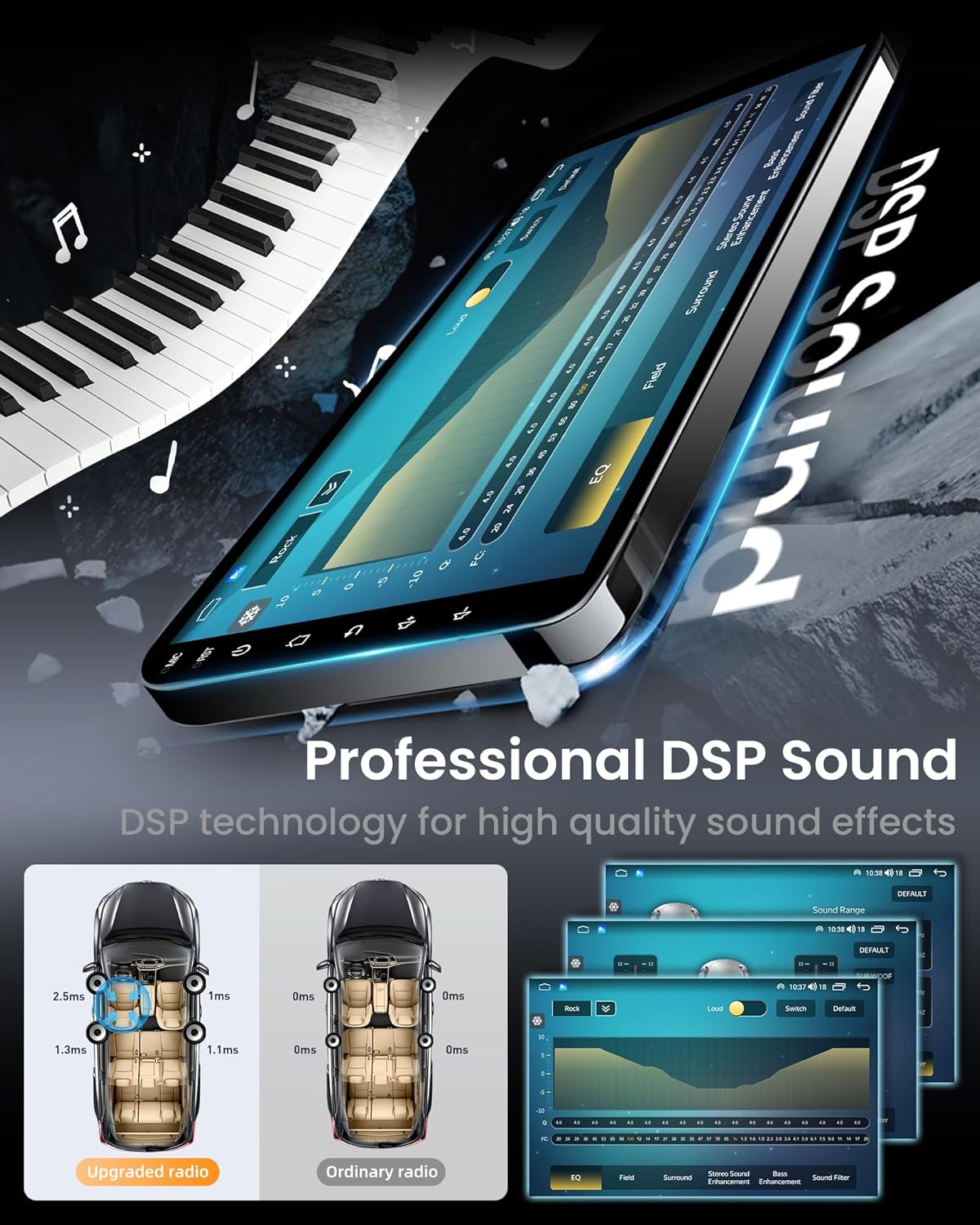
Image Description: This image displays the DSP sound settings interface, including EQ adjustments, sound field control, and bass enhancement options for a customized audio experience.
5.7 Advanced Radio Chip (FM/AM)
The built-in SI4755 radio chip ensures clear FM/AM reception, even in areas with weak signals, keeping you updated with traffic, weather, and news.
5.8 Split-Screen & Multimedia
Run two applications simultaneously with the split-screen function, such as navigation and music. Access popular apps like YouTube, TikTok, and Spotify from the Google Play Store. Mirror Link allows smartphone screen projection.
5.9 Steering Wheel Control
Maintain full functionality of your original steering wheel controls for safe adjustment of volume, track, and calls without diverting your attention from the road.
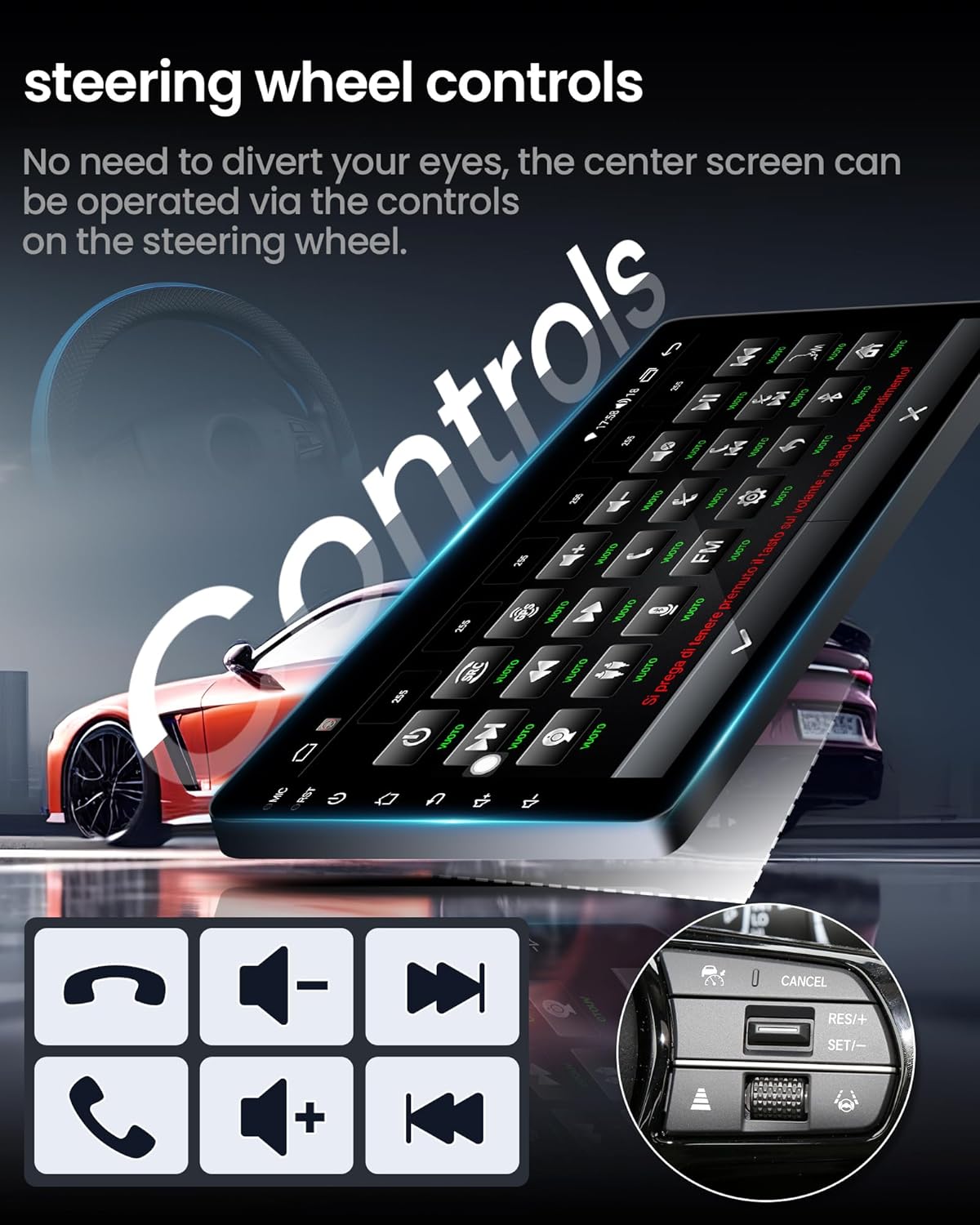
Image Description: This image illustrates how the head unit integrates with existing steering wheel controls, allowing for convenient operation of various functions.
5.10 Rearview Camera
The included 1080P AHD rearview camera features a 170° ultra-wide angle, IP69 waterproof design, and night vision. The display automatically switches to the camera view when shifting into reverse.
5.11 UI Replacement
The head unit supports various UI themes. You can change the user interface to suit your preference through the settings menu.
Video Description: This video demonstrates the various user interface options and how to switch between them, showcasing different visual styles and layouts available on the Fortdows car radio.
6. Maintenance
To ensure the longevity and optimal performance of your Fortdows car radio, follow these general maintenance guidelines:
- Screen Cleaning: Use a soft, lint-free cloth to gently wipe the touchscreen. For stubborn smudges, slightly dampen the cloth with water or a screen-safe cleaner. Avoid harsh chemicals or abrasive materials.
- Software Updates: Periodically check for software updates to ensure you have the latest features and bug fixes. Updates can typically be found in the system settings or on the manufacturer's website.
- Environmental Conditions: Avoid exposing the unit to extreme temperatures, direct sunlight for prolonged periods, or excessive moisture.
- Cable Connections: Regularly check all cable connections to ensure they are secure and free from damage. Loose connections can lead to intermittent issues.
7. Troubleshooting
This section addresses common issues you might encounter with your car radio.
Why is there no sound from the radio after installation?
If your vehicle is equipped with a Bose audio system, an additional audio adapter (fiber optic box) is required. Connect the included MST cable to the adapter and the factory CD player to ensure proper audio output.
How to determine if your vehicle has a Bose system:
- The front door speakers have a BOSE logo.
- The factory green connector has only two wires.

Image Description: This image shows how to identify a Bose audio system by checking the speaker logo and the factory green connector, and provides a visual guide for connecting the fiber optic interface.
Why is the steering wheel control not working after installing the radio?
For vehicles without a Bose sound system, the audio adapter (fiber optic box) and MST cable are not needed.
- Check all physical connections: Ensure the correct steering wheel control adapter cable is selected and securely connected to the 10-pin connector under the steering wheel.
- Confirm that the 8-pin plug on the power cable is correctly inserted into the 8-pin port on the back of the radio unit.
- Configure the correct car model in settings: Go to Settings > Factory (enter password "3368") > Car Model, then select "XP[Simple]--GM/Chevrolet--ALL-XP[H]".
8. Specifications
| Feature | Specification |
|---|---|
| Brand | Fortdows |
| Model | 8Core 2G RAM + 32G ROM 10 Inches |
| Vehicle Service Type | Truck (Chevy Silverado, GMC Sierra 2014-2018) |
| Screen Size | 10.2 Inches |
| Display Type | QLED IPS |
| Resolution | 1280*800 HD |
| Operating System | Android 15 |
| CPU | Spreadtrum UIS8581A Octa-Core |
| RAM | 2 GB |
| Memory Storage Capacity | 32 GB |
| Connectivity Technology | Bluetooth 5.0, Wi-Fi (2.4GHz & 5GHz), USB, Wireless |
| Supported Satellite Navigation System | GPS, GLONASS, BeiDou |
| Special Features | Touchscreen, Wireless CarPlay, Android Auto, Split-Screen, Hi-Fi Audio, DSP, Rearview Camera Support, Steering Wheel Control |
| Audio Output Mode | Stereo |
| Mounting Type | Dashboard Mount |
| UPC | 797387432462 |
| ASIN | B0DN1DMM3C |
9. Warranty & Support
Fortdows is committed to providing quality products and customer satisfaction.


- Warranty: 1-Year Warranty
- Return Policy: 7 Days Return Policy
- Defects: Return on Defects
For customer support, please contact:
- Email: fortdows.cam@gmail.com
- Website: www.fancygod.com