
1. Introduction
The AgfaPhoto Realiview APF3200WIFI is a 32-inch Wi-Fi connected digital photo frame designed to display your cherished memories in Full HD resolution. Its large touchscreen and intuitive interface make it easy to use for all family members. With Wi-Fi connectivity and the FRAMEO application, you can instantly share photos and videos from anywhere in the world. The frame includes 32GB of internal memory and supports memory cards for extensive storage. Additional features include clock, weather display, and automatic rotation.

Image: The AGFAPHOTO APF3200WIFI digital photo frame highlighting its core functionalities: photo display, video display, clock function, and weather function.
2. Package Contents
Please check the box for the following items:
- AGFAPHOTO Realiview APF3200WIFI 32-inch Digital Photo Frame
- Power Adapter
- User Manual (this document)
- Two interchangeable frames (natural wood and black wood)
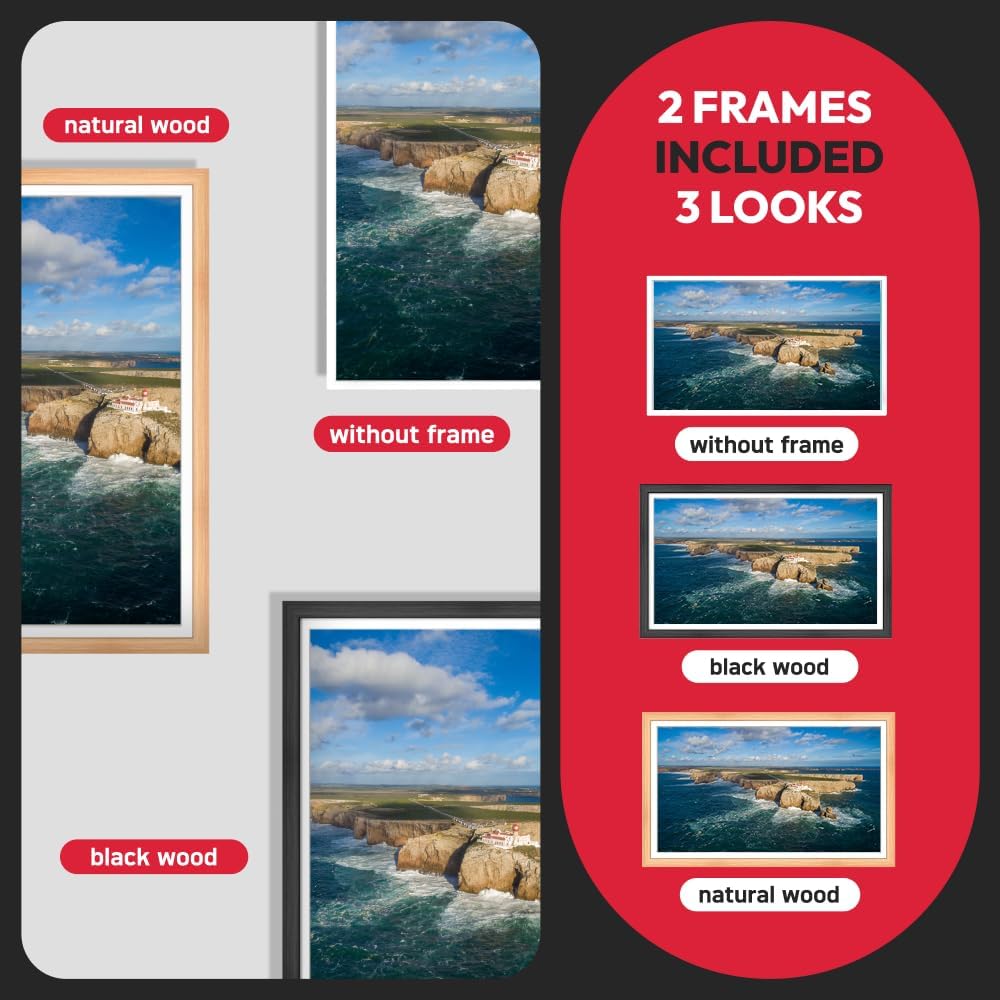
Image: The digital photo frame displayed with its interchangeable natural wood and black wood frames, offering three distinct aesthetic options.
3. Setup
3.1 Unpacking and Placement
Carefully remove the digital photo frame from its packaging. Choose a stable location for the frame, ensuring it is away from direct sunlight, heat sources, and moisture. The frame can be oriented in either portrait or landscape mode.

Image: The digital photo frame shown in both portrait and landscape orientations, demonstrating its adaptable design for various display preferences.
3.2 Power Connection
Connect the provided power adapter to the DC input port on the back of the frame. Plug the other end of the adapter into a standard electrical outlet. The frame will automatically power on or enter standby mode.
3.3 Initial Configuration
Upon first power-on, the frame will guide you through an initial setup process. This typically includes:
- Language Selection: Choose your preferred language.
- Wi-Fi Connection: Select your Wi-Fi network and enter the password to connect the frame to the internet. A stable internet connection is required for using the FRAMEO app and other online features.
- Time Zone and Date: Set the correct time zone and date.
4. Operating Instructions
4.1 Touchscreen Navigation
The AGFAPHOTO Realiview APF3200WIFI features an IPS 32-inch touchscreen for intuitive control. Tap, swipe, and pinch gestures are used to navigate menus, view photos, and adjust settings.

Image: A user demonstrating interaction with the large 32-inch IPS touchscreen of the digital photo frame.
4.2 Using the FRAMEO App
The FRAMEO app (available for iOS and Android) allows you to send photos and videos directly to your digital photo frame from your smartphone, regardless of your location. To get started:
- Download the App: Search for "FRAMEO" in your smartphone's app store and install it.
- Connect to Frame: Follow the in-app instructions to connect your smartphone to your AGFAPHOTO frame. This usually involves entering a unique code displayed on the frame.
- Share Content: Select photos or videos from your phone's gallery within the FRAMEO app and send them to the frame. You can add captions and select specific recipients if multiple frames are connected.
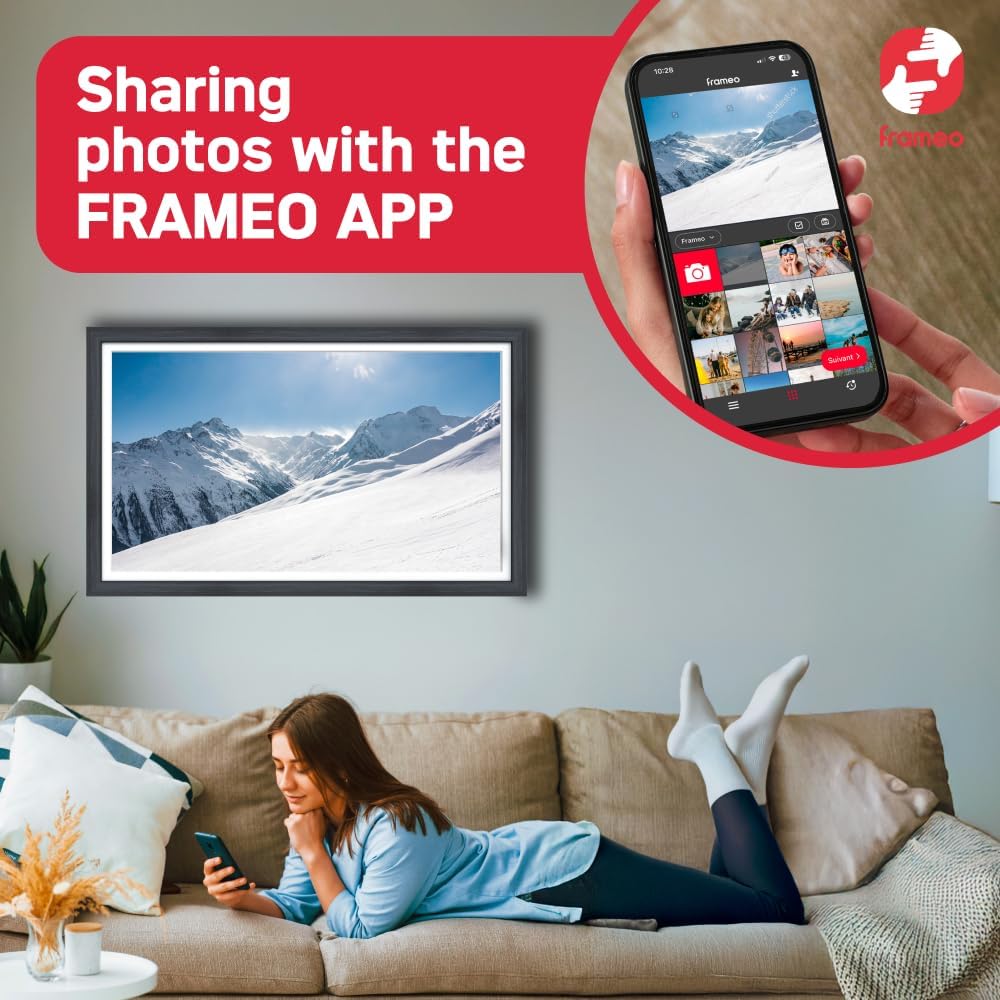
Image: A user interacting with the FRAMEO application on a smartphone, demonstrating the process of sharing photos to the digital photo frame.

Image: An illustration showing a smartphone wirelessly transmitting a photo to the digital photo frame, symbolizing instant sharing via the FRAMEO app.
4.3 Photo and Video Management
The frame comes with 32GB of built-in memory, capable of storing thousands of photos. It also features a memory card slot for expanding storage or directly importing media.
- Internal Storage: Photos and videos sent via the FRAMEO app are stored directly on the frame's internal 32GB memory.
- Memory Card: Insert a compatible memory card into the designated slot to view media directly or transfer files to the internal storage.
- Deleting Content: Use the touchscreen interface to browse and delete unwanted photos or videos from the frame's memory.

Image: The digital photo frame showcasing its capacity to store up to 10,000 photos with its 32GB built-in memory.
4.4 Additional Features
- Clock Function: Displays the current time.
- Weather Function: Shows local weather information (requires internet connection).
- Automatic Rotation: The frame automatically adjusts the display orientation (portrait or landscape) based on its physical position.
5. Maintenance
5.1 Cleaning the Screen
To clean the screen, gently wipe it with a soft, lint-free cloth. For stubborn smudges, slightly dampen the cloth with water or a screen-cleaning solution specifically designed for electronic displays. Avoid using harsh chemicals, abrasive materials, or excessive moisture.
5.2 General Care
- Keep the frame away from extreme temperatures and humidity.
- Do not block the ventilation openings on the back of the frame.
- Avoid dropping or subjecting the frame to strong impacts.
6. Troubleshooting
6.1 No Power
- Ensure the power adapter is securely connected to both the frame and a working electrical outlet.
- Check if the power outlet is functional by plugging in another device.
6.2 Wi-Fi Connection Issues
- Verify that your Wi-Fi router is powered on and functioning correctly.
- Ensure the frame is within range of your Wi-Fi network.
- Double-check the Wi-Fi password entered on the frame.
- Try restarting both the frame and your Wi-Fi router.
6.3 Photos Not Displaying
- Confirm that photos have been successfully sent to the frame via the FRAMEO app or transferred from a memory card.
- Check the file format of the photos; ensure they are compatible (e.g., JPEG, PNG).
- Verify that the frame's internal storage is not full.
6.4 Touchscreen Unresponsive
- Restart the frame by unplugging and re-plugging the power adapter.
- Ensure the screen is clean and free of debris or moisture.
7. Specifications
| Model Number | APF3200WIFI |
| Brand | AgfaPhoto |
| Screen Size | 32 Inches (81 cm) |
| Resolution | 1920x1080 (Full HD) |
| Connectivity Technology | Wi-Fi |
| Human Interface Input | Touchscreen |
| Memory Storage Capacity | 32 GB |
| Compatible Devices | Smartphone |
| Product Dimensions (L x W x H) | 74 x 44 x 2.51 cm |
| Item Weight | 0.15 grams |
| Color | Black |
8. Warranty and Support
8.1 Manufacturer's Warranty
This product is covered by a manufacturer's warranty. For specific details regarding the warranty period and terms, please refer to the warranty card included in your package or contact AgfaPhoto customer support.
8.2 Customer Support
For technical assistance, troubleshooting, or any questions regarding your AGFAPHOTO Realiview APF3200WIFI digital photo frame, please visit the official AgfaPhoto website or contact their customer support service. Contact information can typically be found on the manufacturer's website or in the product packaging.


