
Introduction
Thank you for choosing the Krysenix KGH2 Wireless Gaming Headset. This manual provides essential information for setting up, operating, and maintaining your new headset. Designed for versatile compatibility and high-fidelity audio, the KGH2 offers an immersive gaming experience with ultra-low latency and clear communication.
What's in the Box
- Wireless Gaming Headset (1)
- User Manual (1)
- 2.4GHz Dongle (1)
- Type-C Charging Cable (1)
Product Features
High-Fidelity Auditory Experience
The Krysenix KGH2 headset is equipped with 50mm titanium-coated dynamic drivers, delivering clear highs and deep lows. This allows for precise audio detail, such as footsteps or gunfire, crucial for competitive gaming. The headset provides extreme audio precision and realism for both game and music modes.
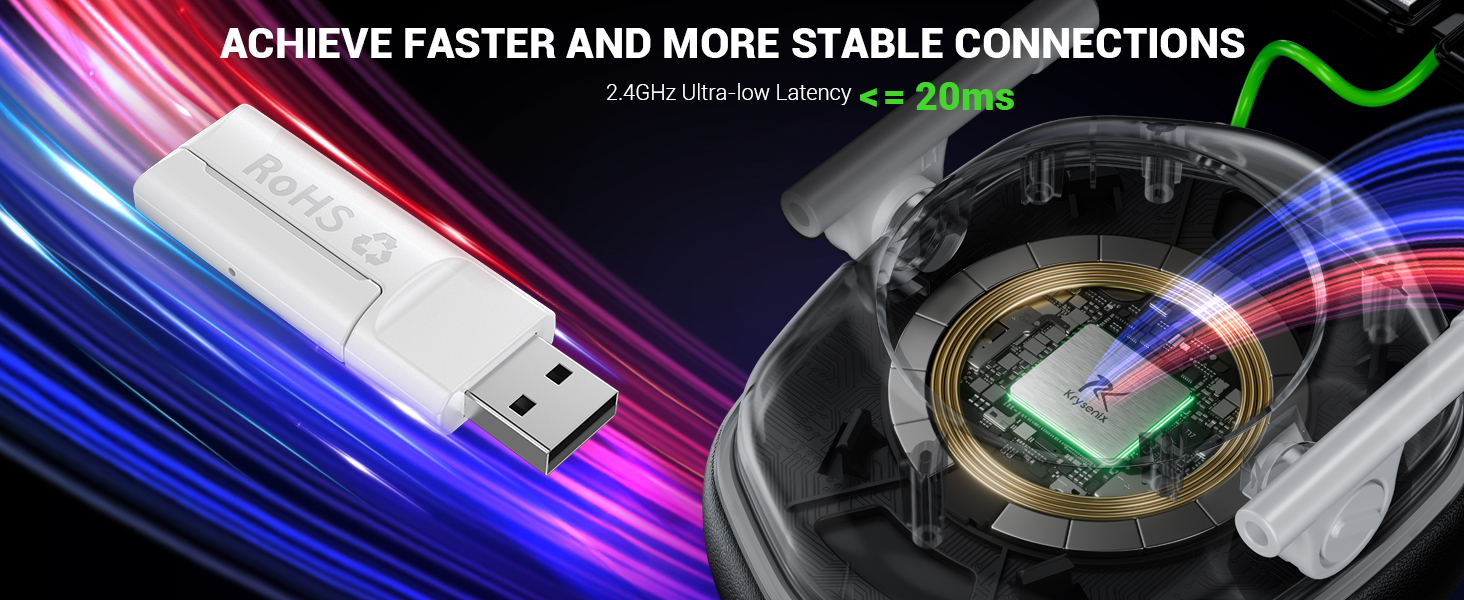
Image: Diagram illustrating the 50mm dynamic drivers within the headset, emphasizing high-fidelity audio. The image also shows a gamer wearing the headset in 'Game Mode' and a person listening to music in 'Music Mode'.
Versatile Compatibility & Stable Connection
Enjoy seamless connectivity with the KGH2 headset. It supports 2.4GHz lossless wireless technology via a dongle for ultra-low latency (≤20ms) connections to PC, PS4, PS5, Mac, Laptop, and Switch (audio only). Bluetooth 5.4 mode offers cutting-edge wireless connection to most mobile devices like smartphones, tablets, and Switch (microphone invalid in Bluetooth mode for Switch). Note: This headset is not compatible with Xbox consoles in any mode.
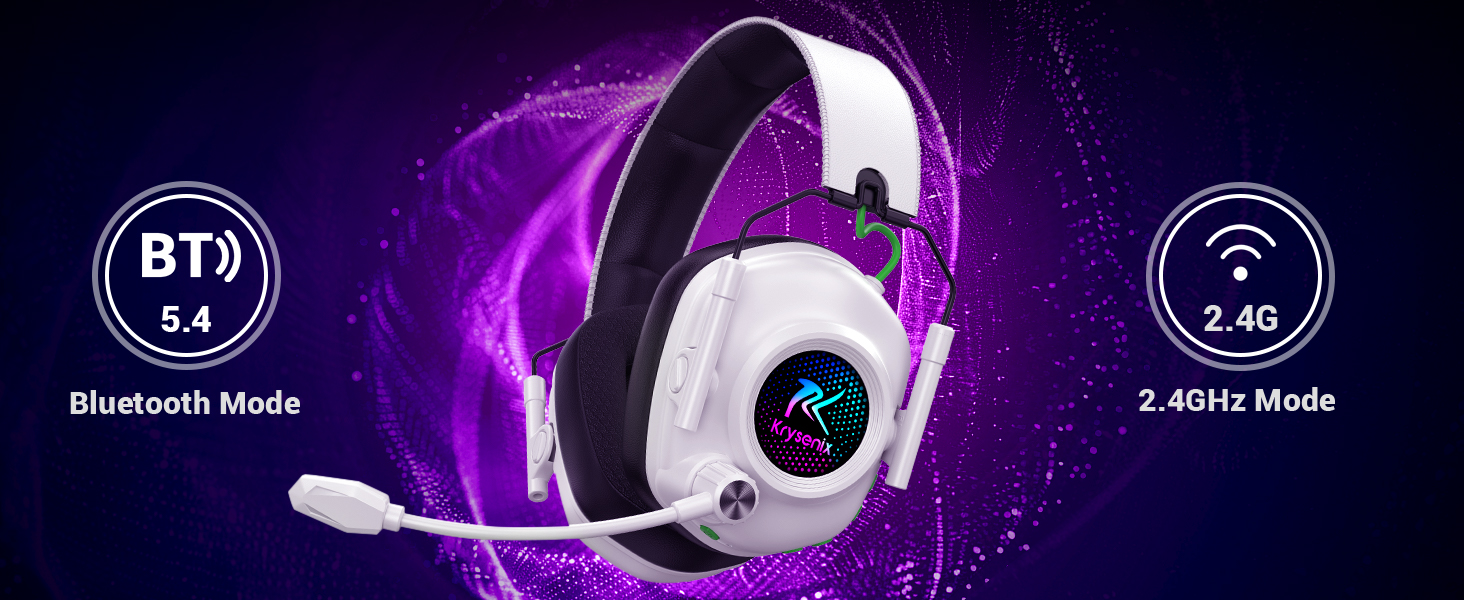
Image: The Krysenix KGH2 headset highlighting its 2.4 GHz Wireless and Bluetooth 5.4 connectivity modes, with icons for various compatible devices like PC, PS5, and mobile.
| Gaming Device | 2.4GHz Mode | Bluetooth 5.4 Mode | ||
|---|---|---|---|---|
| Audio | Mic | Audio | Mic | |
| For PC | ✓ | ✓ | ✓ | ✓ |
| For PS4/PS5 | ✓ | ✓ | ✗ | ✗ |
| For Laptop | ✓ | ✓ | ✓ | ✓ |
| For Switch | ✓ (Type-C) | ✗ | ✓ | ✗ |
| For Phone/Pad | ✓ (Type-C) | ✓ (Type-C) | ✓ | ✓ |
| All Xbox Series | ✗ | ✗ | ✗ | ✗ |
Note: 1. All modes are not compatible with Xbox. 2. Microphone is not compatible with Switch in Bluetooth Mode. 3. Bluetooth mode is not compatible with PS4/PS5.
Ultra-Long Battery Life
The Krysenix KGH2 is equipped with a 1200mAh battery, charging fully in 2.5 to 3 hours. Enjoy 30-35 hours of playtime with RGB lighting on, or an impressive 50 hours with RGB lighting off, ensuring uninterrupted gaming or music sessions.
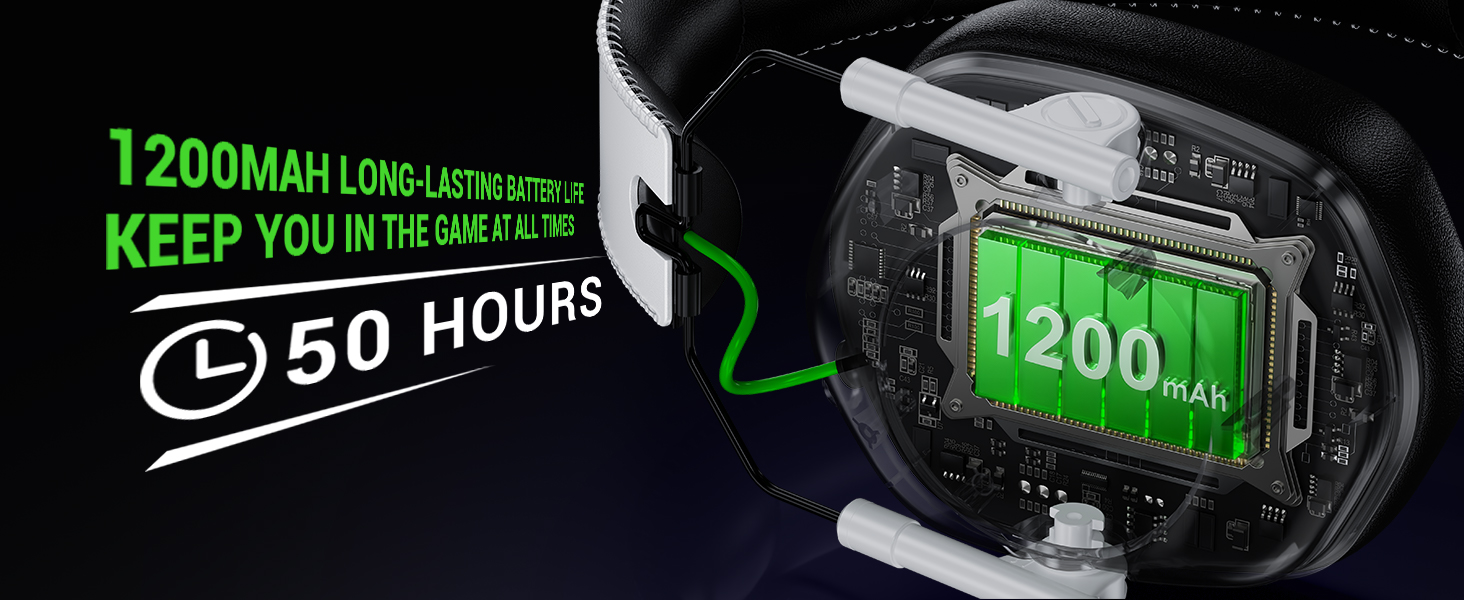
Image: The Krysenix KGH2 headset with a visual representation of its 1200mAh battery and up to 50 hours of playtime.
Adjustable Noise-Cancelling Microphone
The headset features a sensitive, adjustable microphone with noise-cancelling technology. It effectively eliminates background noise for clear voice capture, ensuring real-time, lag-free communication during gameplay. The flexible microphone can be adjusted up to 120° for optimal positioning.

Image: Close-up of the Krysenix KGH2 headset's noise-cancelling microphone, emphasizing its adjustable nature and clear voice communication capabilities.
Ergonomic Design & Comfort
Designed for comfort during extended use, the KGH2 features an adjustable headband and soft, high-quality imitation protein earmuffs. These conform to the shape of your head, reducing pressure. The skin-friendly, breathable sponge and leather earmuffs are ergonomically designed for long-lasting comfort, even for users wearing glasses.

Image: The Krysenix KGH2 headset showcasing its ergonomic design, foldable structure, ultra-soft ear cups, and cool RGB lighting.
Cool RGB Lighting & Foldable Design
The headset features dynamic RGB LED lighting on the earcups, enhancing your gaming atmosphere. Its foldable design saves space, making it easy to carry for travel or storage.

Image: The Krysenix KGH2 headset displaying its cool RGB lighting on the earcups.
Setup & Connection
2.4GHz Wireless Mode (Dongle)
For PC, PS4, PS5, Mac, and Laptop: Insert the 2.4GHz USB dongle into an available USB port on your device. Turn on the headset. The headset should automatically connect. For Switch: Insert the 2.4GHz Type-C dongle into the Switch's USB-C port. Turn on the headset. Audio will function, but the microphone is not supported in this mode for Switch.
Video: A user demonstrates connecting the Krysenix KGH2 Wireless Gaming Headset to a PlayStation console using the USB dongle and navigating the sound settings to select the headset as the output device. The video shows the headset's RGB lighting and flexible microphone.
Bluetooth 5.4 Mode
For mobile devices (smartphones, tablets) and Mac: Turn on the headset and switch to Bluetooth mode (refer to Operating Instructions for mode switching). On your device, go to Bluetooth settings and select 'KGH2' to pair. For Switch: Turn on the headset and switch to Bluetooth mode. On your Switch, go to Bluetooth settings and select 'KGH2' to pair. Audio will function, but the microphone is not supported in this mode for Switch.
Operating Instructions
Button Functions
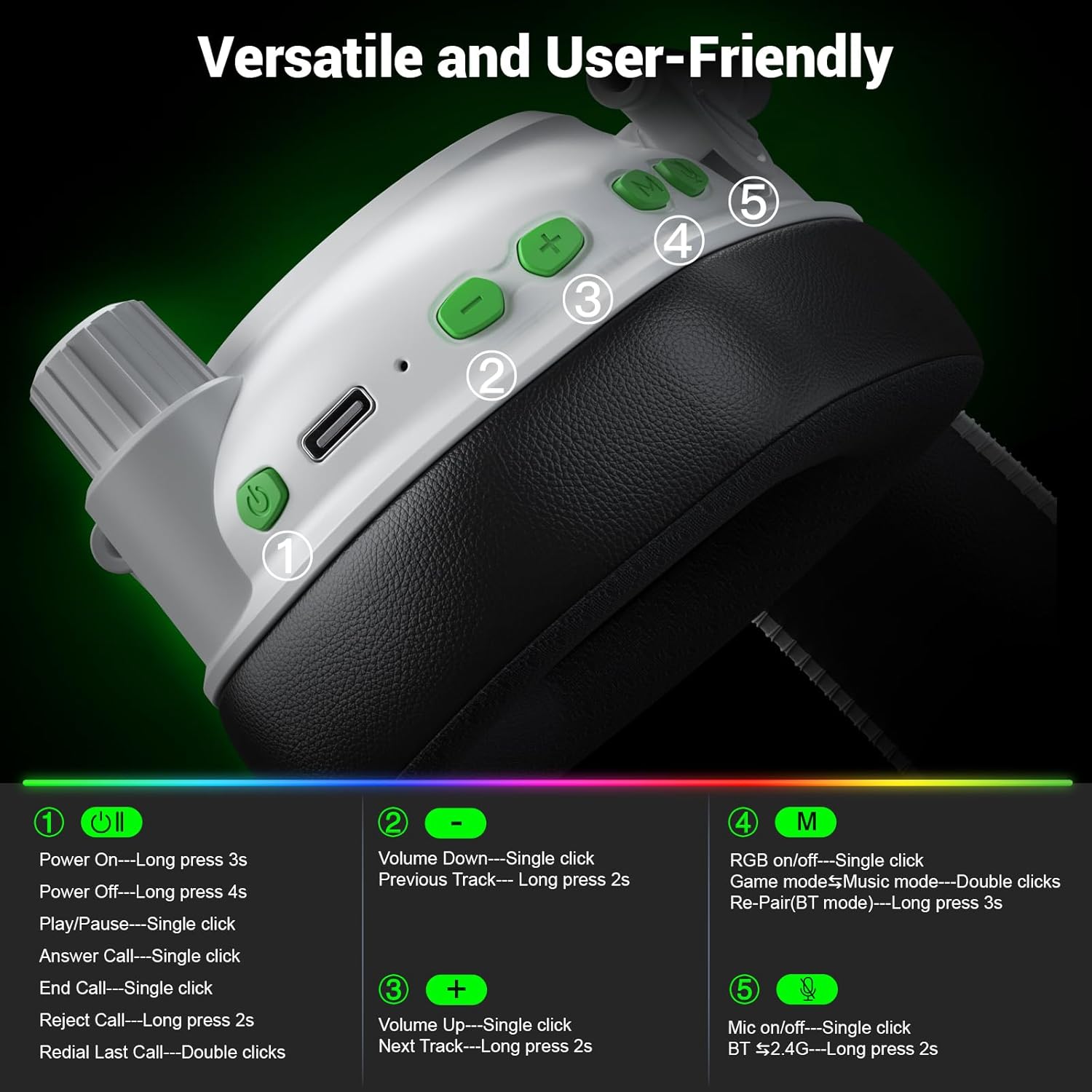
Image: A detailed diagram of the headset's controls, including the power button, volume controls, mode button, and microphone button, with corresponding functions.
- Power Button (1):
- Power On: Long press 3s
- Power Off: Long press 4s
- Play/Pause: Single click
- Answer Call: Single click
- End Call: Single click
- Reject Call: Long press 2s
- Redial Last Call: Double clicks
- Volume Down (-) (2):
- Volume Down: Single click
- Previous Track: Long press 2s
- Volume Up (+) (3):
- Volume Up: Single click
- Next Track: Long press 2s
- Mode Button (M) (4):
- RGB on/off: Single click
- Game mode/Music mode: Double clicks
- Re-Pair (BT mode): Long press 3s
- Mic On/Off (5):
- Mic on/off: Single click
- BT & 2.4G: Long press 2s
Charging
Connect the provided Type-C charging cable to the headset's charging port and the other end to a USB power source (e.g., computer USB port, USB wall adapter). The LED indicator will show charging status. A full charge takes approximately 2.5 to 3 hours.
Maintenance
- Clean the headset regularly with a soft, dry cloth.
- Avoid exposing the headset to extreme temperatures, humidity, or direct sunlight.
- Store the headset in a cool, dry place when not in use. The foldable design helps with compact storage.
- Do not attempt to disassemble or repair the headset yourself. This may void the warranty.
Troubleshooting
- No Sound: Ensure the headset is powered on and correctly paired/connected. Check device volume and headset volume.
- Microphone Not Working: Ensure the microphone is not muted on the headset or your device. Verify compatibility for your specific device and connection mode (e.g., Switch Bluetooth mode does not support mic).
- Connection Issues: Ensure the headset is within range of your device. Try re-pairing in Bluetooth mode or re-inserting the 2.4GHz dongle.
- Short Battery Life: Ensure the headset is fully charged. Turn off RGB lighting for extended playtime.
Specifications
- Brand: Krysenix
- Model Number: KGH2
- Color: White
- Ear Placement: Over Ear
- Impedance: 32 Ohms
- Connectivity Technology: Wireless (2.4GHz, Bluetooth 5.4)
- Bluetooth Version: 5.4
- Battery Capacity: 1200mAh
- Battery Charge Time: 2.5 - 3 Hours
- Battery Average Life: 50 Hours (RGB off), 30-35 Hours (RGB on)
- Noise Control: Sound Isolation, Noise Cancellation (Microphone)
- Audio Driver Type: Dynamic Driver (50mm)
- Frequency Range: 20Hz-20KHz
- Material: Leather (Earmuffs)
- Additional Features: Foldable, Microphone Included, RGB Lighting, Volume Control
- Compatible Devices: PS5, PS4, PC, Mac, Laptop, Mobile, Switch (Note: Mic invalid for Switch; Not compatible with Xbox)
Warranty & Support
The Krysenix KGH2 Wireless Gaming Headset comes with a 1-year warranty. For technical support, troubleshooting assistance, or warranty claims, please contact Krysenix customer service through the retailer's support channels or visit the official Krysenix website for contact information.