
OUKITEL C69 Smartphone User Manual
Model: OUKITEL C69
Brand: OUKITEL
1. Important Safety Information
Please read this safety information carefully before using your OUKITEL C69 smartphone to ensure proper and safe operation. Keep this manual for future reference.
General Safety
- Do not expose the device to extreme temperatures (below 0°C or above 40°C).
- Avoid direct sunlight, heat sources, or high humidity.
- Keep the device away from water and liquids.
- Use only OUKITEL-approved accessories.
Battery Safety
- Do not attempt to replace the battery yourself. Contact authorized service for battery replacement.
- Do not puncture, open, or disassemble the battery.
- Dispose of batteries according to local regulations.
Charging Safety
- Use only the charger provided with your device.
- Ensure the charger is connected to a compatible power outlet.
- Do not touch the charger or device with wet hands while charging.
2. Device Overview
The OUKITEL C69 is a feature-rich smartphone designed for daily communication and multimedia. Familiarize yourself with its components and included accessories.
Package Contents
Upon opening the box, you should find the following items:
- 1X OUKITEL C69 256GB Cell Phone
- 1X Charger
- 1X Data Cable (Type-C)
- Phone Case
- 1X Manual
- SIM Ejector Pin

Image: OUKITEL C69 package contents, including the phone, charger, data cable, phone case, manual, and SIM ejector pin.
Physical Components
The OUKITEL C69 features a sleek design with a 7.2-inch display and a triple camera setup on the rear. Key physical features include:
- Front: 7.2-inch display, 8MP front camera.
- Rear: 64MP main camera, additional camera lenses, LED flash.
- Sides: Power button, volume buttons, SIM/MicroSD card tray, USB Type-C port.
- Security: Side-mounted fingerprint sensor.

Image: Front and back view of the OUKITEL C69 smartphone, highlighting the large display and rear camera module.

Image: Side profile of the OUKITEL C69, illustrating its ultra-thin 9.5mm design.
3. Setup
3.1 Inserting SIM Card and MicroSD Card
Your OUKITEL C69 supports dual Nano-SIM cards or one Nano-SIM and one MicroSD card for expandable storage up to 1TB.
- Locate the SIM card tray on the side of the device.
- Insert the provided SIM ejector pin into the small hole next to the tray and press gently until the tray pops out.
- Place your Nano-SIM card(s) and/or MicroSD card into the designated slots on the tray. Ensure the gold contacts face downwards.
- Carefully push the tray back into the device until it is flush with the side.

Image: Illustration of inserting Nano-SIM cards and a MicroSD card into the OUKITEL C69's card tray.
3.2 Initial Power On
To turn on your OUKITEL C69 for the first time:
- Press and hold the Power button (located on the side) until the OUKITEL logo appears on the screen.
- The device will boot up, and you will be guided through the initial setup wizard.
3.3 Initial Setup Wizard
Follow the on-screen prompts to configure your device:
- Language Selection: Choose your preferred language.
- Wi-Fi Connection: Connect to a Wi-Fi network to enable internet access for updates and app downloads.
- Google Account: Sign in with your Google account or create a new one. This is essential for accessing the Google Play Store and other Google services.
- Date & Time: Set the correct date and time.
- Security: Set up a screen lock (PIN, pattern, password) and optionally configure fingerprint or Face ID.
3.4 Charging the Device
Before first use, it is recommended to fully charge your OUKITEL C69.
- Connect the Type-C data cable to the charging port at the bottom of the phone.
- Connect the other end of the data cable to the provided 18W charger.
- Plug the charger into a power outlet.
- The charging indicator will appear on the screen. Once fully charged, disconnect the charger.
4. Operating Your Device
4.1 Basic Navigation
The OUKITEL C69 operates on Android 15, offering intuitive touch-based navigation.
- Tap: Select an item or activate a function.
- Swipe: Move between screens, scroll through lists, or dismiss notifications.
- Pinch: Zoom in or out on images and web pages.
- Long Press: Access contextual menus or move icons on the home screen.
4.2 Display Features
Experience immersive visuals on the OUKITEL C69's 7.2-inch display with a 120Hz refresh rate and 500 nits brightness.
- Large Display: The 7.2-inch screen provides ample space for viewing content, gaming, and multitasking.
- 120Hz Refresh Rate: Ensures smooth scrolling and fluid animations for an enhanced user experience.
- 500 Nits Brightness: Offers clear visibility even in bright outdoor conditions.
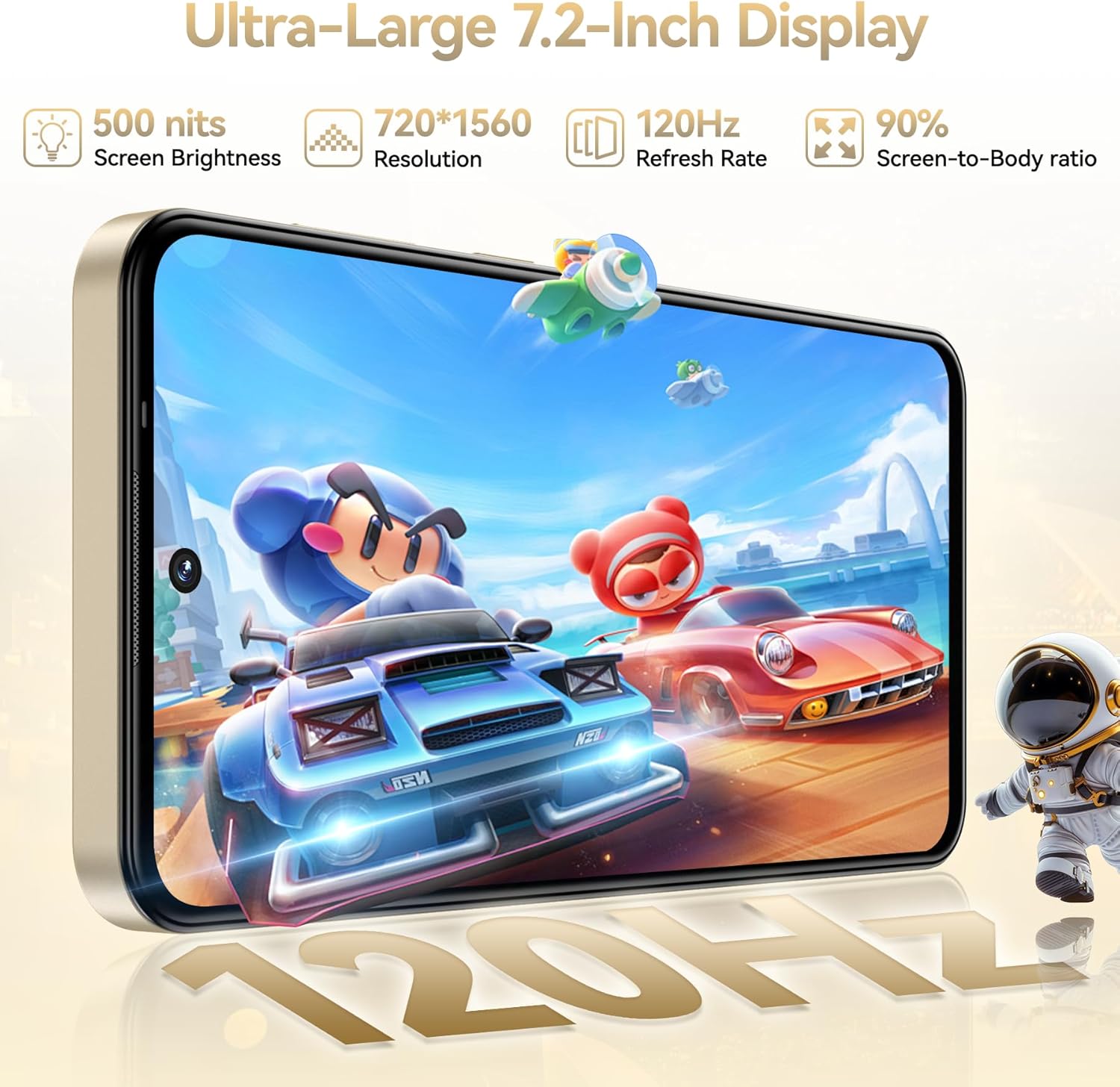
Image: The OUKITEL C69 smartphone displaying a vibrant image, highlighting its 7.2-inch screen and visual quality.

Video: An overview of the OUKITEL C69's 7.2-inch 120Hz display, demonstrating its smooth operation and visual clarity.
4.3 Camera Usage
Capture moments with the 64MP main camera and 8MP front camera. The camera app offers various modes to enhance your photography.
- 64MP Main Camera: For high-resolution photos with detailed clarity.
- 8MP Front Camera: Ideal for clear selfies and video calls.
- Camera Modes: Includes HDR, Panorama, Portrait, Beauty, and AI modes for diverse shooting scenarios.

Image: Visual representation of the OUKITEL C69's 64MP main camera and 8MP front camera, showcasing various photography modes.

Video: A demonstration of the OUKITEL C69's camera capabilities, including taking photos and general phone usage.
4.4 Storage and Performance
The OUKITEL C69 is equipped with a Unisoc T615 octa-core processor, 24GB RAM (8GB physical + 16GB virtual), and 256GB internal storage, expandable up to 1TB via MicroSD card.
- 24GB RAM: Enables smooth multitasking and efficient app performance.
- 256GB ROM: Provides ample space for apps, photos, videos, and files.
- 1TB Expandable Storage: Use a MicroSD card to significantly increase storage capacity.
- Unisoc T615 Octa-core Processor: Delivers reliable performance for daily tasks and moderate gaming.
- Android 15: The latest operating system offers enhanced security and a smarter user experience.

Image: Diagram illustrating the OUKITEL C69's 24GB RAM, 256GB ROM, 1TB expansion capability, and Unisoc T615 octa-core processor.

Image: Visual representation of the Android 15 operating system on the OUKITEL C69, highlighting its features and app compatibility.
4.5 Battery Management
The OUKITEL C69 is powered by a 6000mAh ultra-capacity battery, providing extended usage times.
- 6000mAh Battery: Offers up to 850 hours standby, 40 hours talk time, and 12 hours of gaming.
- 18W Fast Charging: Quickly recharges your device.
- OTG Support: Allows the phone to act as a power bank to charge other devices or transfer data via USB.

Image: Graphic illustrating the OUKITEL C69's 6000mAh battery capacity and estimated usage times for standby, talk, video, and gaming.

Image: Demonstration of the OUKITEL C69's OTG feature, showing it performing reverse charging to another device.
4.6 Connectivity
Stay connected with various network and wireless options.
- 4G Dual SIM: Supports two Nano-SIM cards for flexible network usage. Compatible with T-Mobile carriers.
- Wi-Fi: Supports 2.4GHz and 5GHz Wi-Fi for fast internet access.
- Bluetooth 5.0: For connecting wireless accessories like headphones and speakers.
- NFC: Enables quick data transfers and mobile payments.
- GPS: Integrated GPS, GLONASS, Galileo, and BeiDou systems for accurate navigation.
4.7 Security Features
Protect your device and data with biometric security options.
- Fingerprint Recognition: Unlock your phone quickly and securely using the side-mounted fingerprint sensor.
- Face ID: Use facial recognition for convenient unlocking.
5. Maintenance
5.1 Cleaning Your Device
To keep your OUKITEL C69 in optimal condition:
- Use a soft, lint-free cloth to wipe the screen and body.
- Avoid using harsh chemicals, abrasive cleaners, or aerosol sprays.
- Gently clean ports and openings with a dry, soft brush if necessary.
5.2 Software Updates
Regular software updates provide new features, security enhancements, and bug fixes.
- Ensure your device is connected to Wi-Fi and has sufficient battery (at least 50%).
- Go to Settings > System > System update.
- Follow the on-screen instructions to check for and install any available updates.
5.3 Data Backup
Regularly back up your important data to prevent loss.
- Google Backup: Enable Google Backup in Settings > System > Backup to automatically save app data, call history, contacts, device settings, and SMS messages to Google Drive.
- Manual Transfer: Connect your phone to a computer using the USB cable to manually transfer photos, videos, and documents.
6. Troubleshooting
This section addresses common issues you might encounter with your OUKITEL C69.
Device Not Turning On
- Ensure the battery is charged. Connect the charger and wait a few minutes before attempting to power on.
- Press and hold the Power button for at least 10-15 seconds to force a restart.
Poor Battery Life
- Reduce screen brightness.
- Close unused apps running in the background.
- Disable Wi-Fi, Bluetooth, or GPS when not in use.
- Check battery usage in Settings > Battery to identify power-consuming apps.
Connectivity Issues (Wi-Fi/Bluetooth/4G)
- Toggle Wi-Fi/Bluetooth/Mobile Data off and on.
- Restart the device.
- For Wi-Fi, forget the network and reconnect.
- For 4G, ensure your SIM card is properly inserted and your plan is active. Verify carrier compatibility (T-Mobile only).
Device Freezing or Unresponsive
- Force restart the device by holding the Power button for 10-15 seconds.
- If the issue persists, consider performing a factory reset (see below).
Factory Reset
A factory reset will erase all data from your phone and restore it to its original factory settings. Ensure you back up all important data before proceeding.
- Go to Settings > System > Reset options.
- Select Erase all data (factory reset).
- Confirm your decision and enter your PIN/pattern/password if prompted.
- The device will restart and begin the reset process.
7. Specifications
Detailed technical specifications for the OUKITEL C69 smartphone.
| Feature | Specification |
|---|---|
| Model Name | OUKITEL C69 |
| Operating System | Android 15 |
| Display Size | 7.2 Inches |
| Display Resolution | 720 x 1560 |
| Refresh Rate | 120Hz |
| Screen Brightness | 500 nits |
| Processor | Unisoc T615 Octa-core |
| RAM | 24GB (8GB physical + 16GB virtual) |
| Internal Storage | 256GB ROM |
| Expandable Storage | Up to 1TB via MicroSD card |
| Main Camera | 64MP |
| Front Camera | 8MP |
| Battery Capacity | 6000mAh |
| Charging | 18W Fast Charging, OTG Support |
| SIM Card Support | Dual Nano-SIM (or Nano-SIM + TF card) |
| Wireless Carrier Compatibility | T-Mobile (GSM: B2/B3/B5/B8, WCDMA: B1/2/4/5/8, TDD: B34/38/39/40/41, FDD: B1/2/3/4/5/7/8/12/17/18/19/20/25/26/28AB/66) |
| Connectivity | Wi-Fi 2.4/5G, Bluetooth 5.0, NFC |
| Navigation | GPS, GLONASS, Galileo, BeiDou |
| Security | Fingerprint Recognition, Face ID |
| Dimensions (Package) | 7.51 x 4.05 x 1.96 inches |
| Item Weight | 1.06 pounds |
8. Warranty and Support
Warranty Information
Your OUKITEL C69 smartphone comes with a standard manufacturer's warranty. Please refer to the warranty card included in your package for specific terms and conditions, including coverage duration and limitations. Keep your proof of purchase for warranty claims.
Customer Support
For technical assistance, troubleshooting, or warranty inquiries, please contact OUKITEL customer support through their official channels.
- Online Support: Visit the official OUKITEL website for FAQs, support resources, and contact forms.
- Amazon Store: You can also visit the OUKITEL Store on Amazon for product information and seller contact options.