
1. Introduction
Thank you for choosing the Jugeman S30 Smart Watch. This device is designed to enhance your daily life with advanced fitness tracking, health monitoring, and smart communication features. Please read this manual carefully to understand the proper operation and maintenance of your new smart watch.
2. Safety Information
- Consult your doctor before starting any new exercise program.
- The device is not a medical device. Data provided is for reference only and should not be used for medical diagnosis or treatment.
- Keep the device away from extreme temperatures and direct sunlight.
- Do not attempt to disassemble or repair the device yourself. This will void the warranty.
- Avoid prolonged contact with water, especially hot water, despite its IP68 rating.
- Keep out of reach of children.
3. What's in the Box
- Smart Watch x 1
- Watch Band x 1
- Charging Cable x 1
- User Manual x 1
4. Setup Guide
4.1 Charging the Device
Before first use, fully charge your smart watch. Connect the magnetic charging cable to the charging points on the back of the watch and plug the USB end into a power adapter (not included) or a computer's USB port. A full charge typically takes about 2 hours and provides 5-7 days of usage.
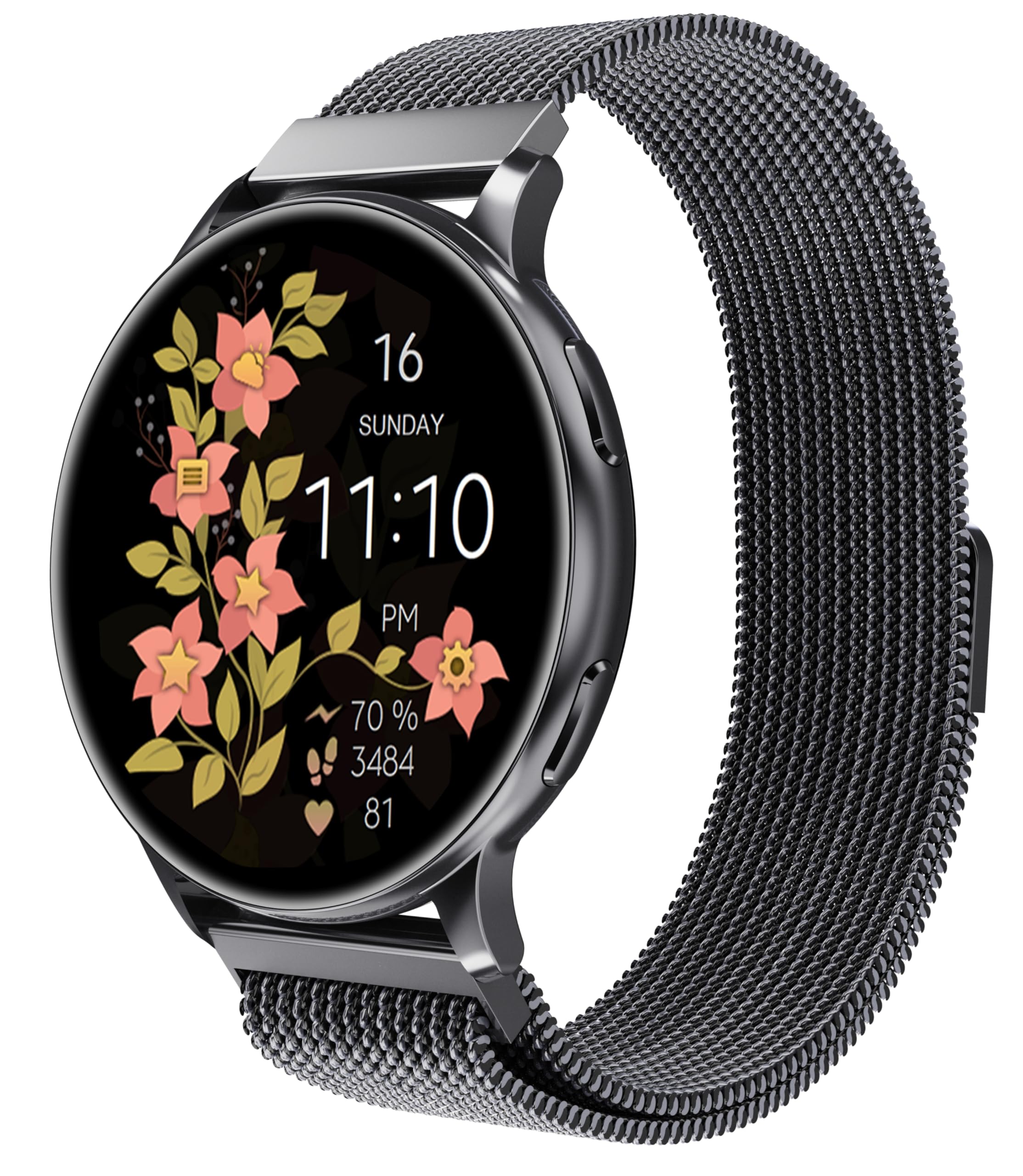
Image: The Jugeman S30 Smart Watch connected to its magnetic charging cable, illustrating the charging process.
4.2 App Installation and Pairing
- Download the App: Scan the QR code in the manual or search for the companion app (e.g., "FitCloudPro") on the App Store (iOS) or Google Play Store (Android).
- Enable Bluetooth: Ensure Bluetooth is enabled on your smartphone.
- Open the App: Launch the installed app and follow the on-screen instructions to create an account or log in.
- Pair the Watch: In the app, navigate to "Device" or "Add Device" and select your Jugeman S30 Smart Watch from the list of available devices. Confirm the pairing request on both your phone and watch.
The watch is compatible with Android 5.0 or above and iOS 9.0 or above.
5. Operating Instructions
5.1 Basic Navigation
- Touch Screen: Swipe left/right, up/down, and tap to navigate through menus and select options.
- Side Button: Press to wake the screen, return to the home screen, or access the app list.
5.2 Bluetooth Calling
The Jugeman S30 allows you to make and receive calls directly from your wrist. Ensure your watch is connected to your phone via Bluetooth.
- Making a Call: Access the dial pad on your watch, enter the number, and tap the call icon.
- Answering a Call: When a call comes in, tap the green answer icon on your watch.
Video: This video demonstrates the various features of the Jugeman Smart Watch, including its display, health monitoring, activity tracking, and smart notifications. It highlights the watch's design and functionality for daily wear.
5.3 Smart Notifications
Receive real-time notifications for messages (text, Facebook, WhatsApp, Instagram, Twitter, etc.) directly on your watch. Enable notification permissions in the companion app on your phone.
5.4 Music Control
Control music playback on your smartphone directly from your watch. Play, pause, skip tracks, and adjust volume without taking out your phone.
5.5 AI Voice Assistant
Utilize the AI voice feature to control music playback, check the weather, set alarms, timers, and more by speaking commands to your watch. (Note: Does not support message replies.)
5.6 Additional Functions
- Stopwatch: Use the built-in stopwatch for timing activities.
- Breathing Exercises: Follow guided breathing exercises for relaxation.
- Alarm Clock: Set multiple alarms directly from your watch.
6. Features and Health Monitoring
6.1 Display and Customization
The Jugeman S30 features a 1.32-inch AMOLED full-touch screen. Customize your watch face with various online options available through the companion app to match your style.
Image: The Jugeman S30 Smart Watch showcasing its vibrant 1.32-inch AMOLED display with a customizable watch face.
6.2 Health Tracking
- Heart Rate Monitoring: Provides 24/7 precise heart rate analysis.
- Sleep Quality Monitor: Tracks and analyzes your sleep patterns to help you understand your sleep quality.
- Step and Calorie Tracking: Records daily step counts and calories burned.
- Menstrual Cycle Tracker: Helps women understand and track their body's rhythms.
6.3 Fitness Tracking
The smart watch supports over 120 professional exercise modes, including walking, running, gym workouts, and daily activities. It accurately records steps, calories burned, distance, and workout duration. When connected to the app, it displays exercise routes and activity details.
6.4 IP68 Waterproof Rating
The device has an IP68 waterproof rating, protecting it against sweat, rain, and splashes. It is suitable for daily use but not recommended for swimming or diving.
7. Maintenance and Care
- Cleaning: Wipe the watch and band regularly with a soft, dry cloth. If necessary, use a slightly damp cloth and dry thoroughly.
- Water Exposure: While IP68 rated, avoid prolonged submersion. If the watch gets wet, dry it completely before charging or using buttons.
- Storage: Store the watch in a cool, dry place when not in use.
- Battery: To prolong battery life, avoid fully discharging the battery frequently.
8. Troubleshooting
8.1 Watch Not Turning On
Ensure the watch is fully charged. Connect it to the charging cable and a power source for at least 30 minutes.
8.2 Unable to Pair with Phone
- Ensure Bluetooth is enabled on your phone and the watch.
- Make sure the watch is within range of your phone.
- Restart both your phone and the watch.
- Check if the app has necessary permissions enabled on your phone.
- If previously paired, try unpairing and re-pairing the device through the app.
8.3 Inaccurate Heart Rate/Sleep Data
- Ensure the watch is worn snugly on your wrist, not too tight or too loose.
- Clean the sensor on the back of the watch.
- Avoid excessive movement during measurements.
8.4 Notifications Not Appearing
- Verify that notification permissions are granted to the companion app on your phone.
- Ensure the watch is connected to your phone via Bluetooth.
- Check the app's settings to ensure notifications for specific apps are enabled.
9. Specifications
| Feature | Detail |
|---|---|
| Model Name | S30 |
| Brand | Jugeman |
| Screen Size | 1.32 Inches |
| Display Type | AMOLED Full Touch |
| Shape | Round |
| Waterproof Rating | IP68 |
| Connectivity Technology | Bluetooth |
| Operating System Compatibility | Android 5.0 or above, iOS 9.0 or above |
| Battery Type | Lithium Polymer (1 required, included) |
| Battery Life | 5-7 days (typical usage) |
| Charging Time | Approx. 2 hours |
| Special Features | Activity Tracker, Always On Display, Voice Control, Heart Rate Monitor, Sleep Monitor, Menstrual Cycle Tracker, Bluetooth Calling |
| Item Weight | 5.6 ounces |
| Manufacturer | Jugeman |
10. Warranty and Support
For warranty information and customer support, please refer to the warranty card included with your product or contact Jugeman customer service through the official website or your purchase platform. Please have your model number (S30) and purchase details ready when contacting support.

