
1. Important Safety Information
Please read all instructions carefully before using this appliance. Failure to follow these instructions may result in fire, electric shock, injury, or property damage. Keep this manual for future reference.
- Always place the heater on a firm, level surface.
- Do not cover the heater or block air inlets/outlets.
- Keep combustible materials (furniture, curtains, paper, clothing) at least 3 feet (0.9 meters) from the front, sides, and rear of the heater.
- Do not use the heater in bathrooms, laundry areas, or similar indoor locations where water is present.
- Unplug the heater when not in use.
- Do not operate any heater with a damaged cord or plug, or after the heater malfunctions or has been dropped or damaged in any manner.
- This appliance is not intended for use by persons (including children) with reduced physical, sensory or mental capabilities, or lack of experience and knowledge, unless they have been given supervision or instruction concerning use of the appliance by a person responsible for their safety.
- Children should be supervised to ensure that they do not play with the appliance.
- The heater is equipped with an automatic tip-over shut-off feature and overheat protection for enhanced safety.
2. Product Overview
The ZAFRO 1500W Oil Filled Radiator Heater is designed to provide efficient and quiet heating for indoor spaces. It features innovative turned-edge fins for improved heat dissipation, a digital thermostat, a 24-hour timer, and multiple safety features.

Image 1: Front view of the ZAFRO Oil Filled Radiator Heater showing the digital display and control panel.
Key Features:
- Rapid Whole-Room Warming: 7 innovative turned-edge fins increase heat dissipation surface area for faster, more even heat distribution.
- Digital Thermostat & 24H Timer: Intuitive touchscreen panel allows precise temperature control (41-135°F) and programmable on/off times.
- Quiet Operation: Fanless design ensures silent heating, ideal for bedrooms and offices.
- Energy-Saving Design: Auto-regulates to maintain consistent warmth and intelligently manages power consumption.
- Comprehensive Safety: Includes tip-over protection, overheat protection (double non-adjustable thermostat), and child lock.
- Portable Design: Equipped with four omnidirectional wheels and a convenient handle for easy movement.
- Three Heating Power Levels: Offers 600W, 900W, and 1500W settings to suit various heating needs.
3. Setup
The ZAFRO Oil Filled Radiator Heater requires minimal assembly, primarily attaching the wheels.
- Carefully remove the heater and all packaging materials from the box.
- Turn the heater upside down on a soft, non-abrasive surface to avoid scratching.
- Attach the four omnidirectional wheels to the base of the heater using the provided screws. Ensure they are securely fastened.
- Carefully turn the heater upright.
- Place the heater on a stable, level surface, ensuring it is at least 3 feet (0.9 meters) away from any walls or combustible materials.
- Plug the power cord into a grounded electrical outlet.

Image 2: The heater demonstrating its tip-over protection feature, showing it automatically shutting off when tilted.
4. Operating Instructions
The heater can be operated using the touchscreen control panel or the included remote control.
4.1 Control Panel Overview
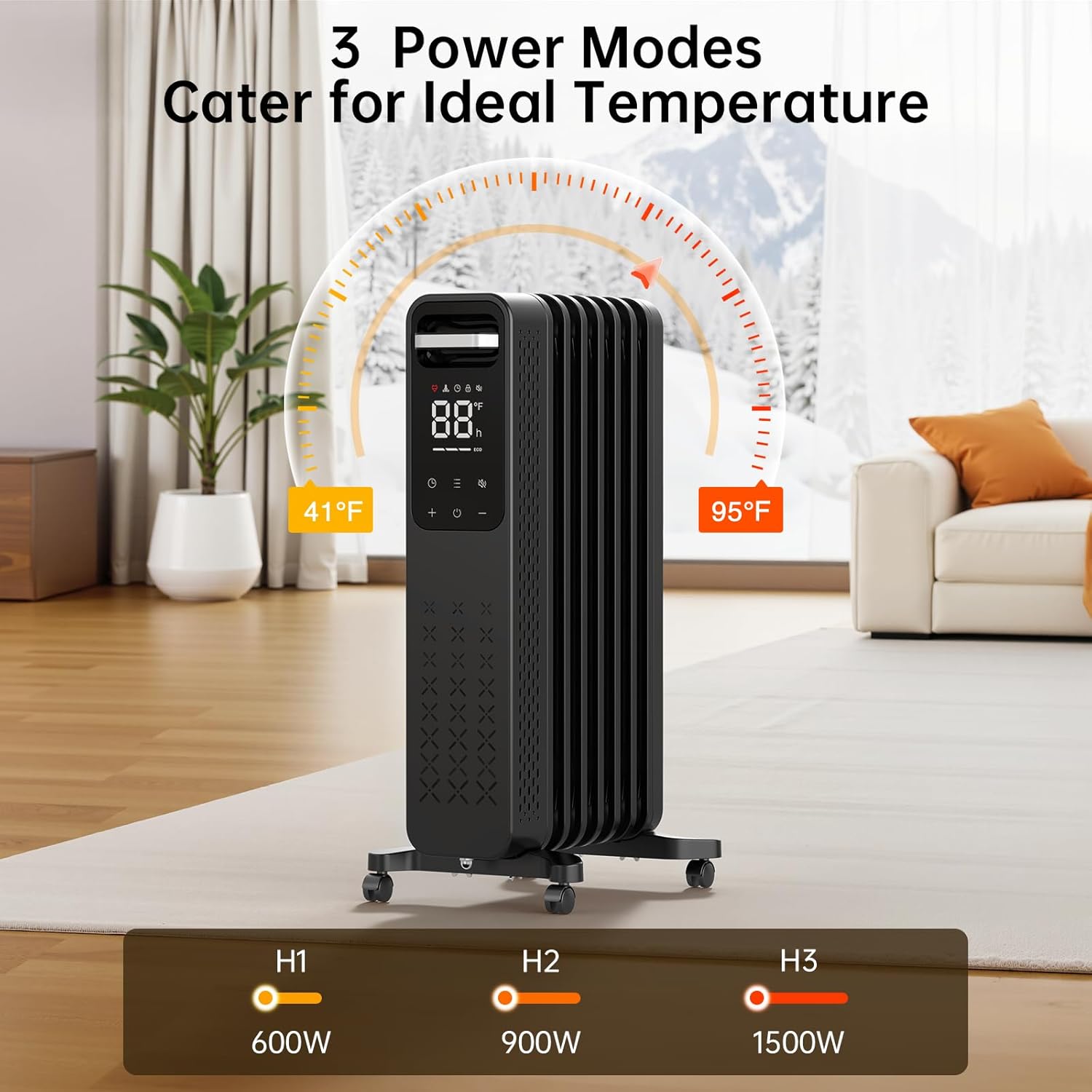
Image 3: Close-up of the digital control panel displaying temperature, power modes (H1, H2, H3), and other settings.
- Power Button (⏻): Turns the heater ON/OFF.
- Temperature Adjustment (+ / -): Increases or decreases the desired temperature. Adjustable from 41°F to 135°F.
- Mode Button (≡): Cycles through heating power levels (H1: 600W, H2: 900W, H3: 1500W).
- Timer Button (⏱): Sets the 24-hour timer for automatic shut-off or power-on.
- Mute Button (🔇): Toggles audible beeps for button presses.
- Child Lock: Activates to prevent accidental changes to settings. (Refer to specific instructions for activation/deactivation, usually a long press combination).
4.2 Initial Operation
- Plug the heater into a suitable power outlet.
- Press the Power Button (⏻) to turn the heater ON. The digital display will illuminate.
- Use the Temperature Adjustment buttons (+ / -) to set your desired room temperature.
- Press the Mode Button (≡) to select a heating power level (H1, H2, or H3). The heater will begin to warm up.
4.3 Using the Timer
The 24-hour timer allows you to program the heater to turn ON or OFF automatically after a set period.
- With the heater ON, press the Timer Button (⏱). The display will show "0h".
- Use the Temperature Adjustment buttons (+ / -) to set the desired number of hours (1-24) before the heater turns OFF.
- To set a delayed ON time (when the heater is OFF), press the Timer Button (⏱) and use the Temperature Adjustment buttons (+ / -) to set the desired number of hours before the heater turns ON.
- The timer indicator will appear on the display when active.
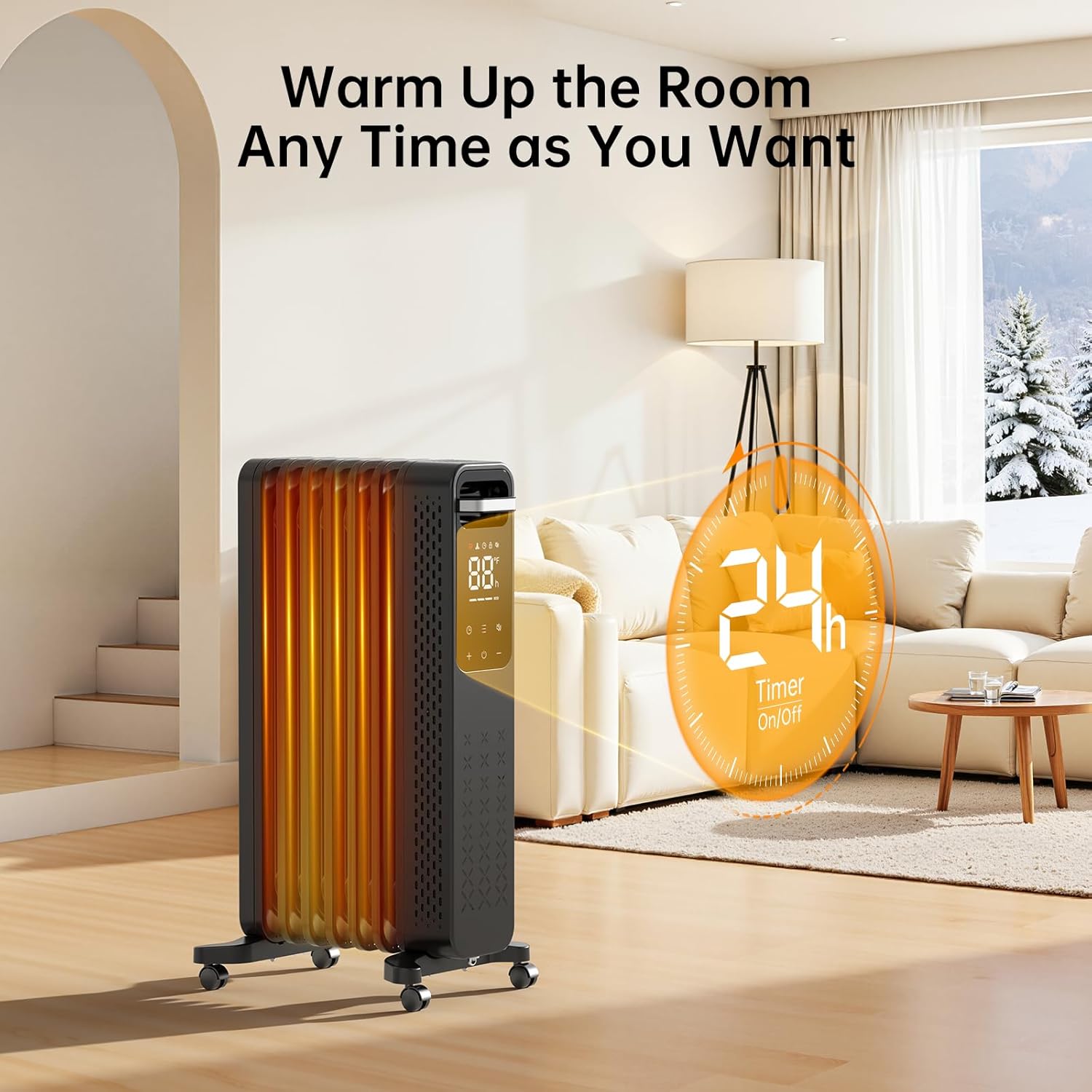
Image 4: The heater displaying the 24-hour timer function, indicating scheduled operation.
4.4 Child Lock Function
To activate the child lock, press and hold the Mute Button (🔇) for approximately 3 seconds until the child lock indicator appears on the display. To deactivate, repeat the process.
4.5 Remote Control
The included remote control allows you to operate all functions of the heater from a distance. Ensure the remote has working batteries and is pointed towards the heater's control panel.
5. Maintenance
Regular maintenance ensures optimal performance and longevity of your heater.
- Cleaning: Always unplug the heater and allow it to cool completely before cleaning. Use a soft, damp cloth to wipe the exterior surfaces. Do not use abrasive cleaners or solvents.
- Storage: When not in use, store the heater in a cool, dry place. It is recommended to cover the heater to protect it from dust.
- Cord Care: Do not wrap the power cord tightly around the heater. Avoid placing heavy objects on the cord.
6. Troubleshooting
If your heater is not operating correctly, please refer to the following common issues and solutions:
| Problem | Possible Cause | Solution |
|---|---|---|
| Heater does not turn ON. | Not plugged in, power switch OFF, power outage, tip-over switch activated. | Ensure plug is secure. Press power button. Check household circuit breaker. Ensure heater is on a flat surface. |
| Heater stops heating. | Desired temperature reached, overheat protection activated, timer expired. | Increase desired temperature. Unplug, let cool for 30 mins, then restart. Check timer settings. |
| Heater is not heating effectively. | Low power setting, room too large, drafts. | Select a higher power mode (H3). Ensure room size is within recommended coverage. Seal drafts. |
| Control panel unresponsive. | Child lock activated, temporary electronic glitch. | Deactivate child lock. Unplug the heater for a few minutes, then plug back in. |
7. Specifications
| Feature | Detail |
|---|---|
| Brand | ZAFRO |
| Model Number | HD9117E-J7QL |
| Heat Output | 1500 Watts (Max) |
| Power Levels | 3 (600W, 900W, 1500W) |
| Temperature Range | 41°F - 135°F |
| Timer | 24-Hour Programmable |
| Safety Features | Tip-Over Protection, Overheat Protection, Child Lock |
| Control Type | Digital Touchscreen, Remote Control |
| Dimensions | 10.51"D x 8.86"W x 22.24"H |
| Item Weight | 18.32 pounds |
| Color | Black |
8. Warranty and Support
For warranty information or technical support, please refer to the contact details provided with your purchase or visit the official ZAFRO website. Keep your proof of purchase for warranty claims.
For further assistance, you may contact ZAFRO customer service.