1. Introduction
Thank you for choosing the IKT Self Cleaning Bottom Loading Water Cooler Dispenser with Built-in Ice Maker. This manual provides essential information for the safe and efficient operation, maintenance, and troubleshooting of your new appliance. Please read it thoroughly before use and retain it for future reference.
2. Safety Information
- Always place the dispenser on a flat, stable surface away from direct sunlight and heat sources.
- Ensure the appliance is plugged into a grounded electrical outlet.
- Do not operate the dispenser if the power cord is damaged.
- Keep children away from the hot water dispenser area. The hot water dispenser features a child safety lock.
- Do not immerse the appliance, cord, or plug in water or other liquids.
- Unplug the dispenser before cleaning or performing any maintenance.
- This appliance is designed for use with 3-5 gallon water bottles (bottle not included).
3. Product Overview
Familiarize yourself with the components and control panel of your IKT water cooler dispenser.

Figure 1: Front view of the IKT Water Cooler Dispenser, showing the dispensing area and control panel.
Control Panel Indicators:

Figure 2: Close-up of the control panel with LED indicators for various functions.
- Ice Volume: Indicates the current ice production level.
- Making Ice: Illuminates when the ice maker is actively producing ice.
- ECO (Energy Saving): Activates energy-saving mode, stopping water heating at night.
- Child Lock: Safety feature for hot water dispensing.
- Lack of Water: Indicates when the water bottle is empty and needs replacement.
- Hot Water: Dispenses hot water.
- Fresh Water (Room Temperature): Dispenses room temperature water.
- Cold Water: Dispenses cold water.
- ON/OFF: Power button for the unit.
4. Setup
- Unpacking: Carefully remove the dispenser from its packaging. Retain packaging for future transport or storage.
- Placement: Place the dispenser on a level, sturdy surface. Ensure there is adequate space (at least 4 inches) from walls for proper ventilation.
- Initial Cleaning: Before first use, clean the water tanks and lines. Activate the self-cleaning function (see Section 6.3) or manually flush the system by dispensing a few cups of water from each tap.
- Water Bottle Installation (Bottom Load):
- Open the lower cabinet door.
- Remove the cap from a new 3 or 5-gallon water bottle.
- Insert the probe assembly (hose with cap) into the water bottle. Ensure the cap is securely fitted onto the bottle opening.
- Slide the water bottle into the lower cabinet.
- Close the cabinet door.
Figure 3: The bottom-loading design allows for easy water bottle replacement without lifting heavy bottles. The water bottle is placed inside the lower cabinet.
- Power Connection: Plug the power cord into a grounded electrical outlet.
- Allow to Settle: After plugging in, allow the unit to stand upright for at least 24 hours before turning on the cooling or heating functions. This allows the refrigerant to settle.
5. Operating Instructions
5.1 Dispensing Water (Hot, Cold, Room Temperature)
The dispenser offers three temperature options for your convenience.
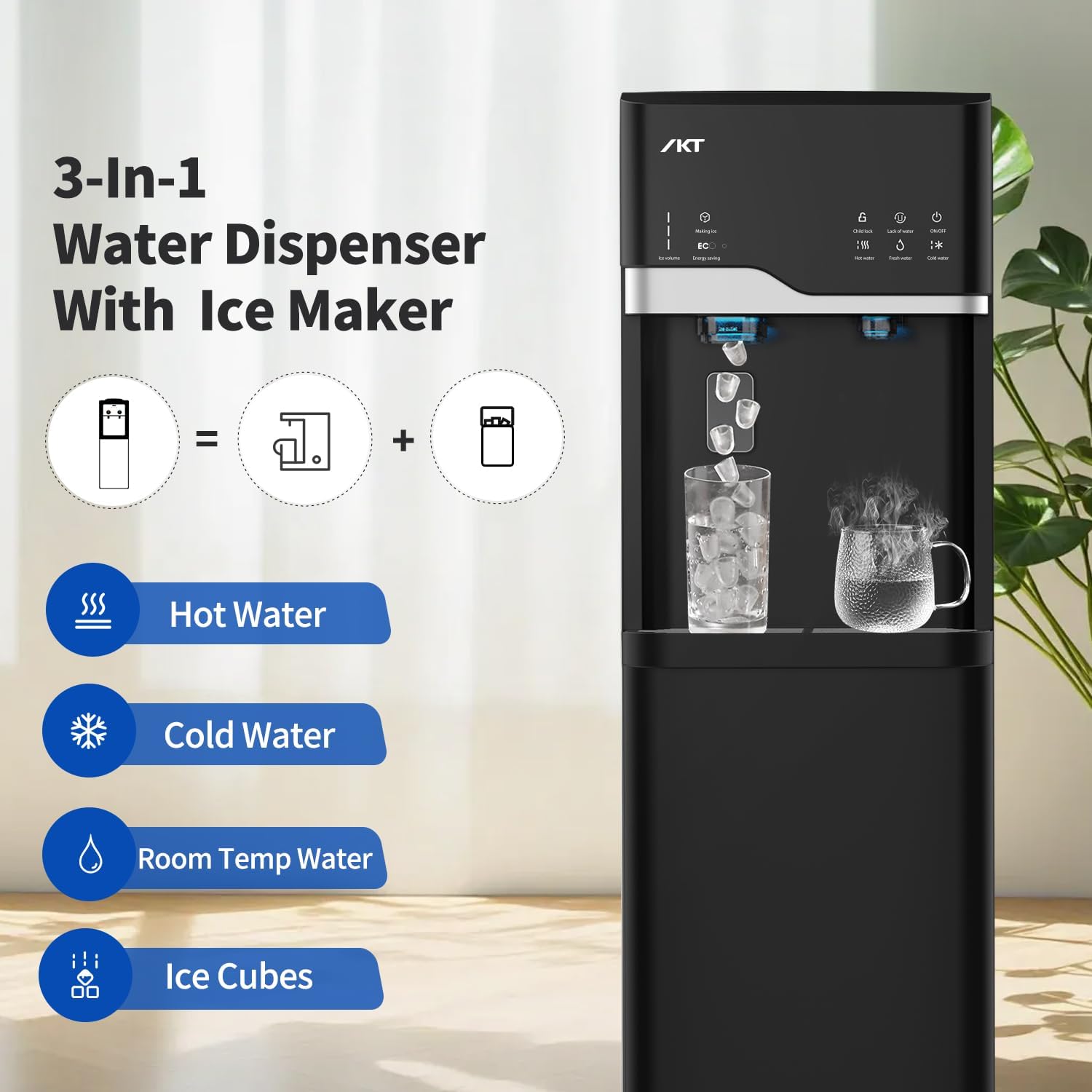
Figure 4: The dispenser provides hot, cold, and room temperature water options, indicated by icons on the control panel.
- Place your cup under the desired water tap.
- For Cold Water: Press the 'Cold Water' button.
- For Fresh Water (Room Temperature): Press the 'Fresh Water' button.
- For Hot Water: This tap has a child safety lock. First, press the 'Child Lock' button, then press the 'Hot Water' button to dispense.
5.2 Built-in Ice Maker
The integrated ice maker produces bullet-shaped ice cubes.

Figure 5: The ice maker produces bullet-shaped ice cubes with a daily capacity of 22 lbs. Note that it does not keep ice frozen long-term.
- To activate ice making, ensure the 'Making Ice' indicator is on. If not, press the 'Making Ice' button.
- Ice production typically starts within 7 minutes.
- The unit can store up to 0.88 lbs of ice. It does not keep ice frozen; ice will melt if not used.
- To dispense ice, place a cup under the ice outlet and press the ice dispensing lever.
5.3 Energy Saving Mode (ECO)
Activate the ECO function to save energy.
- Press the 'Energy Saving' button to turn on the ECO function. The machine will stop heating water at night.
- The 'Energy Saving' indicator will illuminate when active.

Figure 6: The dispenser in a low-light setting, demonstrating the night mode or energy-saving feature.
6. Maintenance
6.1 Self-Cleaning Function
The self-cleaning feature helps maintain hygiene and water quality.
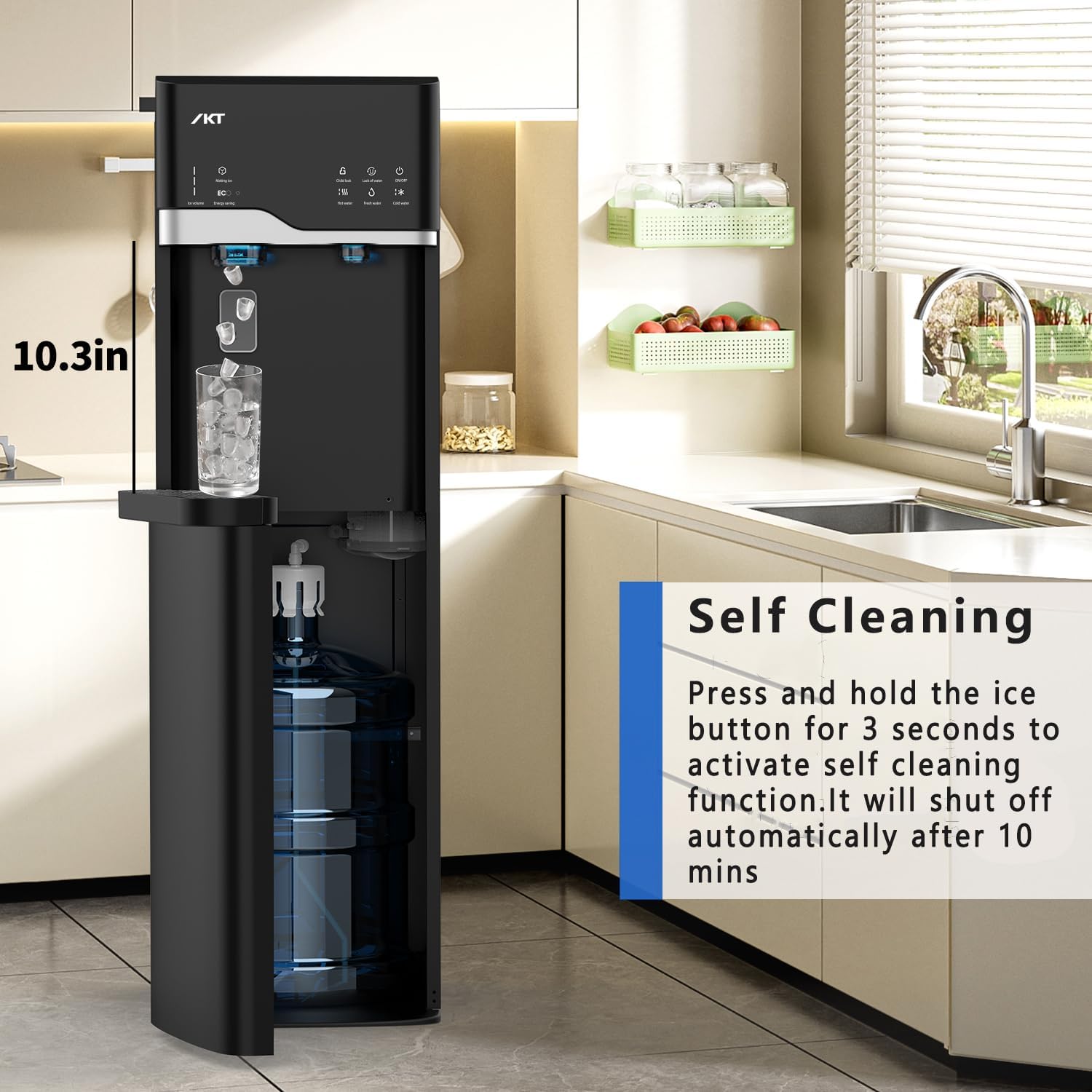
Figure 7: The self-cleaning function is activated by pressing and holding the ice-making button for 3 seconds.
- To activate, press and hold the 'Making Ice' button for 3 seconds.
- The indicator will blink, and the power light will remain on.
- The machine will automatically shut off after 10 minutes.
- A UV lamp is located in the cold water reservoir for enhanced cleaning.

Figure 8: The UV-infused cleaning technology helps reduce contaminants and improve water taste.

Figure 9: A close-up view showing the location of the UV lamp inside the cold water reservoir.
6.2 Drip Tray Cleaning
- The removable drip tray collects spills and drips.
- Regularly remove and empty the drip tray.
- Wash the drip tray with mild soap and water, then rinse thoroughly and dry before replacing.
7. Troubleshooting
| Problem | Possible Cause | Solution |
|---|---|---|
| No water dispensed | Water bottle empty; dispenser not plugged in; power switch off. | Replace water bottle; plug in dispenser; turn on power switch. |
| Water not cold/hot | Cooling/heating function not activated; unit recently plugged in. | Ensure cooling/heating switches are on; allow 24 hours for initial cooling/heating. |
| Ice maker not producing ice | Water bottle empty; 'Making Ice' function off; ambient temperature too high. | Replace water bottle; activate 'Making Ice' function; ensure proper ventilation. |
| Hot water child lock engaged | Safety feature requires two-step activation. | Press 'Child Lock' then 'Hot Water' button. |
8. Specifications
- Brand: IKT
- Model Number: IKTLYCZ629BBK
- Color: Black
- Material: Stainless Steel
- Capacity (Ice): 22 lbs Daily Capacity (0.88 lbs storage)
- Product Dimensions: 16.5"D x 12.2"W x 40.7"H
- Installation Type: Freestanding
- Power Source: Corded Electric
- Water Temperatures: Hot, Cold, Room Temperature
- Special Features: Self-Cleaning, Built-in Ice Maker, Child Safety Lock, Energy Saving Mode

Figure 10: Visual representation of the dispenser's dimensions for placement planning.
9. Official Product Videos
Watch these official videos from IKT-US for additional product information and demonstrations.
IKT 4 in 1 Water Cooler Ice Maker
This video provides an overview of the IKT 4-in-1 Water Cooler and Ice Maker, highlighting its key features and functionalities.
Testing Water Coolers
A short video demonstrating the testing process for IKT water coolers, ensuring quality and performance.
10. Warranty and Support
For warranty information, technical support, or any questions regarding your IKT Water Cooler Dispenser, please refer to the contact information provided with your product packaging or visit the official IKT website. Keep your purchase receipt as proof of purchase for warranty claims.
You can also visit the IKT Store on Amazon for more products and support resources.


