
1. Introduction
Welcome to the OUKITEL C68 Plus smartphone user manual. This guide provides essential information to help you set up, operate, and maintain your device. Please read this manual carefully to ensure proper usage and to maximize the features of your new smartphone.
The OUKITEL C68 Plus features a large 7.2-inch 120Hz display, a unique 1.81-inch rear screen, a powerful 6000mAh battery, and a 64MP main camera, all running on Android 15.
2. Package Contents
Upon opening the package, verify that all items are present. The standard package for the OUKITEL C68 Plus Smartphone typically includes:
- OUKITEL C68 Plus Smartphone
- Data Cable (Type-C)
- Type-C Charger
- Card Needle (SIM ejector tool)
- User Manual
- After-sales card
- Protective Case

Image: Contents of the OUKITEL C68 Plus retail box.
Video: An unboxing demonstration of the OUKITEL C68 Plus smartphone, showing the phone and included accessories.
3. Device Layout
Familiarize yourself with the physical components of your OUKITEL C68 Plus.

Image: Front view of the OUKITEL C68 Plus, highlighting the 7.2-inch display.

Image: Rear view of the OUKITEL C68 Plus, showcasing the camera array and the secondary 1.81-inch display.
4. Setup
4.1. SIM Card and TF Card Installation
The OUKITEL C68 Plus supports dual Nano SIM cards or one Nano SIM card and one TF (microSD) card for expanded storage up to 1TB.
- Locate the SIM card tray on the side of your phone.
- Insert the provided card needle into the small hole next to the tray to eject it.
- Place your Nano SIM card(s) and/or TF card into the tray according to the diagram on the tray. Ensure the metal contacts face downwards.
- Carefully reinsert the tray into the phone until it clicks into place.

Image: Illustration of SIM and TF card installation.
4.2. Initial Power-On and Basic Setup
- Press and hold the Power button until the OUKITEL logo appears.
- Follow the on-screen prompts to select your language, connect to a Wi-Fi network, and set up your Google account.
- You can also set up security features like Face ID or fingerprint recognition during this initial setup.
4.3. Charging the Device
Before first use, it is recommended to fully charge your OUKITEL C68 Plus.
- Connect the Type-C data cable to the charging port on your phone.
- Connect the other end of the cable to the provided Type-C charger.
- Plug the charger into a power outlet.
- The phone supports 18W fast charging.
5. Operating Your Smartphone
5.1. Main Display (7.2" 120Hz)
The 7.2-inch display offers a 120Hz refresh rate for smooth scrolling and an immersive visual experience.
- Navigation: Use touch gestures to navigate the Android 15 interface. Swipe up for the app drawer, swipe down for notifications and quick settings.
- Brightness: Adjust screen brightness from the quick settings panel or in Settings > Display. The display offers up to 500 nits brightness.

Image: The 7.2-inch 120Hz main display in action.
5.2. Rear Screen (1.81" Sub-display)
The 1.81-inch rear display provides quick access to information without activating the main screen.
- Notifications: View incoming calls, messages, and other notifications.
- Time and Date: Check the current time and date.
- Selfie Previews: Use the rear screen as a viewfinder for taking selfies with the main camera.
Image: The versatile 1.81-inch rear sub-display.
5.3. Camera Usage
Capture moments with the 64MP main camera and 8MP front camera.
- Main Camera: The 64MP main camera captures high-resolution photos with vivid colors.
- Front Camera: The 8MP front camera is suitable for video calls and selfies.
- Shooting Modes: Explore various modes such as Portrait, Beauty, Panorama, and AI Smart Optimization for enhanced photography.

Image: Camera features and sample photos.
5.4. Battery Management
The 6000mAh battery provides extended usage.
- Charging: Use the 18W fast charger for quick power restoration.
- OTG Reverse Charging: The phone supports OTG (On-The-Go) reverse charging, allowing you to use it as a power bank for other devices (e.g., headphones, smartwatches) with a compatible OTG cable (sold separately).
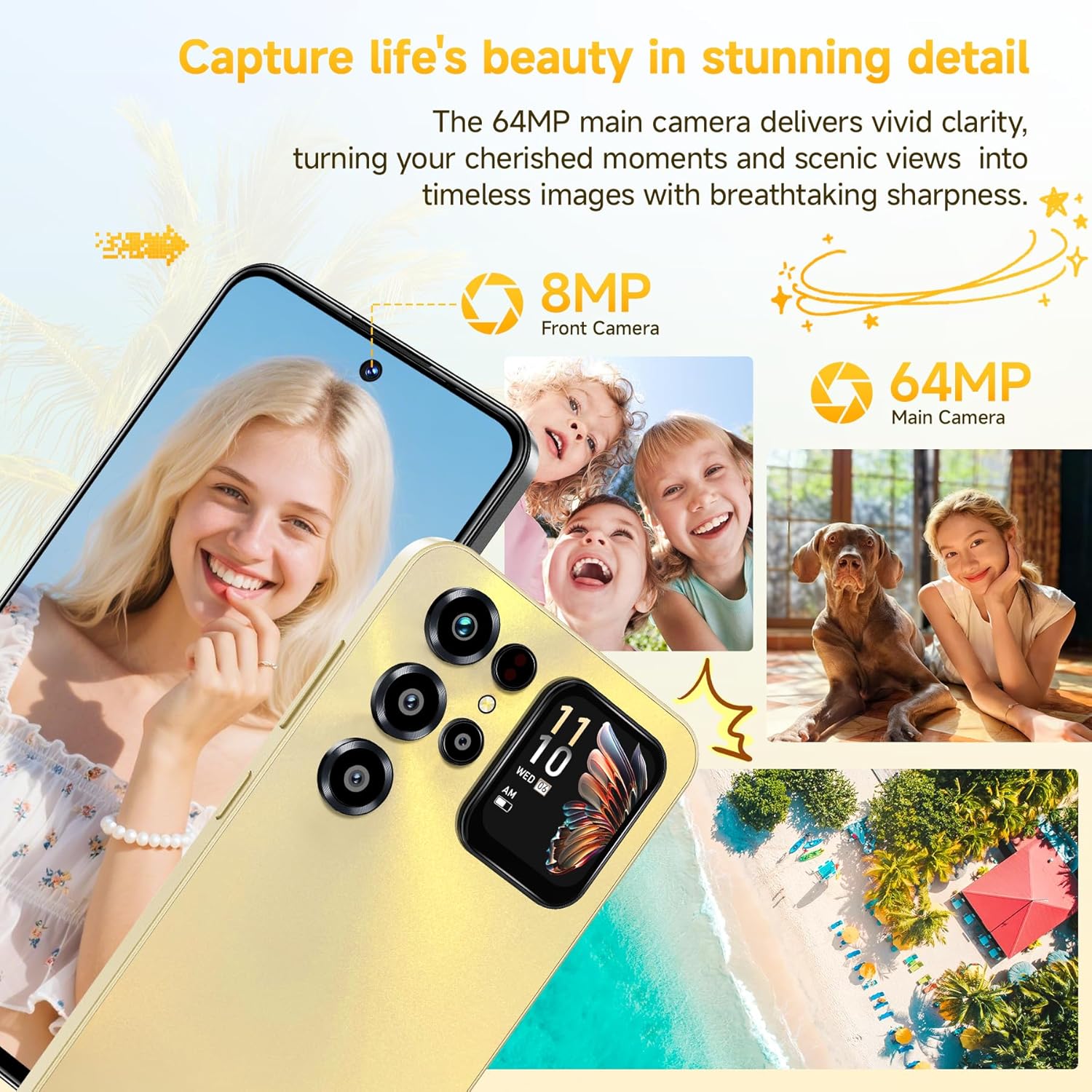
Image: 6000mAh battery and its capabilities.
5.5. Security Features
Secure your device with convenient unlocking methods.
- Face ID: Unlock your phone using facial recognition. Set this up in Settings > Security > Face Unlock.
- Fingerprint Recognition: Use the side-mounted fingerprint sensor for quick and secure access. Set this up in Settings > Security > Fingerprint.

Image: Face ID and Fingerprint security features.
5.6. Connectivity
The OUKITEL C68 Plus offers various connectivity options.
- 4G Dual SIM: Supports two Nano SIMs for flexible network usage.
- GPS/GLONASS/Beidou/Galileo: Provides accurate location services.
- 5G WiFi: Connect to high-speed Wi-Fi networks.
- Bluetooth 5.0: For connecting wireless accessories.
Important Note: This smartphone is compatible with T-Mobile. It is not supported by Mint Mobile, AT&T, or Verizon. Please confirm carrier compatibility before use.
6. Maintenance
6.1. Cleaning Your Device
- Use a soft, lint-free cloth to clean the screen and body of the phone.
- Avoid using harsh chemicals or abrasive materials.
6.2. Software Updates
Regularly check for and install software updates to ensure optimal performance and security.
- Go to Settings > System > System update to check for available updates.
6.3. Storage Management
The phone comes with 128GB of internal storage, expandable up to 1TB via a TF card.
- Monitor your storage usage in Settings > Storage.
- Regularly clear cache and unnecessary files to free up space.
- Utilize cloud storage services for backups.

Image: Memory and storage capabilities.
6.4. Battery Care
- Avoid extreme temperatures.
- Do not let the battery completely drain frequently.
- Use the original charger and cable for optimal charging.
7. Troubleshooting
If you encounter issues with your device, try the following solutions.
7.1. Device Not Powering On
- Ensure the battery is charged. Connect the charger and wait a few minutes before attempting to power on.
- Press and hold the Power button for at least 10-15 seconds to force a restart.
7.2. Network Connectivity Issues
- Check if your SIM card is properly inserted.
- Verify that mobile data is enabled in Settings > Network & internet > Mobile network.
- Restart the phone.
- Ensure your carrier is T-Mobile, as other major carriers are not supported.
7.3. Apps Crashing or Freezing
- Close and reopen the app.
- Clear the app's cache and data in Settings > Apps > [App Name] > Storage & cache.
- Update the app from the Google Play Store.
- Restart the phone.
7.4. Factory Reset
If problems persist, a factory reset may resolve them. Warning: This will erase all data on your phone. Back up important data before proceeding.
- Go to Settings > System > Reset options.
- Select Erase all data (factory reset).
- Confirm your decision and enter your PIN/password if prompted.
8. Specifications
| Feature | Detail |
|---|---|
| Brand | OUKITEL |
| Model | C68 Plus |
| Main Display | 7.2 Inches, 120Hz Refresh Rate, 500 nits brightness, 2340x1080 pixels (FHD+), OLED or AMOLED |
| Rear Screen | 1.81 Inches |
| Memory (RAM) | 16GB (4GB physical + 12GB virtual) |
| Storage (ROM) | 128GB |
| Expandable Storage | Up to 1TB via TF Card |
| Operating System | Android 15 |
| Main Camera | 64MP |
| Front Camera | 8MP |
| Battery Capacity | 6000mAh |
| Charging | 18W Fast Charging, OTG Reverse Charging |
| SIM Card Support | Dual Nano SIM or 1 Nano SIM + 1 TF Card |
| Connectivity | 4G, 5G WiFi, Bluetooth 5.0, GPS/GLONASS/Beidou/Galileo |
| Security | Face ID, Side Fingerprint Sensor |
| Dimensions (Thickness) | 9.5mm |
| Weight | 249g |
| Supported Frequency Bands | GSM:B2/B3/B5/B8, WCDMA:B1/2/4/5/8, TDD:B34/38/39/40/41, FDD:B1/2/3/4/5/7/8/12/17/18/19/20/25/26/28AB/66 |
9. Warranty and Support
9.1. Warranty Information
Your OUKITEL C68 Plus smartphone comes with a standard manufacturer's warranty. Please refer to the "After-sales card" included in your package for specific warranty terms, conditions, and duration. Keep your proof of purchase for warranty claims.
9.2. Customer Support
For technical assistance, troubleshooting beyond this manual, or warranty inquiries, please contact OUKITEL customer support. Contact details are typically provided on the "After-sales card" or on the official OUKITEL website.
You can also visit the official OUKITEL website for FAQs, software downloads, and additional support resources.