
Introduction
The BN-LINK Outdoor Timer with Remote Control is designed to automate the operation of outdoor electrical devices. It features a built-in light sensor for dusk-to-dawn functionality and multiple countdown timer options. The included remote control allows for convenient operation from a distance. This unit is suitable for various outdoor applications, including holiday lighting, garden lights, and pool pumps.

Image: The BN-LINK Outdoor Timer unit and its remote control, shown in an outdoor environment with decorative string lights in the background.
Safety Information
- Risk of Electric Shock: Do not immerse the timer unit in water. Avoid direct water streams.
- Proper Installation: For outdoor use, install the outlet vertically at least 2 feet (0.6 meters) above the ground to prevent water accumulation in the outlets.
- Load Capacity: Do not exceed the maximum electrical ratings: 125VAC, 60Hz, 15A, 1875W.
- Grounding: Ensure the timer is plugged into a grounded outlet.
- Children: Keep out of reach of children.
- Damage: Do not use if the unit or cord is damaged.

Image: The outdoor timer unit is shown installed vertically on a wall, emphasizing the recommendation to place it at least 2 feet above the ground. Insets show warnings against fully immersing the unit or exposing it to direct water streams.
Product Overview
The BN-LINK Outdoor Timer consists of a main timer unit with two grounded outlets and a separate remote control. The timer unit features a power button, a light sensor, and indicator lights for various timer modes.
Components:
- Timer Unit: Main device with power plug, two grounded outlets, power button, and mode indicators.
- Remote Control: Handheld device for wireless operation, featuring ON/OFF, Dusk/Dawn, and countdown timer buttons.

Image: A detailed diagram illustrating the physical dimensions (5.9in, 3.2in, 2.75in, 1.5in) and electrical specifications (125VAC, 60Hz, 15A, 1875W) of the BN-LINK Outdoor Timer unit.
Setup
- Placement: Select a suitable outdoor location for the timer unit. Ensure it is installed vertically and at least 2 feet (0.6 meters) above the ground to protect against water exposure.
- Power Connection: Plug the timer unit into a grounded 125VAC electrical outlet.
- Device Connection: Plug your outdoor electrical devices (e.g., lights, pumps) into the two grounded outlets on the timer unit. Ensure the total load does not exceed 15A or 1875W.
Operating Instructions
Manual Operation:
- Press the power button on the timer unit to manually turn connected devices ON or OFF.
Remote Control Operation:
The remote control has a range of up to 100 feet and can penetrate doors, windows, and walls.
- ON/OFF: Press the 'ON' button to turn connected devices on, and 'OFF' to turn them off.
- Dusk to Dawn Mode: Press the 'Dusk' button. The timer will automatically turn on connected devices at dusk and turn them off at dawn.
- Countdown Timer: Press one of the countdown buttons (2H, 4H, 6H, 8H). The timer will turn on connected devices at dusk and turn them off after the selected duration (2, 4, 6, or 8 hours).
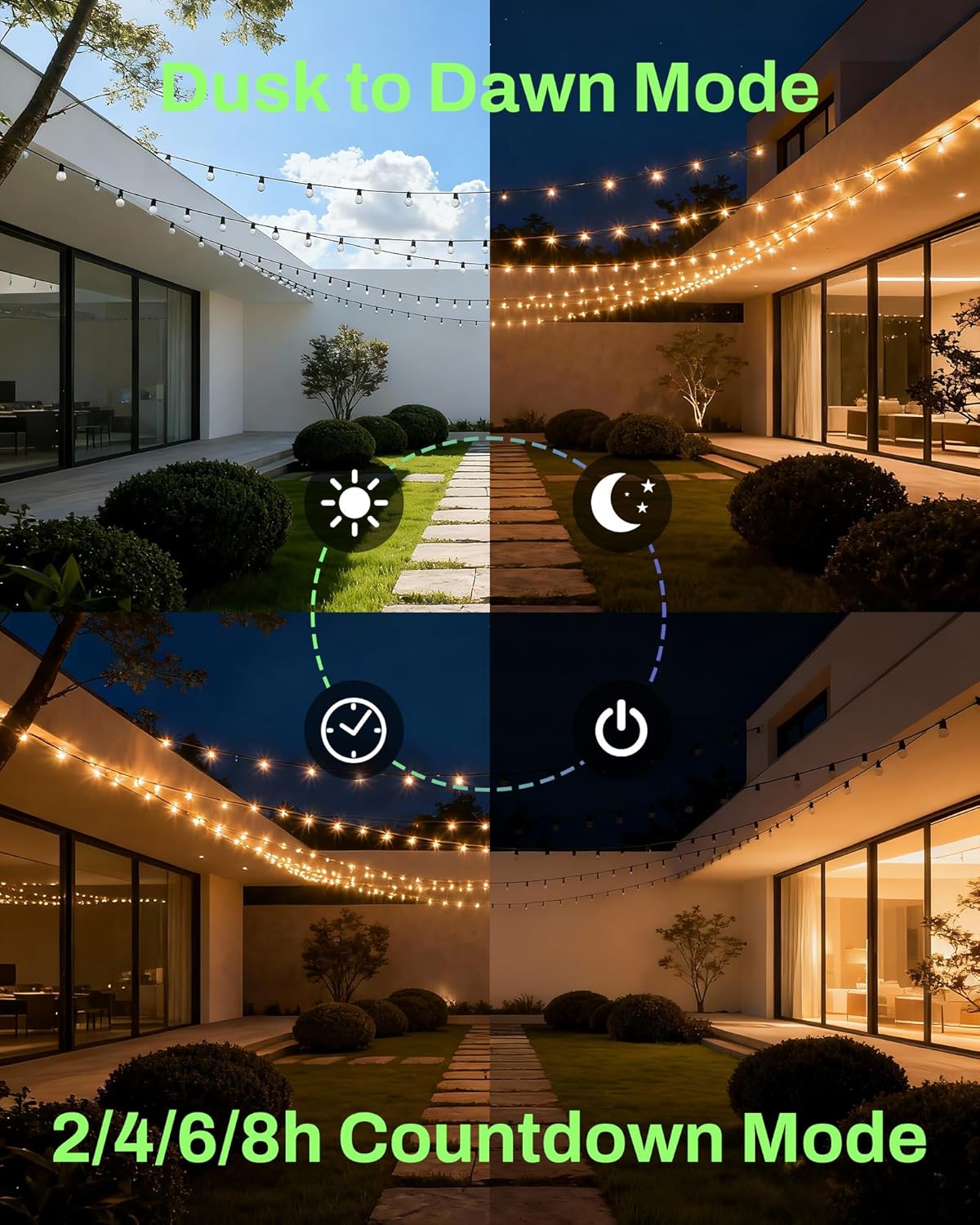
Image: A visual representation of the timer's operational modes, including automatic activation at dusk and deactivation at dawn, as well as countdown options for 2, 4, 6, or 8 hours.

Image: A person is shown operating the outdoor timer with the remote control from a distance, illustrating the 100-foot signal range capability.
Official Product Videos:
Timers that are perfect for holiday lights
Video: This video demonstrates the BN-LINK outdoor timer's suitability for controlling holiday lights, showcasing its features in a festive setting.
Timer light for any occasion
Video: This video highlights the versatility of the BN-LINK outdoor timer, illustrating its use for various lighting needs beyond just holidays.
Maintenance
- Cleaning: Wipe the unit with a dry cloth. Do not use liquid cleaners or immerse in water.
- Storage: When not in use for extended periods, store the timer in a dry, protected area away from extreme temperatures.
- Inspection: Periodically inspect the cord and unit for any signs of damage. Discontinue use if damage is found.
Troubleshooting
| Problem | Possible Cause | Solution |
|---|---|---|
| Devices do not turn on. | No power to the timer; Timer is OFF; Connected device is faulty. | Check the wall outlet; Press the ON button on the remote or timer; Test the connected device separately. |
| Remote control not working. | Remote battery is low; Obstruction between remote and timer; Remote out of range. | Replace remote battery; Ensure clear line of sight; Move closer to the timer unit (within 100ft). |
| Dusk to Dawn mode not functioning correctly. | Light sensor is obstructed or in a poorly lit area; Ambient light is too high. | Ensure the light sensor is clear and exposed to natural light; Relocate the timer to an area with appropriate light conditions. |
| Timer turns off unexpectedly. | Overload; Loose connection. | Reduce the total wattage of connected devices; Ensure all plugs are securely connected. |
Specifications
- Model Number: CP-219R-2P
- Input Voltage: 125VAC
- Frequency: 60Hz
- Max Current: 15A
- Max Output Power: 1875W
- Horsepower: 1/2HP
- Outlets: 2 Grounded Outlets
- Remote Range: Up to 100 feet (30 meters)
- Timer Settings: Dusk to Dawn, 2H, 4H, 6H, 8H Countdown
- Material: Plastic
- Product Dimensions (D x W x H): 5" x 1.7" x 4.5" (12.7cm x 4.3cm x 11.4cm)
- Certifications: ETL Listed
Warranty and Support
BN-LINK products are designed for durability and reliability. For any questions, concerns, or technical assistance, please contact BN-LINK customer support. Refer to the product packaging or the official BN-LINK website for the most current warranty information and contact details.