
Hwagol B0G3PQG3VV
Hwagol Smart Watch User Manual
Model: B0G3PQG3VV
Introduction
Thank you for choosing the Hwagol Smart Watch. This manual provides essential information for setting up, operating, and maintaining your device. Please read it carefully to ensure proper use and to fully utilize all features of your smart watch.
What's in the Box
Verify that all items are present in your package:
- Hwagol Smart Watch
- Diamond-studded Watch Band
- Silicone Strap
- Charging Cable
- User Manual (this document)

Image: Contents of the Hwagol Smart Watch package, showing the smart watch, a diamond-studded metal band, a silicone strap, a charging cable, and the user manual.
Setup
1. Charging the Smart Watch
Before initial use, fully charge your Hwagol Smart Watch. Connect the provided charging cable to the charging port on the back of the watch and to a USB power source. A full charge typically takes approximately 2 hours and provides up to 7 days of use, depending on feature usage.

Image: Rear view of the Hwagol Smart Watch, highlighting the charging contacts and health sensors.
2. App Installation and Pairing
To unlock the full functionality of your smart watch, you need to install the companion application on your smartphone. The watch is compatible with smartphones running Android 5.0 and above, and iOS 11 and above.
- Download the App: Scan the QR code in the quick start guide (if provided) or search for the official Hwagol app in your smartphone's app store (Google Play Store for Android, Apple App Store for iOS).
- Create an Account: Follow the on-screen instructions to create a user account within the app.
- Enable Bluetooth: Ensure Bluetooth is enabled on your smartphone.
- Pair the Device: Open the Hwagol app, navigate to the device pairing section, and select your smart watch from the list of available devices. Confirm the pairing request on both your phone and the watch.
- Grant Permissions: Grant necessary permissions to the app for features like notifications, health tracking, and GPS access (GPS via smartphone).
Operating Instructions
Basic Navigation
- Touchscreen: Swipe left, right, up, or down to navigate through menus and features. Tap to select.
- Side Button: Press the side button to return to the home screen or to access the main menu.
Bluetooth Call and Message Notifications
Once paired with your smartphone, the Hwagol Smart Watch allows you to manage calls and receive notifications directly on your wrist.
- Answering/Refusing Calls: When an incoming call is received, you can answer or refuse it directly from the watch screen.
- Making Calls: Use the watch's dial pad or access your contacts through the watch to initiate calls.
- Message Notifications: Receive alerts for messages and app notifications. Note: You cannot reply to messages directly from the watch.

Image: The smart watch screen showing an incoming call interface and icons for various social media and messaging app notifications.
Health Monitoring
The watch provides continuous health monitoring features to help you track your well-being. Note: Data from this device is for reference only and should not be used for medical purposes.
- Heart Rate Monitor: Tracks your heart rate throughout the day. View real-time data and historical trends in the app.
- Blood Oxygen Monitor: Measures your blood oxygen saturation (SpO2) levels.
- Sleep Monitor: Analyzes your sleep patterns, including deep sleep, light sleep, and awake times.
- Pedometer: Counts your daily steps, calories burned, and distance traveled.
- Breathing Exercises: Guided breathing exercises are available to help with relaxation.

Image: Visual representation of the smart watch's health monitoring capabilities, showing heart rate graphs, blood oxygen levels, and sleep stage analysis.
Sports Modes
With over 100 sports modes, your Hwagol Smart Watch can track a wide range of physical activities. Select your desired sport from the watch menu to record specific metrics like duration, calories, distance, and heart rate.
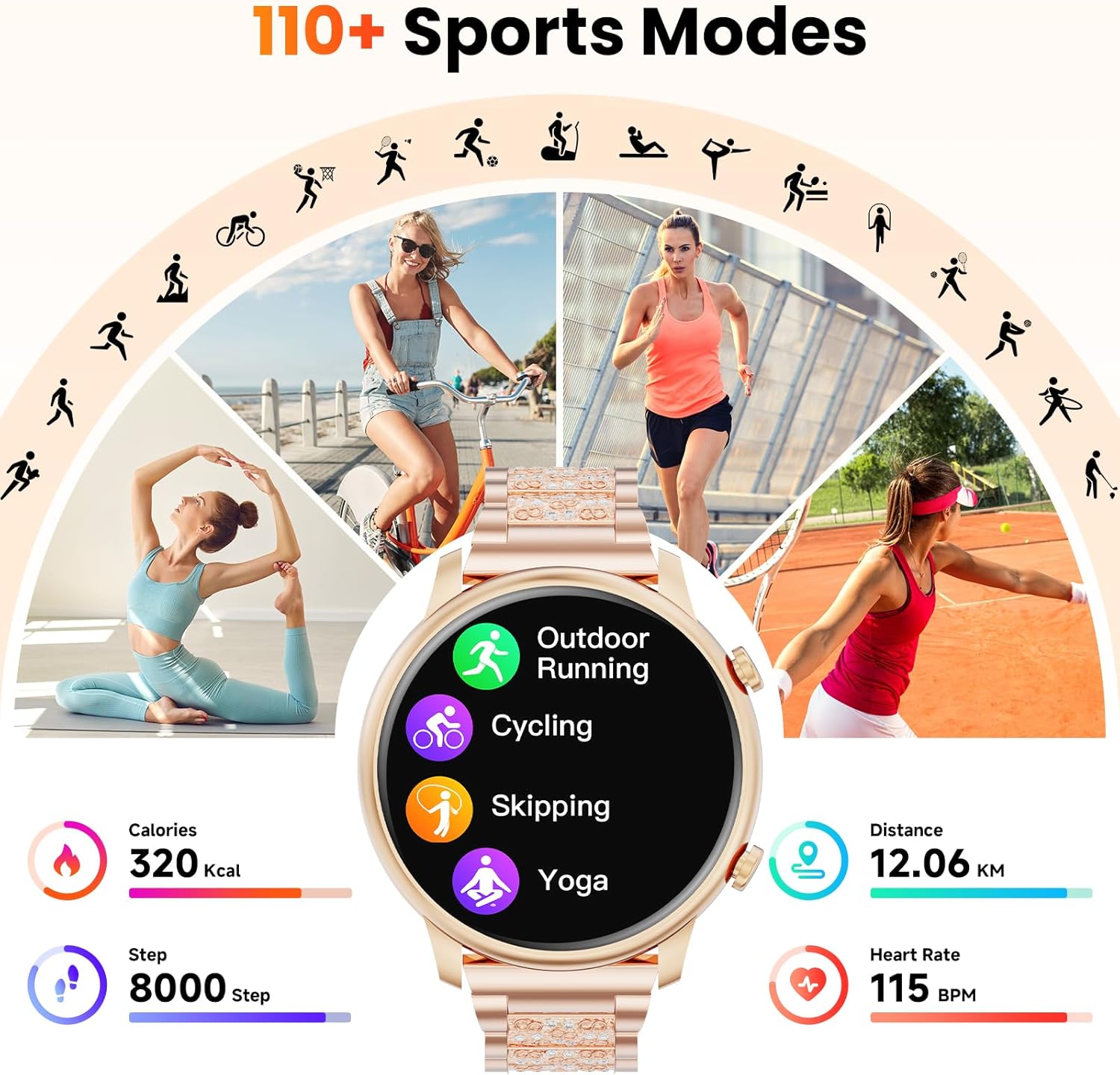
Image: The smart watch interface showing options for different sports modes such as outdoor running, cycling, skipping, and yoga, along with tracked metrics like calories, steps, distance, and heart rate.
Customization
Personalize your smart watch experience with customizable watch faces.
- Pre-installed Watch Faces: Choose from a variety of pre-installed watch faces directly on the device.
- App-based Customization: Use the companion app to access over 100 additional watch faces or upload your own photos to create unique designs.

Image: The smart watch showcasing a selection of its customizable watch faces, including floral, digital, and analog designs.
Other Features
- Alarm Clock: Set alarms directly from the watch or through the app.
- Weather Forecast: View current weather conditions and forecasts.
- Music Playback Control: Control music playing on your smartphone (play, pause, skip tracks).
- Camera Control: Use your watch as a remote shutter for your smartphone camera.
- Water Reminder: Receive reminders to drink water throughout the day.
- Find Phone: Locate your paired smartphone by making it ring.

Image: A collage illustrating various additional features of the smart watch, including alarm settings, weather display, camera remote control, water intake reminders, and music control.
Maintenance
- Cleaning: Regularly wipe the watch screen and body with a soft, dry cloth. For the bands, use a damp cloth and mild soap if necessary, then dry thoroughly.
- Battery Care: To prolong battery life, avoid fully discharging the watch frequently. Charge it when the battery level is low. Store the watch in a cool, dry place if not used for extended periods.
- Water Resistance: IMPORTANT: This device is NOT water resistant. Avoid exposing the watch to water, including showering, swimming, or heavy rain, as this can cause permanent damage.
Troubleshooting
- Watch not turning on:
- Ensure the watch is fully charged. Connect it to the charging cable and a power source for at least 30 minutes.
- Unable to pair with smartphone:
- Make sure Bluetooth is enabled on your smartphone.
- Ensure the watch is within range of your smartphone.
- Restart both your smartphone and the smart watch.
- Check if the Hwagol app has all necessary permissions.
- Try unpairing and re-pairing the device through the app.
- Notifications not appearing:
- Verify that notification permissions are granted to the Hwagol app on your smartphone.
- Check the app's settings to ensure notifications for specific applications are enabled.
- Ensure the watch is connected via Bluetooth.
- Inaccurate health data:
- Ensure the watch is worn snugly on your wrist, but not too tight.
- Clean the sensors on the back of the watch.
- Remember that data is for reference only and not for medical diagnosis.
Specifications
| Model Number | B0G3PQG3VV |
| Brand | Hwagol |
| Screen Size | 1.39 Inches |
| Display Type | LCD |
| Connectivity | Bluetooth 5.2 |
| Battery Capacity | 250 mAh |
| Charging Time | Approx. 2 hours |
| Operating System Compatibility | Android 5.0+ / iOS 11+ |
| Water Resistance Level | NOT Water Resistant |
| Metrics Measured | Heart Rate, Sleep Duration, Blood Oxygen |
| Special Features | Accelerometer, Activity Tracker, Music Player, Weather Forecast, Bluetooth Call, 100+ Sport Modes |

Image: The Hwagol Smart Watch shown with its dimensions and a breakdown of its components and features, including the diamond-studded metal band, polished metal finish, 1.39-inch HD display, and health monitoring sensors.
Warranty and Support
Warranty: This Hwagol Smart Watch comes with a 1-Year Manufacturer's Warranty from the date of purchase. This warranty covers manufacturing defects under normal use. It does not cover damage caused by misuse, accidents, unauthorized modifications, or failure to follow the instructions in this manual (e.g., water damage due to lack of water resistance).
Customer Support: For technical assistance, warranty claims, or any questions regarding your Hwagol Smart Watch, please refer to the contact information provided on the Hwagol official website or your purchase documentation.
Ask a question about this manual
Ask about setup, troubleshooting, compatibility, parts, safety, or missing instructions. Manuals+ will review the question and use this page’s manual context to help answer it.