
Introduction
The Yakry YK01 Baby Car Camera provides a clear and reliable way to monitor your child in a rear-facing car seat while driving. This system features a 7.2-inch HD 1080P monitor, a 150° wide-angle camera with automatic night vision, and a simple, tool-free installation process. Designed for various vehicle types, it enhances safety by allowing you to check on your baby without distraction.
What's in the Box
- 1x 7.2 Inch Large Monitor
- 1x Car Baby Camera
- 1x Monitor Bracket
- 1x Lighter Adapter
- 2x Straps (for camera mounting)
- 1x Video Cable
- 1x User Manual

Setup and Installation
The Yakry Baby Car Camera is designed for quick and easy installation without the need for tools or drilling. Follow these steps for proper setup:
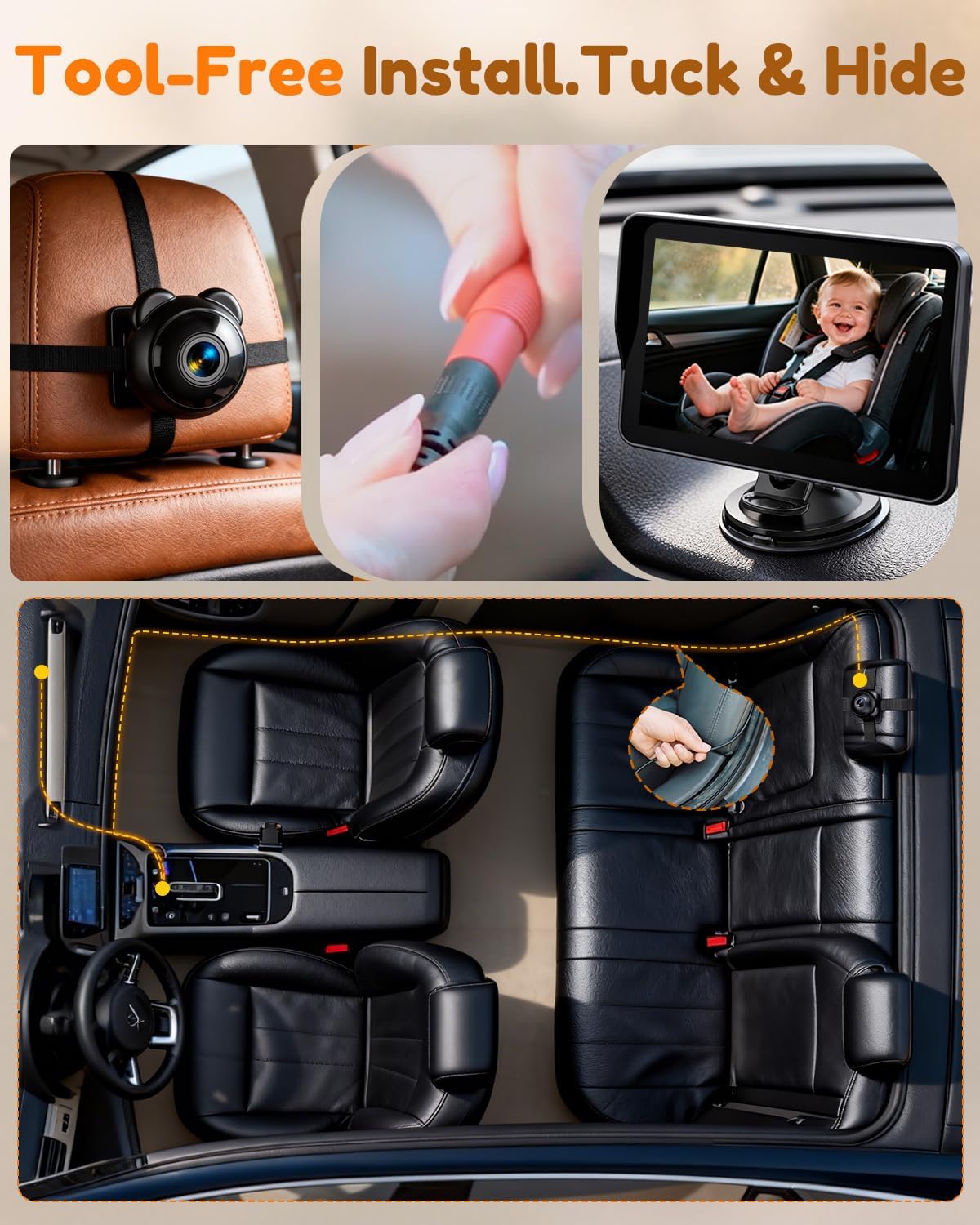
- Mount the Camera: Secure the baby camera to the headrest of the seat where your child's car seat is located. Use the provided straps to firmly attach the camera, ensuring it points directly at your child. The camera features 360° rotation for optimal viewing angle adjustment.
- Connect the Camera to the Monitor: Connect the video cable from the camera to the designated input port on the monitor.
- Mount the Monitor: Attach the monitor bracket to your dashboard or windshield using the suction cup. Ensure the surface is clean and dry for a secure hold. Position the monitor in a location that provides a clear view without obstructing your driving visibility.
- Power Connection: Connect the monitor to your vehicle's power source using either the provided USB cable or the cigarette lighter adapter. The 16.5ft cable allows for discreet routing under mats and along seat edges for a clean setup.
- Power On: Press the power button on the back of the monitor to turn on the system. The camera feed should appear on the screen.


Installation Videos:
Video: Unboxing and initial setup of the baby car camera, demonstrating how to connect components.
Video: A detailed guide on the quick and easy installation process of the Yakry HD 1080P Baby Car Camera.
Operating Instructions
Once installed, operating your Yakry Baby Car Camera is straightforward:
- Power On/Off: Use the power button on the monitor to turn the system on or off. The system will automatically power on when the vehicle starts if connected to a switched power source.
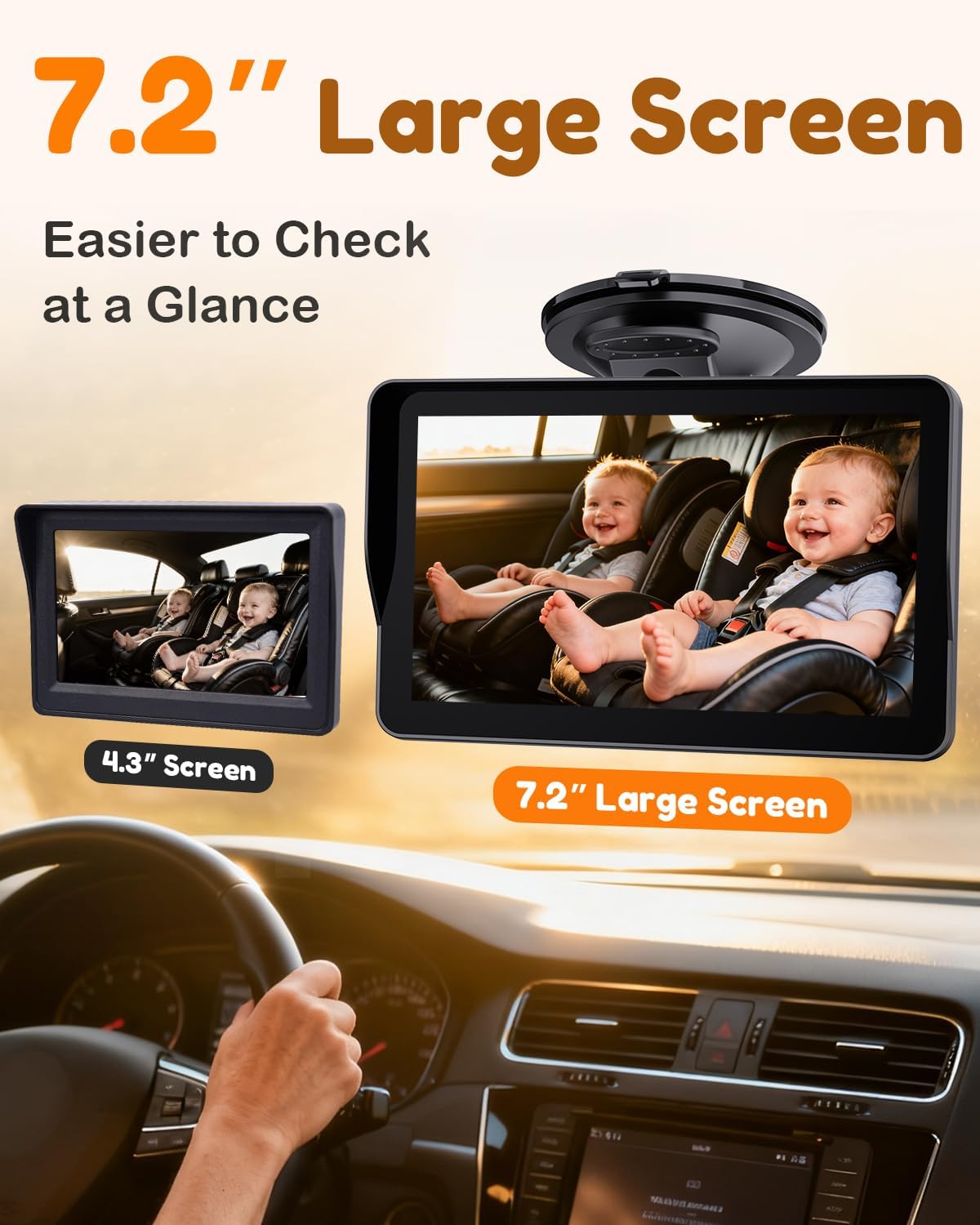
- Adjust Viewing Angle: The camera can be rotated 360 degrees to achieve the best view of your child. The 150° wide-angle lens provides a comprehensive view of the rear-facing car seat.
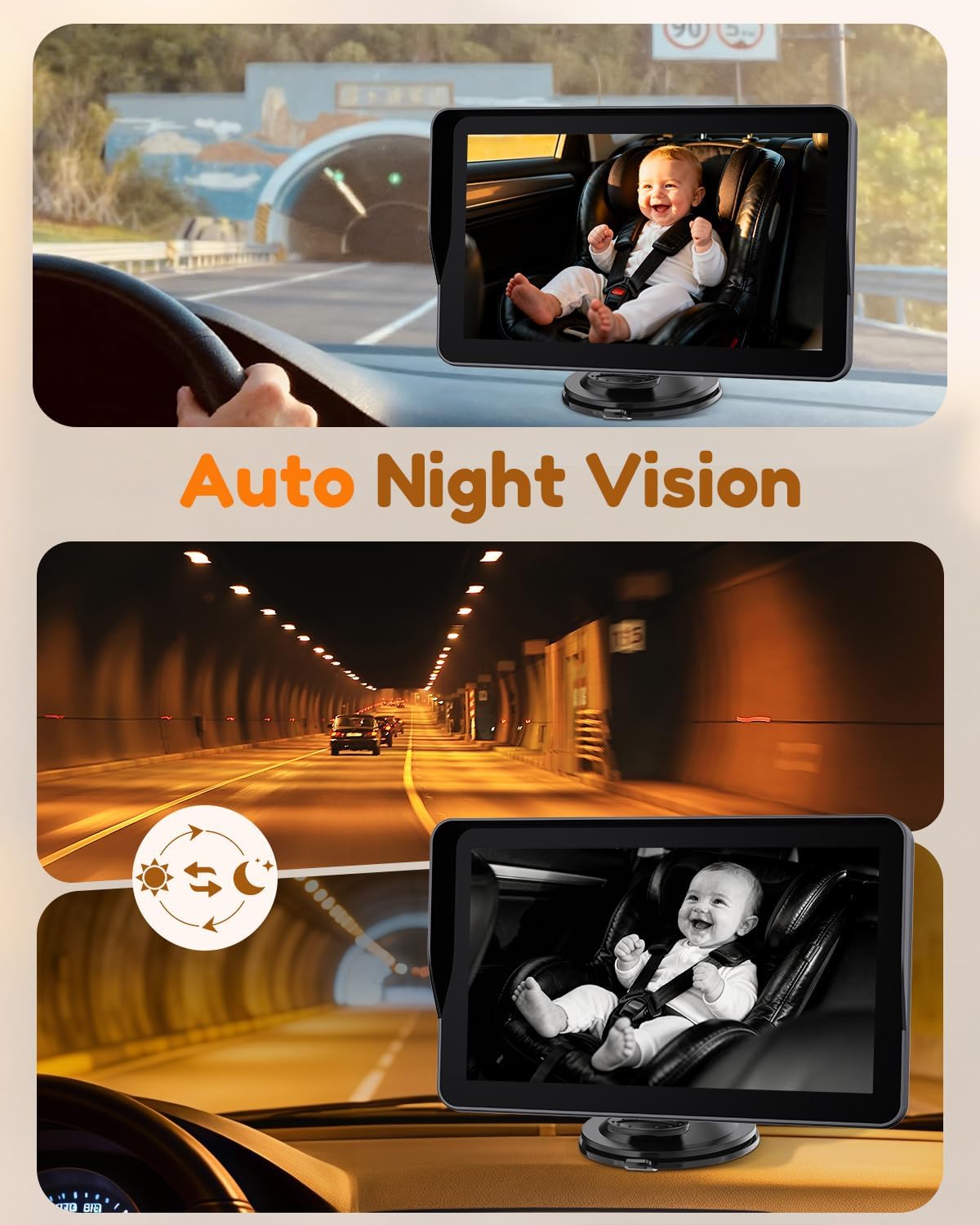
- Night Vision: The camera automatically switches to infrared night vision in low-light conditions, providing a clear 1080P black and white image without any visible red glow. No manual adjustment is required while driving.
- Monitor Adjustments: Use the buttons on the monitor to adjust brightness, contrast, and to flip the image if necessary. The anti-glare sunshade helps maintain screen visibility in bright daylight.

Operation Videos:
Video: Demonstrates how the camera allows parents to see both children in the backseat, enhancing safety.
Video: Provides a comprehensive overview of the baby car camera's features and functionality.
Maintenance
To ensure the longevity and optimal performance of your Yakry Baby Car Camera, follow these maintenance guidelines:
- Cleaning: Gently wipe the camera lens and monitor screen with a soft, dry, lint-free cloth. Avoid using abrasive cleaners or solvents that could damage the surfaces.
- Cable Management: Periodically check the video and power cables for any signs of wear or damage. Ensure they are securely tucked away to prevent interference with vehicle operation or passenger movement.
- Secure Mounting: Regularly verify that the camera and monitor mounts are secure and have not loosened due to vibrations or temperature changes.
- Storage: If storing the device for an extended period, disconnect it from the power source and store it in a cool, dry place away from direct sunlight.
Troubleshooting
If you encounter issues with your Yakry Baby Car Camera, refer to the following common troubleshooting steps:
- No Image on Monitor:
- Ensure all cables are securely connected between the camera, monitor, and power source.
- Verify that the power adapter is fully inserted into the vehicle's power outlet (USB or cigarette lighter) and that the vehicle's ignition is on.
- Press the power button on the monitor to ensure it is turned on.
- Flickering or Unclear Image:
- Check for any loose cable connections.
- Clean the camera lens and monitor screen to remove any dust or smudges.
- Ensure the camera is not obstructed and that there is sufficient light for the camera to operate (though night vision will activate in darkness).
- Night Vision Not Working:
- The night vision activates automatically in low-light conditions. Ensure the environment is dark enough for it to engage.
- Verify the camera lens is clean and unobstructed.
- Monitor Not Staying Secure:
- Ensure the suction cup and mounting surface are clean and free of dust or grease.
- Re-apply the suction cup firmly, pressing out any air bubbles.
If these steps do not resolve the issue, please contact Yakry customer support for further assistance.
Specifications
| Feature | Specification |
|---|---|
| Brand | Yakry |
| Model Number | YK01 |
| Screen Size | 7.2 Inches |
| Product Dimensions (L x W x H) | 8.2" x 5.5" x 4.3" |
| Compatible Devices | SUVs, Minivan, Pickup Truck, Sedan, Other vehicle types |
| Installation Type | Surface Mount, Windshield Mount |
| Voltage | 12 Volts |
| Optical Sensor Technology | CMOS infrared |
| Lens Type | Wide Angle |
| Real Angle of View | 150 Degrees |
| Connector Type | USB |
| Video Capture Resolution | 1080p |
Warranty Information
The Yakry YK01 Baby Car Camera comes with a 2-Year Manufacturer Warranty. This warranty covers defects in materials and workmanship under normal use. Please retain your proof of purchase for warranty claims. For detailed terms and conditions, refer to the official Yakry website or contact customer support.
Customer Support
For any questions, technical assistance, or warranty claims regarding your Yakry Baby Car Camera, please contact Yakry customer support through the following channels:
- Online: Visit the official Yakry website for support resources and contact forms.
- Email: Refer to the contact information provided in your product packaging or on the official website.
When contacting support, please have your product model number (YK01) and proof of purchase readily available.