
1. Important Safety Instructions
Read all instructions carefully before using this treadmill. Keep this manual for future reference.
- Always place the treadmill on a flat, stable surface.
- Ensure adequate clearance around the treadmill (at least 2 feet on sides and front, 6 feet at rear).
- Keep children and pets away from the treadmill during operation.
- Use the safety key at all times. Attach it to your clothing before starting your workout.
- Do not operate the treadmill if it has a damaged cord or plug, or if it is not working properly.
- Consult a physician before starting any exercise program.
- Wear appropriate athletic footwear.
- Do not use the treadmill outdoors or in damp areas.
- Maximum user weight: 300 lbs (136 kg).
2. Product Overview
The LONTEK SF10 treadmill is designed for home use, offering a compact and versatile solution for cardio workouts. It features a manual incline system, multiple workout programs, and a quiet motor.
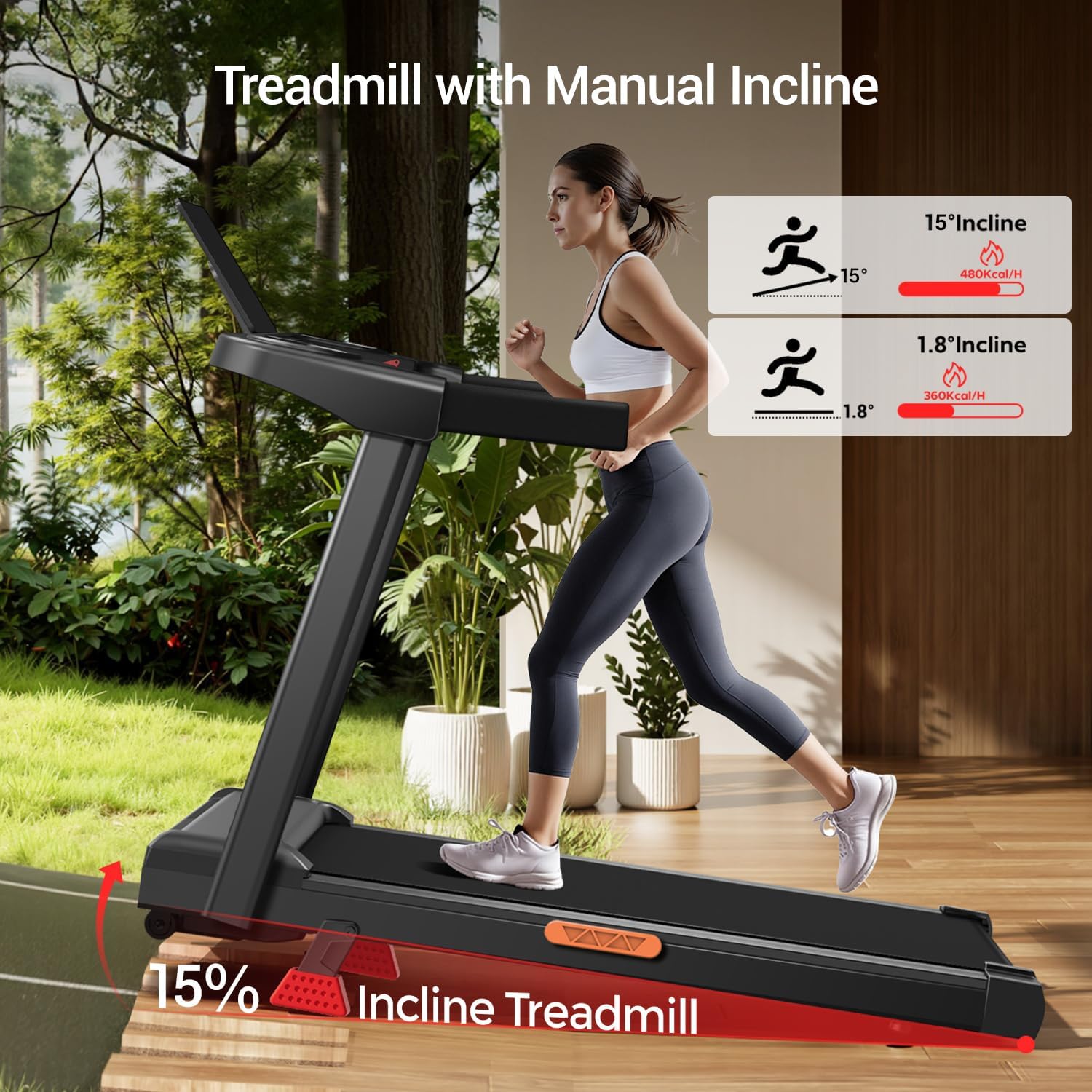
Image: Overview of the LONTEK SF10 treadmill, showing the main console, handles, and running deck.
3. Setup and Assembly
The LONTEK SF10 treadmill arrives 90% pre-assembled for quick and easy setup. Follow these steps to complete the assembly:
- Unpacking: Carefully remove all components from the packaging. Ensure all parts listed in the packing list are present.
- Raise the Console: Gently lift the console and handle assembly into the upright position. Secure it using the provided screws and knobs.
- Power Connection: Plug the power cord into a grounded electrical outlet.
Video: Demonstrates the process of raising the console and securing it for use.
Folding and Storage
The treadmill features a compact folding design and built-in transport wheels for easy storage and movement.
- To fold: Ensure the treadmill is off and unplugged. Loosen the securing knobs on the handles and gently lower the console until it rests flat on the running deck.
- To move: Once folded, tilt the treadmill and use the transport wheels to roll it to your desired storage location.
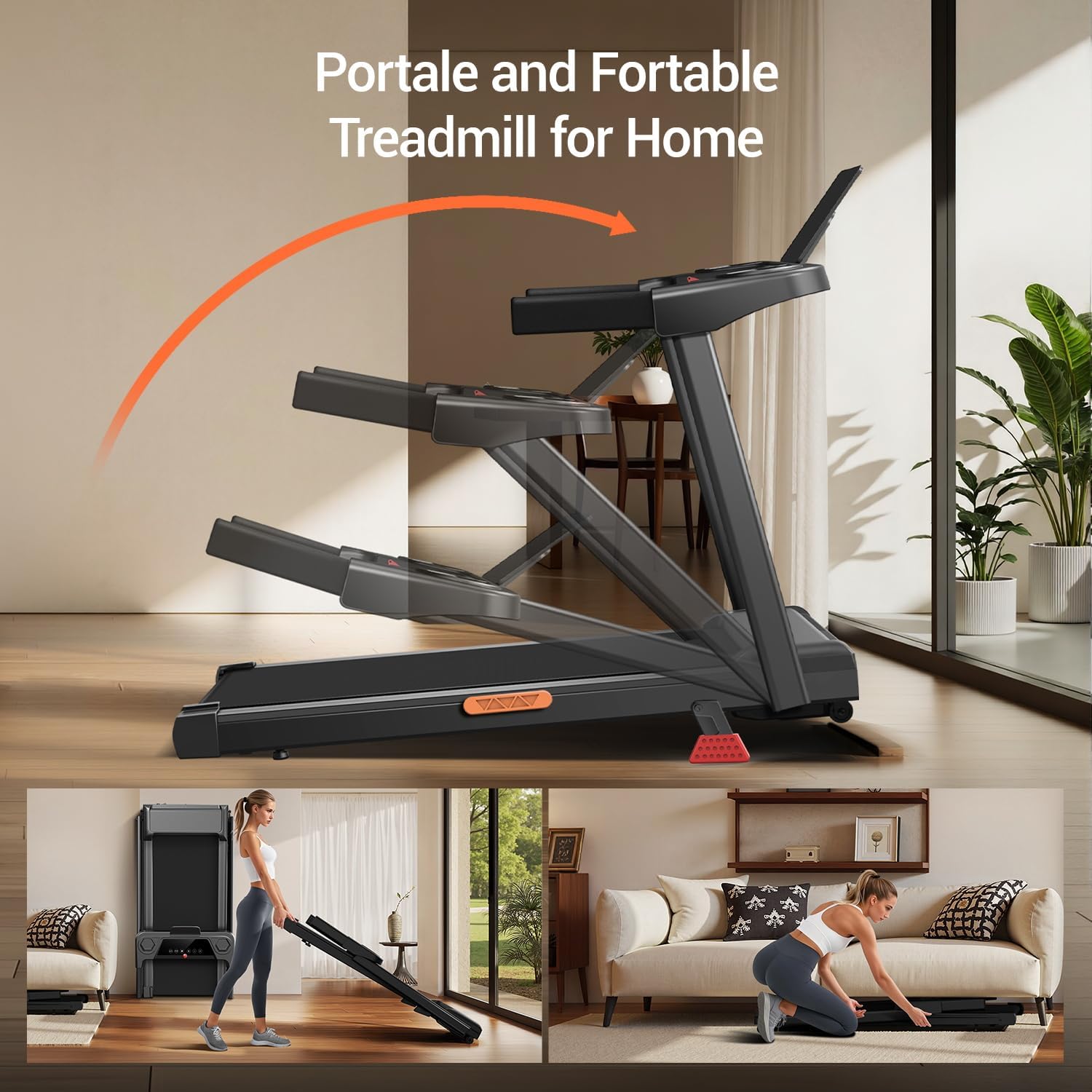
Image: The treadmill in its folded, upright storage position, demonstrating its space-saving design.
4. Operating Instructions
Console Functions
The treadmill console features a three-screen display and intuitive controls.

Image: Detailed view of the treadmill's control panel, showing the three LED screens and various function buttons.
- Display: Shows Time, Speed, Distance, and Calories Burned.
- Start/Stop: Press to start or stop the treadmill belt.
- Speed +/-: Adjust the belt speed (0.6 – 7.0 MPH).
- Program/Mode (P/M): Select from 12 automatic workout programs.
- Safety Key: Insert the safety key to enable operation. Pulling the safety key will immediately stop the treadmill.
- Accessory Holders: Integrated cup holder and tablet/phone holder for convenience.
Manual Incline Adjustment
The treadmill offers a manual incline system from 0% to 10%, with an accessory to reach up to 15% incline. Adjust the incline before starting your workout.
- Ensure the treadmill is off and unplugged.
- Locate the incline adjustment mechanism at the rear of the treadmill deck.
- Lift the rear of the treadmill deck and secure it at the desired incline level using the provided supports.
- For 15% incline, attach the specific accessory as instructed.
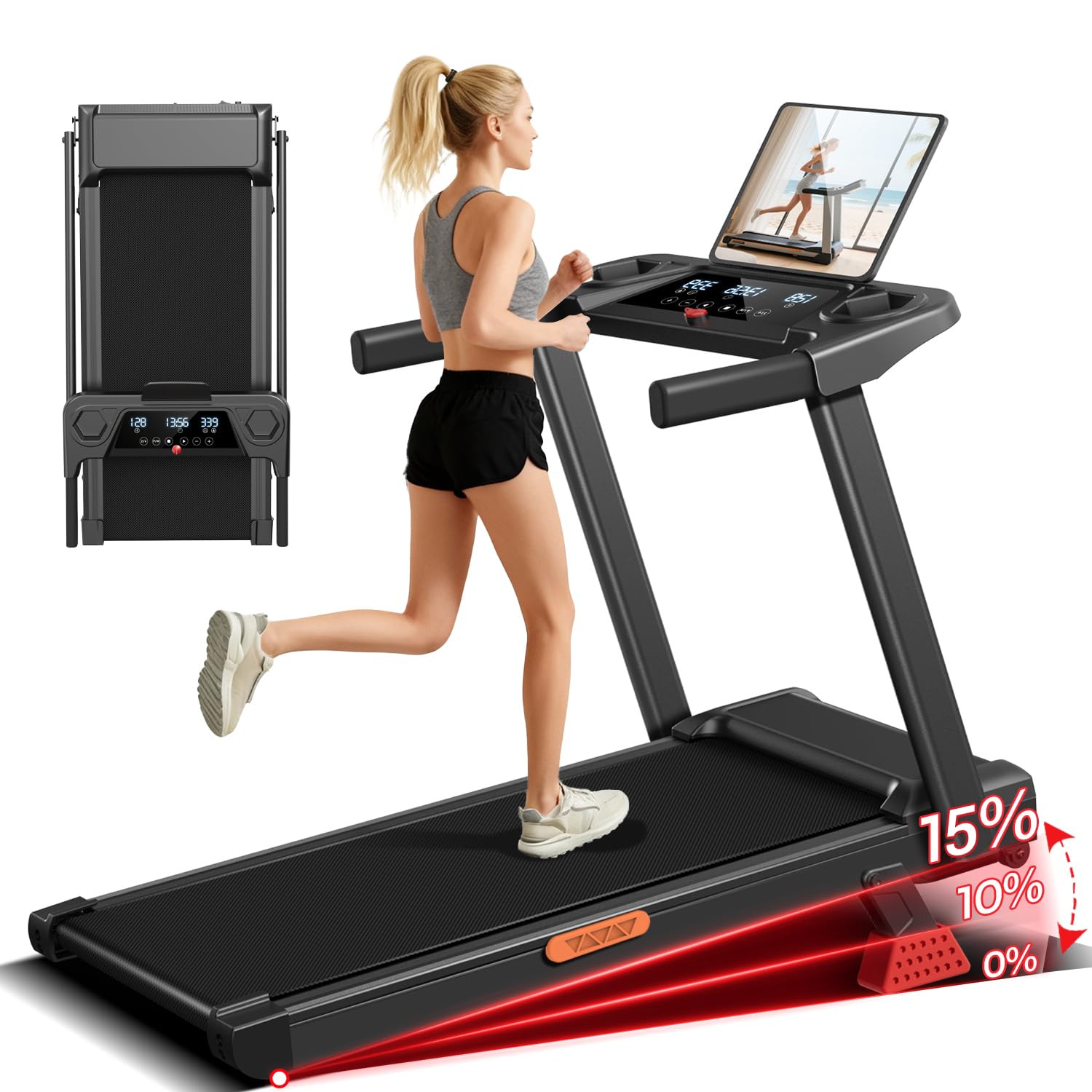
Image: Illustration of the treadmill's manual incline feature, showing how to adjust the angle of the running deck.
Workout Programs
The treadmill includes 12 automatic programs (P1-P12) that adjust speed and intensity. Select a program using the P/M button on the console.
Video: Demonstrates the treadmill in operation, including speed adjustments and program selection.
5. Maintenance
Regular maintenance ensures the longevity and optimal performance of your treadmill.
- Cleaning: Wipe down the console and exterior surfaces with a damp cloth after each use. Avoid abrasive cleaners.
- Belt Lubrication: Lubricate the running belt every 3 months or after 50 hours of use, whichever comes first. Use only silicone-based treadmill lubricant.
- Belt Tension: Check the running belt tension periodically. If the belt slips or feels loose, adjust it according to the instructions in the full manual (not provided here).
- Belt Alignment: If the belt drifts to one side, adjust it to the center using the rear roller bolts.
6. Troubleshooting
If you encounter issues with your treadmill, refer to the common problems and solutions below:
- Treadmill does not start:
- Ensure the power cord is securely plugged into a grounded outlet.
- Verify the safety key is properly inserted into the console.
- Check the circuit breaker for your home's electrical system.
- Running belt slips:
- The running belt may be too loose. Adjust the belt tension as described in the maintenance section.
- The belt may need lubrication.
- Unusual noise during operation:
- Check for loose parts or debris under the belt.
- Ensure the treadmill is on a level surface.
- The belt may require lubrication or adjustment.
- Display not working:
- Check power connection and safety key.
- If the issue persists, contact customer support.
7. Specifications
| Feature | Detail |
|---|---|
| Brand | LONTEK |
| Model Name | SF10 |
| Product Dimensions | 47.2"D x 24.6"W x 5.5"H |
| Running Belt Dimensions | 38.2" x 15.2" |
| Item Weight | 25 Kilograms (approx. 55 lbs) |
| Material | Alloy Steel |
| Maximum Speed | 7 Miles per Hour |
| Maximum Horsepower | 3 Horsepower |
| Maximum Weight Recommendation | 136 Kilograms (approx. 300 lbs) |
| Special Feature | Foldable, Manual Incline (up to 15%) |
| Included Components | Safety Key |

Image: Internal view of the 3.0HP motor and key performance indicators.
8. Warranty and Support
This LONTEK treadmill comes with a 1-year warranty. For warranty claims, technical support, or any questions regarding your product, please contact LONTEK customer service.
For further assistance, visit the official LONTEK website or refer to the contact information provided with your purchase.


