
Introduction
This manual provides detailed instructions for the setup, operation, maintenance, and troubleshooting of your AcclaFit D2 Smartwatch. Please read this manual carefully to ensure proper use and to maximize the device's features.
What's in the Box
Upon opening your AcclaFit D2 Smartwatch package, you should find the following items:
- AcclaFit D2 Smartwatch
- Charging Cable
- Watch Strap
- User Manual (this document)

Image: AcclaFit D2 Smartwatch with its charging cable and watch strap.
Setup Guide
1. Charging the Smartwatch
Before initial use, fully charge your smartwatch. Connect the magnetic charging cable to the charging port on the back of the watch and plug the USB end into a power adapter (not included) or a computer's USB port.
- Battery Capacity: 400 mAh
- Average Battery Life: Up to 15 days
- Charging Time: Approximately 2-3 hours for a full charge.

Image: The smartwatch display indicating charging in progress.
2. App Installation and Pairing
To unlock the full potential of your AcclaFit D2 Smartwatch, download and install the Da Fit app on your smartphone.
- Scan the QR code provided in the quick start guide (if available) or search for "Da Fit" in your smartphone's app store (Google Play Store for Android, Apple App Store for iOS).
- Install the "Da Fit" app.
- Ensure Bluetooth is enabled on your smartphone.
- Open the Da Fit app, create an account or log in.
- Follow the in-app instructions to search for and pair your AcclaFit D2 Smartwatch. The watch name should appear as "D2" or similar.
- Confirm the pairing request on both your phone and the smartwatch.
Compatible Devices: Android devices, iOS devices

Image: Overview of smartwatch features: call answering, 100+ sports modes, 24/7 health monitoring, and IP68 water resistance, as seen on the app.
3. Initial Settings
After successful pairing, you can configure various settings through the Da Fit app or directly on the smartwatch:
- Language: Select your preferred language (English, Italian, Spanish, German, French).
- Time and Date: These will typically synchronize automatically with your paired smartphone.
- Notifications: Enable desired app notifications from your phone to appear on the smartwatch.
- Watch Face: Customize your watch face from the app or directly on the device.

Image: The smartwatch displaying a customizable watch face with a personalized background image.
Operating Instructions
Basic Navigation
The AcclaFit D2 Smartwatch features a 1.38-inch touch screen and physical buttons for interaction.
- Touchscreen: Swipe left/right, up/down to navigate menus and screens. Tap to select.
- Side Button(s): Typically used for power on/off, returning to the home screen, or accessing specific functions. Refer to on-screen prompts for specific button actions.
Call and Message Functions
With Bluetooth connectivity, you can manage calls and messages directly from your wrist.
- Making Calls: Access the dialer or contacts list on the smartwatch to initiate calls.
- Receiving Calls: Answer or reject incoming calls directly from the watch.
- Message Notifications: Receive instant notifications for text messages and other app alerts.
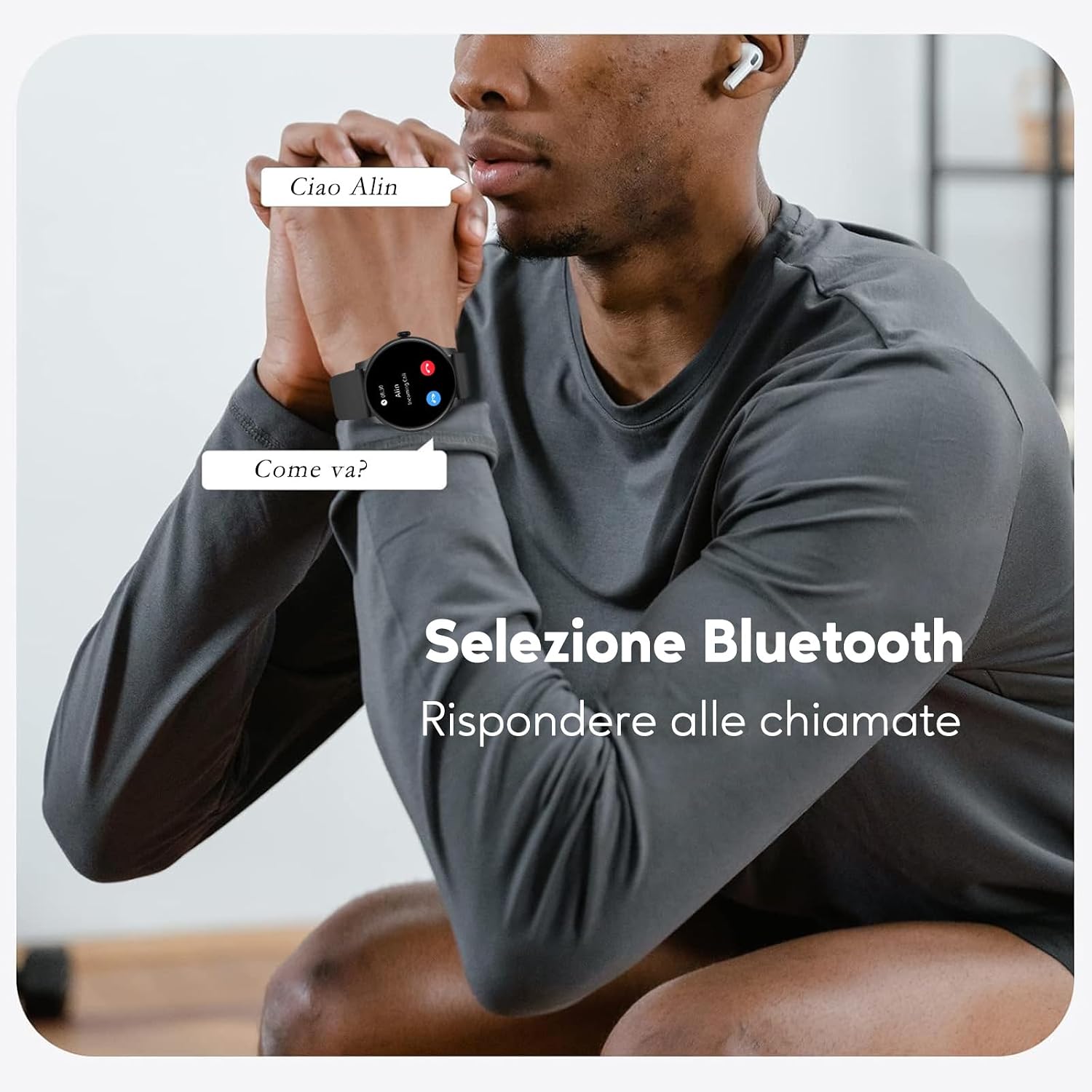
Image: The smartwatch displaying an incoming call notification, showing the caller's name.

Image: The smartwatch displaying various call and message notifications.
Fitness Tracking
The AcclaFit D2 Smartwatch supports over 120 sports modes to track your physical activity comprehensively.
- Sports Modes: Select your activity (e.g., running, cycling, walking, yoga, badminton, football) to track specific metrics.
- Key Metrics: Monitor distance, pace, calories burned, and heart rate during workouts.
- Step Counter: Automatically counts your daily steps.

Image: The smartwatch display showing a selection of sports modes, including equestrian sports, athletics, and auto racing.
Health Monitoring
Monitor your health 24/7 with integrated sensors.
- Heart Rate: Real-time heart rate tracking.
- Blood Oxygen (SpO2): Measures blood oxygen levels.
- Blood Pressure: Provides blood pressure readings.
- Sleep Monitoring: Tracks sleep patterns, including light sleep, deep sleep, and REM phases, providing a sleep score and analysis.
- Stress Management: Tools to help monitor and manage stress levels.
- Menstrual Cycle Tracking: For women, track predicted cycles, ovulation, and fertile periods.

Image: The smartwatch display showing the heart rate monitoring interface with a graph of readings.

Image: The smartwatch display showing the scientific sleep monitoring interface with a breakdown of sleep stages.
Other Features
- Music Playback Control: Control music playing on your smartphone directly from the watch.
- Weather Forecasts: Get real-time weather updates.
- Alarms: Set smart alarms.

Image: The smartwatch display showing the music control interface, allowing play/pause and track skipping.
Maintenance
Cleaning Your Smartwatch
- Wipe the screen and watch body with a soft, lint-free cloth.
- For stubborn dirt, slightly dampen the cloth with water. Avoid using harsh chemicals or abrasive materials.
- Clean the charging contacts regularly to ensure proper charging.
Battery Care
- Avoid fully discharging the battery frequently.
- Do not expose the watch to extreme temperatures, as this can degrade battery life.
- Use only the provided charging cable.
Water Resistance (IP68)
The AcclaFit D2 Smartwatch has an IP68 water resistance rating, meaning it is protected against immersion in water up to 1 meter for 30 minutes.
- It is suitable for daily use, such as hand washing, rain, or accidental splashes.
- Avoid using it for swimming, showering with hot water, or diving, as steam and high water pressure can compromise the seals.
- Do not press buttons while the watch is submerged in water.
- If the watch gets wet, dry it thoroughly before charging.
Image: The AcclaFit D2 Smartwatch, showcasing its sleek design and indicating its IP68 water resistance.
Troubleshooting
Common Issues and Solutions
- Watch not turning on: Ensure the watch is fully charged. Connect it to the charger for at least 30 minutes.
- Cannot pair with smartphone:
- Ensure Bluetooth is enabled on both devices.
- Make sure the Da Fit app is installed and running.
- Restart both the smartwatch and your smartphone.
- Try unpairing and re-pairing the device through the Da Fit app.
- Inaccurate health/fitness data:
- Ensure the watch is worn snugly on your wrist, not too tight or too loose.
- Clean the sensor on the back of the watch.
- Update the Da Fit app and smartwatch firmware to the latest versions.
- Notifications not appearing:
- Check notification settings in the Da Fit app and on your smartphone.
- Ensure the app has necessary permissions to access notifications.
- Verify that the watch is connected via Bluetooth.
- Short battery life:
- Reduce screen brightness.
- Disable unnecessary features or continuous monitoring if not needed.
- Limit the number of apps sending notifications to the watch.
If you encounter persistent issues, refer to the Da Fit app's help section or contact AcclaFit customer support.
Specifications
| Feature | Detail |
|---|---|
| Brand | AcclaFit |
| Model Number | D2 |
| Wearable Computer Type | Smart Watch |
| Operating System | Wear OS 3.0 |
| Screen Size | 1.38 Inches |
| Screen Type | Digital |
| Maximum Display Brightness | 500 NIT Coating |
| Connectivity Technology | Bluetooth |
| Wireless Communication Standard | Bluetooth |
| Compatible Devices | Smartphone |
| Compatible Phone Models | Android devices, iOS devices |
| Battery Capacity | 400 Milliamper-hour (mAh) |
| Battery Type | Lithium Ion |
| Average Battery Life | 15 Days |
| Memory Capacity | 128 MB |
| Installed RAM | 128 MB |
| International Protection Rating | IP68 |
| Water Resistance Depth | 1 Meter |
| Case Material Type | Aluminium alloy |
| Band Material Type | Silicone |
| Band Width | 22 Millimeters |
| Clasp Type | Buckle |
| Color | Black |
| Band Color | Black |
| Shape | Round |
| Health Sensor Type | Heart Rate, Blood Oxygen (SpO2), Blood Pressure |
| GPS | GPS via smartphone |
| Supported Satellite Navigation System | GPS |
| Languages | English, Italian, Spanish, German, French |
| Special Features | Voice Call, Text Messages, Notifications, Phone Call, Multisport Tracker |
| Supported Application | Contacts, Fitness tracker, Messages, Multisport tracker, Phone |
| User Interface Interaction Type | Dial, Microphone, Buttons, Touchscreen |
| Sports Type | Badminton, Cycling, Fitness, American Football, Yoga |
| Target Audience | Unisex Adults, Unisex Children, Women, Unisex Youth, Men |
| Age Range Description | Adult |
| Manufacturer | HAVAFIT TECH LIMITED |
Warranty and Support
Product Warranty
Your AcclaFit D2 Smartwatch comes with a 2-year manufacturer warranty. This warranty covers defects in materials and workmanship under normal use. It does not cover damage caused by misuse, accidents, unauthorized modifications, or normal wear and tear.
Warranty Type: Limited
Customer Support
For technical assistance, warranty claims, or any questions regarding your AcclaFit D2 Smartwatch, please refer to the contact information provided with your purchase or visit the official AcclaFit website.


