

1. Introduction
Thank you for choosing the AcclaFit D2 Smartwatch. This manual provides essential information for setting up, operating, and maintaining your device. Please read it carefully to ensure optimal performance and longevity of your smartwatch.
What's in the Box
- AcclaFit D2 Smartwatch
- Watch Strap
- Charging Cable
- User Manual
Product Overview
The AcclaFit D2 Smartwatch features a 1.38-inch full touch display and offers comprehensive health and fitness tracking. Key functionalities include 24/7 heart rate, blood oxygen, and blood pressure monitoring, over 120 sport modes, enhanced sleep and stress tracking, and smart connectivity for calls and notifications. It boasts a long battery life of up to 15 days on a single charge and is compatible with both Android and iOS devices.
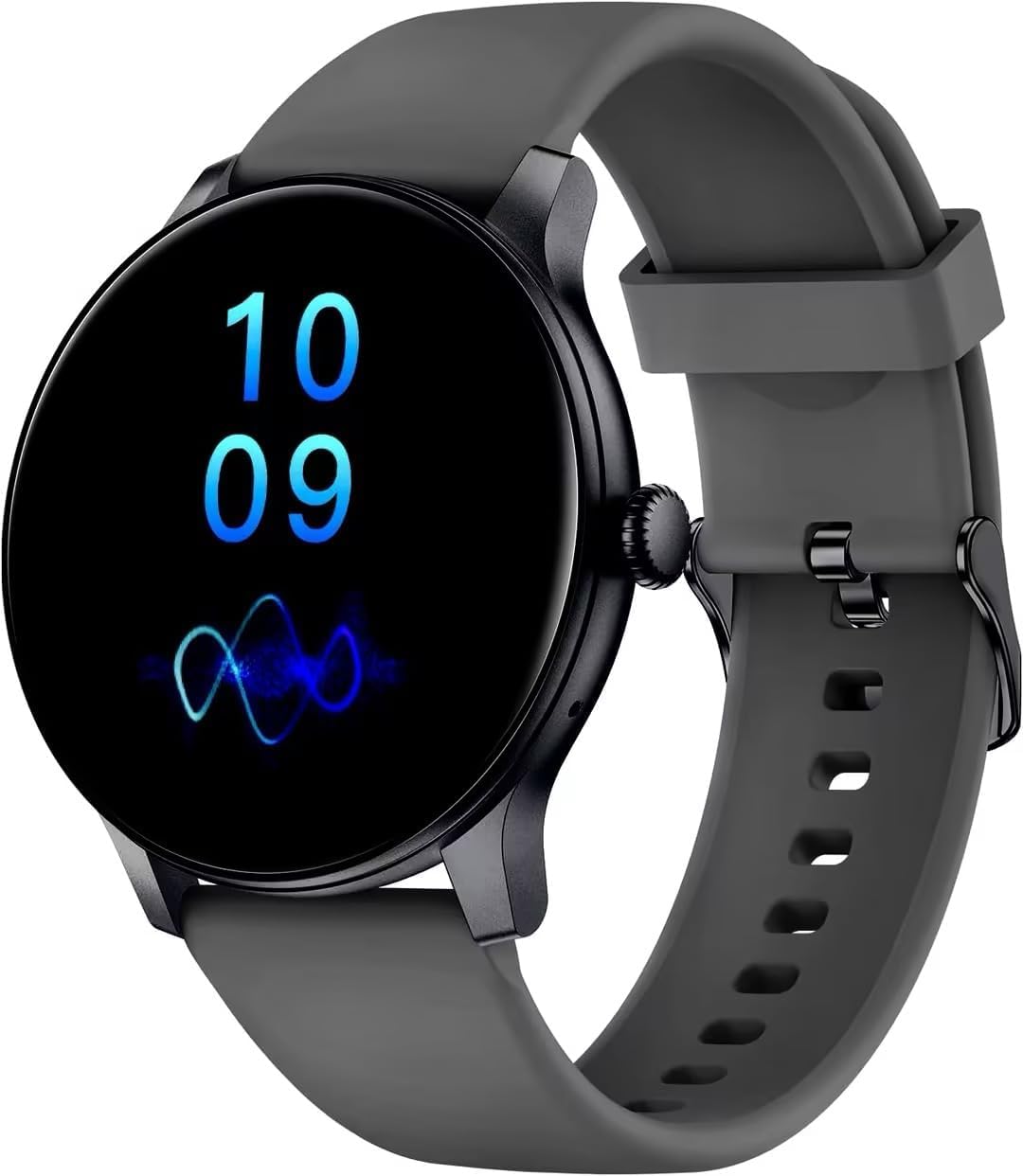
Image of the AcclaFit D2 Smartwatch in Aaric Grey, showcasing its round display and strap.
2. Getting Started
Charging the Smartwatch
Before first use, fully charge your AcclaFit D2 Smartwatch. Connect the provided charging cable to the charging port on the back of the watch and plug the USB end into a standard USB power adapter (not included). A full charge typically provides up to 15 days of use, depending on usage patterns.
Installing the Da Fit App
- Scan the QR code in the user manual or search for "Da Fit" in your smartphone's app store (Google Play Store for Android, Apple App Store for iOS).
- Download and install the "Da Fit" application.
- Open the app and follow the on-screen instructions to create an account or log in.
Pairing with Your Smartphone
- Ensure Bluetooth is enabled on your smartphone.
- Open the "Da Fit" app.
- Navigate to the "Device" section within the app and tap "Add Device" or "Bind Device".
- Select "D2" from the list of available devices.
- Confirm the pairing request on both your smartphone and the smartwatch.
- Once paired, the app will synchronize data with your smartwatch.
3. Smartwatch Operation
Basic Navigation
- Swipe Down: Access quick settings (e.g., brightness, DND mode).
- Swipe Up: View notifications.
- Swipe Left/Right: Cycle through widgets (e.g., activity data, heart rate, weather).
- Tap: Select an item or enter a menu.
- Press Side Button: Return to the watch face or access the main menu.
Call Functions
After successful Bluetooth pairing, you can make and receive calls directly from your smartwatch.
- Answering Calls: When a call comes in, tap the green icon on the watch screen to answer.
- Dialing Calls: Access the dial pad or contact list through the watch's menu to initiate a call.
Sport Modes
The AcclaFit D2 supports over 120 sport modes. Select your desired activity from the sport menu to track specific metrics such as distance, pace, calories burned, and heart rate during your workout.

Image of the AcclaFit D2 Smartwatch on a person's wrist, likely tracking a sport activity.
Health Monitoring
The smartwatch continuously monitors various health parameters:
- Heart Rate: Real-time heart rate tracking throughout the day.
- Blood Oxygen (SpO2): Measures blood oxygen saturation levels.
- Blood Pressure: Provides estimated blood pressure readings.
- Sleep Monitoring: Tracks sleep stages (deep, light, REM) and duration.
- Stress Monitoring: Helps you understand and manage your stress levels.

Image of the AcclaFit D2 Smartwatch on a woman's wrist, suitable for illustrating health tracking or yoga mode.
Notifications
Receive instant notifications for messages, calls, and app alerts directly on your smartwatch. Ensure notification permissions are granted in the "Da Fit" app and your phone's settings.
4. Care and Maintenance
Cleaning Your Smartwatch
Regularly clean your smartwatch and strap to prevent skin irritation and maintain device hygiene. Use a soft, lint-free cloth. If necessary, dampen the cloth with a small amount of water. Avoid harsh chemicals or abrasive materials.
Water Resistance (IP68)
The AcclaFit D2 Smartwatch is IP68 water-resistant, meaning it can withstand dust, dirt, and sand, and is resistant to submersion up to a maximum depth of 1.5m for up to thirty minutes. It is suitable for daily use, such as hand washing or light rain. However, it is not recommended for swimming, diving, or exposure to hot water or steam.
5. Troubleshooting
- Smartwatch not turning on: Ensure the watch is fully charged. Connect it to the charging cable and a power source for at least 30 minutes.
- Cannot pair with smartphone:
- Ensure Bluetooth is enabled on your phone.
- Make sure the smartwatch is within Bluetooth range (typically 10 meters).
- Restart both your smartphone and the smartwatch.
- Clear the Bluetooth cache on your phone (Android) or forget the device and try pairing again.
- Inaccurate health data: Ensure the watch is worn snugly on your wrist, about one finger's width above the wrist bone. Avoid excessive movement during measurements.
- Notifications not received:
- Check if notification permissions are enabled for the "Da Fit" app in your phone's settings.
- Ensure the "Da Fit" app is running in the background.
- Disable any power-saving modes on your phone that might restrict background app activity.
- Short battery life: Reduce screen brightness, disable continuous heart rate monitoring if not needed, and limit the number of active notifications.
6. Product Specifications
| Brand | AcclaFit |
| Model Number | D2 |
| Color | Aaric Grey |
| Operating System | Wear OS 3.0 |
| Screen Size | 1.38 Inches |
| Connectivity | Bluetooth |
| Special Features | Phone Call, Voice Call, Text Messaging, Notification, Multisport Tracker |
| Compatible Devices | Smartphone |
| Battery Type | Lithium-ion |
| Rechargeable Battery | Yes |
| Battery Capacity | 400 mAh |
| Memory Storage Capacity | 128 MB |
| GPS | GPS via smartphone |
| Shape | Round |
7. Warranty and Support
Warranty Information
The AcclaFit D2 Smartwatch comes with a 2-year manufacturer's warranty. This warranty covers defects in materials and workmanship under normal use. It does not cover damage caused by misuse, accidents, unauthorized modifications, or normal wear and tear. Please retain your proof of purchase for warranty claims.
Customer Support
For any questions, technical assistance, or warranty claims, please contact AcclaFit customer support through the retailer's platform or visit the official AcclaFit website for contact details. Our support team is available to assist you with any issues you may encounter.


