
1. Introduction
The LOTUS Smartwatch 50203/1 Naya Lite is designed to integrate health tracking and activity control into your daily routine. This smartwatch allows you to monitor health metrics, track various sports activities, and manage calls directly from your wrist. Its versatile and modern design ensures both functionality and comfort for daily use.
2. What's in the Box
- LOTUS Smartwatch 50203/1 Naya Lite
- 1 Charger
- User Manual (this document)
3. Setup
3.1. Charging the Device
Before initial use, fully charge your smartwatch. Connect the provided charger to the charging port on the back of the watch and plug the USB end into a compatible power adapter (not included) or a computer's USB port. The watch display will indicate charging status. A full charge typically takes approximately 2 hours.
3.2. App Installation and Pairing
- Download the App: Search for the official LOTUS Smartwatch application in your smartphone's app store (Google Play Store for Android or Apple App Store for iOS). Install the application.
- Enable Bluetooth: Ensure Bluetooth is enabled on your smartphone.
- Open the App: Launch the LOTUS Smartwatch app and follow the on-screen instructions to create an account or log in.
- Add Device: Within the app, navigate to the 'Add Device' or 'Pair Device' section. The app will search for available smartwatches.
- Select Your Smartwatch: Select 'LOTUS 50203/1 Naya Lite' from the list of discovered devices. Confirm the pairing request on both your smartphone and the smartwatch if prompted.
- Complete Setup: Follow any remaining prompts in the app to complete the initial setup, including personal profile information and notification preferences.
4. Operating Instructions
4.1. Basic Navigation
- Touchscreen: Swipe left, right, up, or down to navigate through menus and functions. Tap to select an option.
- Side Button: Press the side button to return to the home screen or to wake the display. A long press may access power options or specific features.
4.2. Making and Receiving Calls
Once paired with your smartphone, the smartwatch allows you to manage calls directly. Ensure your watch is connected via Bluetooth to your phone.
- Receiving Calls: When a call comes in, the watch will display the caller ID. Tap the green icon to answer or the red icon to reject.
- Making Calls: Access the 'Phone' or 'Dialer' function on your smartwatch. You can dial numbers directly or select contacts from your synced phonebook.
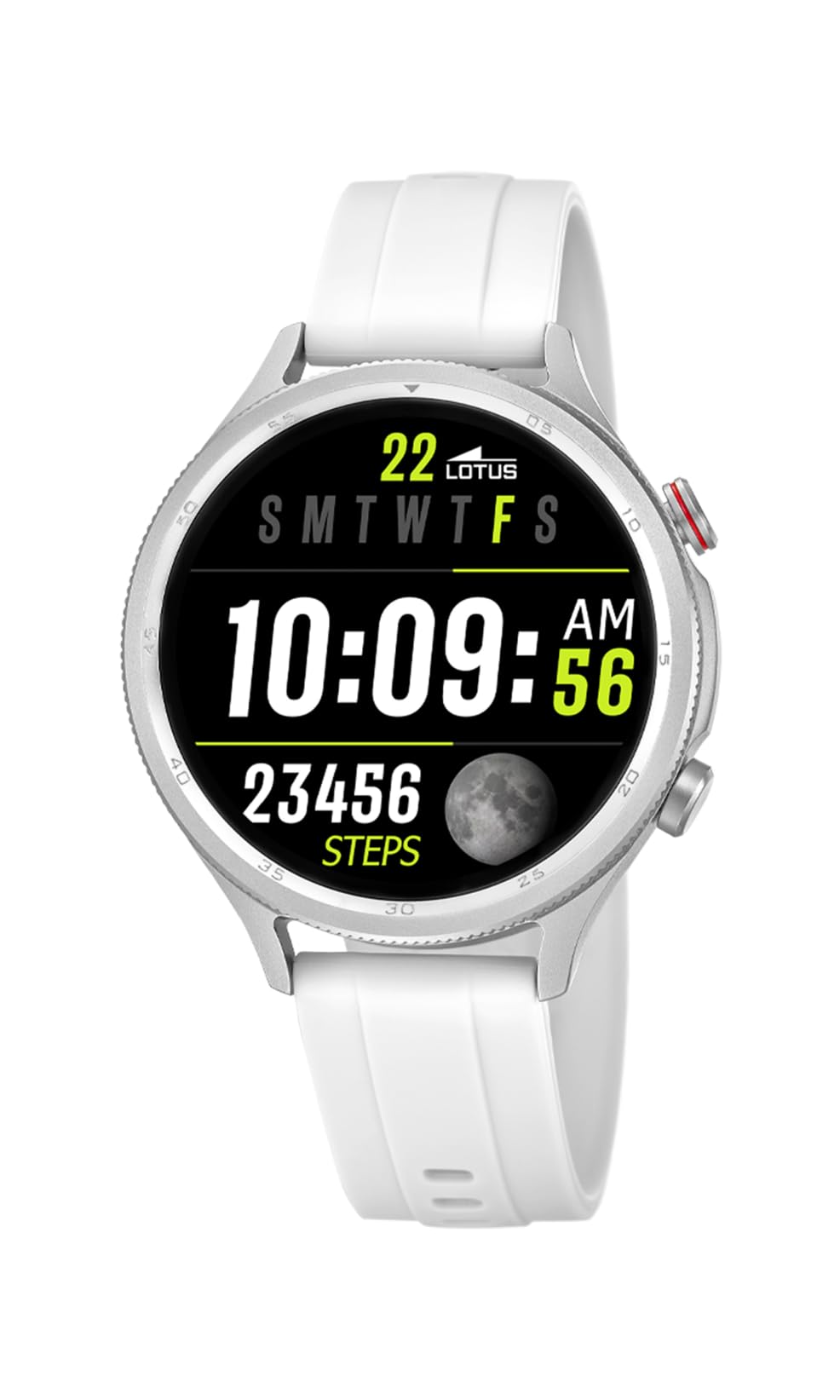
Image: The Lotus Smartwatch 50203/1 Naya Lite allows for convenient call management directly from your wrist.
4.3. Music Control
Control music playback on your smartphone directly from your smartwatch. Navigate to the 'Music Control' feature on your watch. You can play, pause, skip tracks, and adjust volume.
4.4. Activity and Sports Tracking
The smartwatch tracks various fitness metrics and supports multiple sports modes.
- Steps and Calories: The watch automatically counts your steps and estimates calories burned throughout the day. View your daily progress on the watch face or in the app.
- Sports Modes: Access the 'Sports' menu to select from various activities (e.g., running, walking, cycling). The watch will record duration, distance, and other relevant data for your chosen activity.

Image: The smartwatch display provides real-time updates on your activity metrics.
4.5. Health Monitoring
- Sleep Monitor: Wear the smartwatch to bed to track your sleep patterns. The app provides detailed analysis of your sleep quality.
- Other Health Metrics: The watch may offer additional health monitoring features. Refer to the app for a complete list and instructions on how to use them.
4.6. AI Voice Assistant
Activate the AI Voice Assistant feature on your smartwatch to perform tasks using voice commands. Ensure your watch is connected to your smartphone and the voice assistant feature is enabled in the app.
5. Maintenance
5.1. Cleaning Your Smartwatch
Regularly clean your smartwatch and strap to prevent skin irritation and maintain functionality.
- Wipe the screen and body with a soft, damp, lint-free cloth.
- For the rubber strap, use mild soap and water, then rinse thoroughly and dry completely before wearing.
- Avoid using harsh chemicals, abrasive cleaners, or solvents.
5.2. Battery Care
- Avoid fully discharging the battery frequently.
- Do not expose the watch to extreme temperatures, as this can degrade battery life.
- Use only the provided charger.
5.3. Water Resistance (IP65)
The LOTUS Smartwatch 50203/1 Naya Lite is rated IP65 water resistant. This means it is protected against dust ingress and low-pressure water jets from any direction. It is suitable for everyday use and can withstand splashes or light rain. It is not suitable for swimming, showering, or prolonged submersion in water.
6. Troubleshooting
- Watch not turning on: Ensure the watch is fully charged. Connect it to the charger for at least 30 minutes.
- Cannot pair with phone: Make sure Bluetooth is enabled on your phone and the watch. Ensure the watch is within range. Restart both the watch and your phone, then try pairing again through the app.
- Notifications not appearing: Check app settings on your phone to ensure notification permissions are granted for the LOTUS Smartwatch app. Also, verify notification settings within the smartwatch app itself.
- Inaccurate activity data: Ensure the watch is worn snugly on your wrist. Calibrate your personal information (height, weight, age) in the app for better accuracy.
- Screen unresponsive: Try restarting the smartwatch. If the issue persists, contact customer support.
7. Specifications
| Brand | LOTUS |
| Model | 50203/1 |
| Manufacturer | Time Road SL. |
| Display Type | Digital |
| Material Type | Zinc Alloy |
| Band Material Type | Rubber |
| Band Color | White |
| Water Resistance Level | IP65 (Water Resistant) |
| Battery | 1 Non-standard battery (included) |
| Components Included | 1 Charger |
8. Warranty and Support
For warranty information and customer support, please refer to the documentation provided with your purchase or visit the official LOTUS website. Keep your proof of purchase for warranty claims.
Manufacturer: Time Road SL.