1. Introduction
This manual provides detailed instructions for the setup, operation, and maintenance of your MINISFORUM MS-02 Ultra Workstation Mini PC. Designed for high-performance tasks, AI inference, and demanding workloads, this mini PC features an Intel Core Ultra 9 285HX processor and extensive expansion capabilities. Please read this manual thoroughly before using your device.
2. What's in the Box
Upon unboxing your MINISFORUM MS-02 Ultra, please ensure all the following components are present:
- MINISFORUM MS-02U-285HX Mini PC Unit
- Power Adapter
- Power Cable
- HDMI Cable
- VESA Mounting Bracket with Screws
- OcuLink Adapter (optional, for external GPU connection)
- User Manual / Documentation
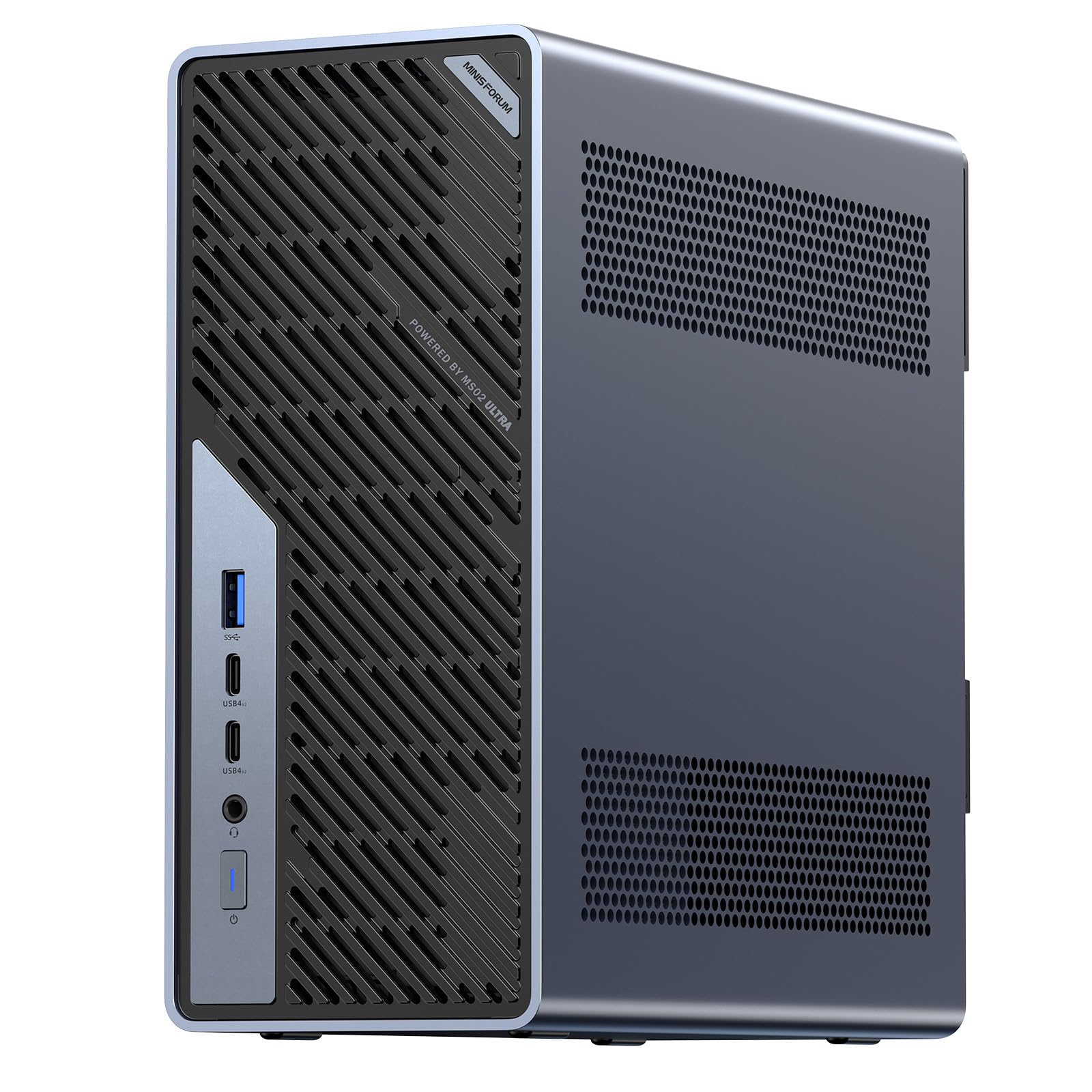
Figure 2.1: MINISFORUM MS-02 Ultra Mini PC and included accessories.
Video 2.1: An introductory overview of the MS-02 Ultra Mini PC.
3. Product Features
- High-Performance AI Processor: The MS-02 Ultra features an Intel Core Ultra 9 285HX (24C/24T, up to 5.5 GHz, 13 TOPS NPU), delivering fast and efficient performance for AI inference, algorithm development, and media workloads. A PCIe x16 expansion slot supports desktop-class GPU upgrades for advanced model training and accelerated computing tasks.
- Extensive Memory & Storage: Four DDR5 SODIMM slots support up to 256 GB of memory, with ECC for data integrity. Four PCIe 4.0 M.2 slots support up to 24 TB of storage, supporting RAID 0/1/5/10 for high-speed performance and data protection.
- Advanced Connectivity: Up to three PCIe slots can be equipped, including a dual-slot x16 GPU with PCIe 5.0 support. USB 4.0 v2 (80Gbps) supports high-bandwidth external storage and displays.
- Ultra-fast Networking: Wi-Fi 7 enhances wireless performance. Dual 25GbE ports (up to 3.125 GB/s bandwidth), 10GbE, and 2.5GbE ports with Intel vPro technology ensure optimal network performance and remote management.
- Server-grade Thermal Architecture: Dedicated CPU/GPU airflow design with a 6-pipe dual-fan cooler maintains stable performance under sustained loads (up to 140W Turbo power, 100W TDP) with noise levels as low as 36 dB. An integrated 350W power supply ensures reliable output.
- Enterprise-grade Security: Intel vPro combined with BIOS-level KVM enables 24/7 remote management. ECC automatic error correction ensures data integrity.

Figure 3.1: The MS-02 Ultra features a powerful Intel Core Ultra 9 285HX processor.

Figure 3.2: Four DDR5 SODIMM slots and scalable RAID storage architecture.

Figure 3.3: Four M.2 2280 slots supporting PCIe 4.0 x4 NVMe for high-speed storage.

Figure 3.4: Up to 3 PCIe slots, including a dual-slot x16 GPU, with primary slot supporting PCIe 5.0.

Figure 3.5: Server-grade airflow design with a 350W power supply for efficient and quiet cooling.
4. Setup
4.1 Initial Connection
- Connect your display(s) to the HDMI, DisplayPort, or USB4 v2 ports.
- Connect your keyboard and mouse to the available USB ports.
- Connect the power cable to the power adapter, and then to the DC input on the rear of the Mini PC. Plug the power cable into a wall outlet.
- Press the power button on the front of the unit to turn it on.
4.2 BIOS Configuration
Upon first boot, you may need to enter the BIOS to configure settings. Press the designated key (usually DEL or F2) during startup to access the BIOS setup utility. The BIOS features a graphical user interface with sections for Main, Advanced, Security, Boot, Save & Exit, and MEBx.
- Power Profile: In the Advanced settings, you can adjust the Power Profile to 'Balance Mode', 'Performance Mode', or 'Manual Mode'. For optimal performance, select 'Performance Mode'.
- Fan Mode: In the Hardware Monitor section, you can set the fan function mode to 'Quiet', 'Balance', or 'Performance'.
- Secure Boot: Ensure Secure Boot is enabled in the Security section for enhanced system security.
Video 4.1: An unboxing and BIOS overview of a similar MINISFORUM model, demonstrating internal components and BIOS settings.
5. Operating Instructions
Once the initial setup is complete and the operating system is installed, your Mini PC is ready for use. For daily operation, simply press the power button to turn the device on or off. Use the operating system's shutdown options for proper power-off procedures.
6. Hardware Installation and Upgrades
The MS-02 Ultra is designed for easy upgrades and maintenance with its slide-out chassis design.
6.1 Accessing Internal Components
To access the internal components, remove the two screws on the rear of the chassis and slide out the internal tray. This design facilitates rapid upgrades and reduces downtime.

Figure 6.1: Internal view of the MS-02 Ultra, showing RAM and M.2 slots.
6.2 RAM Installation
The MS-02 Ultra supports up to 256GB of DDR5 SODIMM memory across four slots. When installing memory modules, prioritize inserting them into the two memory slots on the CPU side if only half of the modules are used. Refer to the official memory compatibility list for barebone systems.
6.3 M.2 SSD Installation
The device features four PCIe 4.0 M.2 slots for storage, supporting up to 24TB and RAID 0/1/5/10 configurations. Install M.2 SSDs by gently inserting them into the slots and securing them with the provided screws.
6.4 PCIe Expansion Card Installation
The MS-02 Ultra includes a PCIe x16 expansion slot for desktop-class GPU upgrades and other expansion cards. Carefully insert the PCIe card into the slot and secure it.
Video 6.1: An unboxing and internal component overview of a similar MINISFORUM model.
Video 6.2: Installation tutorial for a similar MINISFORUM workstation model.
7. Connectivity
The MS-02 Ultra offers a wide range of ports for versatile connectivity:
- Front Ports: USB-A 10Gbps (USB 3.2 Gen 2), 2x USB4 v2 Type-C Ports (80 Gbps, DP 2.0 Alt Mode, 15W PD), 3.5mm Audio Jack, Power Button.
- Rear Ports: 2.5GbE RJ45 Port (Intel I226-LM, vPro Enabled), HDMI 2.1 FRL, USB4 Type-C Port (40 Gbps, DP 2.0 Alt Mode, 15W PD), 2x 25GbE SFP+ Ports (Intel E810), 3x USB-A 10Gbps (USB 3.2 Gen 2), 10GbE RJ45 Port (Realtek RTL8127), AC input.
- Wireless: Wi-Fi 7 and Bluetooth 5.4 for enhanced wireless performance and connectivity.

Figure 7.1: Detailed diagram of front and rear ports on the MS-02 Ultra.
8. Thermal Management
The MS-02 Ultra features a server-grade thermal architecture with a dedicated CPU/GPU airflow design. Equipped with a 6-pipe dual-fan cooler, it effectively dissipates heat to maintain stable performance even under sustained heavy loads. The system can deliver up to 140W Turbo power while maintaining a 100W TDP, operating with noise levels as low as 36 dB.
9. Enterprise Features
For business and IT environments, the MS-02 Ultra includes:
- Intel vPro Technology: Enables enterprise-grade remote management and deployment flexibility.
- BIOS-level KVM: Allows IT teams 24/7 remote management capabilities.
- ECC Memory: Automatic error correction ensures the integrity and stability of mission-critical data.
10. Troubleshooting
- System Fails to Boot (Memory): If only half of a memory module is inserted, ensure it is correctly seated in the two memory slots on the CPU side. Incorrect insertion may prevent the system from booting.
- Memory Compatibility (Barebone Systems): When purchasing a barebone system, always check the official memory compatibility list. Purchase memory from the list whenever possible to avoid buying incompatible memory that may prevent the system from booting.
11. Specifications
| Feature | Specification |
|---|---|
| Processor | Intel Core Ultra 9 285HX (24C/24T, up to 5.5 GHz) |
| RAM | Up to 256 GB DDR5 (4x SODIMM slots) |
| Storage | Up to 24 TB SSD (4x M.2 PCIe 4.0 slots, RAID 0/1/5/10) |
| Graphics Coprocessor | Intel UHD Graphics |
| Max Screen Resolution | 3840x2160 |
| Wireless Type | Wi-Fi 7 (802.11ax) |
| Ethernet | Dual 25GbE, 10GbE, 2.5GbE |
| USB Ports | USB4 v2 (80Gbps), USB 3.2 Gen 2 (10Gbps), USB 3.0 |
| Power Supply | Integrated 350W PSU |
| Item Weight | 9.92 pounds |
| Package Dimensions | 13.27 x 12.09 x 6.38 inches |
12. Warranty and Support
For warranty information, technical support, and service inquiries, please refer to the official MINISFORUM website or contact their customer service directly. Keep your purchase receipt for warranty claims.