1. Important Safety Information
Please read this entire manual carefully before operating the ANCHEER TR6012 Treadmill. Retain this manual for future reference. Failure to follow these instructions can result in injury or damage to the product.
General Safety Precautions:
- Always place the treadmill on a flat, stable surface.
- Ensure adequate clear space around the treadmill (at least 2 feet on sides and front, 6 feet at the rear).
- Keep children and pets away from the treadmill during operation.
- Do not operate the treadmill if it is damaged or malfunctioning.
- Wear appropriate athletic footwear and clothing.
- Consult a physician before starting any new exercise program.
- Use the safety key at all times. Attach it to your clothing for immediate stop in case of emergency.
- Do not use on cotton carpets or soft floors, as this may affect performance and motor ventilation.
2. Product Overview
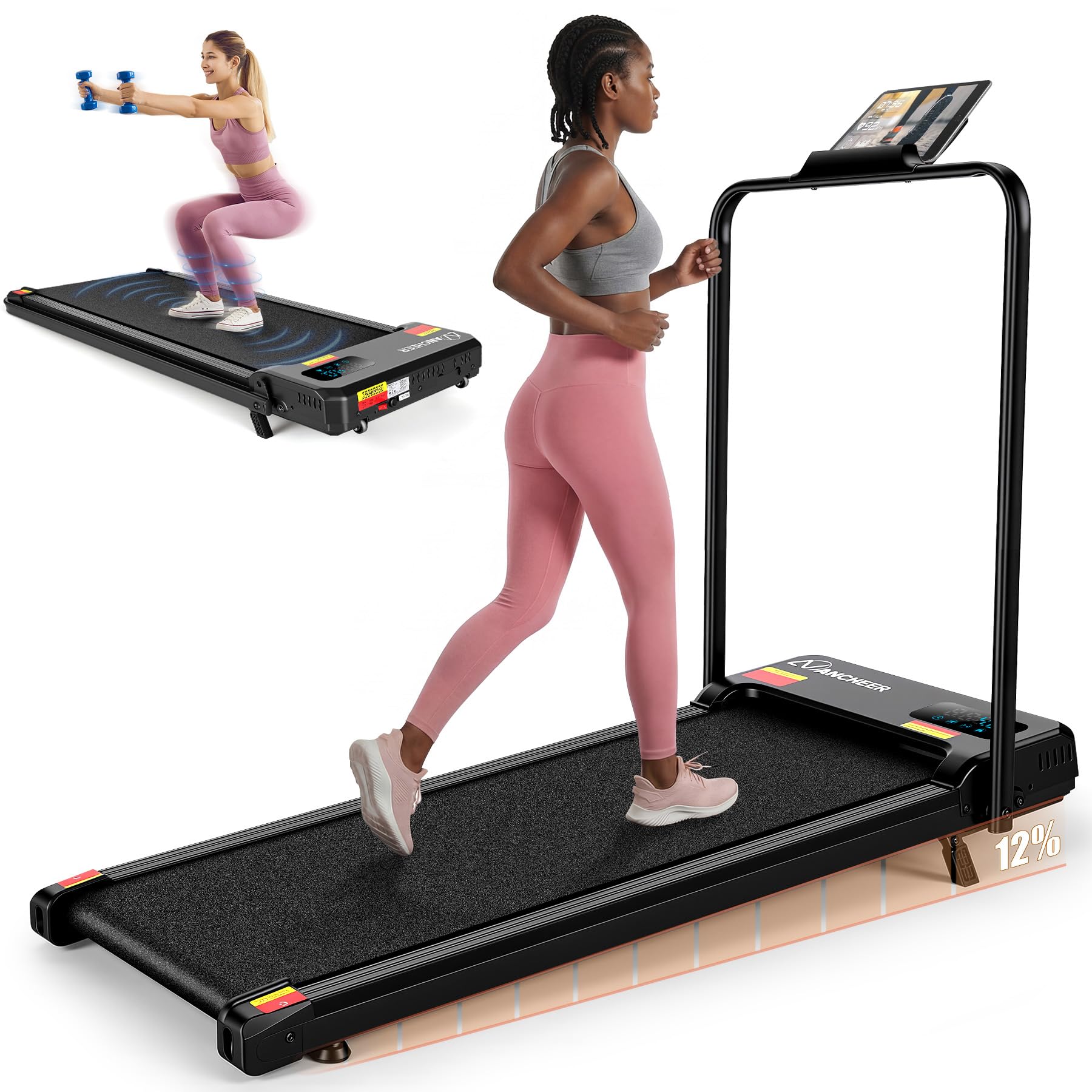
The ANCHEER TR6012 is a versatile folding treadmill designed for home and office use, featuring a compact design, adjustable incline, and multiple exercise modes.
Key Features:
- Motor: 3.5 Horsepower peak.
- Weight Capacity: Up to 320 pounds.
- Speed Range: Up to 4 Miles per Hour.
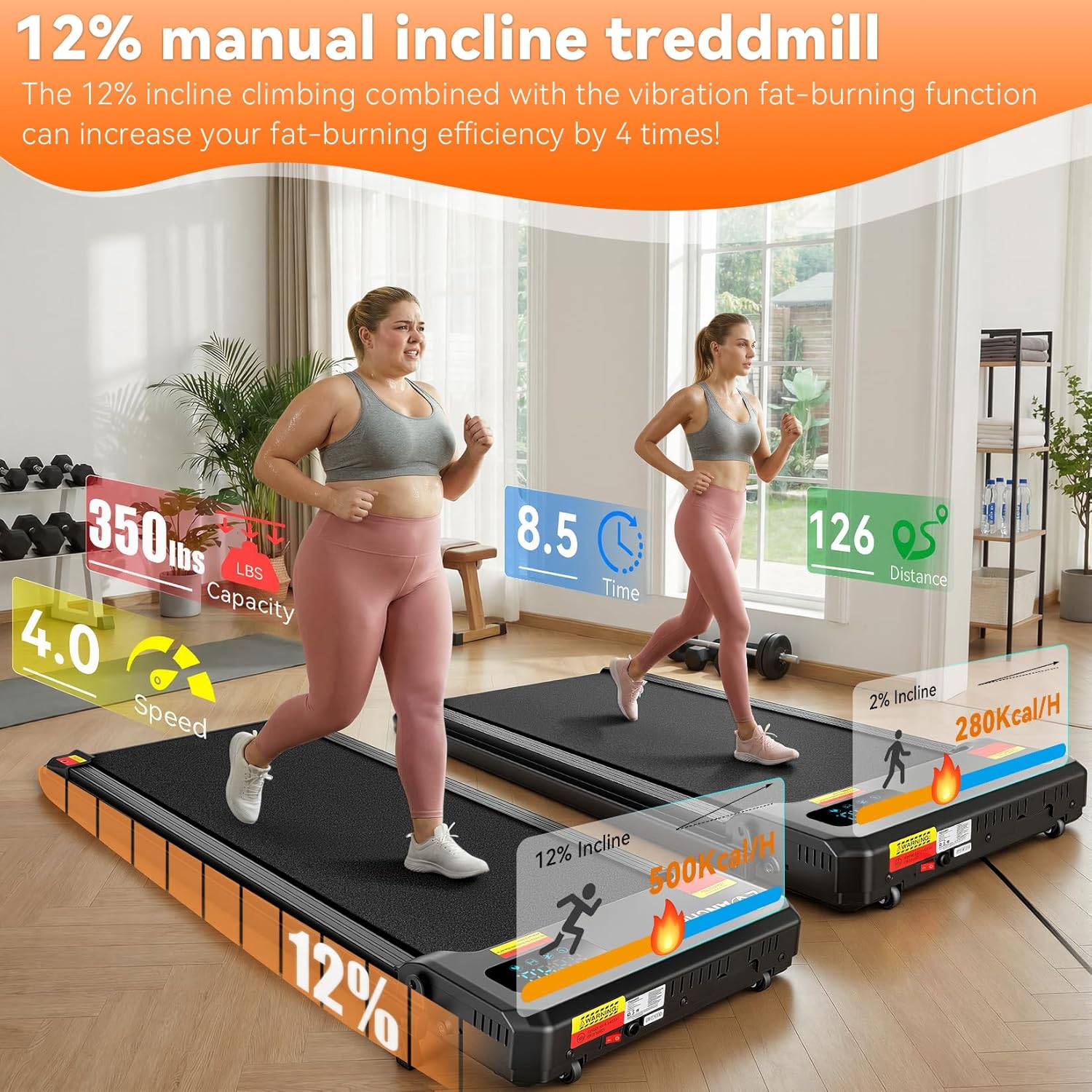
- Incline: Manual 12% or 15% incline options.
- Running Belt: 7-layer running belt with dual shock absorption system.
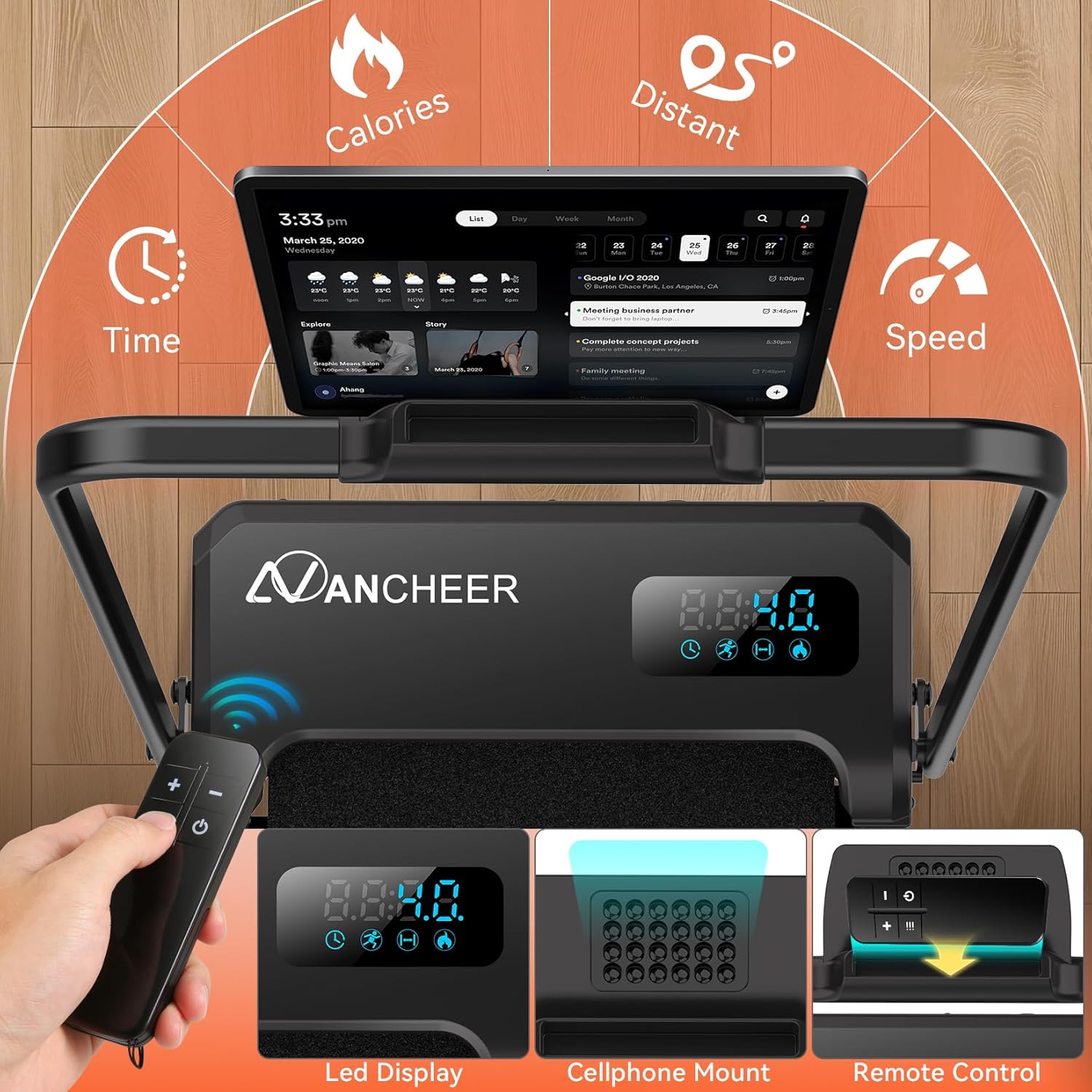
- Display: LED display showing time, distance, calories, and speed.
- Control: Remote control included.
- Portability: Foldable design with transport wheels for easy storage and movement.
- Handlebars: Provides 360-degree balance support.
3. Setup Instructions
The ANCHEER TR6012 Treadmill is designed for minimal assembly, often referred to as 'installation-free'.
Unfolding and Placement:
- Carefully remove the treadmill from its packaging.
- Place the treadmill on a firm, level surface. Ensure there is sufficient space around the unit for safe operation and movement.
- If the handlebars are folded, gently lift them into the upright position until they lock securely. Refer to the specific locking mechanism in your product packaging for detailed instructions.
- Connect the power cord to a grounded electrical outlet.

Adjusting Incline:
The treadmill features a manual incline adjustment. To change the incline:
- Ensure the treadmill is turned off and unplugged.
- Locate the incline adjustment pins or levers at the rear of the treadmill.
- Adjust the support legs to the desired incline level (12% or 15%) and secure them firmly. Always ensure both sides are set to the same incline level.
4. Operating Instructions
Starting the Treadmill:
- Plug in the treadmill and ensure the power switch (if present) is in the 'ON' position.
- Attach the safety key to the designated slot on the console and clip the other end to your clothing. The treadmill will not operate without the safety key in place.
- Press the 'START' button on the console or remote control. The treadmill will typically begin with a countdown before the belt starts moving at a low speed.
Adjusting Speed:
- Use the '+' and '-' buttons on the console or remote control to increase or decrease the speed.
- The LED display will show the current speed.
Stopping the Treadmill:
- Press the 'STOP' button on the console or remote control to gradually bring the belt to a halt.
- In an emergency, pull the safety key from the console to immediately stop the treadmill.
Exercise Modes:
The ANCHEER TR6012 offers various modes to suit different fitness needs:
- Walking Mode (0.6-2.0 MPH): Suitable for light exercise or working while walking.
- Climbing Mode (1.0-3.0 MPH): Engages more muscles, especially when combined with incline.
- Running Mode (3.0-4.0 MPH): For more intense cardio workouts.
- Working Mode (Level 1-3): Ideal for use under a standing desk.
- Warm-up Mode (Level 4-6): Prepares muscles for more strenuous activity.
- Vibration Mode (Level 7-8): Utilizes the vibration function for muscle relaxation or specific exercises.
- Sleep Aid/Meditation Mode (Level 1-2): Gentle vibration for relaxation.
- Stretching/Relaxation Mode (Level 5-6): Supports stretching exercises.
- Shaking Mode (Level 6-7): For targeted muscle stimulation.

5. Maintenance
Regular maintenance ensures the longevity and optimal performance of your treadmill.
Cleaning:
- Daily: Wipe down the console and handlebars with a soft, damp cloth after each use.
- Weekly: Clean the running belt and motor cover to prevent dust buildup. Ensure the treadmill is unplugged before cleaning.
- Do not use abrasive cleaners or solvents.
Lubrication:
The running belt may require lubrication periodically. Refer to your product packaging for specific lubrication instructions and recommended lubricant type. Generally, apply silicone lubricant under the belt as directed.
Belt Tension and Alignment:
If the running belt feels loose or shifts to one side, it may need adjustment. Consult the detailed instructions provided with your treadmill for proper belt tensioning and alignment procedures. Incorrect adjustment can damage the belt or motor.
6. Troubleshooting
If you encounter issues with your treadmill, refer to the following common problems and solutions:
| Problem | Possible Cause | Solution |
|---|---|---|
| Treadmill does not start | Power cord not plugged in; Safety key not in place; Power switch off. | Ensure power cord is securely plugged in; Insert safety key fully; Turn power switch ON. |
| Running belt slips or hesitates | Belt too loose; Belt needs lubrication. | Adjust belt tension (refer to manual); Lubricate belt as per instructions. |
| Unusual noise during operation | Loose components; Motor issue; Belt friction. | Check all bolts and screws for tightness; If noise persists, contact customer support. |
| Display not working | Loose connection; Power issue. | Check all cable connections; Ensure power supply is stable. |
7. Specifications
Detailed technical specifications for the ANCHEER TR6012 Treadmill.
- Brand: ANCHEER
- Model Name: TR6012
- Product Dimensions: 44"D x 19"W x 4.5"H
- Item Weight: 17.5 Kilograms
- Material: Alloy Steel
- Maximum Speed: 4 Miles per Hour
- Maximum Horsepower: 3 Horsepower
- Maximum Weight Recommendation: 320 Pounds
- Special Feature: Compact Design
- Included Components: Remote Control

8. Warranty and Support
Warranty Information:
The ANCHEER TR6012 Treadmill comes with a 1-year warranty. This warranty covers manufacturing defects and issues arising from normal use. Please retain your proof of purchase for warranty claims.
Customer Support:
For technical assistance, warranty claims, or any questions regarding your ANCHEER treadmill, please contact ANCHEER customer support through the retailer where the product was purchased or visit the official ANCHEER website for contact details.


