
Introduction
This manual provides instructions for the taopodo S18 Bluetooth Speaker. Please read it carefully before use to ensure proper operation and to maximize your listening experience. This portable speaker features 30W stereo sound, RGB lighting, TWS pairing, IPX7 waterproofing, and multiple connectivity options.
Package Contents
Verify that all items are present in the package. If any items are missing or damaged, please contact customer support.
- taopodo S18 Bluetooth Speaker
- Power Cable (USB-C)
- Quick Start Guide
Product Overview
The taopodo S18 speaker is designed for robust audio performance and versatility. Below is an overview of its key features and components.
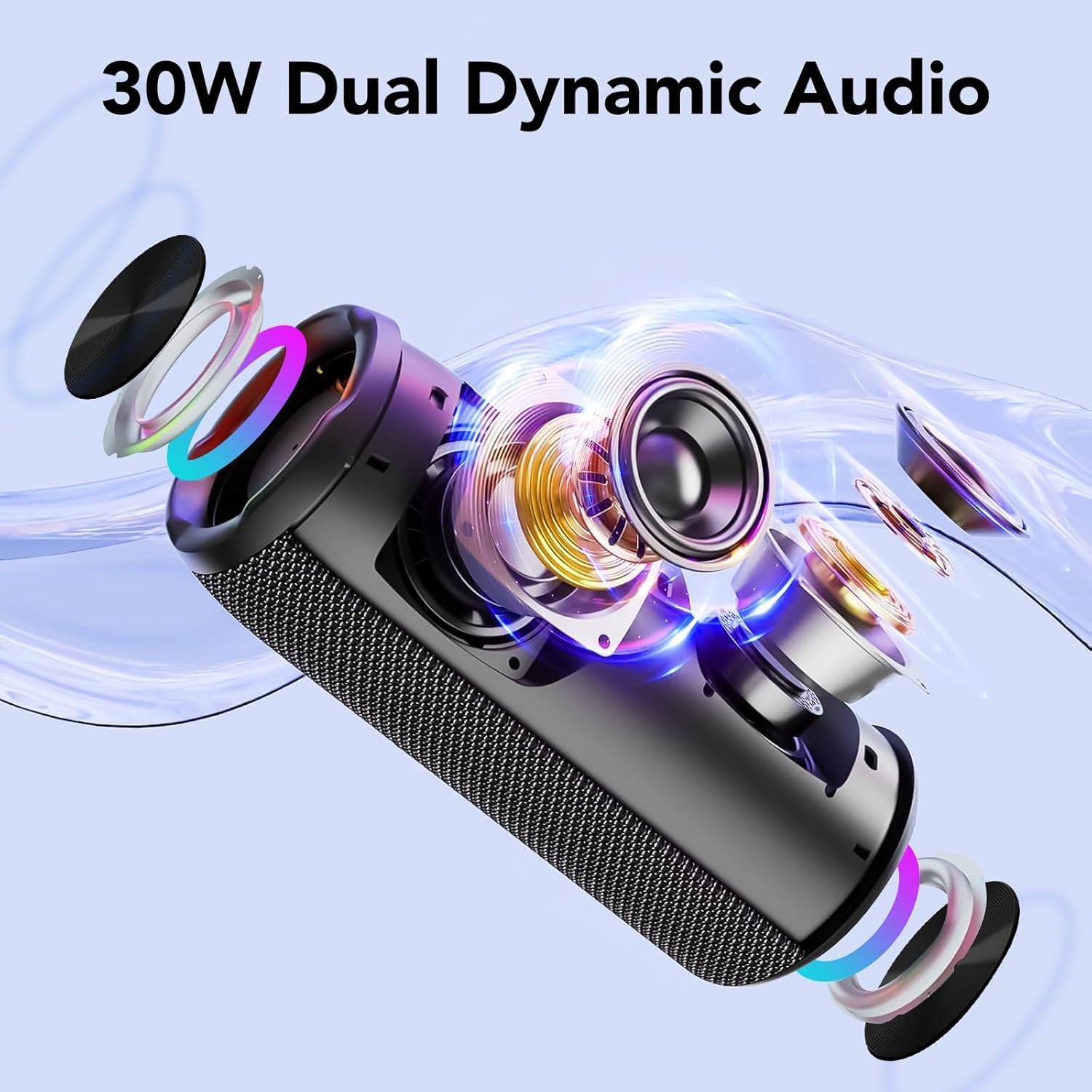
Image: Exploded view of the taopodo S18 speaker, highlighting its 30W dual dynamic audio drivers and internal RGB lighting components.
Controls and Ports

Image: The taopodo S18 speaker with icons indicating Bluetooth 5.4 connectivity, IPX7 waterproofing, and a built-in microphone, alongside its control panel.
- Power Button: Press and hold for 3 seconds to power on/off. Short press to cycle through RGB light modes.
- Play/Pause Button: Short press to play/pause music. Short press to answer/end calls. Long press to reject an incoming call.
- Volume Down / Previous Track Button: Short press to decrease volume. Long press to go to the previous track.
- Volume Up / Next Track Button: Short press to increase volume. Long press to go to the next track.
- Mode Button: Short press to switch between Bluetooth, AUX, and TF Card modes. Long press for 2-3 seconds to initiate TWS pairing.
- EQ Button: Short press to cycle through equalizer presets.
- USB-C Charging Port: For charging the speaker's internal battery.
- AUX Input: For connecting external audio devices via a 3.5mm audio cable.
- TF Card Slot: For playing music directly from a TF (microSD) card.
Setup
1. Charging the Speaker
Before first use, fully charge the speaker. Connect the provided USB-C power cable to the charging port on the speaker and to a compatible USB power adapter (not included). The charging indicator light will show the charging status. A full charge provides up to 30 hours of playtime at 50% volume with lights off.

Image: Users holding taopodo S18 speakers, illustrating the product's long operating time of up to 30 hours.
2. Power On/Off
Press and hold the Power button for approximately 3 seconds to turn the speaker on or off. A sound indicator will confirm the action.
3. Bluetooth Pairing
- Turn on the speaker. It will automatically enter Bluetooth pairing mode, indicated by a flashing LED light.
- On your device (smartphone, tablet, etc.), enable Bluetooth and search for 'taopodo S18' in the list of available devices.
- Select 'taopodo S18' to connect. A confirmation sound will indicate successful pairing. The LED light will become solid.
4. TWS Pairing (True Wireless Stereo)
To achieve true wireless stereo sound, you can pair two taopodo S18 speakers:
- Ensure both speakers are powered on and not connected to any other Bluetooth device.
- On one speaker (this will be the primary speaker), press and hold the Mode button for 2-3 seconds. The speaker will enter TWS pairing mode.
- The primary speaker will automatically search for the secondary speaker. Once connected, a confirmation sound will be heard, and both speakers will play audio in stereo.
5. AUX Mode
Connect one end of a 3.5mm audio cable (not included) to the AUX input port on the speaker and the other end to your audio device's headphone jack. The speaker will automatically switch to AUX mode, or you can press the Mode button to select it.
6. TF Card Mode
Insert a TF (microSD) card with pre-loaded audio files into the TF card slot. The speaker will automatically switch to TF card mode and begin playback, or you can press the Mode button to select it.
Operating Instructions
Music Playback
- Press the Play/Pause button to start or stop music playback.
- Short press the Volume Up or Volume Down buttons to adjust the volume level.
- Long press the Volume Up button for the next track.
- Long press the Volume Down button for the previous track.
RGB Light Modes
The speaker features dynamic RGB lights that can enhance your listening experience. Short press the Power button to cycle through the available RGB light modes. Continue pressing the Power button until the lights are off if you wish to disable them.
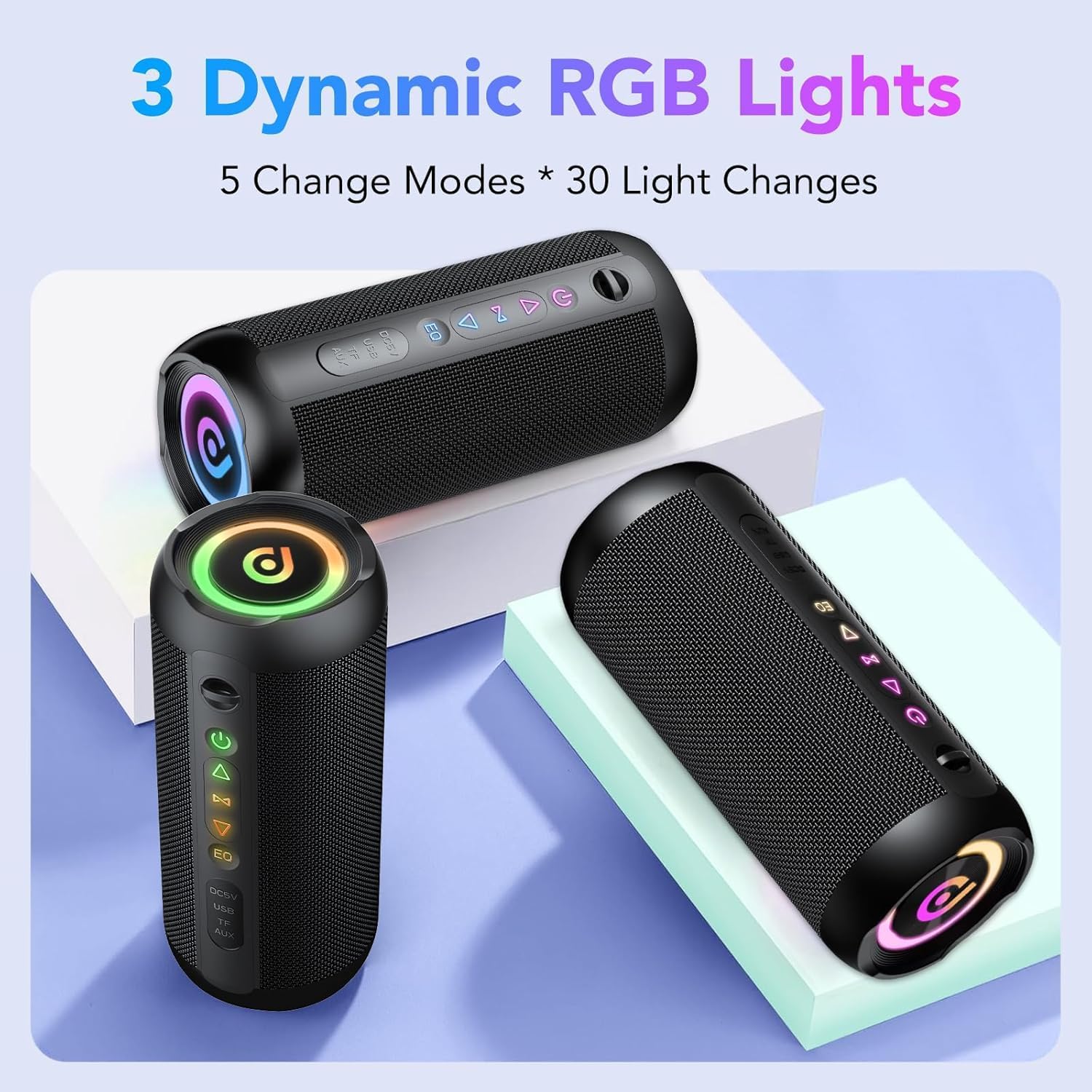
Image: Several taopodo S18 speakers showcasing their dynamic RGB lighting capabilities, which include multiple modes and color changes.
Call Handling
When connected via Bluetooth, the built-in microphone allows for hands-free calling:
- To answer an incoming call, short press the Play/Pause button.
- To end an active call, short press the Play/Pause button.
- To reject an incoming call, long press the Play/Pause button.
Maintenance
Cleaning
Wipe the speaker with a soft, damp cloth. Do not use abrasive cleaners or solvents, as these can damage the surface and internal components. Ensure all ports are dry before charging or using in wet environments.
Water Resistance Care (IPX7)
The taopodo S18 speaker is IPX7 waterproof, meaning it can withstand immersion in water up to 1 meter for 30 minutes. To maintain its water resistance:
- Always ensure the USB-C charging port cover is securely closed before exposing the speaker to water.
- Do not submerge the speaker for extended periods or beyond the specified depth.
- After exposure to water, dry the speaker thoroughly, especially around the charging port, before charging.
- Avoid exposing the speaker to saltwater or chlorinated water, as these can degrade the seals over time.

Image: The taopodo S18 speaker being splashed with water, illustrating its IPX7 waterproof capability for outdoor use.
Storage
Store the speaker in a cool, dry place away from direct sunlight and extreme temperatures when not in use for extended periods. Charge the battery periodically (e.g., every 3 months) to maintain its lifespan and performance.

Image: A person hiking with the taopodo S18 speaker attached to their backpack, demonstrating its suitability as an outdoor speaker with a durable nylon shell and portable lanyard.
Troubleshooting
If you encounter issues with your taopodo S18 speaker, please refer to the following common problems and solutions:
- Speaker does not turn on:
- Ensure the battery is charged. Connect the speaker to a power source and try again.
- Cannot pair via Bluetooth:
- Ensure the speaker is in Bluetooth pairing mode (flashing LED).
- Check if Bluetooth is enabled on your device.
- Move the speaker closer to your device (within 10 meters).
- Disconnect the speaker from any other previously paired Bluetooth devices.
- Try restarting both the speaker and your device.
- No sound:
- Check volume levels on both the speaker and your connected device.
- Ensure the correct input mode (Bluetooth, AUX, TF Card) is selected by pressing the Mode button.
- If using AUX, ensure the 3.5mm cable is fully inserted and functional.
- If using TF card, ensure the card contains compatible audio files and is inserted correctly.
- TWS pairing fails:
- Ensure both speakers are fully charged and not connected to any other devices.
- Try resetting both speakers (if a reset function is available, otherwise power cycle them) and repeating the TWS pairing process.
- Lights not working or stuck:
- Short press the Power button to cycle through light modes. Ensure the lights are not intentionally turned off.
Specifications
| Feature | Specification |
|---|---|
| Model | S18 |
| Brand | taopodo |
| Speaker Type | Portable Speaker |
| Connectivity Technology | Bluetooth 5.4, AUX, TF Card |
| Maximum Speaker Power Output | 30 Watts |
| Speaker Amplification Type | Active |
| Audio Output Mode | Surround |
| Frequency Response | 16000 KHz (Upper limit) |
| Signal-to-noise ratio (dB) | 80 dB |
| Battery Capacity | 4000 mAh Lithium Battery |
| Playtime | Up to 30 hours (at 50% volume, lights off) |
| Waterproof Rating | IPX7 |
| Product Dimensions | 8.5D x 8.5W x 20.8H cm |
| Item Weight | 950 g |
| Mounting Type | Tabletop Mount |
| Color | Black |
Warranty and Support
For warranty information or technical support, please refer to the Quick Start Guide included with your product or visit the official taopodo website. Keep your purchase receipt as proof of purchase for warranty claims.
