
Introduction
The Sinocare ARM-30E+ Blood Pressure Monitor is designed for accurate and reliable blood pressure measurement at home. This device provides clinically comparable results, helping users monitor their health effectively. Please read this manual thoroughly before using the device to ensure correct operation and to understand all safety precautions.
Important Safety Information
- Consult your physician before using this device if you have any medical conditions.
- Do not use this device for diagnostic purposes; always consult a healthcare professional for interpretation of results.
- Keep the device out of reach of children and pets.
- Do not use the device in a moving vehicle or on an airplane.
- Avoid taking measurements immediately after exercise, eating, consuming alcohol, smoking, or bathing. Wait at least 30 minutes.
Package Contents
Verify that all items are present in the package:
- Sinocare Blood Pressure Monitor (ARM-30E+)
- Upper Arm Cuff (22-43 cm)
- 4 AAA Batteries
- User Manual

Image: The image displays the complete package contents: the Sinocare ARM-30E+ Blood Pressure Monitor unit, an upper arm cuff (22-43 cm), four AAA batteries, and the user manual.
Product Overview
The Sinocare ARM-30E+ features a large, clear LCD display for easy reading of systolic, diastolic, and pulse rate measurements. It is designed for user-friendly operation with intuitive buttons.

Image: A front view of the Sinocare ARM-30E+ Blood Pressure Monitor, showing the main unit with its large LCD display and control buttons, alongside the grey upper arm cuff.

Image: A detailed view of the monitor's large LCD display, highlighting its clarity and the information presented, including systolic (SYS), diastolic (DIA), pulse rate (PUL), date, and time.
Powering the Device
The ARM-30E+ offers flexible power options:
- Batteries: Insert the 4 included AAA batteries into the battery compartment, ensuring correct polarity.
- Type-C Charging: The device can also be powered via a Type-C charging port. A charging cable is not included and must be supplied separately.
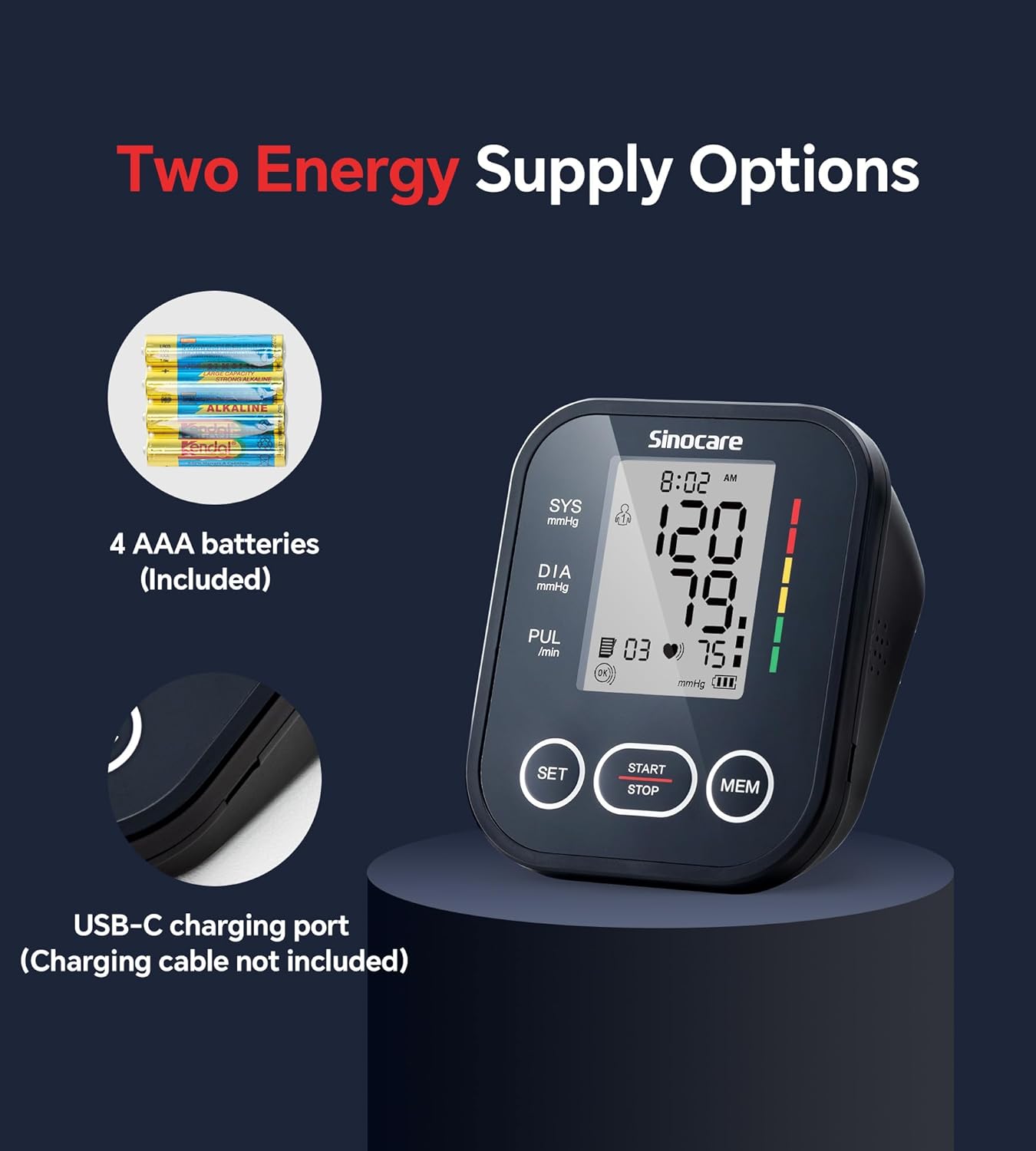
Image: This image illustrates the two power supply options for the Sinocare ARM-30E+ monitor: the use of 4 AAA batteries (included) and the USB-C charging port (cable not included).
Preparation for Measurement
For accurate readings, follow these preparation steps:
- Sit comfortably with your back straight and supported.
- Keep your feet flat on the floor.
- Rest your arm on a flat surface so the cuff will be at heart level.
- Ensure you have not exercised, eaten, consumed alcohol, smoked, or bathed within 30 minutes prior to measurement.
Applying the Cuff
- Insert the balloon tube of the cuff into the designated port on the monitor.
- Place the cuff on your upper arm, ensuring the bottom edge of the cuff is 2-3 cm (0.8-1.2 inches) above your elbow.
- The air tube should run down the center of your arm.
- Wrap the cuff snugly around your arm. Ensure there is enough looseness to allow a two-finger gap between the cuff and your arm.
- Confirm the cuff is at heart level.
Taking a Measurement
- After properly applying the cuff and preparing for measurement, press the START/STOP button.
- The cuff will automatically inflate, and the measurement will begin.
- Remain still and silent during the measurement.
- Once the measurement is complete, the systolic, diastolic, and pulse rate readings will be displayed on the screen.
Understanding Your Results
The monitor includes a blood pressure level indicator to help you interpret your readings. The color bands on the display provide a general reference:
- Green: Normal blood pressure (SYS: 90-139 mmHg or DIA: 60-89 mmHg)
- Yellow: Elevated blood pressure (SYS: 140-159 mmHg or DIA: 90-99 mmHg)
- Red: High blood pressure (SYS ≥ 160 mmHg or DIA ≥ 100 mmHg)
Note: These color bands are for reference only and are not intended for diagnostic purposes. Always consult a healthcare professional for diagnosis and treatment.

Image: The monitor displays blood pressure readings (SYS, DIA, PUL) alongside a vertical color-coded bar indicating the blood pressure level. The image also provides a legend for interpreting the green, yellow, and red segments of the indicator.
Key Features
Dual User Support
The ARM-30E+ supports two users, each with 99 reading records. This allows multiple individuals to track their blood pressure history independently.

Image: This graphic demonstrates the dual user support feature of the Sinocare ARM-30E+ monitor, showing two distinct user profiles, each capable of storing 99 blood pressure readings.
Dual Screen Comparison
Easily compare your current blood pressure readings with previous measurements side-by-side on the display.
One-Button Mute
The device features a one-button mute function for silent operation, providing discretion during measurements.
Maintenance and Care
- Clean the monitor and cuff with a soft, dry cloth. Do not use abrasive cleaners or immerse the device in water.
- Store the device in a cool, dry place, away from direct sunlight and extreme temperatures.
- Remove batteries if the device will not be used for an extended period.
Troubleshooting
No Power / Display Not Turning On
- Check if the AAA batteries are inserted correctly with the right polarity.
- Replace old batteries with new ones.
- If using Type-C power, ensure the cable is securely connected and the power source is active.
Inaccurate Readings
- Ensure the cuff is applied correctly and snugly, with the air tube positioned properly.
- Verify that the cuff size is appropriate for your arm circumference.
- Confirm proper posture during measurement (back straight, feet flat, arm at heart level).
- Avoid talking or moving during the measurement.
- Ensure you have waited 30 minutes after activities like eating, exercising, or consuming stimulants.
Cuff Not Inflating
- Check that the air tube is securely connected to the monitor.
- Inspect the cuff and tube for any leaks or damage.
Specifications
| Feature | Specification |
|---|---|
| Model Number | ARM-30E+ |
| Product Dimensions | 4.6"L x 2.5"W x 3.9"Th (11.8 x 6.35 x 9.9 cm) |
| Weight | 14.39 ounces (approx. 408 grams) |
| Cuff Size | 22-43 cm (Large) |
| Power Source | 4 AAA Batteries (included) or Type-C (cable not included) |
| Display Type | LCD |
| Cuff Pressure Accuracy | ±3 mmHg (±0.4 kPa) |
| Pulse Rate Accuracy | ±5% |
| Number of Users | 2 |
| Memory Records | 99 records per user |
| Age Range | Adult |
Warranty and Support
For warranty information or technical support, please refer to the contact details provided with your product packaging or visit the official Sinocare website. Keep your purchase receipt as proof of purchase.


