
Important Safety Instructions
Please read all instructions carefully before using the PETLIBRO Dockstream RFID Smart Pet Water Fountain. Keep this manual for future reference.
- Use indoors only.
- Do not immerse the base unit in water. The fountain base is not washable.
- Ensure the power adapter and cord are not damaged. If damaged, discontinue use immediately.
- Always unplug the fountain before cleaning or performing maintenance.
- Supervise children around the pet fountain.
- Use only original PETLIBRO parts and accessories.
- The device only supports 2.4GHz Wi-Fi networks; it is not compatible with 5GHz networks.
Package Contents
- 1x PETLIBRO Dockstream RFID Smart Pet Water Fountain
- 2x RFID Collar Tags
- 1x Power Adapter (USB to USB-C braided cord and power block)
- 1x Cleaning Brush
- 1x User Manual
Product Overview
Familiarize yourself with the components of your PETLIBRO Smart Pet Water Fountain.
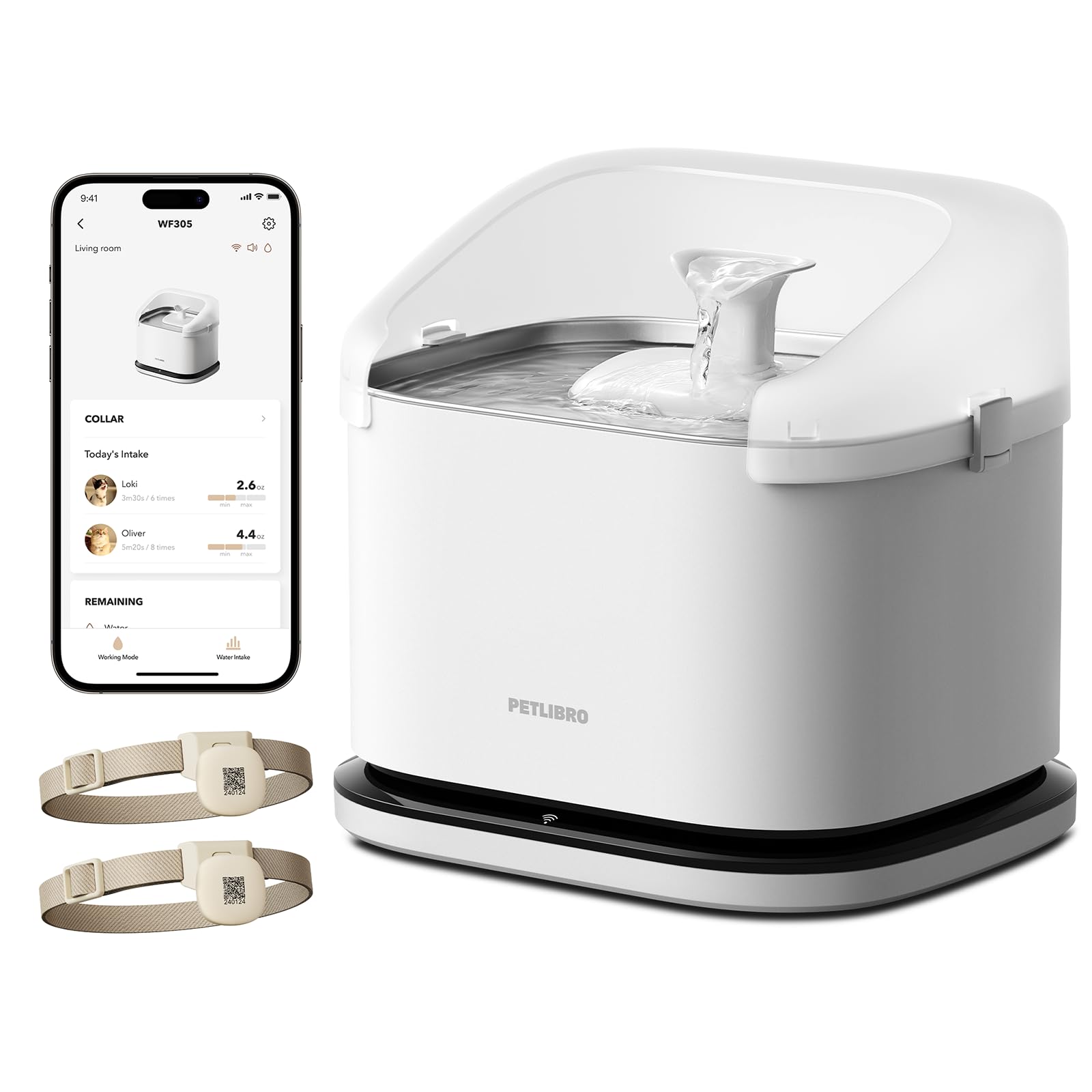
Image: PETLIBRO Dockstream RFID Smart Pet Water Fountain, showing its overall design.
Key Features:
- 3L/101oz Capacity: Large water tank suitable for multi-pet households.
- RFID Recognition: Identifies individual pets via collar tags for personalized hydration tracking.
- Pump-Free Design: Features a magnetic rotor for easy cleaning and maintenance.
- Wi-Fi Connectivity (2.4GHz): Connects to a smartphone app for monitoring and notifications.
- Anti-Splash Design: Prevents water spills and ensures accurate individual pet tracking.
- Stainless Steel Tray: Durable and hygienic drinking surface.
Setup Guide
- Unpack Components: Carefully remove all items from the packaging.
- Clean the Fountain: Wash the stainless steel tray, water tank, and pump components (excluding the base unit) with mild soap and water. Rinse thoroughly.
- Assemble the Pump: Insert the pump into its designated slot in the water tank. Ensure it is securely placed.
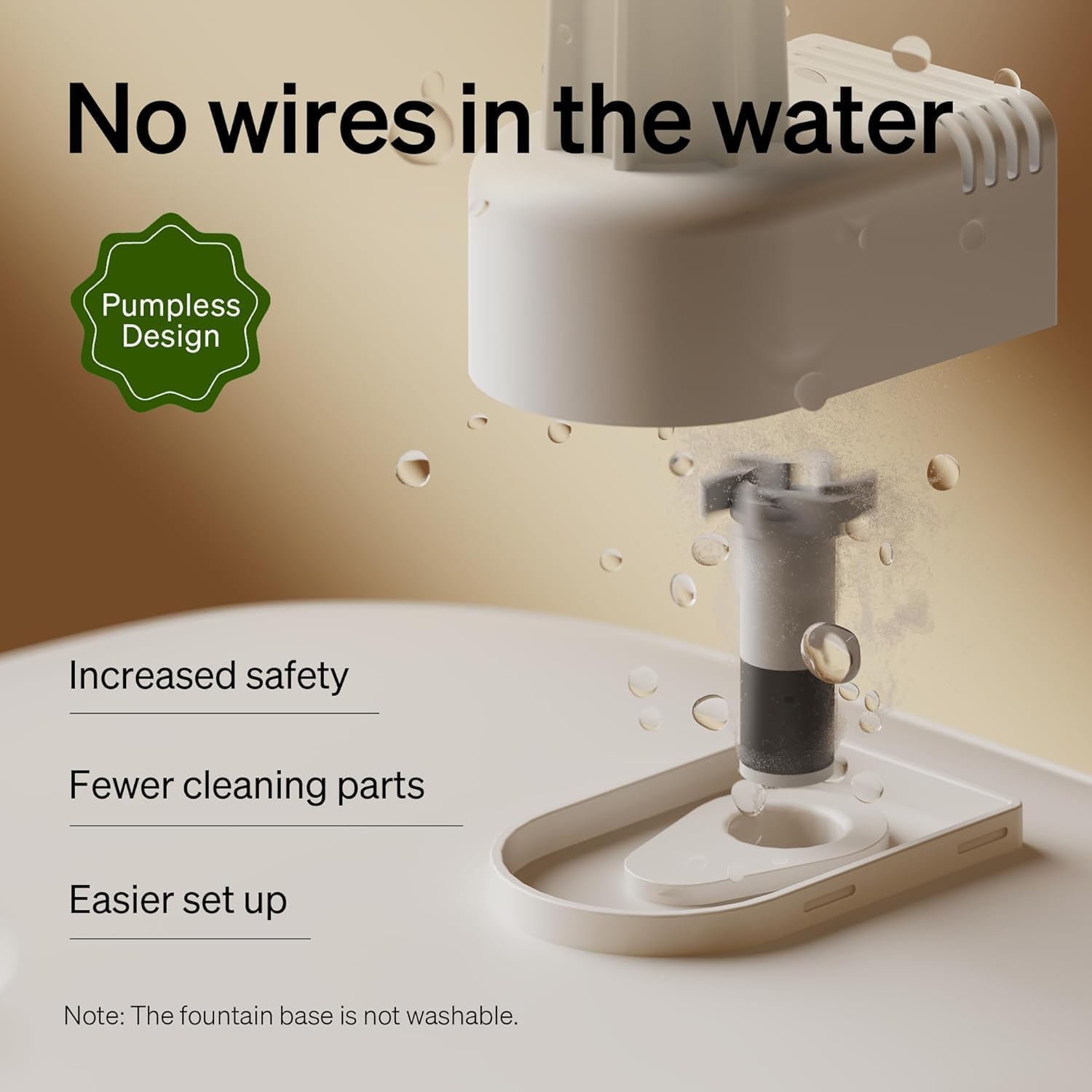
Image: Close-up of the fountain's pump-free design, highlighting the magnetic rotor for easy cleaning.
- Fill with Water: Fill the water tank with clean water up to the MAX line.
- Place Tray and Lid: Place the stainless steel tray on top of the water tank, then secure the lid. Ensure the splash shield is in place for accurate tracking.
- Connect Power: Connect the USB-C cable to the fountain base and plug the power adapter into a wall outlet. The fountain will power on.
- Download the App: Download the PETLIBRO app from your smartphone's app store.
- Connect to Wi-Fi: Follow the in-app instructions to connect the fountain to your 2.4GHz Wi-Fi network. Place the fountain and your phone within 20 inches of your router during initial setup.
- Pair RFID Collar Tags: Attach the RFID collar tags to your pets' collars. In the app, scan the QR code on each collar tag to link it to a specific pet profile.

Image: A cat wearing an RFID collar tag drinking from the fountain, illustrating the recognition feature.
Operating Instructions
Hydration Monitoring:
The fountain tracks individual pet drinking habits (water intake, frequency, duration) when they wear their paired RFID collar tags. This data is accessible via the PETLIBRO app.

Image: A cat drinking from the fountain, with an overlay showing tracked hydration data like duration and amount.

Image: A smartphone displaying the PETLIBRO app interface, showing individual pet hydration data including water intake, duration, and frequency.
Smart App Reminders:
Receive real-time notifications on your smartphone for:
- Irregular pet hydration patterns.
- Low water levels in the fountain.
- Power or Wi-Fi connection failures.
- Filter replacement reminders.

Image: A person looking at their smartphone receiving notifications about pet hydration, low water, power/Wi-Fi failure, and filter replacement.
Water Flow Modes:
The fountain offers dual flow modes, configurable via the app:
- Continuous Flow: Provides a constant stream of water.
- Intermittent Flow: Dispenses water at 15-minute intervals for 15 minutes.
Maintenance
Regular cleaning and maintenance are crucial for your pet's health and the longevity of the fountain.
Weekly Cleaning:
- Unplug the fountain from the power outlet.
- Disassemble the water tank, stainless steel tray, and pump components.
- Wash all removable parts (except the base unit) with mild soap and water. Use the provided cleaning brush to remove any debris.
- Rinse all components thoroughly to remove soap residue.
- Refill the tank with fresh water and reassemble the fountain.
Filter Replacement:
It is recommended to replace the filters every 2 weeks to ensure fresh, clean water. The app will also send reminders.

Image: Diagram illustrating the 4-layer filtration system of the PETLIBRO fountain, showing non-woven fabric, ion exchange resin, activated carbon, and sponge layers.
- Unplug the fountain.
- Remove the lid and stainless steel tray.
- Remove the old filter and dispose of it.
- Rinse the new filter under running water before placing it into the filter tray.
- Reassemble the fountain and plug it back in.
- Reset the filter life counter in the PETLIBRO app.
Troubleshooting
| Problem | Possible Cause | Solution |
|---|---|---|
| Fountain not dispensing water. | Low water level; pump clogged; power issue. | Refill water; clean pump and filter; check power connection. |
| Excessive noise from fountain. | Low water level; pump not properly seated; debris in pump. | Refill water; ensure pump is correctly installed; clean pump. |
| App not connecting to fountain. | Incorrect Wi-Fi (5GHz); weak Wi-Fi signal; incorrect setup. | Ensure 2.4GHz Wi-Fi; move fountain closer to router; re-do app setup. |
| RFID tags not recognized. | Tag not paired; tag damaged; pet not wearing tag. | Ensure tag is paired in app; check tag for damage; ensure pet is wearing tag. |
| Indicator lights flashing. | Wi-Fi Alert (orange) or Low Water Alert (red). | Check Wi-Fi connection or refill water. |
Specifications
| Feature | Detail |
|---|---|
| Model Number | WF305 |
| Capacity | 3 Liters (101 oz) |
| Material | Stainless Steel (Tray), Plastic (Body) |
| Power Source | Corded Electric |
| Wi-Fi Support | 2.4GHz only |
| Item Weight | 2.13 Kilograms (4.7 Pounds) |
| Included Components | Fountain, 2 RFID Collar Tags, Power Adapter, Cleaning Brush |
Warranty and Support
PETLIBRO products come with a standard manufacturer's warranty. For detailed warranty information, product support, or to purchase replacement parts (filters, RFID tags), please visit the official PETLIBRO website or contact customer service.
Website: www.petlibro.com
Customer Service: Refer to the contact information provided on the PETLIBRO website or your product packaging.

