
Introduction
This manual provides essential information for the safe assembly, operation, and maintenance of your OLAKIDS 12V Kids ATV Quad. Please read all instructions carefully before use to ensure a safe and enjoyable experience for your child.
Safety Information
The OLAKIDS 12V Kids ATV Quad complies with US CPSIA and ASTM safety standards. It is constructed from non-toxic materials, free from BPA, PVC, Phthalates, Lead, Latex, and Formaldehyde. The product has successfully passed stability, asphyxiation, load, and shear tests. Always ensure that no sharp points or edges are present after assembly. Adult supervision is required at all times during operation to prevent accidents and ensure proper use.
What's in the Box
Your package should contain the following components:
- OLAKIDS 12V Kids ATV Quad (main unit)
- Battery Charger
- Assembly Hardware (screws, washers, nuts, etc.)
- Instruction Manual
Note: Specific components like wheels, handlebars, and seat are typically pre-assembled or included as part of the main unit and assembly hardware.
Setup and Assembly
Follow these steps to assemble your OLAKIDS 12V Kids ATV Quad. Refer to the included video for a visual guide.
- Carefully remove all components from the packaging and lay them out.
- Attach the wheels to the axles. Ensure all wheels are securely fastened with the provided hardware.
- Connect the battery terminals. Refer to the battery compartment for correct polarity (red to red, black to black).
- Install the steering column and handlebars, ensuring they are firmly attached and aligned.
- Secure the seat in place.
- Perform an initial charge of the battery for 8-12 hours before the first use. Do not overcharge.
For a detailed visual guide on assembly, please watch the official installation video:
Video: Official Olakids video demonstrating the step-by-step assembly process for the Kids ATV Quad.
Operating Instructions
This ATV is designed for easy operation with a simple control system.
- Power On: Locate the power button, typically on the dashboard, and press it to turn on the ATV.
- Select Speed: Use the speed selector button to choose between two speed settings. It is recommended to start with the lower speed for beginners to ensure safety and build confidence.
- Driving: To move forward, press the foot pedal located on the right side. Release the pedal to engage the brake and stop the ATV.
- Steering: Use the handlebars to steer the ATV left or right.
- Music & Stories: The ATV features built-in songs and stories for entertainment. You can also connect a USB drive or SD card, or use the AUX input to play your own audio content.
- Storage: Utilize the convenient front and rear storage compartments to carry small toys or other items.

Image: A detailed view of the ATV's control panel, highlighting the power switch, speed selector, and media controls.
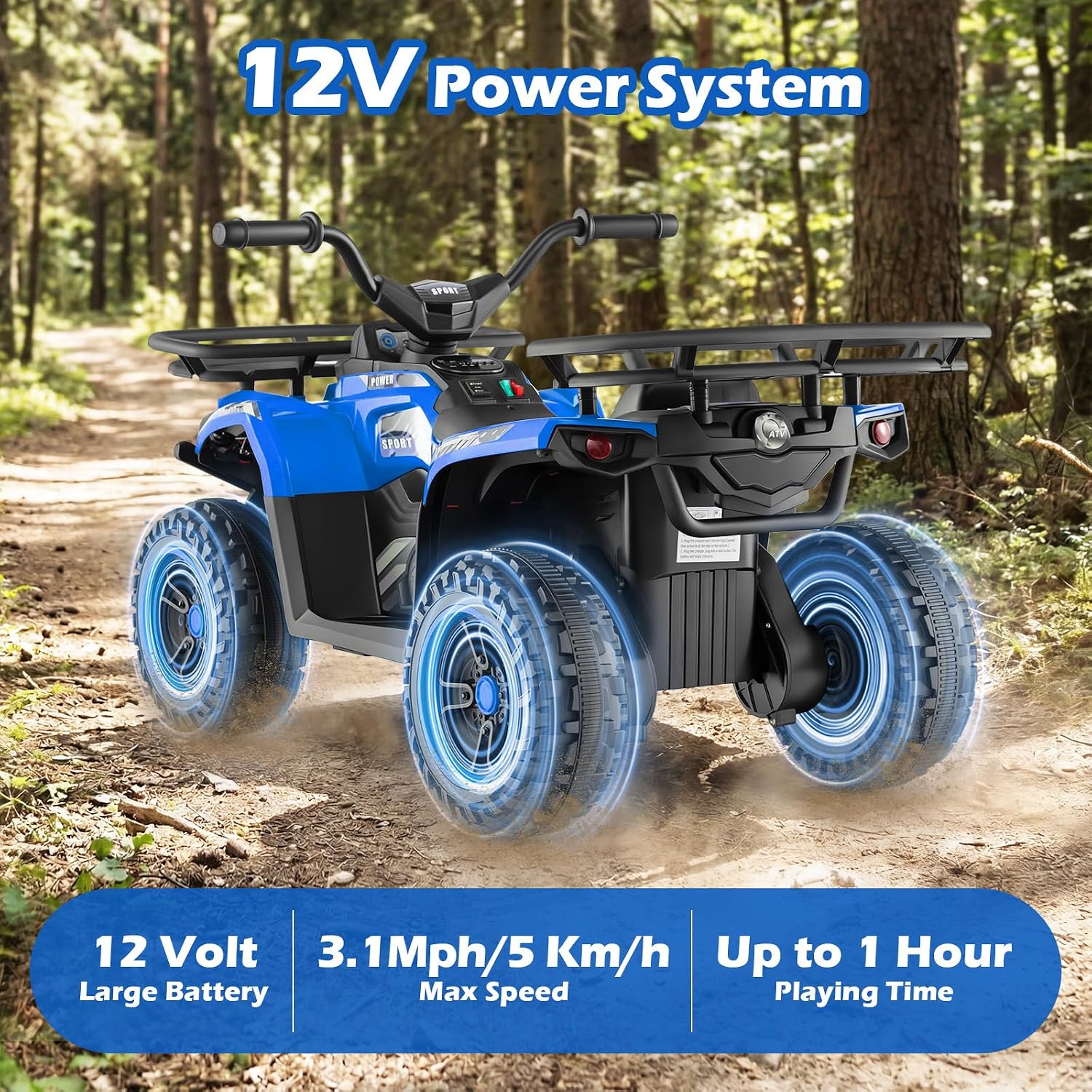
Image: A child is shown seated on the ATV, with a close-up inset of the foot pedal, illustrating the pedal's function for acceleration and braking.

Image: A child on the ATV, with graphic overlays indicating music, story mode, and USB/SD/AUX port functionality.

Image: A child on the ATV with a cat in the front storage and a soccer ball in the rear storage, demonstrating the storage features.
The ATV is equipped with all-terrain tires and spring suspension, providing a smooth ride across various surfaces such as gravel, brick, asphalt, and cement roads.

Image: A close-up of the ATV's wheel and spring suspension, illustrating its capability on various terrains like gravel, brick, asphalt, and cement roads.
Observe the ATV in action:
Video: A child riding the ATV outdoors, showcasing its performance and excitement on various terrains.
Battery Charging
- Use only the charger provided with your OLAKIDS ATV. Using an unauthorized charger may damage the battery or ATV.
- Plug the charger into the designated charging port on the ATV, then into a standard wall outlet.
- Charge the battery for 8-12 hours for a full charge. Do not charge for more than 18 hours to prevent battery damage and reduce its lifespan.
- Disconnect the charger once charging is complete.
- A fully charged 12V battery system provides up to 60 minutes of continuous driving time, depending on terrain and usage.

Image: The ATV with an overlay indicating its 12V power system, 3.1 mph max speed, and up to 1 hour playing time.
Maintenance
- Cleaning: Wipe the ATV with a soft, damp cloth. Do not use abrasive cleaners, solvents, or harsh chemicals. Avoid spraying water directly onto electrical components or the battery compartment.
- Storage: Store the ATV in a dry, cool place away from direct sunlight and moisture. If storing for extended periods (over one month), charge the battery fully every 30 days to prolong its lifespan and prevent deep discharge.
- Battery Care: Do not allow the battery to fully discharge. Recharge promptly after each use. If the battery is not holding a charge, it may need replacement.
- Inspection: Regularly check all nuts, bolts, and fasteners to ensure they are tight. Inspect tires for wear and tear, and ensure they are free from punctures or damage.
Troubleshooting
| Problem | Possible Cause | Solution |
|---|---|---|
| ATV does not move | Battery is low or dead; Loose battery connection; Blown fuse; Motor issue. | Charge the battery fully; Check battery terminals and ensure secure connections; Replace fuse if necessary (refer to manual for fuse location); Contact customer support if motor issue is suspected. |
| ATV moves slowly | Low battery charge; ATV is overloaded beyond weight capacity; Operating on excessively rough or inclined terrain. | Recharge battery; Ensure child's weight is within limits; Operate on smoother, flatter surfaces. |
| Lights or music not working | Loose wiring connection to components; Component malfunction (e.g., speaker, LED). | Check visible wiring connections; Contact customer support for further diagnosis or replacement parts. |
| Charger not working | Faulty charger; Wall outlet not providing power. | Test the charger with another working wall outlet; If still not working, contact customer support for a replacement charger. |
Specifications
| Feature | Detail |
|---|---|
| Brand | Olakids |
| Model Number | TQ10521 |
| Battery System | 12V |
| Speed Settings | 2 Speeds |
| Max Speed | 3.1 mph (5 km/h) |
| Battery Average Life | Up to 60 minutes (continuous driving) |
| Recommended Age | 36-96 Months (3-8 Years Old) |
| Maximum Weight Capacity | 66 lbs (30 kg) |
| Product Dimensions (L x W x H) | 40" x 21.29" x 22" (102cm x 54cm x 55cm) |
| Item Weight | 26.9 Pounds |
| Material | Iron, Polypropylene |
| Features | Spring Suspension, LED Lights, Music & Story Player, USB/SD/AUX Input, Big Tires, Front & Rear Storage |
| Assembly Required | Yes |

Image: A diagram illustrating the product's dimensions (length, width, height), maximum weight capacity (66 lbs/30 kg), and recommended age (3+ years old).
Warranty and Support
For warranty information and customer support, please contact Olakids directly through their official website or the retailer where the product was purchased. It is recommended to keep your purchase receipt as proof of purchase for any warranty claims.
For additional assistance or to explore other products, you may visit the Olakids Store on Amazon.


