
1. Introduction
This manual provides essential information for the safe operation, assembly, maintenance, and troubleshooting of your Misodo Q2 Electric Scooter. Please read this manual thoroughly before your first ride to ensure proper usage and to maximize the lifespan of your scooter. Retain this manual for future reference.

Image 1.1: The Misodo Q2 Electric Scooter, shown with its optional detachable seat.
2. Safety Guidelines
Your safety is paramount. Always adhere to the following guidelines:
- Always wear a helmet and appropriate protective gear (knee pads, elbow pads) when riding.
- Familiarize yourself with local laws and regulations regarding electric scooter usage.
- Do not ride in heavy rain, snow, or icy conditions. The scooter is water-resistant (IPX7) but not fully waterproof.
- Maintain a safe speed and distance from other vehicles and pedestrians.
- Avoid riding under the influence of alcohol or drugs.
- Regularly inspect your scooter for any damage or loose parts before each ride.
- Ensure the battery is adequately charged before long rides.
- The maximum weight limit for this scooter is 330 pounds (150 kg).
3. Setup and Assembly
3.1 Unpacking
Carefully remove all components from the packaging. Verify that all parts listed in the packing list are present. If any parts are missing or damaged, contact customer support immediately.
3.2 Unfolding the Scooter
- Place the scooter on a flat surface.
- Locate the folding mechanism at the base of the handlebar stem.
- Release the locking latch and carefully lift the handlebar stem until it clicks into place, indicating it is fully upright and locked.
- Secure the safety clasp to prevent accidental folding.
- Extend the handlebars if they are folded, ensuring they are securely locked.

Image 3.1: Illustration of the scooter's one-step folding mechanism for easy storage and portability.
3.3 Installing the Optional Seat
If your model includes an optional seat, attach it to the designated mounting point on the scooter's deck. Ensure all bolts are tightened securely. Adjust the seat height for comfortable riding posture.
3.4 Initial Charging
Before first use, fully charge the scooter's battery. Connect the charger to the charging port and then to a power outlet. The charging indicator will change color (e.g., red to green) when fully charged. Charging typically takes 4-6 hours.
4. Operating Instructions
4.1 Powering On/Off
Press and hold the power button on the display unit to turn the scooter on or off.
4.2 Understanding the Display

Image 4.1: The intuitive LCD display provides real-time riding data, including battery status, current speed, and selected gear mode.
The intuitive LCD display provides real-time information:
- Battery Bar: Indicates the current battery charge level.
- Current Speed: Shows your speed in MPH.
- Gear Display: Shows the selected speed mode (E, D, S).
4.3 Speed Modes
The Misodo Q2 offers three speed modes for varying riding conditions:
- Eco (E) Mode: Lower speed, optimized for maximum range and energy efficiency.
- Drive (D) Mode: Balanced speed and power for general commuting.
- Sport (S) Mode: Maximum speed and power for experienced riders and off-road adventures.
To switch between modes, briefly press the mode button on the display unit.
4.4 Acceleration and Braking
To accelerate, gently press the thumb throttle. To slow down or stop, use the dual disc brakes. The scooter is equipped with both electronic and mechanical disc brakes for responsive stopping power.
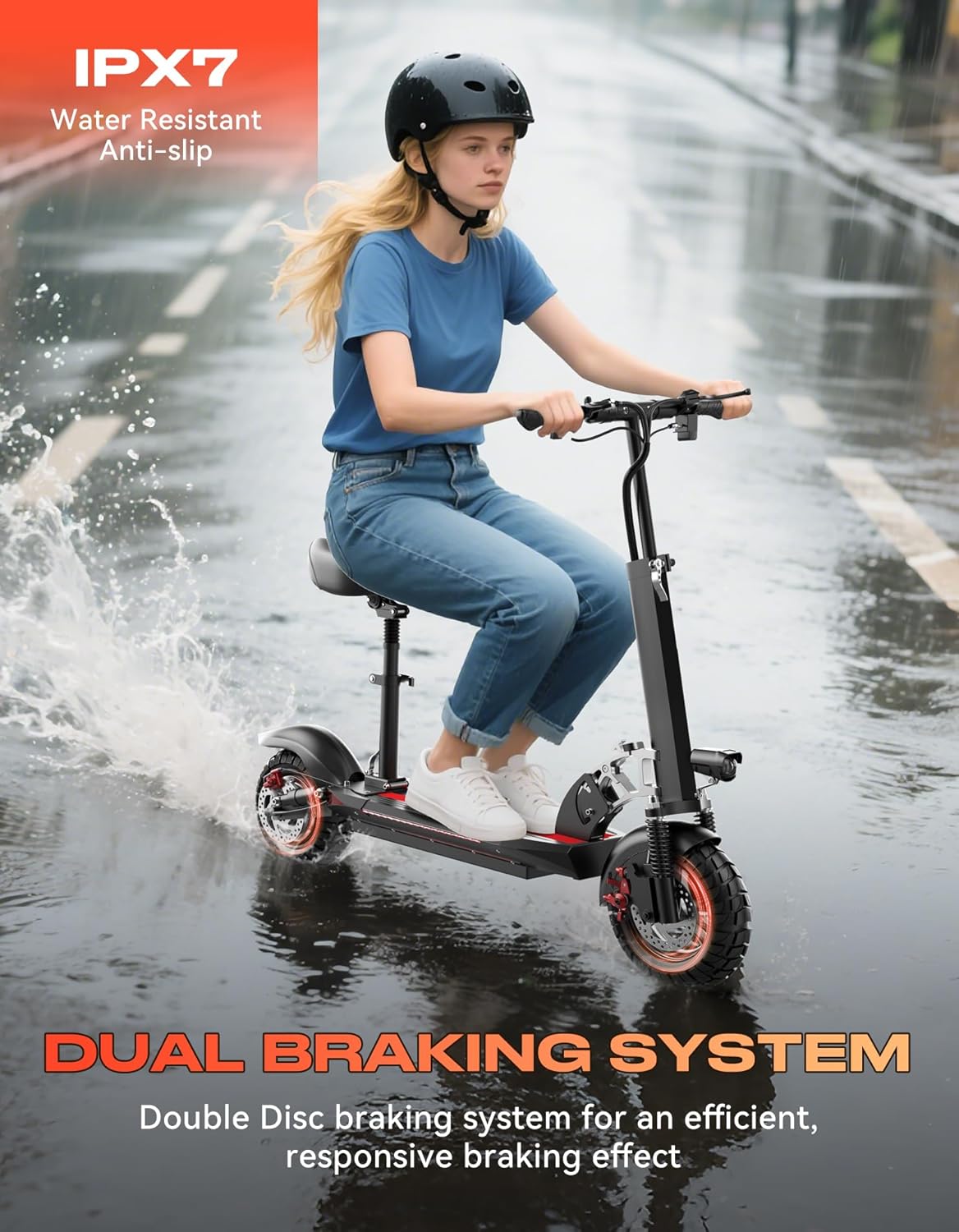
Image 4.2: The scooter features an efficient dual disc braking system for reliable stopping.
4.5 Lighting System
The scooter features a comprehensive 360° lighting system for enhanced visibility:
- Bright Headlight: Illuminates the path ahead.
- Responsive Brake Taillight: Activates when braking.
- Deck Side Lights: Provide additional visibility from the sides.
- Turn Signal Lights: Indicate your turning intentions.
Operate the lights using the dedicated buttons on the handlebar.
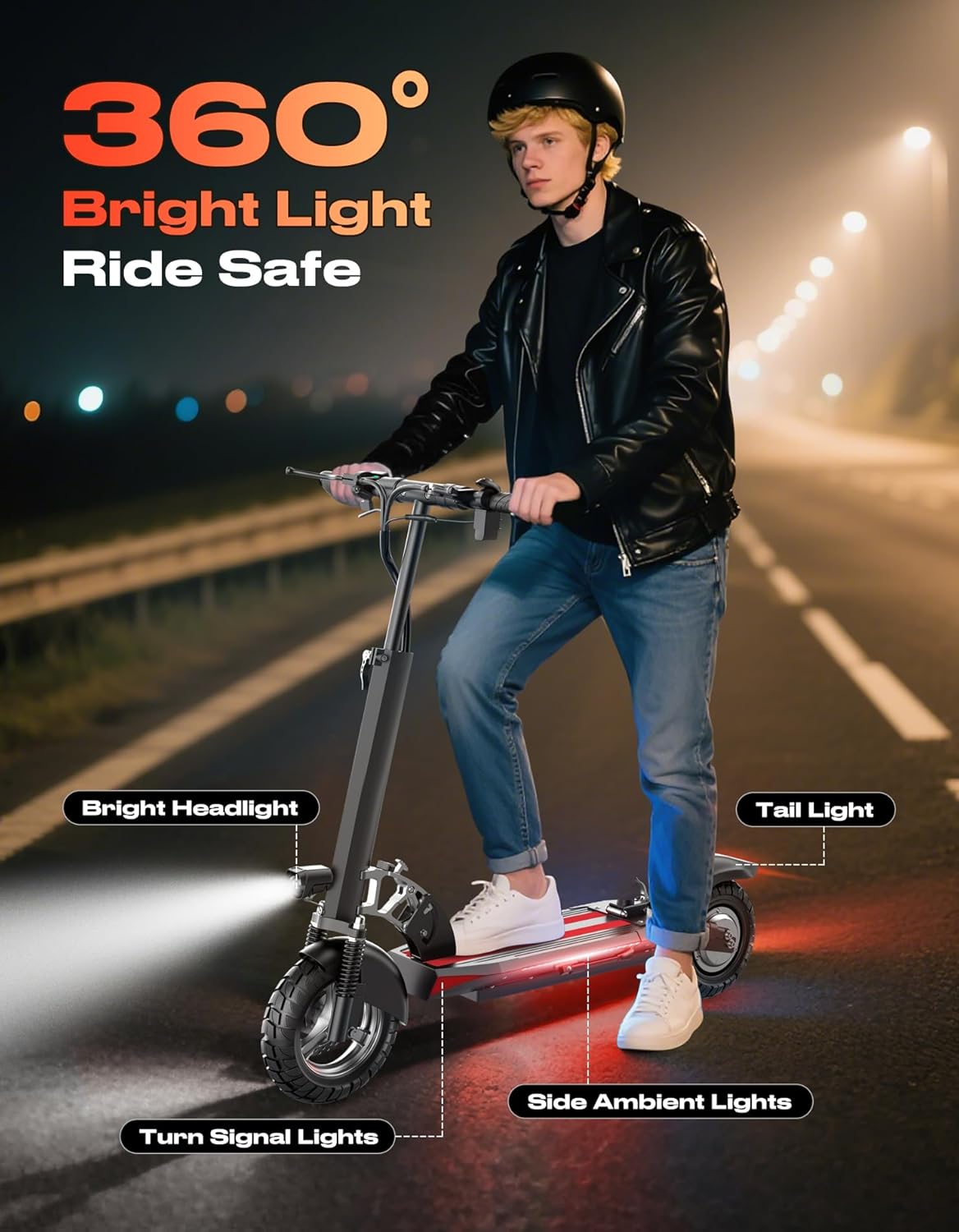
Image 4.3: The 360° lighting system ensures visibility during day and night rides.
5. Maintenance
5.1 Tire Care
The Misodo Q2 is equipped with 10-inch pneumatic off-road tires. Regularly check tire pressure and inflate to the recommended PSI (found on the tire sidewall or in the quick start guide). Proper tire pressure ensures optimal performance, range, and safety.

Image 5.1: The 10-inch pneumatic off-road tires are designed for various terrains.
5.2 Battery Maintenance
- Charge the battery fully after each use, especially if storing for extended periods.
- Avoid completely draining the battery, as this can reduce its lifespan.
- Store the scooter in a cool, dry place away from direct sunlight and extreme temperatures.
5.3 Brake Inspection
Periodically check the brake levers and disc brakes for proper function. Ensure the brake pads are not excessively worn and that the brake cables are taut. Adjust or replace components as needed by a qualified technician.
5.4 General Cleaning
Clean the scooter with a damp cloth. Avoid using high-pressure water jets or harsh chemicals, which can damage electronic components.
6. Troubleshooting
If you encounter issues with your Misodo Q2 Electric Scooter, refer to the following common problems and solutions:
| Problem | Possible Cause | Solution |
|---|---|---|
| Scooter does not power on | Low battery, loose connections, power button issue | Charge the battery fully. Check all visible cable connections. Ensure the power button is pressed firmly. |
| Reduced speed or power | Low battery, incorrect speed mode, tire pressure, motor issue | Charge battery. Switch to Sport (S) mode. Check tire pressure. If issue persists, contact support. |
| Brakes not responsive | Worn brake pads, loose brake cable, disc damage | Inspect brake pads and cables. Adjust cable tension. If necessary, seek professional service. |
| Display not working | Loose connection, display unit damage | Check display cable connection. If still not working, contact support. |
For issues not listed here or if solutions do not resolve the problem, please contact Misodo customer support.
7. Specifications
Key technical specifications for the Misodo Q2 Electric Scooter:
| Feature | Specification |
|---|---|
| Brand | Misodo |
| Model Name | Q2 |
| Motor Power | 1500W Peak |
| Max Speed | Up to 25 MPH |
| Max Range | Up to 45 Miles |
| Battery | 48V 13Ah |
| Charging Time | 4-6 Hours |
| Tire Type | 10-inch Pneumatic Off-Road |
| Brake System | Electronic and Dual Disc Brake |
| Suspension | Dual Suspension (Front & Rear) |
| Frame Material | Aluminum |
| Max Load Capacity | 330 Pounds (150 kg) |
| Special Features | Digital Display, Foldable Design, Optional Seat, 360° Lighting System |
| Recommended Uses | Commuting, Off-Road |
8. Warranty and Support
8.1 Warranty Information
The Misodo Q2 Electric Scooter comes with a 3-Year Extended Warranty covering key components. This warranty ensures peace of mind and support for your product. Please refer to your purchase documentation for specific terms and conditions. The standard warranty period is 1 year.
8.2 Customer Support
For any questions, technical assistance, or warranty claims, please contact our US-based support team. You can find contact information on our official website or through your purchase platform. Please have your model number (Q2) and proof of purchase ready when contacting support.