
Introduction
Thank you for choosing the Garvee 5-Shelf Double Door LED Glass Display Cabinet. This manual provides essential information for the safe assembly, operation, and maintenance of your new display cabinet. Please read these instructions thoroughly before assembly and retain them for future reference.
Important Safety Information
- Always secure the cabinet to the wall using the included anti-tip kit to prevent tipping.
- Exercise caution when handling glass components to avoid injury from heavy or sharp edges.
- Do not exceed the weight limit of 17.6 lbs (8 kg) per shelf to prevent breakage or instability.
- Ensure all connections are secure before placing items in the cabinet.
- Keep small children and pets away from the cabinet during assembly and ensure it is stable before use.
Setup and Assembly
Assembly of this cabinet is required. For safety and ease of assembly, it is recommended that two people work together.
Package Contents
Before beginning, verify that all parts listed in the assembly guide are present and undamaged. The package includes tempered glass panels, wood panels, 5 shelves, LED light strips, a remote control, and an anti-tip kit.
Assembly Steps
- Unpack and Organize: Carefully unpack all components and lay them out on a soft, clean surface to prevent scratches.
- Assemble Frame: Follow the detailed instructions in the included assembly manual to construct the main frame of the cabinet.
- Install Shelves: Insert the five tempered glass shelves into the designated slots. Ensure they are securely seated. Each shelf can hold up to 17.6 lbs.
- Attach Doors: Mount the double glass doors. Ensure they align properly and close smoothly.
- Install LED Lighting: Place the two multi-color LED light strips as indicated in the manual. These lights are battery-operated.
- Secure Anti-Tip Kit: Attach the anti-tip kit to the top rear of the cabinet and secure it to a wall stud using appropriate hardware. This step is crucial for stability.
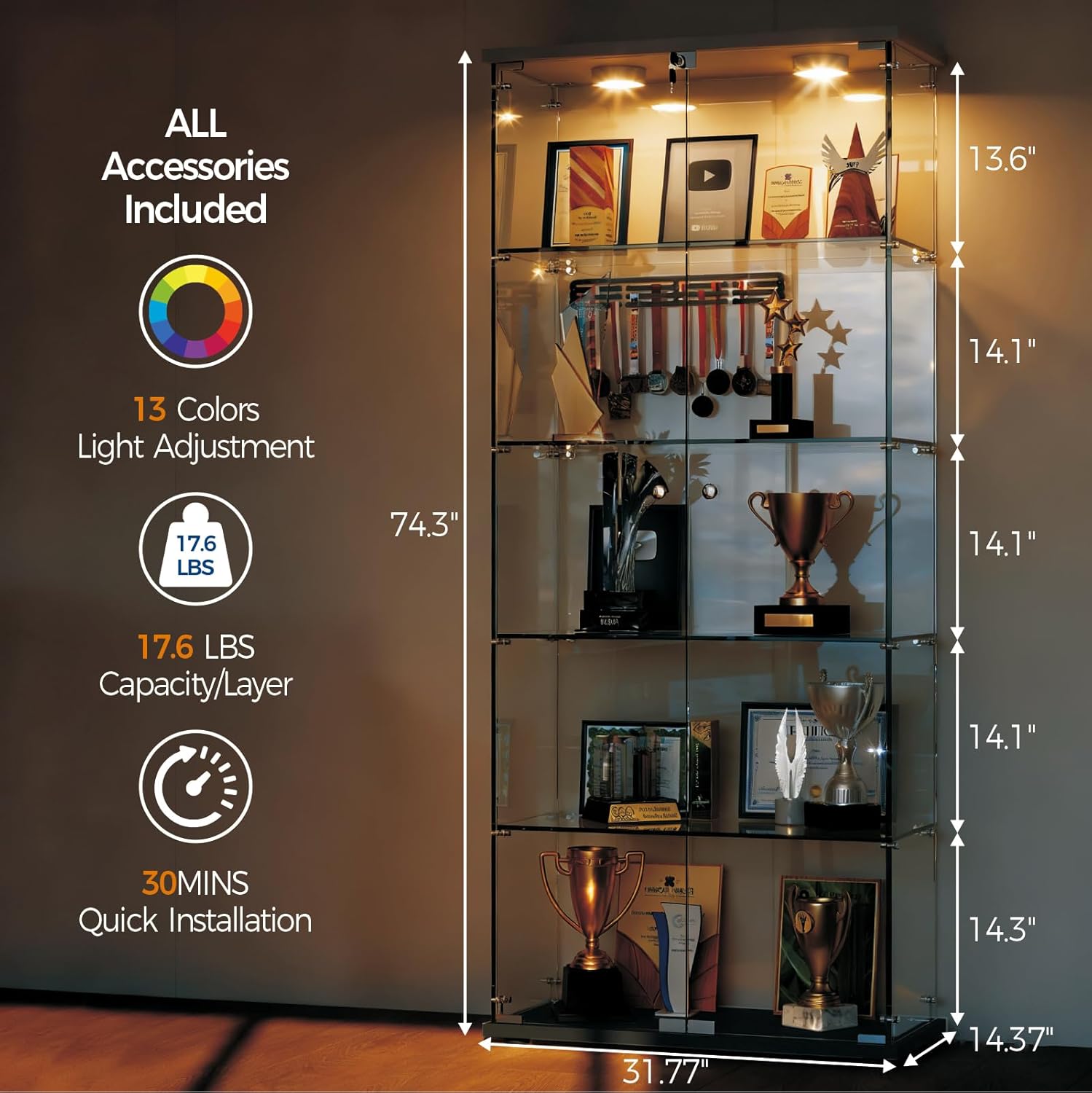
Image: Overview of the Garvee Glass Display Cabinet with key dimensions and features like 13 colors light adjustment, 17.6 lbs capacity per layer, and quick installation.

Image: Close-up of cabinet features including anti-tip strap, safety tempered glass, thickened wooden board, adjustable base stand, stainless steel handle, LED light, security door lock, and remote control.
Operating Instructions
LED Lighting System
Your Garvee display cabinet features dual multi-color LED light strips with remote control functionality.
- Powering On/Off: Use the remote control to turn the LED lights on or off.
- Color Selection: Choose from 13 customizable colors using the remote.
- Brightness Adjustment: Adjust the brightness levels wirelessly via the remote control.
- Timer Function: Set the lights to automatically turn off after 30 or 60 minutes using the timer buttons on the remote.
- Battery Requirements: Each light requires 3 AAA batteries (not included). The remote control requires CR2025 coin cell batteries (not included).
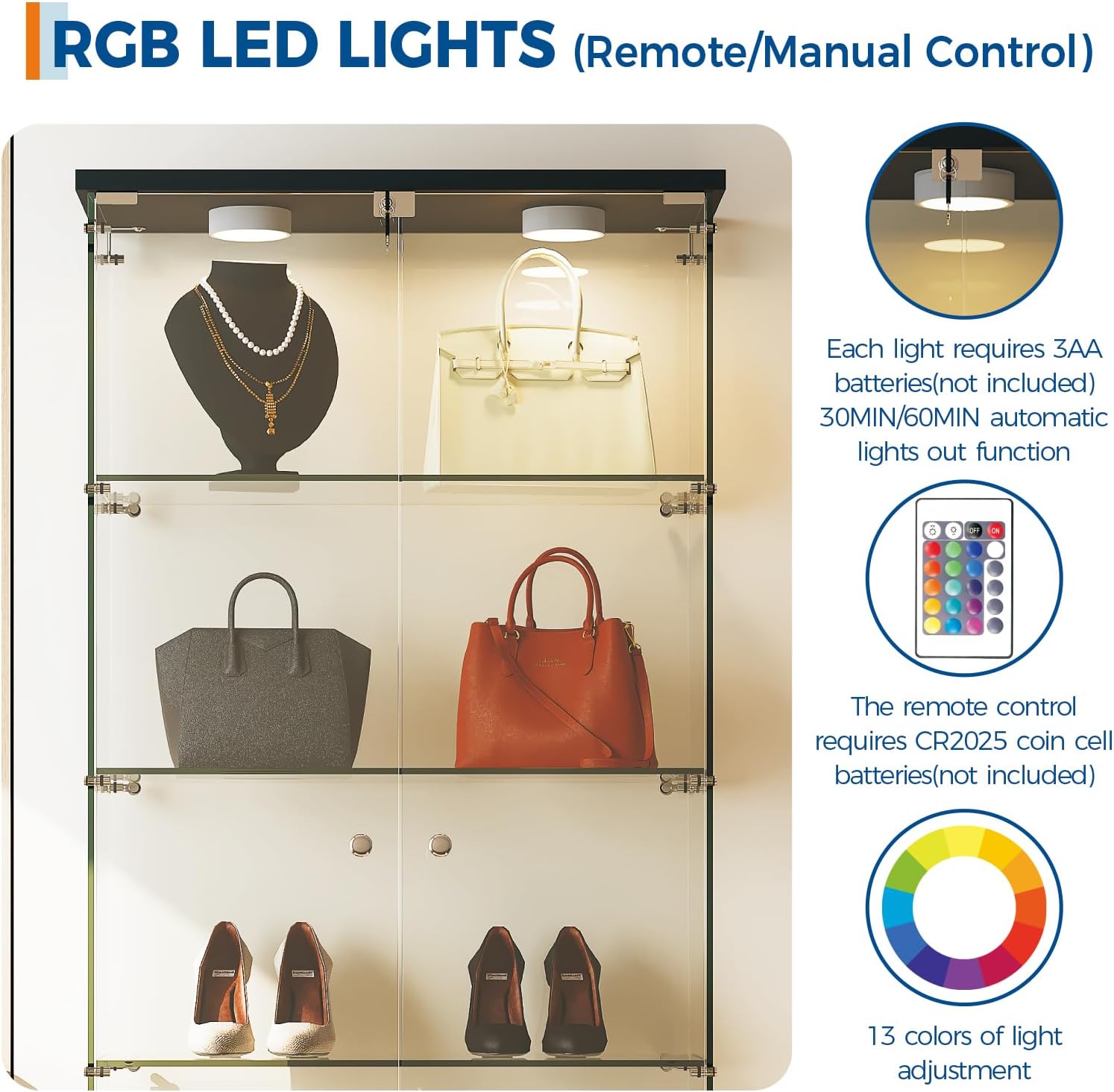
Image: Details on the RGB LED lights, showing the remote control and battery requirements for both the lights (3 AAA batteries) and the remote (CR2025 coin cell battery).
Lockable Doors
The cabinet is equipped with double doors that feature magnetic closures and a built-in lock for security. Use the provided key to lock and unlock the doors, keeping your valuables secure and protected from dust.
Adjustable Shelves
The five tempered glass shelves can be adjusted to different heights to accommodate various item sizes. Refer to your assembly manual for specific instructions on how to safely reposition the shelves.
Care and Maintenance
- Cleaning Glass: Use a soft, lint-free cloth and a glass cleaner to wipe down glass surfaces. Avoid abrasive cleaners that may scratch the glass.
- Cleaning Frame: Wipe the wooden frame with a soft, damp cloth. Avoid harsh chemicals.
- LED Light Batteries: Replace batteries in the LED lights and remote control as needed to ensure optimal performance.
- Regular Checks: Periodically check all screws and connections to ensure they remain tight and secure.
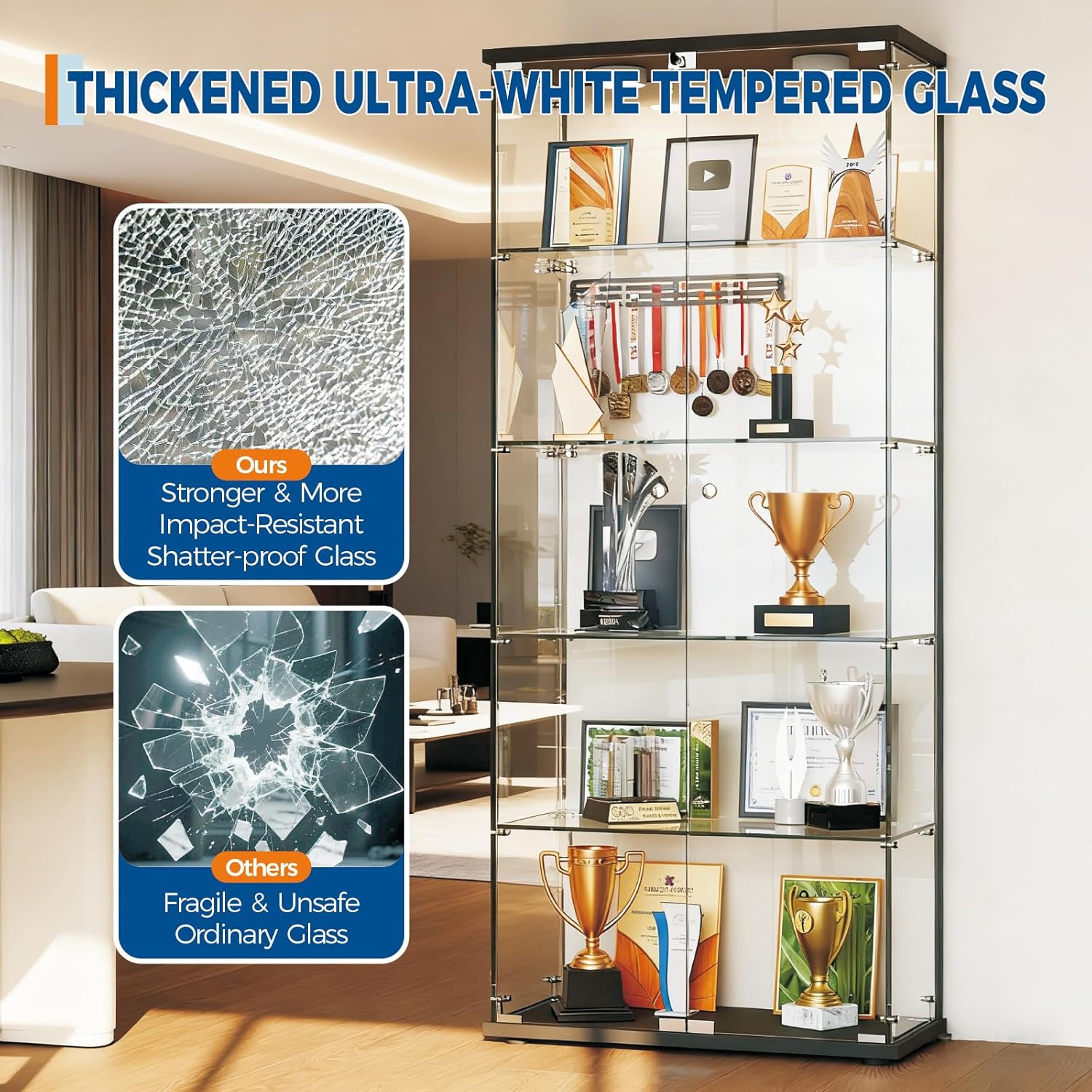
Image: Illustrates the difference between thickened ultra-white tempered glass (stronger, more impact-resistant, shatter-proof) and fragile ordinary glass.
Troubleshooting
Glass Doors Not Aligning
If the glass doors do not align perfectly or appear uneven, ensure the cabinet is placed on a level surface. Check the assembly of the top and bottom panels, as slight adjustments during assembly can affect door alignment. The adjustable base stand can also be used to level the cabinet.
Doors Not Closing Securely
Verify that the magnetic closures are properly installed and aligned. If the magnets or other hardware components appear loose or damaged, contact customer support for assistance or replacement parts.
LED Lights Not Working
Check if the batteries in both the LED light strips (3 AAA per light) and the remote control (CR2025 coin cell) are correctly inserted and have sufficient charge. Replace batteries if necessary.
Cabinet Instability
Ensure the anti-tip kit is correctly installed and securely anchored to a wall stud. Confirm that the cabinet is on a flat, level surface. Avoid placing excessively heavy items on the shelves, adhering to the 17.6 lbs per shelf limit.
Specifications
| Feature | Detail |
|---|---|
| Brand | Garvee |
| Model Name | GV-LJH-PTG_339BKEL9-5f |
| Color | Black |
| Material | Tempered Glass, Wood |
| Product Dimensions (D x W x H) | 32.28" x 14.57" x 74.8" |
| Item Weight | 149.9 pounds |
| Number of Shelves | 5 |
| Shelf Weight Limit | 17.6 lbs (each) |
| Special Feature | Lockable, LED Lighting |
| Mounting Type | Floor Mount (with anti-tip kit) |
| Assembly Required | Yes |
Warranty and Support
For warranty information or technical support, please refer to the contact details provided with your purchase documentation or visit the official Garvee website. Please have your model number (GV-LJH-PTG_339BKEL9-5f) and purchase date available when contacting support.