
1. Product Overview
This manual provides instructions for the Roinvou Android 15 car radio, designed for Citroen Berlingo and Peugeot Partner models from 2015 to 2018. This unit features a 9-inch In-Cell touchscreen, wireless CarPlay, Android Auto, Mirror Link, GPS navigation, Bluetooth connectivity, FM/RDS radio, WiFi, Equalizer (EQ) functions, Steering Wheel Control (SWC) compatibility, and support for a rear camera.
2. Compatibility Check
Before installation, confirm that your vehicle's original center console matches the compatible models shown below. This product is specifically designed for Citroen Berlingo and Peugeot Partner models manufactured between 2015 and 2018.
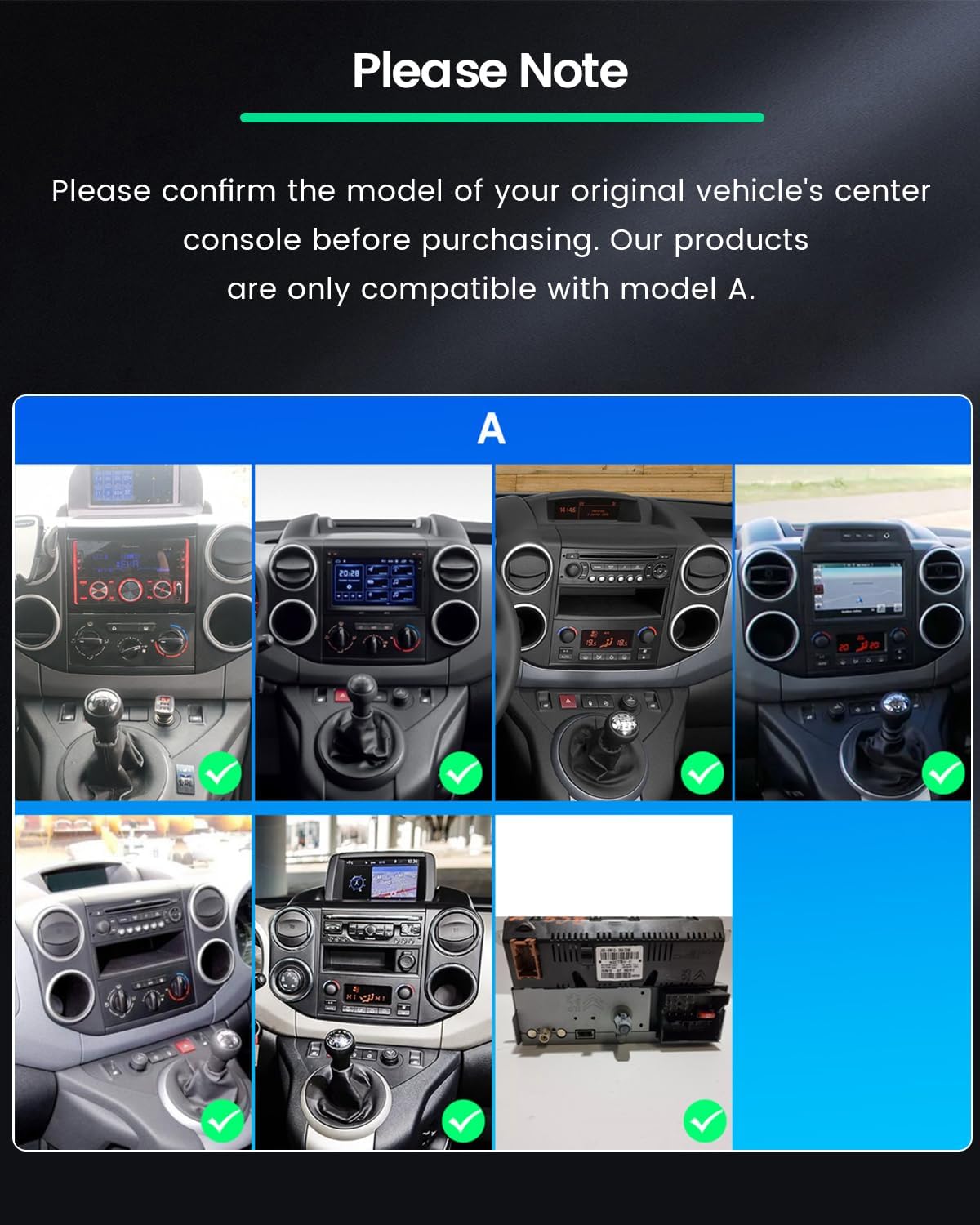
This image displays examples of compatible vehicle center consoles. Ensure your vehicle's dashboard layout matches one of the 'A' models indicated for proper fitment.
3. Package Contents
Verify that all items listed below are included in your package:
- Roinvou Android Car Radio Unit
- Power Cable
- CANBUS Decoder
- USB Cables (various types)
- Radio Antenna
- RCA Cable
- Rear Camera Input Cable
- GPS Antenna
- Rear View Camera
- External Microphone
- Installation Tool
- Accessories
- User Manual (this document)

This image illustrates the complete list of items included in the product package, including the main unit, cables, antennas, and accessories.
Product Dimensions

This diagram provides the physical dimensions of the car radio unit, including width, height, and depth, to assist with installation planning.
4. Setup and Installation
Professional installation is recommended. Ensure the vehicle's power is disconnected before beginning installation.
4.1 Wiring Port Connections
Carefully connect the power cable, RCA cables, USB cables, and antennas to their respective ports on the car radio unit. Refer to the wiring diagram for correct connections.

This diagram illustrates the various wiring ports on the back of the head unit and the corresponding cable connections. Ensure all connections are secure.
4.2 Backup Camera Wiring
To install the backup camera, connect the camera's power cable to the vehicle's reversing lamp power source (red wire to +12V, black wire to GND). Connect the video signal cable from the camera to the 'REVERSE IN' port on the car radio. The white plug must be connected to the car radio for Bluetooth and WiFi signals.

This diagram provides a visual guide for connecting the backup camera, including power and video signal connections, and routing options (roof or under-seat wiring).
4.3 Steering Wheel Control (SWC)
The unit supports steering wheel controls for added convenience.
- Without CANBUS Decoder: Connect the SWC wires (Key1/Key2) in the power cable to the corresponding port or wire of your original car. Then, access the 'Steering Wheel Key' settings in the unit to manually match and activate the button functions.
- With CANBUS Decoder: Connect the CANBUS decoder before powering on the unit. Navigate to Apps > Settings > Factory Settings (password: 1234) > CAN Settings. Select the brand of the CANBUS decoder and then the matching vehicle model and year.

This image demonstrates the steering wheel control functionality and provides guidance for connecting and configuring it, both with and without a CANBUS decoder.
5. Operating Instructions
5.1 In-Cell Touch Screen
The 9-inch In-Cell touchscreen offers a 1280x720 resolution, providing a responsive and clear display. This technology reduces reflections and enhances touch sensitivity for smoother navigation and media enjoyment.

This image highlights the benefits of the In-Cell touchscreen, including fast response, true color reproduction, and high saturation, compared to other screen types.
5.2 Wireless CarPlay & Android Auto / Mirror Link
Connect your iPhone or Android phone wirelessly to access navigation, calls, messages, and music directly on the car radio display. Wired and wireless Mirror Link is also supported for screen mirroring.

This image demonstrates the seamless integration of wireless CarPlay and Android Auto, allowing access to phone functions like GPS, music, calls, and messages on the car radio screen.
5.3 Application Support
The Android 15 operating system allows for the installation and use of various applications, including popular streaming services and navigation apps.
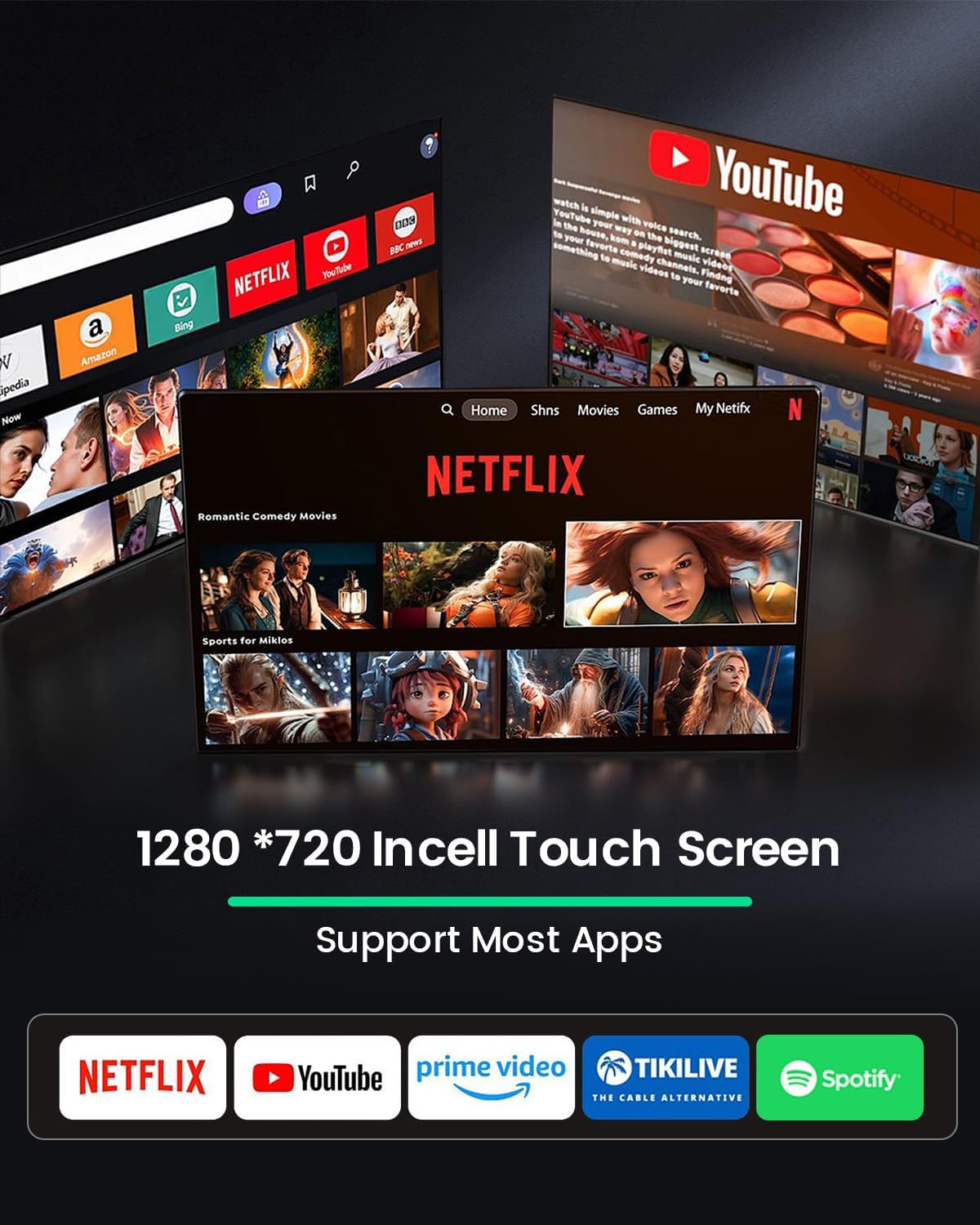
This image shows the car radio's capability to support a wide range of applications, including popular media streaming and entertainment platforms.
5.4 Multiple UI Options & Split Screen Technology
Customize your user interface with multiple theme options. The split-screen feature allows you to run two applications simultaneously, such as navigation and music playback.

This image illustrates the variety of user interface designs available and the practical split-screen function for multitasking.
5.5 Audio Features
- FM/RDS Radio: Access your favorite radio stations with clear sound and RDS information.
- Equalizer (EQ): Adjust audio settings to customize your listening experience.
- Bluetooth: Stream audio and make hands-free calls.
6. Specifications
| Feature | Description |
|---|---|
| Brand | Roinvou |
| Model Number | B0G34V6529 |
| Operating System | Android 15 |
| RAM | 4 GB |
| Storage | 128 GB |
| Screen Size | 9 inches |
| Screen Type | In-Cell Touchscreen |
| Resolution | 1280x720 |
| Connectivity | Bluetooth, USB, WiFi, FM RDS |
| Special Features | Wireless CarPlay, Android Auto, Mirror Link, GPS, EQ, SWC, Rear Camera Support |
| Audio Output Mode | APE/FLAC/WAV/MP3/WMA |
| Video Encoding | MKV/RMVB/AVI/MP4/MDV |
| Output Power | 45 Watts |
| Number of Audio Channels | 4 |
| Compatible Devices | Smartphone |
| Internet Applications | Netflix, YouTube, iTunes (and others via Play Store) |
7. Maintenance
To ensure the longevity and optimal performance of your Roinvou car radio, follow these maintenance guidelines:
- Cleaning: Use a soft, dry cloth to clean the screen and exterior. Avoid abrasive cleaners or solvents.
- Temperature: Operate the unit within recommended temperature ranges. Extreme heat or cold can affect performance.
- Software Updates: Periodically check for and install software updates to ensure optimal performance and access to new features.
- Cable Connections: Ensure all cables are securely connected to prevent intermittent issues.
8. Troubleshooting
If you encounter any issues with your car radio, consider the following basic troubleshooting steps:
- No Power: Check all power cable connections and the vehicle's fuse box.
- No Sound: Verify speaker connections, volume settings, and audio source selection.
- Touchscreen Unresponsive: Try restarting the unit. Ensure the screen is clean and free of debris.
- CarPlay/Android Auto Connection Issues: Ensure your phone's Bluetooth and Wi-Fi are enabled. Try reconnecting the device. Check for software updates on both the car radio and your smartphone.
- Steering Wheel Controls Not Working: Recheck wiring connections for Key1/Key2. If using a CANBUS decoder, verify the settings in the factory menu.
For persistent issues, please refer to the Warranty & Support section for assistance.
9. Warranty & Support
9.1 Warranty Information
This product comes with a 24-month warranty from the date of purchase. The warranty covers manufacturing defects and malfunctions under normal use.
9.2 Customer Support
Roinvou provides lifetime online support for all inquiries. Our support team aims to respond within 24 hours.
- Installation Assistance: If you have questions regarding product compatibility or installation before or after purchase, please contact us with photos of your car's dashboard.
- Product Quality: We are committed to continuous product quality improvement.
- After-Sales Support: Our dedicated after-sales team is available to assist with any installation or usage problems.
For support, please contact us via the seller's contact page on the platform where you purchased the product or refer to the contact information provided with your purchase.


