1. Important Safety Information
Read and understand all instructions before installation and operation. Failure to follow these instructions may result in serious injury or property damage. Keep this manual for future reference.
- General Safety: Ensure the installation area is clear of obstructions. Keep children and pets away from the gate's path during operation.
- Electrical Safety: Disconnect power before performing any service or maintenance. All electrical connections must be performed by a qualified electrician and comply with local electrical codes.
- Mechanical Safety: Never attempt to stop a moving gate. Do not weld the steel gear racks directly to the gate; use the provided weld-on nuts for secure mounting.
- Emergency Release: Familiarize yourself with the manual release mechanism in case of power failure.
2. Product Overview
The Blütezeit MJ-300 is a sliding gate opener designed for residential gates up to 900lb. It features a 130W AC110V pure copper motor, providing smooth and reliable operation. The system includes four 3.28 ft galvanized steel gear racks and four rolling-code remote controls for secure access.
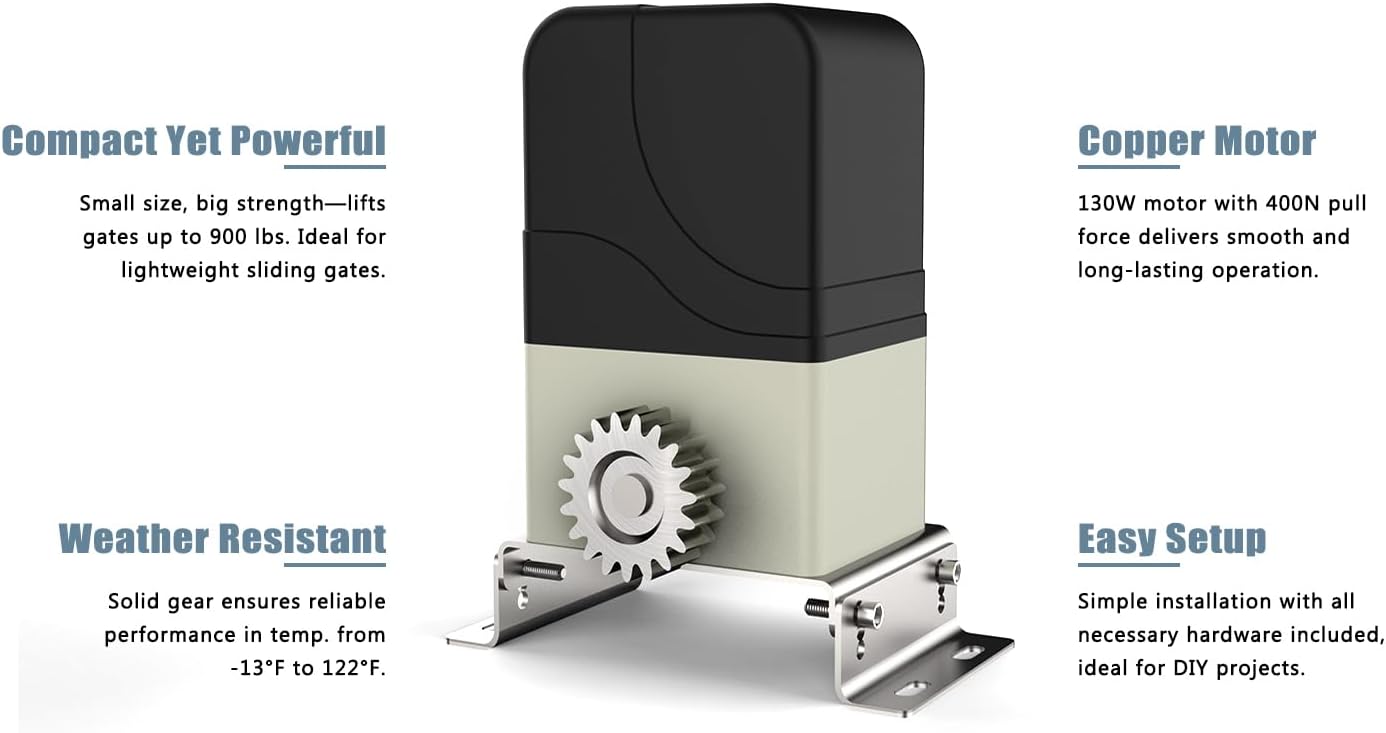
Image 2.1: The Blütezeit MJ-300 motor unit, highlighting its compact design, 130W copper motor, weather-resistant construction, and ease of setup for DIY projects.

Image 2.2: Overview of the secure rolling-code remote control and the red (CLOSE) and blue (OPEN) magnet switches for precise gate position control.
Key Components:
- Motor Unit: The main drive mechanism for the sliding gate.
- Steel Gear Racks: Four 3.28 ft (1 meter) galvanized steel racks, 8mm thick, for rack-driven gate movement. Total length 13.12 ft.
- Remote Controls: Four 433.92MHz rolling-code remotes (12V 23A batteries included).
- Magnet Switches: Used to define the gate's open and closed limits.
- Mounting Hardware: Includes weld-on nuts for rack installation.

Image 2.3: The four included 3.28 ft (1 meter) galvanized steel gear racks, essential for the gate's movement.

Image 2.4: A diagram illustrating the dimensions of the steel gear racks, showing a length of 1 meter and a thickness of 8mm.
3. Specifications
| Feature | Specification |
|---|---|
| Model | MJ-300 |
| Motor Power | 130W AC110V Pure Copper Motor |
| Max Gate Weight | 900 lb (408 kg) |
| Gate Speed | 0.7 ft/s (0.21 m/s) |
| Gear Racks | 4 x 3.28 ft (1 meter) Galvanized Steel, 8mm thick (Total 13.12 ft) |
| Remote Controls | 4 pcs, 433.92MHz Rolling-Code (12V 23A batteries included) |
| Max Remotes Supported | Up to 100 |
| Auto-Close Timer | Adjustable (0-60 seconds) |
| Operating Temperature | -13°F to 122°F (-25°C to 50°C) |
| ASIN | B0G348WMQ5 |
| Date First Available | December 18, 2024 |
4. Setup and Installation
Proper installation is crucial for the safe and efficient operation of your gate opener. Consult a professional if you are unsure about any steps.
4.1 Pre-Installation Checklist:
- Ensure your sliding gate is in good working condition, moves freely, and is properly balanced.
- Verify that the gate weight does not exceed 900lb.
- Confirm a suitable power supply (AC110V) is available near the installation site.
- Gather all necessary tools (drills, wrenches, measuring tape, level, welding equipment if applicable for rack nuts).
4.2 Mounting the Motor Unit:
- Choose a stable, level concrete pad or foundation for the motor unit. The unit should be positioned so its drive gear aligns with the gate's gear rack.
- Securely bolt the motor unit to the foundation using appropriate anchors. Ensure it is level and plumb.
4.3 Installing Gear Racks:
- Attach the steel gear racks to the bottom rail of your sliding gate. Use the provided weld-on nuts for a secure and precise fit.
- Important: Do not weld the rack directly to the gate. The weld-on nuts allow for proper expansion and contraction and prevent damage to the rack.
- Ensure the racks are perfectly level and maintain a small gap (approx. 1-2mm) between the rack teeth and the motor's drive gear to allow for smooth operation and prevent binding.
- Connect all four 1-meter racks to cover the full length of your gate's travel.
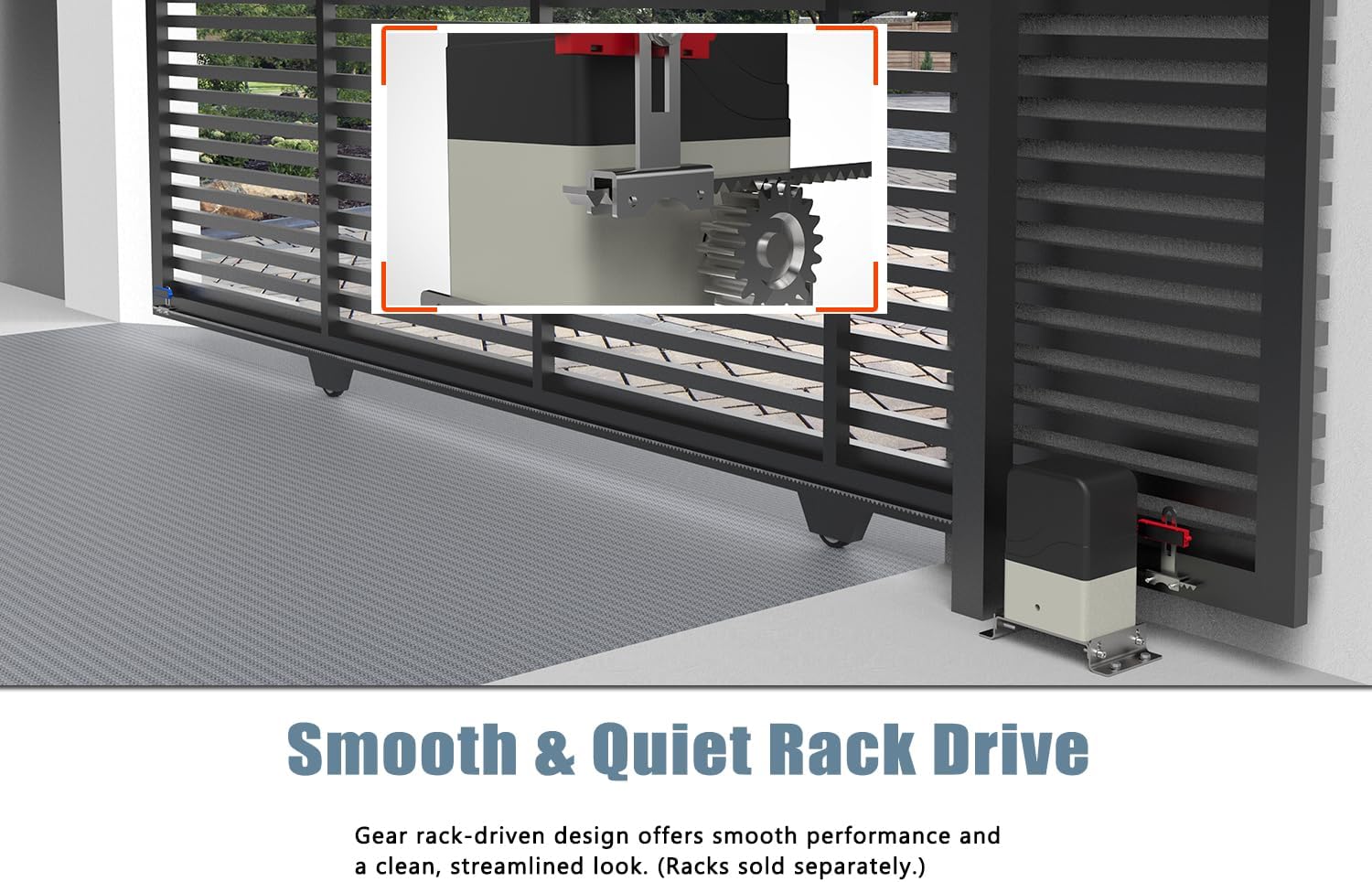
Image 4.1: The Blütezeit MJ-300 motor unit installed with a gear rack on a sliding gate, demonstrating the rack drive system.
4.4 Wiring and Magnet Switches:
- Connect the motor unit to the AC110V power supply according to the wiring diagram provided in the full product manual (not included here). Ensure all connections are secure and insulated.
- Install the red magnet switch at the desired gate CLOSE position and the blue magnet switch at the desired gate OPEN position. These magnets signal the motor to stop at the correct limits.
- Ensure the magnets are securely fastened to the gate and pass directly over the magnetic sensors on the motor unit.
5. Operating Instructions
Once installed, the Blütezeit MJ-300 offers various operating modes and features.
5.1 Remote Control Pairing:
- Locate the 'Learn' button on the motor's control board (refer to the full manual for exact location).
- Press and release the 'Learn' button. An indicator light will illuminate.
- Within a few seconds, press the desired button on your remote control. The indicator light will flash or change color to confirm successful pairing.
- Repeat for additional remotes. The system supports up to 100 remotes.

Image 5.1: The Blütezeit MJ-300 remote control, capable of operating the gate from up to 100 feet away.
5.2 Basic Operation:
- Press the programmed remote button once to open the gate.
- Press the button again while the gate is moving to stop it.
- Press the button a third time to close the gate.
5.3 Pedestrian Mode:
The pedestrian mode allows the gate to open partially, providing access for foot traffic without fully opening the gate. Refer to the full manual for instructions on how to activate and set the opening width for pedestrian mode.
5.4 Auto-Close Function:
The auto-close function automatically closes the gate after a set period. The timer can be adjusted from 0 to 60 seconds. To set the auto-close timer, consult the detailed instructions in the main product manual.
5.5 Obstacle Reversal Safety:
The MJ-300 is equipped with an obstacle reversal safety feature. If the gate encounters an obstruction during closing, it will automatically reverse direction to prevent damage or injury. For optimal safety, consider installing infrared sensors (sold separately).
6. Maintenance
Regular maintenance ensures the longevity and reliable operation of your Blütezeit MJ-300 gate opener.
- Monthly: Inspect the gate's movement for any binding or resistance. Clean the gear racks and motor gear to remove dirt, debris, or leaves.
- Quarterly: Lubricate the gate's wheels, hinges, and any other moving parts with a suitable lubricant. Check all electrical connections for tightness and signs of wear.
- Annually: Test the obstacle reversal safety feature by placing a soft object in the gate's path. Ensure the gate reverses as expected. Replace remote control batteries (12V 23A) as needed.
- General: Keep the area around the motor unit clear of vegetation and debris.
7. Troubleshooting
This section addresses common issues you might encounter. For more complex problems, consult a qualified technician.
| Problem | Possible Cause | Solution |
|---|---|---|
| Gate does not move | No power; remote battery dead; emergency release engaged; limit switches misaligned. | Check power supply; replace remote battery; disengage emergency release; adjust magnet switches. |
| Gate stops unexpectedly | Obstruction detected; motor overheating; faulty sensor. | Remove obstruction; allow motor to cool; check and clean sensors. |
| Remote not working | Dead battery; not paired; out of range. | Replace battery; re-pair remote; operate within 100ft range. |
| Gate opens/closes partially | Limit switches misaligned; gate obstruction. | Adjust magnet switches; clear gate path. |
8. Warranty and Support
For warranty information, please refer to the product packaging or the official Blütezeit website. If you require technical assistance or have questions not covered in this manual, please contact Blütezeit customer support through their official channels.
Online Support: Visit the Blütezeit store on Amazon or their official website for FAQs and contact options.


