
1. Introduction
Thank you for choosing the Eureka J15 Evo Ultra Self-Emptying Robot Vacuum and Mop Combo. This manual provides essential information for the safe operation, setup, maintenance, and troubleshooting of your new appliance. Please read this manual thoroughly before use and retain it for future reference.
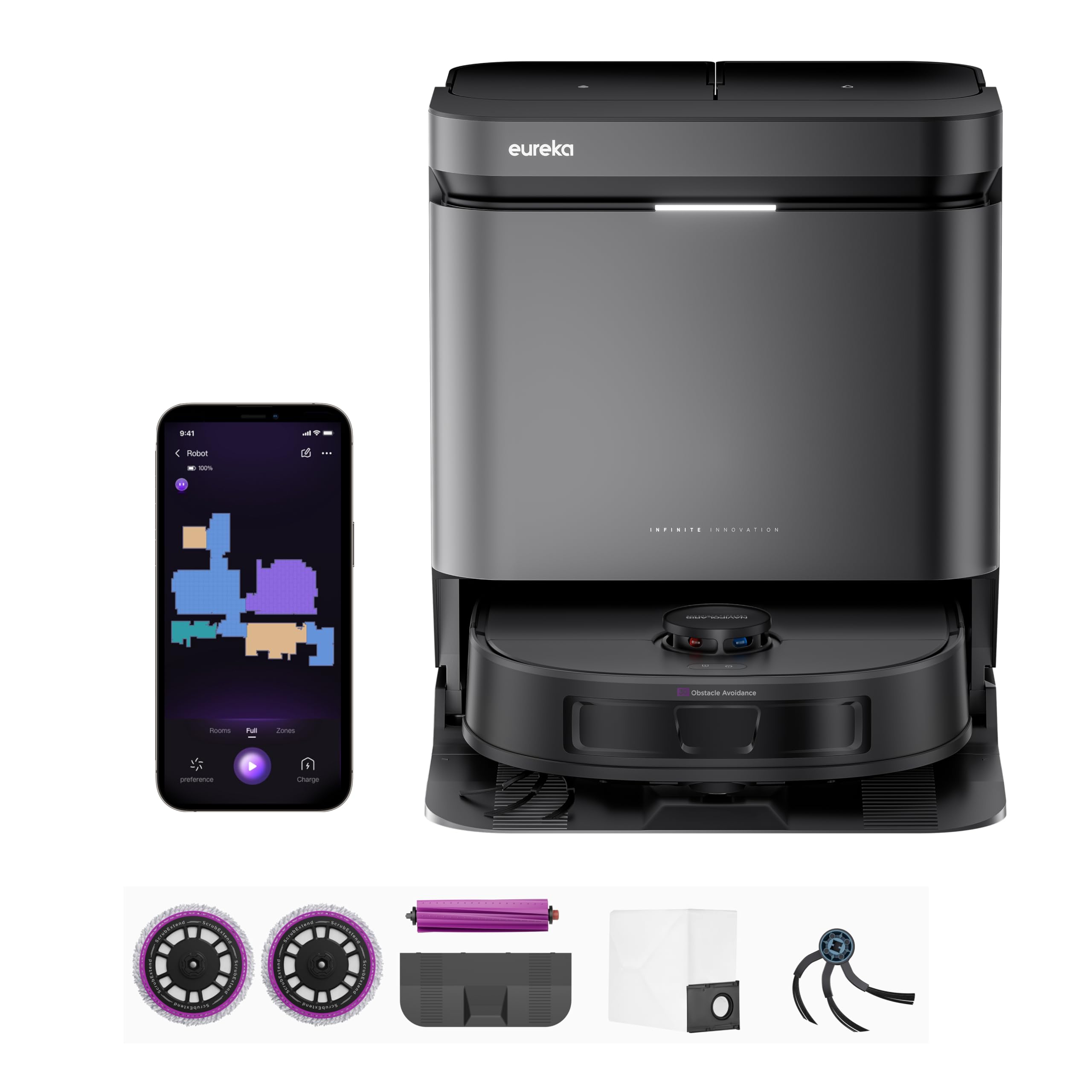
Figure 1: Eureka J15 Evo Ultra Robot Vacuum and Mop Combo.
2. Safety Information
To reduce the risk of injury or damage, read and follow all safety precautions when setting up, using, and maintaining your robot vacuum.
- This appliance can be used by children aged 8 years and above and persons with reduced physical, sensory or mental capabilities or lack of experience and knowledge if they have been given supervision or instruction concerning use of the appliance in a safe way and understand the hazards involved.
- Children shall not play with the appliance. Cleaning and user maintenance shall not be made by children without supervision.
- Do not use the robot vacuum in wet environments or near water.
- Ensure the charging base is placed on a flat, stable surface and connected to a power outlet.
- Keep hair, loose clothing, fingers, and all parts of the body away from openings and moving parts.
- Do not pick up large or sharp objects, liquids, or burning/smoking materials.
- Only use the manufacturer-specified power adapter and charging base.
3. Package Contents
Verify that all components are present in the package:
- Docking Station
- DragonClaw Side Brush
- Instruction Guide
- Mop Pad (2)
- Vacuum Bag
- Main Brush Roller
- Filter

Figure 2: Included components.
4. Product Overview
The Eureka J15 Evo Ultra combines powerful vacuuming with effective mopping, featuring advanced technologies for a comprehensive cleaning experience.
4.1 Key Features
- Self-Emptying Station: The bagless self-emptying station automatically transfers collected dust and debris, offering up to 45 days of hands-free operation.
- Auto Mop Washing & Drying: The base station automatically washes and dries the mop pads with 131°F hot air, preventing odors and mold.
- 22,000 Pa Suction Power: A powerful motor delivers strong suction to effectively lift dust and debris from hard floors and carpets.
- ScrubExtend Edge Cleaning: Mop pads extend outward to achieve 99.99% edge coverage, ensuring thorough cleaning along skirting boards and corners.
- Auto Mop Lifting: The robot automatically lifts its mop pads by 10mm when detecting carpets, preventing them from getting wet.
- Anti-Tangle System: Features a DragonClaw side brush and V-shaped main brush roller designed to prevent hair tangles, ideal for pet owners.
- LiDAR Navigation & Obstacle Avoidance: Advanced LiDAR sensors create real-time maps and enable precise navigation and obstacle avoidance.
4.2 Feature Illustrations

Figure 3: Hands-Free Dust Disposal and All-in-One Base Station functions.

Figure 4: Quick-Dry Mop System.

Figure 5: Always-Fresh Mop System.

Figure 6: All-Round Anti-Tangle System.

Figure 7: Complete Edge-to-Edge Mop Coverage with ScrubExtend.

Figure 8: Powerful Suction of 22,000 Pa.
5. Setup
5.1 Charging Base Placement
- Place the docking station against a wall on a hard, level surface. Ensure there is at least 0.5 meters (1.6 feet) of clear space on either side and 1.5 meters (4.9 feet) in front of the station.
- Connect the power cord to the docking station and plug it into a wall outlet.
- Ensure the area around the docking station is free of obstacles that could block the robot's return path.
5.2 Initial Charging
Place the robot vacuum onto the charging base. The robot will automatically align and begin charging. For first-time use, ensure the robot is fully charged before starting a cleaning cycle.
5.3 App Connection
Download the Eureka mobile application from your smartphone's app store. Follow the in-app instructions to connect your robot vacuum to your home Wi-Fi network. The app allows for advanced control, scheduling, and mapping features. The device is compatible with Amazon Echo, Google Home, and smartphones.

Figure 9: Eureka App Interface.
6. Operating Instructions
6.1 Starting a Cleaning Cycle
- Manual Start: Press the power button on the robot or the 'Clean' button in the app to start a cleaning cycle.
- Scheduled Cleaning: Use the Eureka app to set up cleaning schedules for specific times and days.

Figure 10: Scheduled Cleaning via App.
6.2 Cleaning Modes and Features
- Multi-Clean Mode: Select different cleaning modes (e.g., vacuum only, mop only, vacuum & mop) via the app.
- No-Go Zones: Define areas where the robot should not clean or mop using the app's mapping feature.
- Carpet-First Mode: Enable this feature in the app to allow the robot to vacuum carpets first with dry mops before proceeding to mop hard floors.
- Voice Control: Integrate with Amazon Alexa or Google Home for hands-free control using voice commands.
- Multi-Level Management: The robot supports mapping and managing multiple floor plans within the app.
7. Maintenance
Regular maintenance ensures optimal performance and extends the lifespan of your Eureka J15 Evo Ultra.
7.1 Self-Emptying Station
- Dust Bag Replacement: The dust bag in the self-emptying station has a capacity of up to 45 days. Replace it when the app or station indicator prompts.
- Water Tanks: Regularly empty the dirty water tank and refill the clean water tank in the base station.
- Base Tray Cleaning: The base station's tray is removable for easy cleaning. Detach it and rinse with water to remove accumulated debris.

Figure 11: Removable Base Tray for easy cleaning.
7.2 Mop Pads
The mop pads are automatically washed and dried by the base station. For deeper cleaning, remove the mop pads and hand wash them with mild detergent. Ensure they are completely dry before reattaching.
7.3 Brushes and Filters
- Main Brush Roller: Periodically remove the main brush roller and use the included cleaning tool to cut and remove tangled hair or debris.
- Side Brush: Check the DragonClaw side brush for tangled hair and debris. Remove and clean as needed.
- Filter: Tap the filter to remove dust and debris. Rinse with water if necessary, and ensure it is completely dry before reinstalling. Replace the filter every 3-6 months depending on usage.

Figure 12: Anti-Tangle Brush Roller with cleaning tool.
8. Troubleshooting
If you encounter issues with your robot vacuum, refer to the following table for common problems and solutions.
| Problem | Possible Cause | Solution |
|---|---|---|
| Robot does not turn on or charge. | Battery is depleted; charging contacts are dirty; power cord is disconnected. | Ensure the robot is properly docked. Clean charging contacts on both the robot and base. Check power cord connection. |
| Robot gets stuck or navigates erratically. | Obstacles in the path; sensors are dirty; mapping error. | Clear obstacles. Clean all sensors on the robot. Reset the map in the app if necessary. |
| Poor cleaning performance. | Dust bin is full; brushes are tangled; filter is clogged; mop pads are dirty. | Empty the dust bin. Clean main and side brushes. Clean or replace the filter. Wash or replace mop pads. |
| Robot cannot connect to Wi-Fi or app. | Incorrect Wi-Fi password; router issues; robot is too far from router. | Verify Wi-Fi password. Restart your router. Move the charging base closer to the router. Follow in-app connection steps carefully. |
| Base station not emptying dust or washing mops. | Dust bag full; water tanks empty/full; debris blocking ports. | Replace dust bag. Empty dirty water tank and refill clean water tank. Check for blockages in the base station's ports. |
9. Specifications
| Feature | Detail |
|---|---|
| Brand | Eureka |
| Model Name | J15 Evo Ultra |
| Surface Recommendation | Hard Floor, Tile, and Carpet |
| Special Features | Automatic Dust Collection, Bagless, LiDAR Navigation, No-Go Zone, Smart Mapping, Auto Mop Lifting, Hot Air Dry, ScrubExtend |
| Color | Black |
| Controller Type | App Control, Button Control, Voice Control |
| Filter Type | Cartridge |
| Battery Life | Up to 240 minutes |
| Battery Type | Lithium Ion |
| Voltage | 14.1 volts |
| Dust Bag Capacity | 4 liters (up to 45 days) |
| Power Source | Battery Powered |
| Compatible Devices | Amazon Echo, Google Home, Smartphones |
| Item Dimensions (L x W x H) | 13.8"L x 3.8"W x 13.8"H |
10. Warranty Information
The Eureka J15 Evo Ultra comes with the following manufacturer's warranty:
- Vacuum Cleaner: Two-year warranty.
- Battery: One-year warranty.
Please retain your proof of purchase for warranty claims. The warranty covers defects in materials and workmanship under normal use.
11. Customer Support
For any questions, technical assistance, or warranty inquiries, please contact Eureka customer service:
Phone: 1-800-282-2886
Please have your model number (J15 Evo Ultra) and purchase information ready when contacting support.


