
1. Important Safety Instructions
Read all instructions before using the appliance. This manual contains important information regarding the installation, operation, and maintenance of your dishwasher. Keep this manual for future reference.
- Ensure the dishwasher is properly grounded.
- Do not operate the dishwasher if it is damaged. Contact authorized service personnel.
- Keep children away from the dishwasher, especially when the door is open.
- Use only detergents and rinse aids specifically designed for automatic dishwashers.
- Do not touch the heating element during or immediately after use.
- Load sharp items so they are not likely to damage the door seal or interior.
- Always close the dishwasher door when not in use to prevent tripping hazards.
2. Product Overview
The Faber FFSD 6PR 14 S BK Digital is a freestanding dishwasher designed for efficient cleaning. It features a 14 place setting capacity, suitable for families up to 6 members, and offers 6 wash programs for various cleaning needs.
Key Features:
- Capacity: 14 Place Settings
- Wash Programs: Normal, Intensive, Eco, Quick, Soak, Half Load
- Special Features: Half Load function, Height adjustable upper basket, Salt and rinse indicators, Digital display, Electronic push-button controls, Natural drying, Delay Timer.
- Energy Efficiency: Rated A++/A/A for overall high efficiency.
- Water Consumption: Approximately 10 liters per cycle.
- Noise Level: 49 Decibels.

Figure 2.1: Front view of the Faber FFSD 6PR 14 S BK Digital Dishwasher.

Figure 2.2: Dishwasher interior demonstrating 14 place setting capacity.

Figure 2.3: Illustration of the powerful 70°C wash for deep cleaning.
3. Setup & Installation
This section provides guidelines for the proper setup and installation of your freestanding dishwasher. For detailed installation, it is recommended to contact authorized service personnel.
Dimensions:
- Product Dimensions (D x W x H): 60D x 59.8W x 84.5H Centimeters
- Item Weight: 42 Kilograms

Figure 3.1: Dishwasher dimensions for seamless fitting.
What's in the Box:
- Faber Dishwasher Unit
- 2 Pipes (for water inlet and outlet)
- User Manual (this document)
- Warranty Card
Installation Steps (Overview):
- Placement: Position the dishwasher on a level surface, ensuring adequate space for door opening and ventilation.
- Water Connection: Connect the water inlet hose to a cold water supply and the drain hose to a suitable drain. Ensure all connections are secure to prevent leaks.
- Electrical Connection: Plug the dishwasher into a grounded electrical outlet (230 Volts AC).
- Leveling: Adjust the leveling feet to ensure the appliance is stable and level.
4. Operating Instructions
Follow these steps for optimal performance and cleaning results from your Faber dishwasher.
Loading the Dishwasher:
Proper loading is crucial for effective cleaning. Ensure water can reach all surfaces of the dishes.
- Scrape off large food particles before loading.
- Place larger items in the lower basket and smaller, delicate items in the upper basket.
- Ensure dishes do not block the spray arms.
- Use the cutlery basket for forks, spoons, and knives, placing sharp ends down for safety.
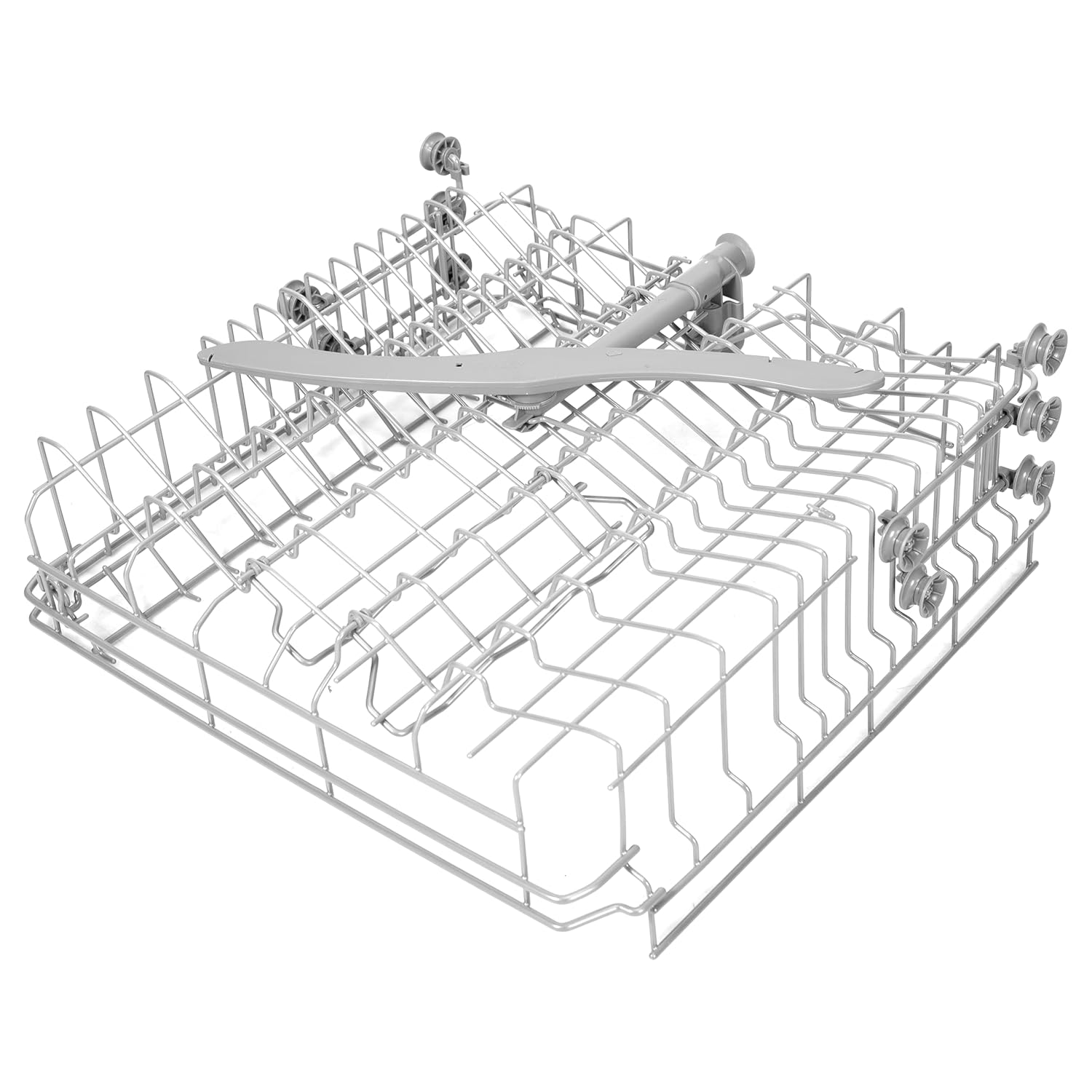
Figure 4.1: Example of a properly loaded dishwasher interior.

Figure 4.2: The height-adjustable upper basket for flexible loading.
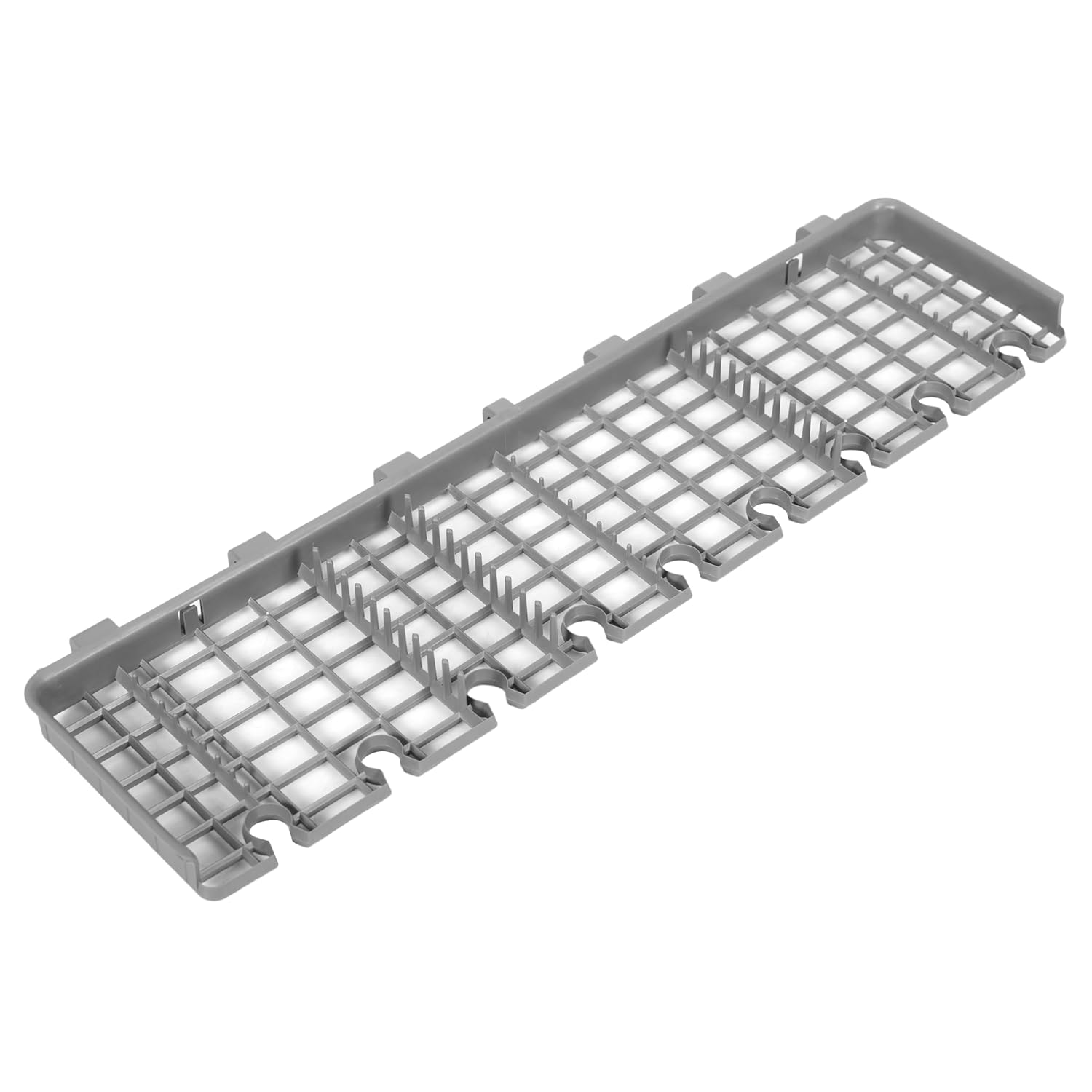
Figure 4.3: Dedicated cutlery basket for efficient cleaning of utensils.
Adding Detergent and Rinse Aid:
- Fill the detergent dispenser with the appropriate amount of dishwasher detergent.
- Check the rinse aid indicator and refill the rinse aid dispenser as needed.

Figure 4.4: Salt and Rinse Aid indicators on the control panel.
Selecting a Wash Program:
The dishwasher offers 6 wash programs. Select the program that best suits your load's soil level and type.
- Normal: For daily soiled dishes.
- Intensive: For heavily soiled dishes and pots.
- Eco: Energy-saving program for normally soiled dishes.
- Quick: For lightly soiled dishes that do not require drying.
- Soak: For pre-rinsing dishes that will be washed later.
- Half Load: For smaller loads, saving water and energy.

Figure 4.5: The Half Load function for smaller dish loads.
Starting a Wash Cycle:
- Close the dishwasher door securely.
- Press the Power button to turn on the appliance.
- Use the Program Selection button to choose your desired wash cycle.
- Press the Start/Pause button to begin the cycle.

Figure 4.6: Electronic push-button controls for easy operation.
Delay Start Function:
You can delay the start of a wash cycle for up to 24 hours.
- After selecting a program, press the Delay button repeatedly to set the desired delay time.
- Press Start/Pause to confirm the delay and begin the countdown.

Figure 4.7: The 24-hour delay wash function.
5. Maintenance & Care
Regular maintenance ensures the longevity and optimal performance of your dishwasher.
Cleaning the Filters:
The filter system should be checked and cleaned regularly to prevent blockages and ensure efficient washing.
- Turn off and unplug the dishwasher.
- Remove the filter assembly located at the bottom of the wash tub.
- Rinse the filters under running water to remove any food particles. Use a soft brush if necessary.
- Reassemble the filters and place them back into the dishwasher, ensuring they are securely locked.
Cleaning the Spray Arms:
Periodically check the spray arm nozzles for blockages. If clogged, remove the spray arms and clear the holes with a thin wire.
Exterior and Interior Cleaning:
- Wipe the exterior with a damp cloth. Do not use abrasive cleaners.
- Clean the door seal regularly to remove food residue.
- The stainless steel tub can be cleaned with a dishwasher cleaner or a mixture of vinegar and water for descaling.
6. Troubleshooting
Before contacting service, refer to this section for common issues and their solutions.
| Problem | Possible Cause | Solution |
|---|---|---|
| Dishwasher does not start | Power supply issue, door not closed properly, program not selected. | Check power connection, ensure door is latched, select a wash program. |
| Dishes are not clean | Improper loading, clogged spray arms, insufficient detergent, clogged filters. | Reload dishes correctly, clean spray arms, add more detergent, clean filters. |
| Water not draining | Clogged drain hose or filter, drain pump malfunction. | Check and clear drain hose/filter. If issue persists, contact service. |
| Excessive noise | Dishes rattling, foreign object in pump, improper installation. | Rearrange dishes, check for foreign objects, ensure dishwasher is level. |
| White spots on dishes | Hard water, insufficient rinse aid. | Add rinse aid, consider using dishwasher salt if your model supports it and water is hard. |
7. Specifications
Detailed technical specifications for the Faber FFSD 6PR 14 S BK Digital Dishwasher.
| Specification | Detail |
|---|---|
| Brand | Faber |
| Model Name | FFSD 6PR 14 S BK Digital |
| Model Number | 117.0737.650 |
| Installation Type | Freestanding |
| Capacity | 14 Place Settings |
| Product Dimensions (D x W x H) | 60D x 59.8W x 84.5H Centimeters |
| Item Weight | 42 Kilograms |
| Colour | Black |
| Controls Type | Push Button |
| Noise Level | 49 Decibels |
| Voltage | 230 Volts (AC) |
| Cycle Options | Normal, Intensive, Eco, Quick, Soak, Half Load |
| Special Features | Half Load, Height Adjustable Upper Basket, Digital Display, Electronic Push-Button Controls, Natural Drying, Delay Timer |
| Manufacturer | Franke Faber India Pvt Ltd |
8. Warranty & Support
Your Faber dishwasher comes with a comprehensive warranty and dedicated customer support.
Warranty Information:
- Comprehensive Warranty: 2 Years on the product.
- Cavity Warranty: 10 Years on the dishwasher cavity.
Please retain your purchase receipt and warranty card for any claims.
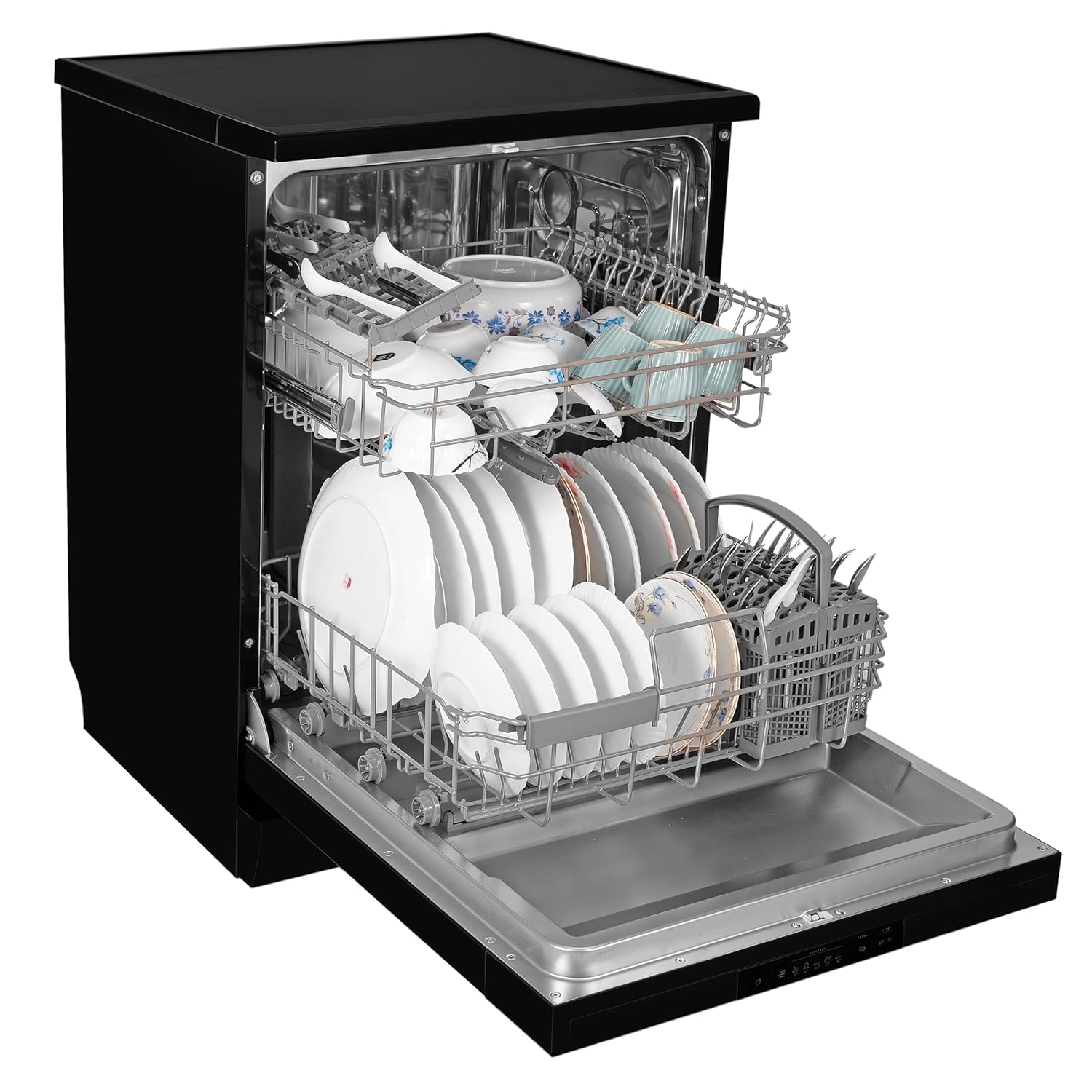
Figure 8.1: Illustration of the product warranty coverage.
Customer Support:
For service, installation, or any queries, please contact Faber customer support.
- Manufacturer: Franke Faber India Pvt Ltd
- Contact Number: 1800-209-3484
- Address: 1086/1/2, SANASWADI, TAL - SHIRUR, PUNE - 412208, MAHARASHTRA, INDIA

