
1. Introduction
This manual provides essential information for the safe and efficient operation of your Faber 14 Place Free Standing Dishwasher, model FFSD 7PR 14S BK. Please read these instructions carefully before using the appliance and retain them for future reference.
2. Safety Information
General Safety:
- Ensure the dishwasher is properly grounded.
- Do not operate the dishwasher if it is damaged or malfunctioning.
- Keep children away from the dishwasher, especially when it is operating or when the door is open.
- Use only detergents and rinse aids specifically designed for automatic dishwashers.
- Avoid touching the heating element during or immediately after a wash cycle.
- Do not overload the dishwasher.
Electrical Safety:
- Ensure the power supply matches the voltage specified on the rating plate.
- Do not use extension cords or adapters.
- Unplug the appliance before cleaning or performing any maintenance.
3. Setup and Installation
Your Faber dishwasher is designed as a freestanding unit. Proper installation is crucial for optimal performance and safety. It is recommended to have the appliance installed by a qualified technician.
Placement
Position the dishwasher on a level, stable surface. Ensure there is adequate space around the unit for ventilation and access. The dimensions of the dishwasher are 60D x 84.5W x 59.8H Centimeters.

Image: Faber Dishwasher with indicated dimensions (600mm depth, 598mm width, 845mm height).
Water and Drain Connections
Connect the water inlet hose to a cold water supply and the drain hose to a suitable drain. Ensure all connections are secure to prevent leaks. Two pipes are included with the dishwasher for these connections.
Electrical Connection
Connect the dishwasher to a dedicated 230 Volts (AC) power outlet. Do not use extension cords.
4. Operating Instructions
Follow these steps for effective use of your dishwasher:
Loading the Dishwasher
Arrange dishes, pots, and cutlery in the baskets. Ensure items do not block the spray arms. The dishwasher has a 14 place setting capacity, suitable for families of up to 6 members. The upper basket is height-adjustable for accommodating larger items.

Image: Interior view of the Faber Dishwasher demonstrating its 14 place setting capacity with loaded dishes.

Image: Overview of the dishwasher's internal accessories, including adjustable racks, a cutlery basket, and a detachable cutlery tray.
Adding Detergent and Rinse Aid
Open the detergent dispenser and add the recommended amount of dishwasher detergent. Close the dispenser lid securely. Fill the rinse aid dispenser as needed; the dishwasher features a rinse aid indicator.
Selecting a Wash Program
Press the power button to turn on the dishwasher. Use the push button controls to select your desired wash program. Refer to the 'Wash Programs' section for details on each program.
Starting the Cycle
Close the dishwasher door firmly. Press the Start/Stop button to begin the wash cycle. The LED display will show the remaining time or program status.
Video Demonstration: Loading and Operation
Video: A demonstration of loading dishes into the dishwasher and operating the control panel to select a wash cycle.
5. Wash Programs
The Faber dishwasher offers 7 distinct wash programs to suit various cleaning needs:

Image: Overview of the 7 wash programs available on the Faber Dishwasher.
- Normal: For everyday plates and bowls with standard soil.
- Intensive: A 70°C wash program designed for heavily soiled items, such as greasy kadhai or cookware with masala stains.
- Eco: An energy-efficient program for lightly used utensils with minimal load.
- Rapid: A quick wash scenario for lightly soiled dishes.
- 90 Mins: A balanced load program suitable for a mix of plates and cookware.
- Half Load: Optimizes water and energy consumption when only one rack is partially filled.
- Child Lock: A safety feature that locks the control panel to prevent accidental operation.

Image: Visual representation of the 70°C Intensive Wash program's effectiveness on tough grease and stains.
Special Wash Features
The dishwasher also includes a 70°C Hygiene Wash, ideal for sanitizing baby utensils, ensuring deep cleaning and germ removal.

Image: Demonstration of the 70°C Hygiene Wash for baby utensils, showing before and after results.
6. Features
- Half Load Function: This feature allows you to run a wash cycle with a partially filled dishwasher, saving water, energy, and time.
- Adjustable Racks: The upper basket can be adjusted in height to accommodate taller items in either the upper or lower basket.
- Salt and Rinse Indicators: LED indicators on the control panel alert you when to refill dishwasher salt and rinse aid.
- Delay Start Function: You can set the dishwasher to start a cycle after 3, 6, or 9 hours, allowing you to run it at a convenient time.
- Child Lock: Activates a lock on the control panel to prevent unintended operation, ensuring safety in homes with children.
- Push Button Control: Easy-to-use interface for program selection and operation.
- Natural Drying: Utilizes residual heat for efficient drying.
- Stainless Steel Tub: The interior cavity is made of stainless steel, ensuring durability, hygiene, and resistance to rust and odors.
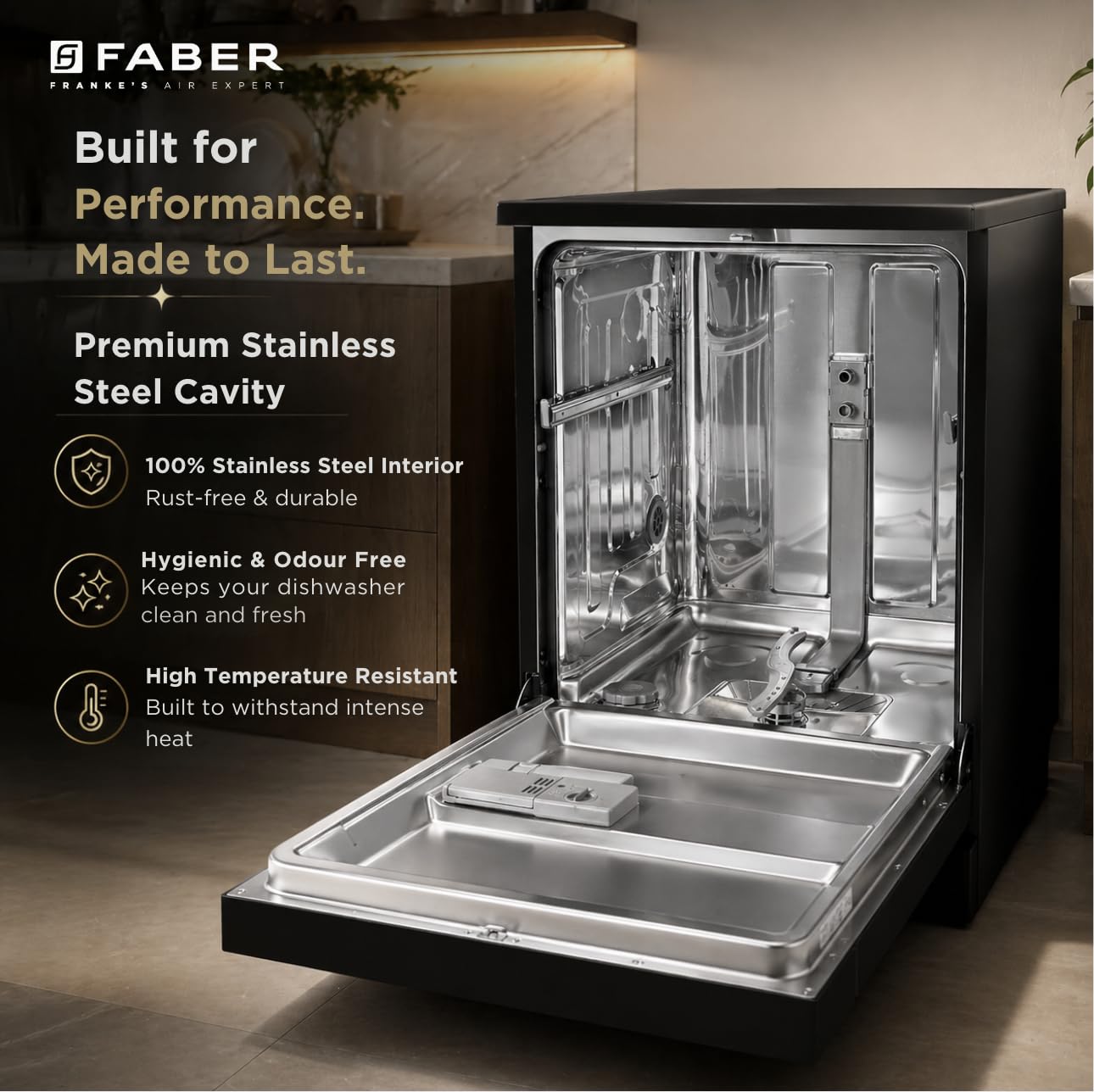
Image: Close-up of the control panel highlighting the Delay Start function with options for 3, 6, or 9 hours.
7. Maintenance and Care
Regular maintenance ensures the longevity and performance of your dishwasher.
Cleaning the Filters
Periodically check and clean the filters located at the bottom of the dishwasher tub to remove food particles and debris. Refer to the detailed instructions in the included user manual for filter removal and cleaning.
Cleaning the Interior
Wipe down the interior of the dishwasher, including the spray arms and door seal, with a damp cloth. The stainless steel tub is designed to be hygienic and odor-free.

Image: Interior view of the dishwasher, emphasizing the premium stainless steel cavity and its benefits.
Exterior Cleaning
Clean the exterior surfaces with a soft, damp cloth. Avoid abrasive cleaners that could damage the finish.
8. Troubleshooting
If you encounter issues with your dishwasher, refer to the following common troubleshooting steps:
| Problem | Possible Cause | Solution |
|---|---|---|
| Dishwasher does not start | Power supply issue, door not closed properly, program not selected. | Check power connection, ensure door is latched, select a wash program. |
| Dishes are not clean | Improper loading, clogged spray arms, insufficient detergent, incorrect program. | Load dishes correctly, clean spray arm nozzles, use appropriate detergent, select suitable program. |
| Water not draining | Clogged drain hose or filter. | Clean the filter, check for kinks or blockages in the drain hose. |
| Excessive noise | Improperly loaded dishes, foreign object in pump. | Rearrange dishes, inspect for and remove any foreign objects. |
If the problem persists after attempting these solutions, please contact customer support.
9. Specifications
| Specification | Detail |
|---|---|
| Brand | Faber |
| Model Number | FFSD 7PR 14S BK (117.0737.644) |
| Product Dimensions (D x W x H) | 60D x 59.8W x 84.5H Centimeters |
| Capacity | 14 Place Settings |
| Colour | Black |
| Controls Type | Push Button |
| Noise Level | 49 Decibels |
| Voltage | 230 Volts (AC) |
| Item Weight | 40.8 Kilograms |
| Water Consumption | 10 Litres per cycle |
| Energy Efficiency | Rated A++/A/A |
| Included Components | Dishwasher, 2 Pipes, User Manual, Warranty Card |
10. Warranty and Support
Warranty Information
Your Faber 14 Place Free Standing Dishwasher comes with a 2-Year Comprehensive Warranty on the product and a 10-Year Warranty on the cavity. Please retain your purchase receipt for warranty claims.

Image: Visual representation of the warranty coverage for the Faber Dishwasher.
Customer Support
For any service, support, or warranty-related inquiries, please contact:
Franke Faber India Pvt Ltd
Address: 1086/1/2, SANASWADI, TAL - SHIRUR, PUNE - 412208, MAHARASHTRA, INDIA
Contact Number: 1800-209-3484