
1. Introduction
The Headwolf FPad7 is an advanced 8-inch Android 15 tablet designed for high performance and versatility. Featuring a MediaTek Dimensity 7050 (MT8791T) processor, a stunning 2560x1600 resolution display, and extensive memory, it is suitable for a wide range of tasks from productivity to entertainment. This manual provides detailed instructions to help you get the most out of your device.
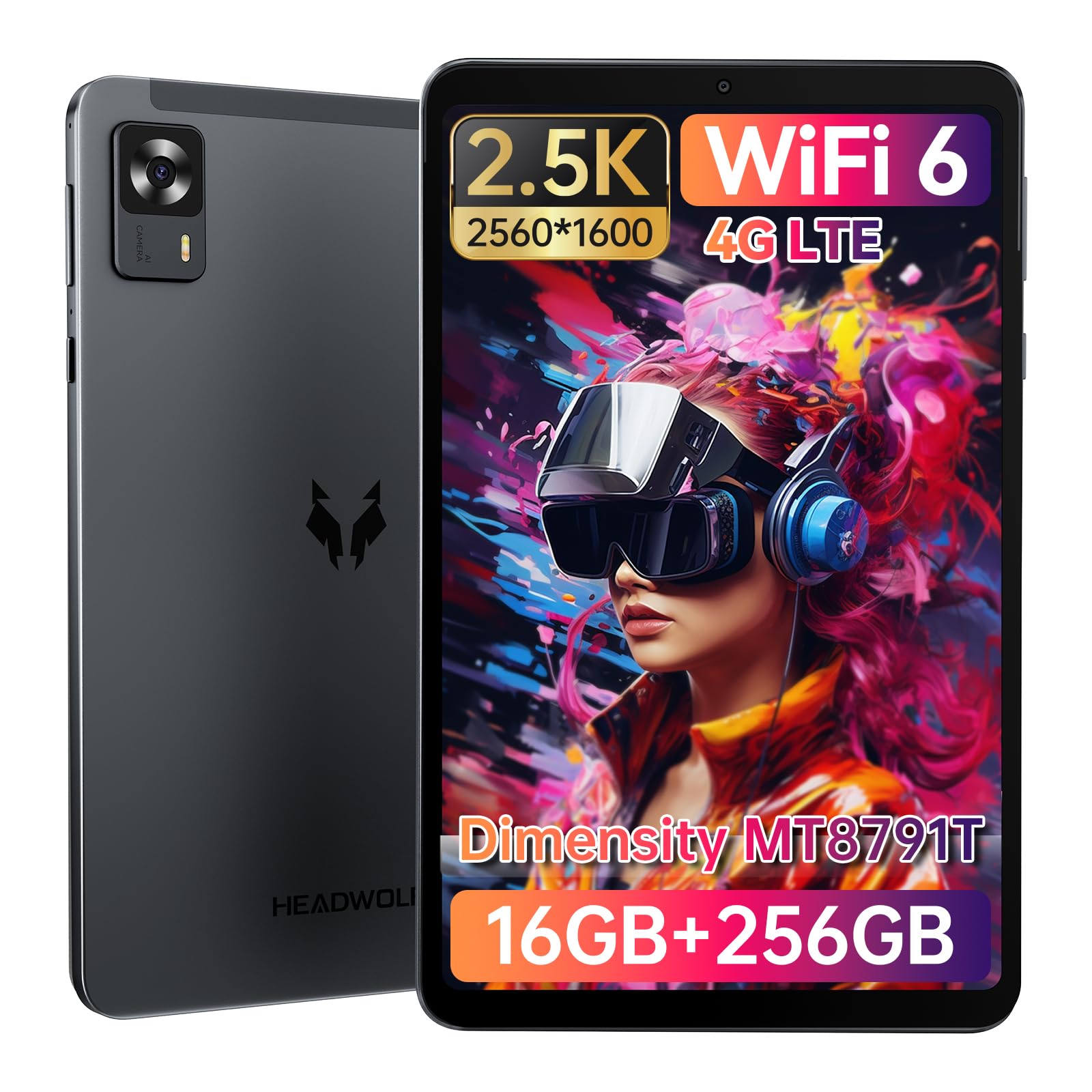
Image: Headwolf FPad7 tablet showcasing its display and sleek design.
2. Safety Information
Please read all safety information before using your device to ensure safe and proper use. Keep this manual for future reference.
- Do not expose the device to extreme temperatures, direct sunlight, or high humidity.
- Avoid dropping or subjecting the device to strong impacts.
- Use only approved chargers and accessories to prevent damage and ensure safety.
- Keep the device away from water and other liquids.
- Do not attempt to disassemble or repair the device yourself. Contact qualified service personnel.
3. Package Contents
Verify that all items are present in your Headwolf FPad7 package:
- Headwolf FPad7 Tablet
- USB-C Cable
- PD18W Charging Adapter
- SIM Card Pin
- User Manual (Japanese)

Image: Contents of the Headwolf FPad7 package, including the tablet, charger, cable, and manual.
4. Product Overview
Familiarize yourself with the physical components and key features of your Headwolf FPad7 tablet.
4.1 Physical Components

Image: Detailed diagram illustrating the location of buttons, ports, and cameras on the Headwolf FPad7.
- Front Camera: 8MP for video calls and selfies.
- Back Camera: 16MP for high-resolution photos and videos.
- Card Slot: Supports dual SIM cards or one SIM card and one SD card for expanded storage.
- Volume Buttons: Adjust the audio volume.
- Reset Button: Used to restart the device if it becomes unresponsive.
- Power Button: Turns the device on/off or puts it to sleep/wakes it up.
- USB-C Charging Port: For charging and data transfer.
4.2 Key Features
- Processor: MediaTek Dimensity 7050 (MT8791T) Octa-core CPU with ARM Mali-G68 MC4 GPU for smooth performance.
- Display: 8.4-inch 2560x1600 IPS display with 450nit brightness and Widevine L1 support.
- Memory & Storage: 16GB LPDDR5 RAM (8GB physical + 8GB virtual expansion) and 256GB UFS 3.1 ROM.
- Connectivity: 4G LTE, Wi-Fi 6 (802.11ax), Bluetooth 5.2.
- Battery: 6500mAh with PD18W fast charging.
- Operating System: Android 15 with features like Private Space, Single App Recording, App Pair, and Google Gemini AI.
- Sensors: 6-axis gyroscope, GPS (Beidou, Galileo, Glonass), Face Recognition.
5. Setup
5.1 Initial Power On
Press and hold the Power button until the Headwolf logo appears. Follow the on-screen prompts to complete the initial setup.
5.2 Language and Time Zone Settings
During the initial setup, you will be prompted to select your preferred language and time zone. If you need to change the language to Japanese, follow the steps in the video below.
Video: Instructions on how to set the display language to Japanese on an Android 15 tablet.
5.3 Wi-Fi Connection
Connect your tablet to a Wi-Fi network for internet access. It is recommended to skip Wi-Fi connection during initial setup if your Wi-Fi environment is unstable, and connect later. The FPad7 supports Wi-Fi 6 for faster and more stable connections.
6. Operating Instructions
6.1 Display Settings
Adjust the brightness, font size, and display size to your preference for optimal viewing comfort. The FPad7's 2560x1600 display offers crisp visuals.
Video: Guide on adjusting brightness, display size, and text size on an Android tablet.
6.2 Memory Expansion
The FPad7 features smart virtual memory expansion, allowing the 8GB RAM to be extended by up to an additional 8GB from storage, boosting execution speed by 30%.

Image: Visual representation of the tablet's LPDDR5 RAM and UFS 3.1 ROM, highlighting memory expansion.
6.3 4G LTE Connectivity
Insert a SIM card into the card slot to enable 4G communication, including calls and SMS. Ensure your SIM card's frequency band is supported by the device. The FPad7 supports a wide range of 2G, 3G, and 4G bands.

Image: The Headwolf FPad7 demonstrating 4G LTE capabilities for communication on the go.
6.4 Camera Usage
Capture high-quality photos and videos with the 16MP rear camera and take clear selfies or make video calls with the 8MP front camera.

Image: The Headwolf FPad7's front and rear cameras, highlighting their high-resolution capabilities.
6.5 Face Recognition
Utilize face recognition for smart and secure unlocking of your device, enhancing daily convenience and security.
6.6 GPS Navigation
The tablet supports GPS, Beidou, Galileo, and Glonass satellite systems, providing accurate location information for navigation apps and outdoor activities.

Image: The Headwolf FPad7 used for GPS navigation in a vehicle.
6.7 Wireless Projection
The FPad7 supports wireless projection, allowing you to cast your screen to compatible devices for a larger viewing experience.
6.8 USB-C Port Functions
The USB-C port supports data transfer (USB 2.0), charging, and OTG (On-The-Go) functionality for connecting external devices like USB drives.
7. Maintenance
To ensure the longevity and optimal performance of your Headwolf FPad7, follow these maintenance guidelines:
- Cleaning: Use a soft, lint-free cloth to clean the screen and body. Avoid abrasive cleaners or solvents.
- Battery Care: Avoid fully discharging the battery frequently. For long-term storage, charge the battery to about 50%.
- Software Updates: Regularly check for and install system updates to ensure your device has the latest features and security patches.
- Storage Management: Periodically clear unnecessary files and apps to free up storage space and maintain performance.
8. Troubleshooting
Here are solutions to some common issues you might encounter:
| Issue | Possible Solution |
|---|---|
| Device does not power on | Ensure the battery is charged. Connect the charger and try again. If unresponsive, press and hold the power button for 10-15 seconds. |
| Wi-Fi connection issues | Restart the tablet and your Wi-Fi router. Check if other devices can connect to the network. Ensure the Wi-Fi password is correct. |
| Slow performance | Close unused applications. Clear cache and temporary files. Consider performing a factory reset if the issue persists (back up your data first). |
| Battery drains quickly | Reduce screen brightness. Disable unused features like Bluetooth or GPS. Close background apps. Check for apps consuming excessive power in battery settings. |
9. Specifications
Detailed technical specifications for the Headwolf FPad7 tablet:
| Feature | Specification |
|---|---|
| Brand | Headwolf |
| Model Name | FPad7 |
| Operating System | Android 15 |
| Screen Size | 8.4 inches |
| Display Resolution | 2560x1600 pixels |
| CPU | MediaTek Dimensity 7050 (MT8791T) @ 2 GHz |
| RAM | 16 GB LPDDR5 (8GB + 8GB Expansion) |
| Storage | 256 GB UFS 3.1 |
| Rear Camera | 16 MP |
| Front Camera | 8 MP |
| Battery Capacity | 6500 mAh |
| Fast Charging | PD18W |
| Connectivity | 4G LTE, Wi-Fi 6 (802.11ax), Bluetooth 5.2 |
| Navigation | GPS, Beidou, Galileo, Glonass |
| Weight | 660 g |
10. Warranty and Support
Headwolf provides comprehensive support for your FPad7 tablet:
- Manufacturer Warranty: 1 year.
- Repair Center: Tokyo repair center available.
- Customer Support: Japanese language support is available.
For any inquiries, please contact customer support through your Amazon account:
- Go to the product page, click on the store name, then 'Ask a question'.
- Alternatively, go to your Amazon account → Order History → Select the relevant order → Contact Seller.
Note: Damage caused by human factors, disasters, or other force majeure events is not covered under warranty.
