Introduction
Thank you for purchasing the RadioShack 40W IPX5 Portable Bluetooth Speaker. This speaker is designed to deliver powerful, immersive audio with versatile connectivity and a dynamic LED light show, suitable for both indoor and outdoor use. Please read this manual carefully before using the product to ensure proper operation and to maximize your listening experience. Keep this manual for future reference.
Important Safety Information:
- Do not expose the speaker to extreme temperatures or direct sunlight for extended periods.
- Avoid dropping or subjecting the speaker to strong impacts.
- Do not attempt to disassemble or modify the speaker. This will void the warranty.
- Keep the speaker away from medical devices.
- Use only the provided charging cable or a certified equivalent.
Product Overview
Familiarize yourself with the components of your RadioShack 40W IPX5 Portable Bluetooth Speaker.
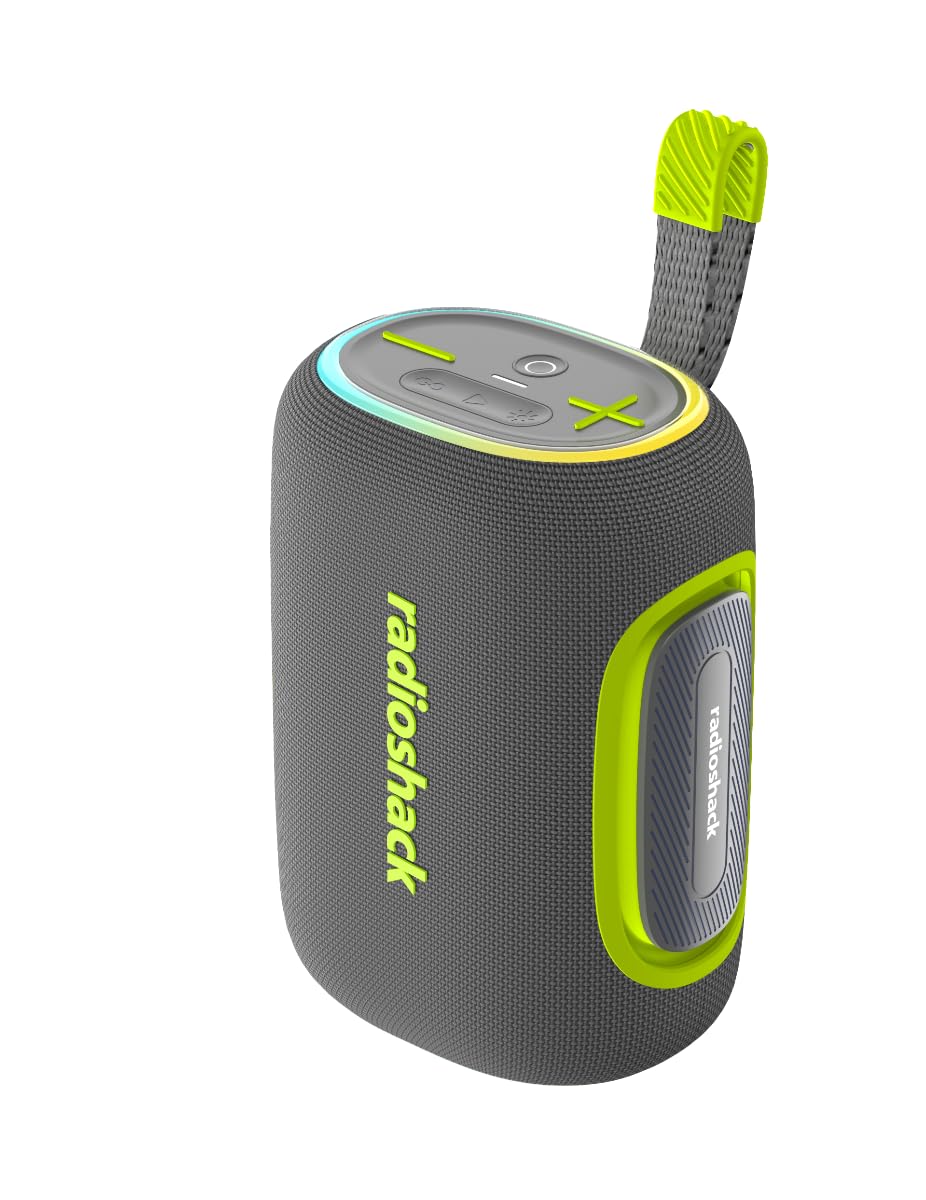
This image displays the RadioShack 40W IPX5 Portable Bluetooth Speaker from two angles, highlighting its compact design, control buttons on top, the 'radioshack' branding on the side, and the vibrant LED light ring at the base. The speaker features a durable fabric finish and a convenient carrying strap.
Package Contents:
- RadioShack 40W IPX5 Portable Bluetooth Speaker
- Power Cable
- User Manual
Speaker Components:
- Power Button: Press and hold to power on/off. Short press to play/pause.
- Volume Down / Previous Track Button: Short press for volume down, long press for previous track.
- Volume Up / Next Track Button: Short press for volume up, long press for next track.
- Mode Button: Short press to switch between Bluetooth, AUX, USB, and TF card modes.
- LED Light Mode Button: Short press to cycle through 7 LED light modes.
- TWS Pairing Button: Press to initiate True Wireless Stereo pairing.
- Charging Port (USB-C): For charging the speaker.
- USB Port: For USB drive playback.
- TF Card Slot: For TF card playback.
- AUX Input: For connecting external audio devices via 3.5mm cable.
- LED Light Ring: Displays various light modes.
- Carrying Strap: For portability.
Setup
1. Charging the Speaker
- Before first use, fully charge the speaker.
- Connect the provided power cable to the speaker's charging port and a suitable USB power adapter (not included).
- The charging indicator light will illuminate during charging and turn off when fully charged.
- A full charge takes approximately 3-4 hours.
2. Powering On/Off
- To power on, press and hold the Power Button for 2-3 seconds until you hear an audible prompt and the LED lights activate.
- To power off, press and hold the Power Button for 2-3 seconds again.
Operating Instructions
1. Bluetooth Pairing
- Power on the speaker. It will automatically enter Bluetooth pairing mode, indicated by a flashing LED light.
- On your device (smartphone, tablet, etc.), enable Bluetooth and search for available devices.
- Select "RadioShack Speaker" from the list.
- Once paired, the speaker will emit an audible confirmation, and the LED light will stop flashing.
- The speaker features auto-reconnect memory and will attempt to connect to the last paired device when powered on.
2. True Wireless Stereo (TWS) Pairing
TWS allows you to connect two RadioShack 40W IPX5 Portable Bluetooth Speakers for a stereo sound experience.
- Ensure both speakers are powered on and not connected to any Bluetooth device.
- On one speaker, press the TWS Pairing Button. It will enter TWS pairing mode.
- The second speaker will automatically connect to the first. You will hear an audible confirmation when TWS pairing is successful.
- Now, connect your device to the primary speaker via Bluetooth as described in step 1. Both speakers will play audio in stereo.
3. Basic Controls
- Play/Pause: Short press the Power Button.
- Volume Up: Short press the Volume Up (+) Button.
- Volume Down: Short press the Volume Down (-) Button.
- Next Track: Long press the Volume Up (+) Button.
- Previous Track: Long press the Volume Down (-) Button.
- Answer/End Call: Short press the Power Button during an incoming call.
- Reject Call: Long press the Power Button during an incoming call.
4. Mode Selection
Press the Mode Button to cycle through available input sources:
- Bluetooth Mode: For wireless audio streaming.
- AUX Mode: For wired connection via 3.5mm audio cable (not included).
- USB Mode: For playing audio from a USB flash drive.
- TF Card Mode: For playing audio from a TF (MicroSD) card.
5. LED Light Show
The speaker features a dynamic 7-mode LED light show. Press the LED Light Mode Button to cycle through different lighting effects or to turn the lights off.
Media Integration
This video showcases the RadioShack 40W IPX5 Portable Bluetooth Speaker in action. It highlights key features such as the dynamic 7-mode LED light show, the IPX5 water-resistant design, and the ease of use for outdoor and indoor environments. The video also briefly demonstrates the speaker's control panel and port access.
Maintenance
Cleaning:
- Wipe the speaker with a soft, damp cloth.
- Do not use abrasive cleaners, alcohol, or chemical solvents.
- Ensure all port covers are securely closed before cleaning or exposing to water.
Storage:
- Store the speaker in a cool, dry place away from direct sunlight.
- If storing for an extended period, charge the battery to approximately 50% every three months to prolong battery life.
Water Resistance (IPX5):
The speaker is IPX5 water-resistant, meaning it can withstand splashes and light rain. It is not designed to be submerged in water. Ensure all port covers are tightly sealed before exposing the speaker to water.
Troubleshooting
| Problem | Possible Cause | Solution |
|---|---|---|
| Speaker won't turn on. | Low battery. | Charge the speaker fully. |
| No sound. | Volume too low; incorrect mode; device not connected. | Increase volume; switch to correct input mode (Bluetooth, AUX, USB, TF); ensure device is paired. |
| Bluetooth not connecting. | Speaker not in pairing mode; device Bluetooth off; too far from speaker. | Ensure speaker is in pairing mode; enable Bluetooth on your device; move device closer (within 32 ft); forget speaker from device's Bluetooth list and re-pair. |
| TWS pairing failed. | Speakers already connected to a device; too far apart. | Disconnect both speakers from any Bluetooth devices; ensure they are close to each other; try TWS pairing again. |
| LED lights not working. | Lights turned off; malfunction. | Press the LED Light Mode Button to cycle through modes; if still not working, contact support. |
Specifications
| Feature | Specification |
|---|---|
| Brand | RadioShack |
| Model Number | 4001793 |
| Speaker Output Power | 40 Watts |
| Connectivity Technology | Auxiliary, Bluetooth, USB |
| Audio Output Mode | Stereo |
| Mounting Type | Floor Standing |
| Enclosure Material | Plastic |
| Speaker Type | Portable Speaker |
| Additional Features | Auto-Reconnect Memory, LED Light Show, Portable, TWS Pairing, Water Resistant |
| Color | Black |
| Water Resistance Rating | IPX5 Water-resistant |
| Bluetooth Range | 32 Feet |
| Control Method | Touch |
| Power Source | Battery Powered |
| Battery Capacity | 4400mAh (approx. 6 hours playtime) |
| Item Dimensions (D x W x H) | 6.69"D x 5.12"W x 8.66"H |
| Item Weight | 2.98 Pounds |
| Compatible Devices | Aux Devices, Bluetooth Devices, TF Card, USB Devices |
Warranty and Support
Warranty Information:
This RadioShack product is covered by a 1-Year Manufacturer Warranty. This warranty covers defects in materials and workmanship under normal use. Please retain your proof of purchase for warranty claims. The warranty period for certain components may be 6 months as specified by the manufacturer.
Customer Support:
For technical assistance, warranty inquiries, or replacement parts, please contact RadioShack Customer Support. Refer to the official RadioShack website or your purchase documentation for the most current contact information.
Online Support: www.radioshack.com/contact-us


