
1. Introduction and Overview
This manual provides essential information for the safe and efficient use of your LG 43 Inch Class UA77 Series LED AI 4K Smart webOS TV (2025 Model). Please read it thoroughly before operating the television and retain it for future reference.
The LG UA77 Series TV features a 4K UHD display, delivering sharp detail and vibrant colors. It incorporates an advanced AI Processor for enhanced contrast, color accuracy, and upscaling of lower-resolution content. With HDR10 and HLG support, the television provides an immersive viewing experience. The webOS 25 platform offers quick access to streaming applications, and ThinQ AI enables hands-free voice control through integrated assistants.
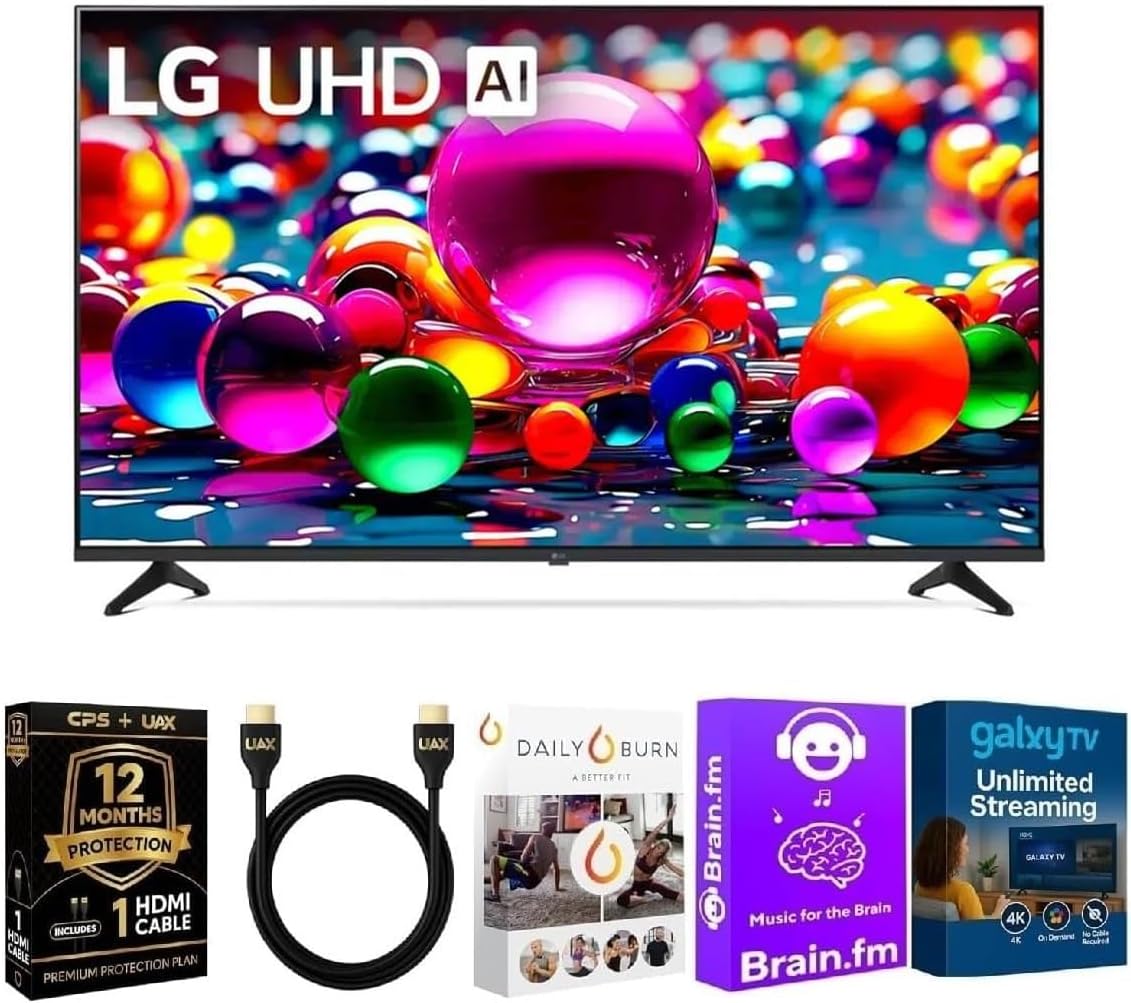
Figure 1.1: LG 43 Inch Class UA77 Series 4K Smart webOS TV with included accessories.
2. Setup
2.1 Unboxing and Initial Inspection
Carefully remove the television and all components from the packaging. Verify that all items listed in the 'What's in the Box' section are present and undamaged. The included components are the TV unit and a Power Cable.
2.2 Physical Setup
Place the television on a stable, level surface or mount it securely to a wall using a compatible VESA mount (sold separately). Ensure adequate ventilation around the TV. Refer to the dimensions provided in the specifications section for proper placement.

Figure 2.1: TV dimensions and items included in the box.
2.3 Connecting Peripherals
Connect external devices such as cable boxes, gaming consoles, or soundbars to the appropriate ports on the television. The TV supports multiple HDMI inputs, USB ports, Ethernet, and Wi-Fi 6 for network connectivity, and Bluetooth for wireless accessories.

Figure 2.2: Rear connection ports (LAN, Optical Digital Audio Out, ANT IN, HDMI).

Figure 2.3: Side connection ports (USB IN, HDMI IN).
2.4 Power Connection
Plug the power cable into the TV's power input and then into a wall outlet. The TV is now ready for initial power-on.
3. Operating Instructions
3.1 Initial Setup Wizard
Upon first power-on, the TV will guide you through an initial setup process. This includes language selection, network connection (Wi-Fi or Ethernet), and channel scanning. Follow the on-screen prompts.
3.2 webOS 25 Smart Platform
The webOS 25 platform provides a user-friendly interface for accessing streaming services, live TV, and other features. Navigate using the included remote control. Popular apps like Netflix, YouTube, Prime Video, and Disney+ are readily available.
3.3 ThinQ AI and Voice Control
Utilize ThinQ AI for hands-free control. The TV integrates with Alexa and Google Assistant, allowing you to use voice commands for tasks such as changing channels, adjusting volume, searching for content, and controlling smart home devices.

Figure 3.1: Included remote control for navigation and voice commands.
3.4 Picture and Sound Settings
Access the TV's settings menu to customize picture and sound. The advanced AI Processor optimizes visuals in real-time, and the TV supports HDR10 and HLG for enhanced dynamic range. The native 60Hz refresh rate with TruMotion ensures smoother motion in fast-paced scenes.

Figure 3.2: The LG Alpha 7 AI Processor Gen8 enhances picture and sound quality.
4. Maintenance
4.1 Screen Cleaning
To clean the screen, gently wipe it with a soft, dry, lint-free cloth. For stubborn marks, lightly dampen the cloth with water or a specialized screen cleaner. Avoid using harsh chemicals or abrasive materials.
4.2 General Care
Keep the TV free from dust by regularly wiping the frame and back panel. Ensure ventilation openings are not blocked. Avoid placing the TV in direct sunlight or near heat sources. Disconnect the power cable during electrical storms or when the TV will be unused for extended periods.
5. Troubleshooting
5.1 No Power
- Check if the power cable is securely connected to both the TV and the wall outlet.
- Verify that the wall outlet is functioning by plugging in another device.
- Press the power button on the TV itself, not just the remote, to rule out remote issues.
5.2 No Picture/Sound
- Ensure the correct input source is selected (e.g., HDMI 1, HDMI 2).
- Check all cable connections (HDMI, antenna, etc.) for looseness or damage.
- Adjust the volume on both the TV and any connected audio devices.
5.3 Network Connection Issues
- Restart your router and modem.
- Go to the TV's network settings and attempt to reconnect to your Wi-Fi network.
- If using Ethernet, ensure the cable is securely connected.
5.4 Remote Control Not Working
- Replace the batteries in the remote control.
- Ensure there are no obstructions between the remote and the TV's IR sensor.
6. Specifications
| Feature | Description |
|---|---|
| Brand | LG |
| Model Number | 43UA7700KIT1 |
| Screen Size | 43 Inches |
| Display Technology | LED |
| Resolution | 4K (3840 x 2160) |
| Refresh Rate | 60 Hz |
| Aspect Ratio | 16:9 |
| Product Dimensions (D x W x H) | 10 x 38 x 24 inches |
| Special Features | Built-In Speaker, AI Processor, HDR10, HLG, webOS 25, ThinQ AI, Voice Control (Alexa, Google Assistant) |
| Connectivity Technology | Bluetooth, HDMI, USB, Wi-Fi 6, Ethernet |
| Included Components | Power Cable |
7. Warranty and Support
7.1 Warranty Information
This LG 43 Inch Class UA77 Series TV (2025 Model) includes a 12-Month CPS Warranty. Please refer to the warranty documentation provided with your purchase for full terms and conditions, including coverage details and how to make a claim.
7.2 Customer Support
For further assistance, technical support, or service inquiries, please contact LG Customer Service. You can find contact information on the official LG website or in the documentation included with your television.