
1. Introduction
Thank you for choosing the VERPAL HC820N Series Lightweight Carbon Fiber Electric Wheelchair. This manual provides essential information for the safe and effective operation, maintenance, and care of your new mobility device. Please read this manual thoroughly before using the wheelchair and keep it for future reference.
2. Safety Information
Your safety is paramount. Always adhere to the following safety guidelines:
- Always fasten the seat belt before operating the wheelchair.
- Ensure the anti-tip wheels are properly adjusted for stability.
- Avoid operating the wheelchair on excessively steep inclines beyond its rated capacity (12° maximum).
- Do not exceed the maximum weight capacity of 264 lbs (120 kg).
- Regularly inspect tires, brakes, and battery connections for wear or damage.
- Keep hands and clothing clear of moving parts.
- Use caution when operating near traffic or in crowded areas.
3. Product Overview
The VERPAL HC820N is a lightweight, portable electric wheelchair designed for enhanced mobility and convenience. It features a durable carbon fiber frame, powerful dual motors, and intuitive controls.
Key Features:
- 100% Premium Carbon Fiber Structure: Provides excellent durability and reduces overall weight to 31.5 lbs (14.3 kg).
- Ultra-light & Portable: Folds easily for transportation and storage. Folded dimensions: 29.7 x 15.1 x 28.5 inches.
- User-Friendly Control: Ergonomic joystick with LED headlights, quiet mode, and horn.
- Spacious Comfort: Extra-wide seat (up to 47cm wide, 51cm armrest spacing) for extended use.
- Quick-Fold Compact Design & Tool-Free Battery: Rapid folding and easy battery removal/replacement.
- All-Terrain Capability: 400W brushless DC motor, 12° climbing ability, 2-foot obstacle clearance, and 12-inch solid PU rear wheels.
Product Components:

4. Setup
4.1 Unboxing and Initial Inspection
Carefully remove all components from the packaging. Inspect for any signs of damage. Ensure all listed accessories are present.
4.2 Assembly
- Unfolding the Wheelchair: Gently pull the backrest upwards until the frame locks into place.
- Attaching Footrests: Insert the footrests into the designated slots on the front frame until they click securely. Adjust the height as needed.
- Mounting the Controller: Attach the joystick controller to either the left or right armrest, securing it with the provided fasteners.
- Installing the Battery: Ensure the battery is charged. Align the battery with the contact position under the seat and slide it in until it locks. Press the power button on the battery to activate it.
- Adjusting Anti-Tip Wheels: Ensure the anti-tip wheels are in the correct position for stability, especially on inclines.
- Cushion Installation: Place the seat and backrest cushions onto the wheelchair, securing them with any attached Velcro straps.
- Fasten Seat Belt: Secure the seat belt across the user's lap before driving.
5. Operating Instructions
5.1 Powering On and Off
Press the On/Off button on the joystick controller to power the wheelchair on or off. The battery indicator lights will illuminate.
5.2 Joystick Control
The responsive 360-degree joystick allows for easy and precise control. Gently push the joystick in the desired direction to move. The wheelchair features adjustable speed settings (5 speeds) and sensitivity for various environments.

5.3 Speed Adjustment
Use the acceleration (+) and deceleration (-) buttons on the joystick to adjust the speed. The current speed level is indicated by LED lights.
5.4 Manual and Electric Mode Switching
To switch between electric and manual mode, locate the red levers near the rear wheels. Push the levers up for electric mode and down for manual mode. In manual mode, the wheelchair can be pushed by an attendant.
5.5 Driving on Various Terrains
The VERPAL HC820N is designed for all-terrain use, capable of handling grass, slopes, speed bumps, lawns, and gravel roads. The 400W brushless dual motors provide reliable power for climbing inclines up to 12° and overcoming obstacles up to 2 inches high.

5.6 Maneuverability
The compact design and precise joystick control allow for smooth indoor maneuverability and tight turns, making it suitable for navigating narrow doorways and crowded spaces.
6. Folding and Transport
6.1 One-Step Folding
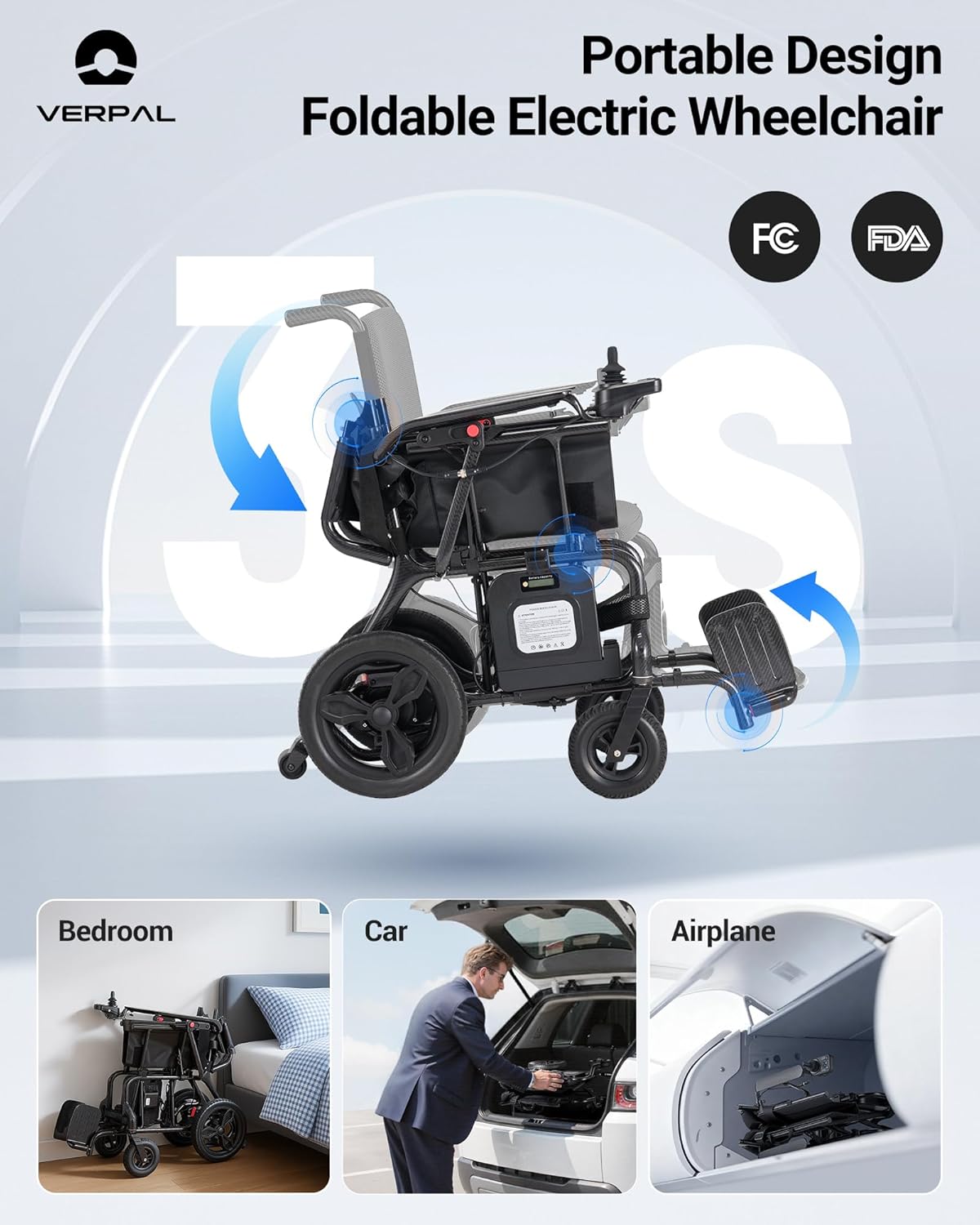
The wheelchair features a quick, one-step folding mechanism. Simply lift the lever at the back of the seat and push the backrest forward to fold the chair compactly.
6.2 Transporting
Once folded, the wheelchair is compact and can be easily lifted and stored in a car trunk or carried for travel. Its lightweight carbon fiber construction makes it manageable for transport.
7. Charging the Battery
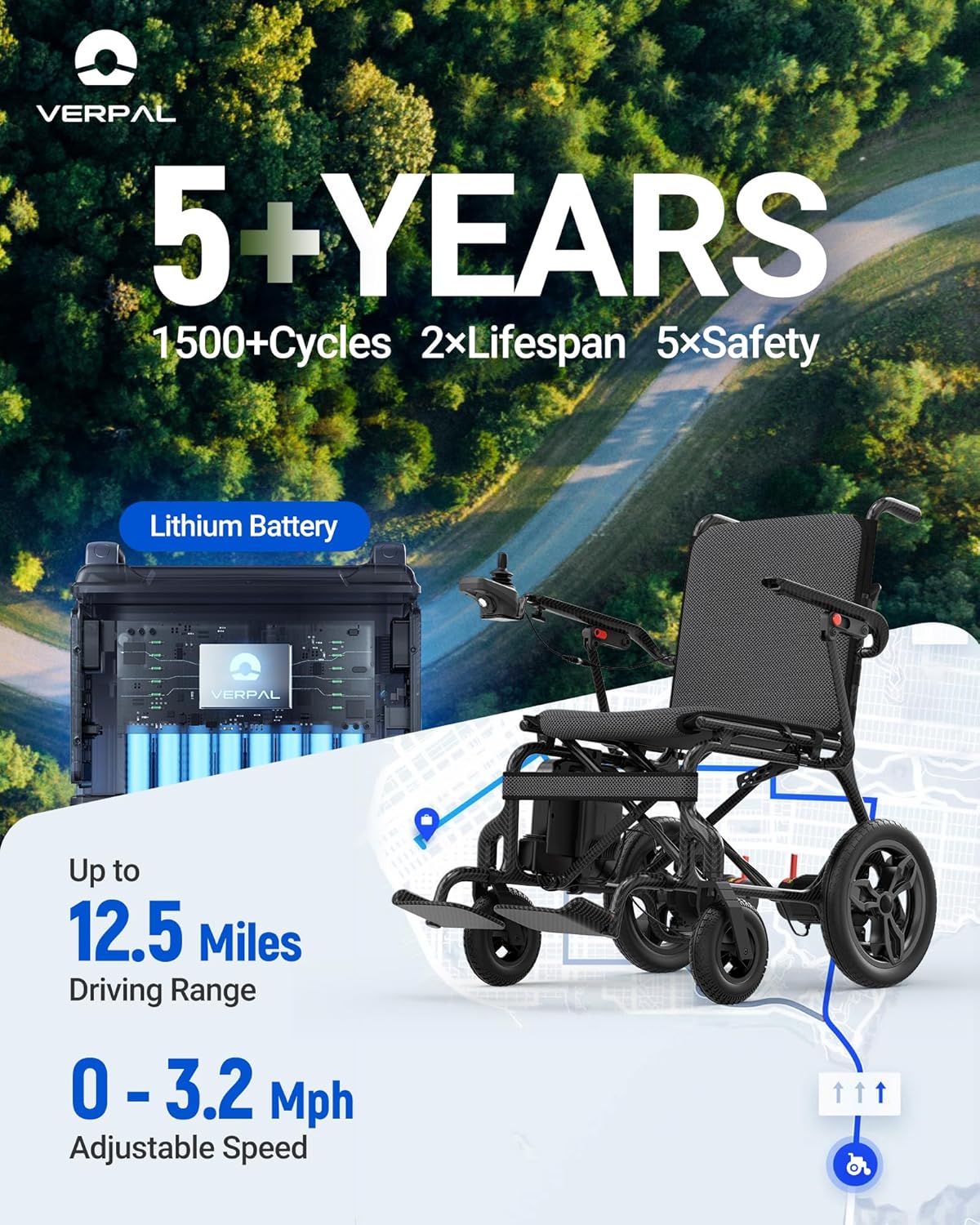
The lithium battery provides a driving range of up to 12.5 miles (20 km) on a single charge. Charging is simple and can be done in two ways:
- Direct Charging: Plug the charger directly into the charging port on the joystick controller.
- Off-Board Charging: Remove the battery from the wheelchair and plug the charger directly into the battery pack.
Ensure the charger's indicator light shows a full charge before use. Always charge the battery after every use to maintain optimal performance and lifespan.
8. Maintenance
8.1 Cleaning
Wipe down the frame and seat with a damp cloth. Avoid using abrasive cleaners. Cushions can be removed for cleaning.
8.2 Battery Care
Store the battery in a cool, dry place. Avoid extreme temperatures. Charge the battery regularly, even if not in use, to prolong its life.
8.3 Wheel and Brake Inspection
Regularly check the wheels for wear and tear. Ensure the brakes are functioning correctly. The intelligent electromagnetic brake system provides reliable stopping power.
9. Troubleshooting
| Problem | Possible Cause | Solution |
|---|---|---|
| Wheelchair does not power on. | Battery not installed correctly or discharged. | Ensure battery is fully inserted and charged. Check battery power button. |
| Wheelchair does not move. | Manual mode engaged or joystick not responding. | Switch to electric mode. Check joystick connection. |
| Reduced range or power. | Low battery charge or aging battery. | Fully charge the battery. Consider battery replacement if performance does not improve. |
10. Specifications
| Feature | Specification |
|---|---|
| Product Dimensions (Unfolded) | 35.2"D x 37.4"W x 24.8"H |
| Folded Dimensions | 29.7 x 15.1 x 28.5 inches |
| Weight (with battery) | 31.5 lbs (14.3 kg) |
| Frame Material | Carbon Fiber |
| Motor Power | 400W Brushless Dual Motor |
| Max Speed | 3.2 mph (5.1 km/h) |
| Driving Range | Up to 12.5 miles (20 km) |
| Battery Type | Lithium-ion (24V 10AH) |
| Max Climbing Ability | 12° |
| Max Obstacle Clearance | 2 inches |
| Weight Capacity | 264 lbs (120 kg) |
| Seat Width | 17.7 inches (45 cm) |
| Armrest Spacing | 20.1 inches (51 cm) |
11. Warranty and Support
For warranty information, please refer to the specific warranty card included with your product or contact VERPAL customer support. If you encounter any issues or have questions regarding your wheelchair, please reach out to our customer service team for assistance.