
Introduction
Thank you for purchasing the BYKISTOK 46-inch Tropical Palm Leaf RGB Ceiling Fan with Lights. This manual provides essential information for the safe installation, operation, and maintenance of your new ceiling fan. Please read these instructions thoroughly before installation and retain them for future reference.
Safety Information
- Ensure power is disconnected at the circuit breaker before installation or servicing.
- All electrical wiring must be performed by a qualified electrician in accordance with local codes and regulations.
- Mount the fan to a ceiling joist or support structure capable of supporting the fan's weight.
- Do not expose the fan directly to rain; suitable for indoor and covered outdoor use only.
- Keep hands and objects clear of the fan blades during operation.
Setup and Installation
This section outlines the steps for installing your BYKISTOK ceiling fan. For a visual guide, please refer to the installation video below.
Installation Video Guide
This video provides a step-by-step guide for installing the Palm Leaf RGB Ceiling Fan with Lights.
General Installation Steps
- Prepare the Mounting Bracket: Secure the mounting bracket to a ceiling junction box or support beam. Ensure it is firmly attached and can support the fan's weight.
- Wiring Connections: Connect the fan's electrical wires to your household wiring according to the wiring diagram provided in the full manual and shown in the installation video. Use appropriate wire connectors.
- Attach the Fan Body: Carefully lift the fan motor assembly and attach it to the mounting bracket. Ensure all safety cables and connections are secure.
- Install Fan Blades: Attach the five palm leaf design blades to the motor housing using the provided screws. Ensure they are securely fastened.
- Install LED Light Kit: Connect the LED light kit wiring and secure the light fixture to the bottom of the fan motor.
- Attach Light Cover: Secure the light cover by twisting or locking it into place.

Figure 1: Fan Dimensions and Installation Height. Suitable for 8-10 ft flat ceilings and spaces of 150-225 sq ft. Designed for flush mount installation.
Operating Instructions
Your BYKISTOK ceiling fan offers versatile control options via the included remote control and a smartphone application.
Remote Control Functions
The remote control allows you to manage all fan and light features:
- Power On/Off: Turn the fan and lights on or off.
- Fan Speed: Select from 6 adjustable fan speeds (1-6).
- Light Control: Turn the main LED light on/off, adjust brightness (10%-100% dimmable), and change color temperature (3000K Warm, 4500K Neutral, 6000K Cool White).
- RGB Side Light: Activate the side RGB multi-mode light, switch between 4 RGB modes, or turn it off.
- Reversible Function: Change the fan's direction for summer (downward airflow) or winter (upward airflow to redistribute warm air). Press the F/R key and wait 5-8 seconds for the fan to stop and reverse automatically.
- Timer: Set a 2-hour timer for automatic fan shutdown.
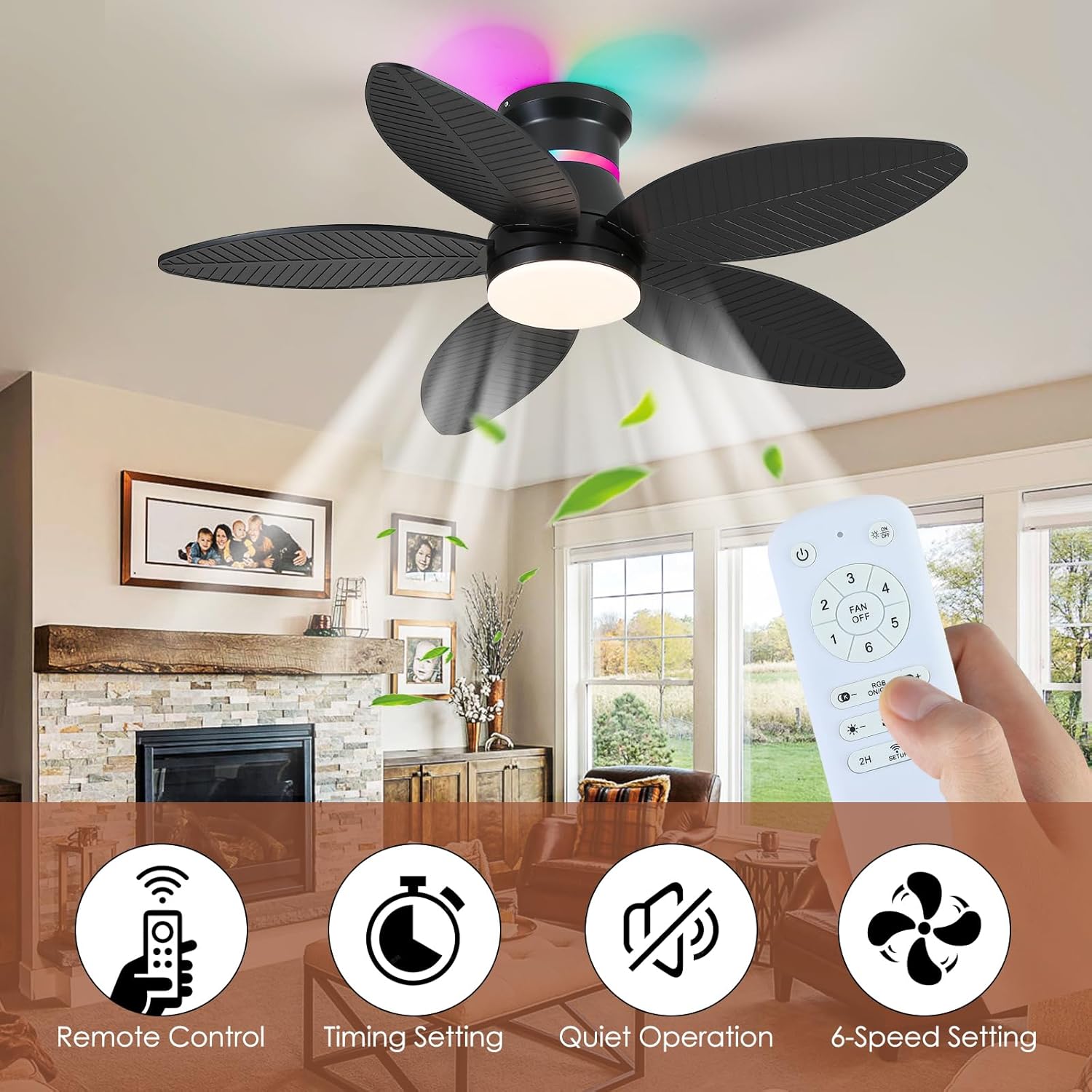
Figure 2: Remote Control Layout. Use the remote to access all fan and light settings.
App Control
The fan can also be controlled via a smartphone application, offering similar functionalities to the remote control. Your last brightness and color temperature settings will be memorized by default when using the remote or app.

Figure 3: Smartphone App Interface for fan control.
Reversible Airflow
The fan features a reversible DC motor, allowing you to optimize airflow for different seasons:
- Summer Mode: Forward rotation creates a downward airflow, providing a cooling breeze.
- Winter Mode: Reverse rotation creates an upward airflow, circulating warm air trapped near the ceiling.

Figure 4: Reversible Fan Functionality for year-round comfort.
RGB Lighting Features
The fan includes a side RGB light with multiple modes to enhance ambiance. The main LED light offers 3 color temperatures and dimming capabilities.
This video demonstrates the RGB lighting features and various light modes of the ceiling fan.
Maintenance
Regular maintenance ensures optimal performance and longevity of your ceiling fan.
- Cleaning: Use a soft, damp cloth to clean the fan blades and motor housing. Do not use abrasive cleaners or solvents.
- Blade Inspection: Periodically check that all blade screws are tight. Loose blades can cause wobbling and noise.
- Light Cover: Ensure the light cover is securely attached.
- No Lubrication Needed: The DC motor is permanently lubricated and does not require additional oiling.
Troubleshooting
If you experience issues with your fan, consult the following common problems and solutions:
| Problem | Possible Cause | Solution |
|---|---|---|
| Fan does not start | No power to the fan; Loose wire connections; Remote control battery low. | Check circuit breaker; Verify all wire connections are secure; Replace remote control batteries. |
| Light does not work | Loose wire connection; LED module failure. | Check light kit wiring; Contact customer support for replacement LED module. |
| Fan wobbles | Loose blade screws; Unbalanced blades; Loose mounting bracket. | Tighten all blade screws; Ensure blades are balanced (refer to full manual for balancing kit instructions if needed); Verify mounting bracket is secure. |
| Remote control not working | Low battery; Remote not paired. | Replace remote battery; Follow pairing instructions in the full manual. |
| Fan is noisy | Loose screws; Motor issue. | Check and tighten all screws; If noise persists, contact customer support. This fan operates under 30dB. |
Specifications
- Brand: BYKISTOK
- Model Number: 8967Black-46in
- Electric Fan Design: Ceiling Fan
- Color: Black-Palm Leaf
- Power Source: DC
- Product Dimensions: 7"D x 8.99"W x 8"H (Note: This appears to be packaging dimensions, actual fan diameter is 46 inches)
- Room Type: Bedroom, Dining Room, Living Room
- Special Features: LED Light, Remote Controlled, RGB Side Light, Reversible 6 Speeds, Timer
- Recommended Uses: Air Circulation
- Mounting Type: Flush Mount (suitable for 8-10 ft flat ceilings)
- Material: Plastic (Blades)
- Noise Level: Under 30 Decibels
- Light Output: Up to 1800LM, 10%-100% Dimmable
- Color Temperature: 3000K Warm Light, 4500K Neutral Light, 6000K Cool White Light
- Included Components: Light Kit, Remote
Warranty and Support
For warranty information, technical support, or replacement parts, please refer to the warranty card included with your product or contact BYKISTOK customer service directly. Keep your purchase receipt as proof of purchase.