
Introduction
Thank you for choosing the WAMPAT 3-in-1 Modern Farmhouse TV Stand. This manual provides essential information for the safe assembly, operation, and maintenance of your new entertainment center. Please read these instructions carefully before beginning assembly and retain them for future reference.
Safety Information
- Always secure the TV stand to the wall using the provided anti-tip hardware to prevent tip-over, especially in households with children or pets.
- Be cautious of sharp edges during assembly and use.
- Do not exceed the maximum weight capacity of 220 lbs (100 kg) for the top surface.
- Ensure all connections are secure before placing a television or other items on the stand.
- Keep small parts and packaging materials away from children.
Package Contents
Before assembly, verify that all components and hardware are present. Refer to the included installation instructions for a detailed list of parts. The package typically includes:
- Product Components (wood panels, shelves, doors)
- Installation Toolkits (screws, pins, connectors, handles, sliding door hardware)
- Installation Instructions (detailed step-by-step guide with diagrams)
If any parts are missing or damaged, please contact WAMPAT customer support for assistance.
Setup and Assembly
Assembly is required for this TV stand. Follow the step-by-step instructions provided in the separate assembly manual. Each screw, pin, and board is clearly coded for easy identification. Clear diagrams are included to guide you through the process.
- Unpack Components: Carefully remove all parts from the packaging. Lay them out on a clean, soft surface to prevent scratches.
- Identify Parts: Match each component with the corresponding labels in the assembly manual.
- Follow Step-by-Step Instructions: Assemble the unit according to the sequence outlined in the manual. Ensure all connections are tightened securely.
- Install Anti-Tip Hardware: Once assembled, secure the TV stand to a wall using the anti-tip hardware to prevent accidental tipping.

Image: The WAMPAT TV stand integrated into a living room, showcasing its design and functionality with a television.
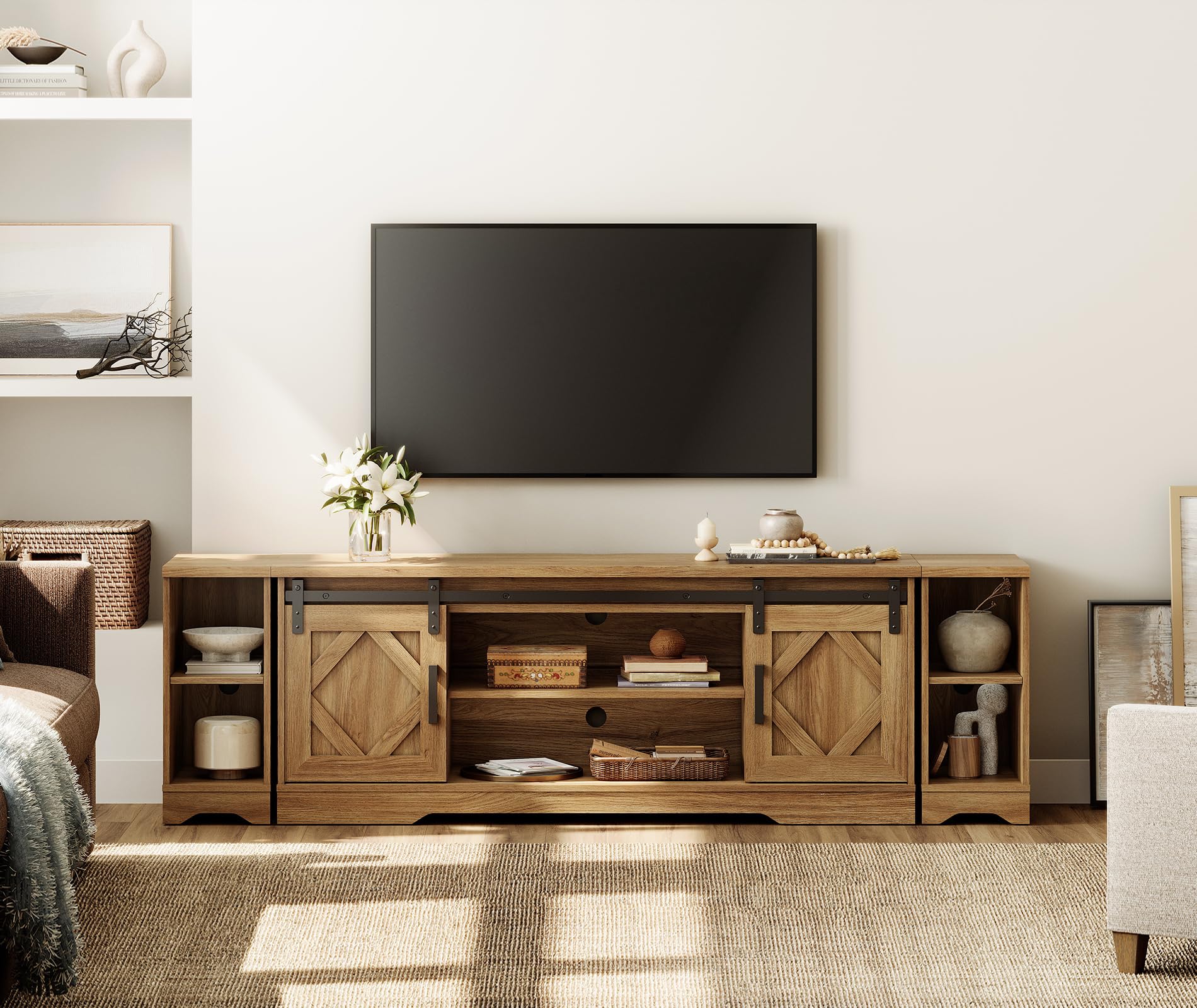
Image: A diagram illustrating the overall dimensions and internal compartment measurements of the TV stand.
Operating Instructions
Cable Management
The TV stand features two rear cord holes to route cables from both upper and lower media shelves up to your television. An arc design behind the top panel helps prevent cords from pinching when the stand is placed flush against a wall, ensuring a tidy and organized appearance.

Image: Detail showing the built-in cable management holes and groove design on the back panel for organized wiring.
Sliding Barn Doors
The two sliding barn doors conceal cabinet storage spaces, allowing you to keep gaming gear, media accessories, or other items out of sight. The doors slide smoothly along a top track, providing flexible access to the central compartments or side shelving.

Image: A close-up view of the sliding barn door mechanism, illustrating how the doors move along the track.
Adjustable Shelving
The central media shelf offers three adjustable height options, accommodating various devices such as soundbars, media consoles, or decorative items. The side open bookshelves provide additional space for novels or display items.

Image: A visual representation of the adjustable shelf feature, showing different height settings.
Maintenance
The TV stand features a specially coated surface designed to be stain-resistant and easy to clean. To maintain its appearance:
- Wipe spills immediately with a damp cloth.
- For general cleaning, use a soft, damp cloth. Avoid abrasive cleaners or harsh chemicals, as these can damage the finish.
- Dust regularly with a dry, soft cloth.
- Avoid placing hot items directly on the surface without protection.

Image: A demonstration of the stain-resistant surface, showing a liquid spill being easily wiped away.
Troubleshooting
If you encounter any issues with your WAMPAT TV stand, consider the following:
- Wobbling: Ensure all screws and fasteners are fully tightened. Check that the stand is on a level surface.
- Sliding Doors Sticking: Inspect the sliding track for any obstructions or debris. Ensure the doors are properly seated on the track.
- Missing Parts: Refer to the package contents list in your assembly manual. Contact customer support if parts are missing.
- Damage During Assembly: If a component is damaged during assembly, stop and contact customer support for replacement parts.
Specifications
| Brand | WAMPAT |
| Model Number | W01E215CD+W06E303JD-F2 |
| Color | Light Walnut |
| Material Type | Engineered Wood |
| Dimensions (L x W x H) | 78.74 x 15.35 x 23.62 inches |
| Item Depth | 15.4 inches |
| Item Weight | 112 Pounds |
| TV Size Compatibility | Up to 85 inches |
| Number of Shelves | 3 (adjustable) |
| Additional Features | Adjustable Shelf, Cable Management |
| Assembly Required | Yes |
Customer Support
For any questions, concerns, or assistance with your WAMPAT TV stand, please refer to the contact information provided with your purchase or visit the official WAMPAT website for support resources.


