
1. Safety Information
Please read and understand all instructions before beginning installation. Failure to follow these instructions may result in electric shock, fire, or personal injury.
- Electrical Safety: Ensure the power is turned off at the circuit breaker before installation or servicing. All wiring must be in accordance with national and local electrical codes. If you are unfamiliar with electrical wiring, consult a qualified electrician.
- Mounting: The ceiling fan must be mounted to a structurally sound ceiling joist or outlet box capable of supporting the fan's weight (minimum 35 lbs).
- Blade Clearance: Ensure there is adequate clearance from the fan blades to any walls or obstructions. Blades should be at least 7 feet (2.13 meters) from the floor.
- Motor Operation: Do not insert objects into the path of the fan blades while the fan is operating.
- Light Kit: Do not attempt to replace the LED light panel while the power is on.
- Remote Control: Keep the remote control out of reach of children.
2. Product Overview
The Ohniyou 52 Inch Low Profile Ceiling Fan with Lights (Model GLX047) offers smart control, quiet operation, and customizable comfort for various indoor and covered outdoor spaces.
Key Features:
- Smart Control: Operate via remote control or a dedicated mobile application.
- Customizable Comfort: Adjust fan speed, light brightness, and color temperature. Features a memory function for previous settings.
- Powerful & Quiet DC Motor: Delivers up to 5475 CFM airflow with a noise level below 20 dB. Energy-efficient for year-round use.
- Dimmable LED Light: Integrated 18W LED light source with 10-100% brightness adjustment and 3 color temperatures (3000K, 4500K, 6000K). The LED panel is replaceable.
- 5-Blade Modern Design: Features double-sided plywood blades, suitable for low ceilings.
- Reversible Function: Allows for downward airflow in summer and upward airflow in winter to optimize air circulation.
- Timer Function: Set automatic shut-off for 1, 4, or 8 hours.
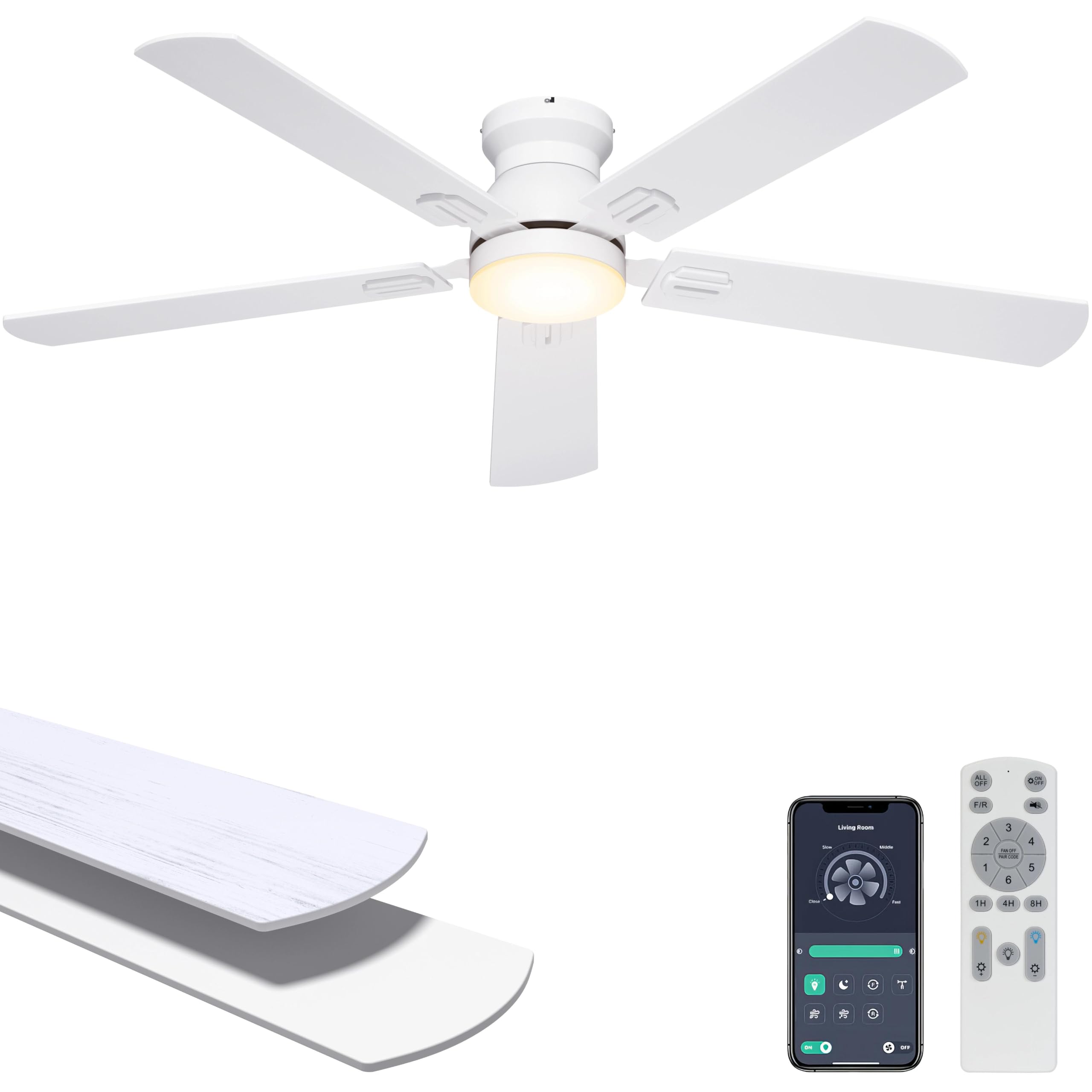
Image: Ohniyou 52 Inch Low Profile Ceiling Fan with Lights, showcasing its modern design.

Image: Overview of the fan's key features including timer, remote/app control, wall switch control, memory function, 6 wind speeds, and 3 color temperature dimmable light.

Video: A brief display of the Ohniyou 52 inch flush mount ceiling fan in operation, highlighting its aesthetic and functionality.
3. Installation
The Ohniyou ceiling fan is designed for easy installation. It is recommended to have two people for installation. Ensure all power is disconnected at the circuit breaker before starting.
Installation Steps:
- Prepare the Mounting Location: Ensure the electrical box is securely attached to the building structure and can support the fan's weight.
- Install the Mounting Bracket: Attach the mounting bracket to the outlet box using the provided screws and washers.
- Assemble the Fan Blades: Securely attach the five fan blades to the motor housing.
- Wire the Fan: Connect the electrical wires from the ceiling to the fan's wiring according to the wiring diagram in the manual. Use wire nuts to secure connections.
- Mount the Fan: Carefully lift the fan assembly and attach it to the mounting bracket.
- Install the Light Kit: Connect the light kit wiring and attach the LED light panel and diffuser.
- Restore Power: Once installation is complete, restore power at the circuit breaker.

Image: Illustration highlighting the easy installation process for the Ohniyou ceiling fan, showing components and a QR code for a video guide.
Video: Official installation guide for the Ohniyou 52 inch ceiling fan. This video provides visual instructions to assist with the setup process.
For a detailed video guide, please visit: https://www.youtube.com/watch?v=25IWlzLTko8
4. Operation
Your Ohniyou ceiling fan can be controlled using the included remote control or a smartphone application.
Remote Control Functions:

Image: Detailed layout of the multifunctional remote control, showing buttons for fan speed, light control, timer, and reversible motor function.
- Power On/Off: Press the 'ALL OFF' button to turn off both fan and light.
- Fan Speed: Select from 6 speed settings (1-6) using the dedicated buttons.
- Light Control: Turn the light ON/OFF, adjust brightness (Dimmable+/-), and change color temperature (Natural Light, Yellow Light, White Light).
- Reversible Motor (F/R): Press to change the direction of blade rotation for summer (downward airflow) or winter (upward airflow).
- Timer: Set the fan to turn off automatically after 1, 4, or 8 hours.
- Turn Off The Beep: Mute or unmute the remote's beep sound.
Smartphone App Control:
The Ohniyou ceiling fan can be controlled via a smartphone application, offering enhanced features and convenience.
- Download the App: Scan the QR code provided in the manual or visit http://www.jasonghost.com/fanlamppro/ to download the compatible application.
- Pairing: Turn on your phone's Bluetooth. Ensure the fan is powered on. Open the app and follow the on-screen instructions to pair your fan. You may need to turn the wall switch off for 5 seconds, then on, and press the pair button in the app within 5 seconds.
- App Functions: The app allows for comprehensive control over fan speeds, light brightness, color temperature, timers, and other smart features.

Image: A smartphone displaying the control app interface for the Ohniyou ceiling fan, demonstrating light dimming and color temperature adjustments.
Memory Function:
The fan features a memory function that retains your last used fan speed, light brightness, and color temperature settings when turned off via the wall switch. This function does not activate during quick restarts within 10 seconds.

Image: Visual explanation of the fan's memory function, showing how it saves previous light and fan settings.
Reversible Airflow:
Utilize the reversible motor function to optimize comfort throughout the year.
- Summer Mode: Blades rotate counter-clockwise, pushing air downwards to create a cooling breeze.
- Winter Mode: Blades rotate clockwise, drawing air upwards to circulate warm air trapped near the ceiling.
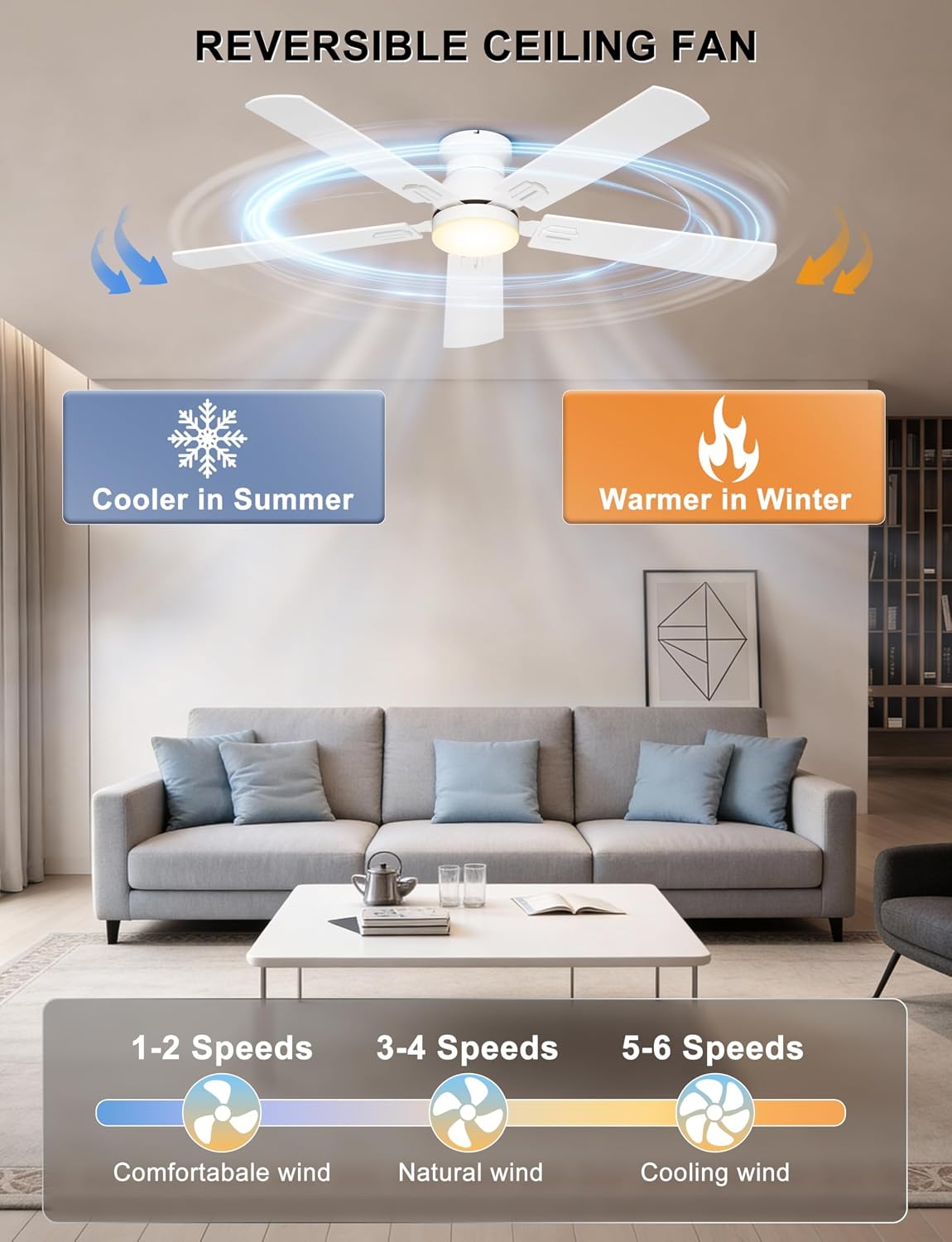
Image: Diagram illustrating the reversible function of the ceiling fan, showing airflow patterns for cooling in summer and circulating warm air in winter.
5. Maintenance
Regular maintenance ensures optimal performance and longevity of your Ohniyou ceiling fan. Always disconnect power before performing any maintenance.
Cleaning:
- Blades: Wipe fan blades with a soft, damp cloth. Do not use abrasive cleaners or solvents as they may damage the finish.
- Motor Housing: Clean the motor housing with a soft, dry cloth.
- Light Diffuser: Remove and gently clean the light diffuser with mild soap and water, then dry thoroughly before reattaching.
Inspections:
- Periodically check all screws and connections for tightness.
- Ensure the mounting hardware remains secure.
LED Light Panel Replacement:
The LED light panel is replaceable. If replacement is needed, ensure power is off, remove the diffuser, and carefully replace the LED panel with an authorized Ohniyou replacement part.

Image: Close-up view of the replaceable LED light kit, emphasizing ease of maintenance and long-term usability.
6. Troubleshooting
If you encounter issues with your Ohniyou ceiling fan, refer to the following common problems and solutions:
| Problem | Possible Cause | Solution |
|---|---|---|
| Fan does not start | No power, loose wiring, remote not paired. | Check circuit breaker. Ensure all wiring connections are secure. Pair the remote control. |
| Light does not work | Loose wiring, faulty LED panel, remote not paired. | Check wiring. Ensure LED panel is correctly installed. Pair the remote control. |
| Fan wobbles | Loose blades, unbalanced blades, loose mounting. | Ensure all blade screws are tight. Use the balancing kit if necessary. Check mounting bracket security. |
| Remote control not working | Dead batteries, remote not paired. | Replace batteries (2x AAA, not included). Re-pair the remote with the fan. |
| App control not connecting | Bluetooth off, incorrect pairing procedure. | Ensure Bluetooth is enabled on your device. Follow the app pairing instructions carefully. |
Troubleshooting Videos:
Video: Instructions on how to repair the remote control if it is not functioning correctly.
Video: Guide on how to download and connect the mobile application to your ceiling fan.
7. Specifications
| Feature | Detail |
|---|---|
| Brand | Ohniyou |
| Model Name | GLX047 |
| Size | 52 Inch |
| Color | White |
| Style | Flush Mount |
| Product Dimensions | 52"D x 52"W x 9.25"H |
| Item Weight | 11 pounds |
| Material | Engineered Wood, Metal |
| Number of Blades | 5 |
| Motor Type | DC |
| Number of Speeds | 6 |
| Noise Level | 20 dB |
| Air Flow Capacity | 5475 CFM (m3/min) |
| Max Speed | 205 rpm |
| Wattage | 35 watts |
| Voltage | 120 volts_of_alternating_current |
| Control Method | App, Remote Control |
| Special Features | App Operable, Dimmable Light, Quiet DC Motor, Remote Controlled, Timer |
| Indoor/Outdoor Usage | Indoor, Outdoor (covered patios) |
| Included Components | Ceiling Fan with Light, Manual, Mounting Hardware, Remote |
8. Warranty & Support
Warranty Information:
This Ohniyou ceiling fan comes with a 1 Year Manufacturer Warranty from the date of purchase. This warranty covers defects in materials and workmanship under normal use. It does not cover damage resulting from improper installation, accident, misuse, abuse, or unauthorized modifications.
Customer Support:
For technical assistance, warranty claims, or any questions regarding your Ohniyou ceiling fan, please contact our customer support team. Refer to the contact information provided in your product packaging or visit the official Ohniyou website for support details.


