
1. Introduction
Thank you for choosing the PETNF D2303 Dog House Heater. This device is designed to provide a safe and comfortable heating solution for your pets in outdoor shelters such as dog houses, chicken coops, cat shelters, and rabbit hutches. Featuring smart WiFi app control, precise temperature management, and robust safety features, this heater ensures your pets stay warm during colder seasons. Please read this manual thoroughly before installation and operation to ensure proper use and safety.
2. Safety Information
Your safety and the safety of your pets are paramount. Please observe the following precautions:
- Placement: Ensure the heater is installed in a stable location, away from flammable materials.
- Power Supply: Connect the heater to a grounded outlet with the correct voltage. Do not overload circuits.
- Cord Protection: The heater features an anti-bite steel-covered cord. Regularly inspect the cord for any signs of damage.
- Overheat Protection: The unit is equipped with overheat protection, which automatically shuts off the heater if it reaches an unsafe temperature.
- Flame-Retardant Housing: Constructed with V-0 flame-retardant materials for enhanced safety.
- Child Lock: Utilize the child-lock feature to prevent accidental changes to settings.
- Waterproof Design: Designed for outdoor use, but avoid direct exposure to heavy rain or submersion.
- Supervision: While designed for safety, periodic checks of the heater and your pet's comfort are recommended.
3. Package Contents
Verify that all items are present in your package:
- PETNF D2303 Dog House Heater Unit
- External Temperature Probe
- Mounting Hardware (screws, pegboard)
- User Manual
4. Product Features
- Smart WiFi APP Remote Control: Adjust temperature, set timers, and monitor in real-time from your smartphone.
- Fast Heating: 500W PTC ceramic heater provides rapid warmth in approximately 2 seconds.
- Precise Temperature Control: Digital thermostat with a range of 41–113°F and ±1°F accuracy.
- Smart ECO Mode: Automatically adjusts heating to maintain temperature and reduce energy consumption.
- Compact Size: Dimensions of 4.7" × 6.7" × 8.4" efficiently warms 125–150 cu ft.
- Advanced External Probe: Detects temperature at your pet's actual location for accurate heating.
- Premium Safety Protection: Includes V-0 flame-retardant housing, overheat protection, anti-bite steel-covered cord, metal heat baffle, thermal-insulated wiring, and child-lock design.
- Low-Noise Operation: Operates at less than 50dB to avoid disturbing sensitive pets.
5. Setup and Installation
5.1. APP Setup for Remote Control
Follow these steps to connect your heater to the mobile application:
- Download the APP: Scan the QR code provided in the image below or search for the "Smart Life" app in your app store. You can also visit https://smartapp.tuya.com/smartlife.
- Connect to Wi-Fi: Ensure your heater is powered on. On the control panel, press and hold the Wi-Fi button until the indicator light flashes rapidly.
- Ensure Phone is on 2.4GHz Wi-Fi: The heater only supports 2.4GHz Wi-Fi networks, not 5GHz.
- Add the Heater in the APP: Open the Smart Life app, tap "Add Device" or the "+" icon, and select the heater from the list or use auto-scan.
- Confirm Connection: Wait for the app to confirm the successful connection.
- Start Remote Control: Once connected, you can control the heater via the app.

This detailed image provides a step-by-step guide for setting up the PETNF heater's mobile application, including downloading the app, connecting to Wi-Fi, and adding the device for remote control.
5.2. Physical Installation
The PETNF D2303 heater is designed for easy installation. Follow these steps:
- Secure the Pegboard: Attach the provided pegboard to a suitable surface inside the pet shelter using screws.
- Drill Hole (if needed): If routing the external probe or power cord through a wall, drill a hole of at least 20mm diameter in your chosen location.
- Hang the Controller: Securely hang the heater's control unit onto the mounted pegboard.
- Connect the Controller to the Heater: Plug the heater's power cord into the control unit.
- Plug in the Power: Connect the control unit's power cord to a suitable electrical outlet.

This image illustrates the simple physical installation process for the PETNF heater, detailing how to mount the unit and connect its components.
6. Operating Instructions
6.1. Power On/Off
Press the power button on the control panel to turn the heater on or off. The display will illuminate when the unit is active.
6.2. Temperature Adjustment
You can adjust the desired temperature using either the control panel or the mobile app.
- Control Panel: Use the "+" and "-" buttons to set the target temperature. The temperature range is 41–113°F (5–45°C).
- Mobile App: Open the Smart Life app, select your heater, and use the intuitive interface to set the desired temperature remotely.
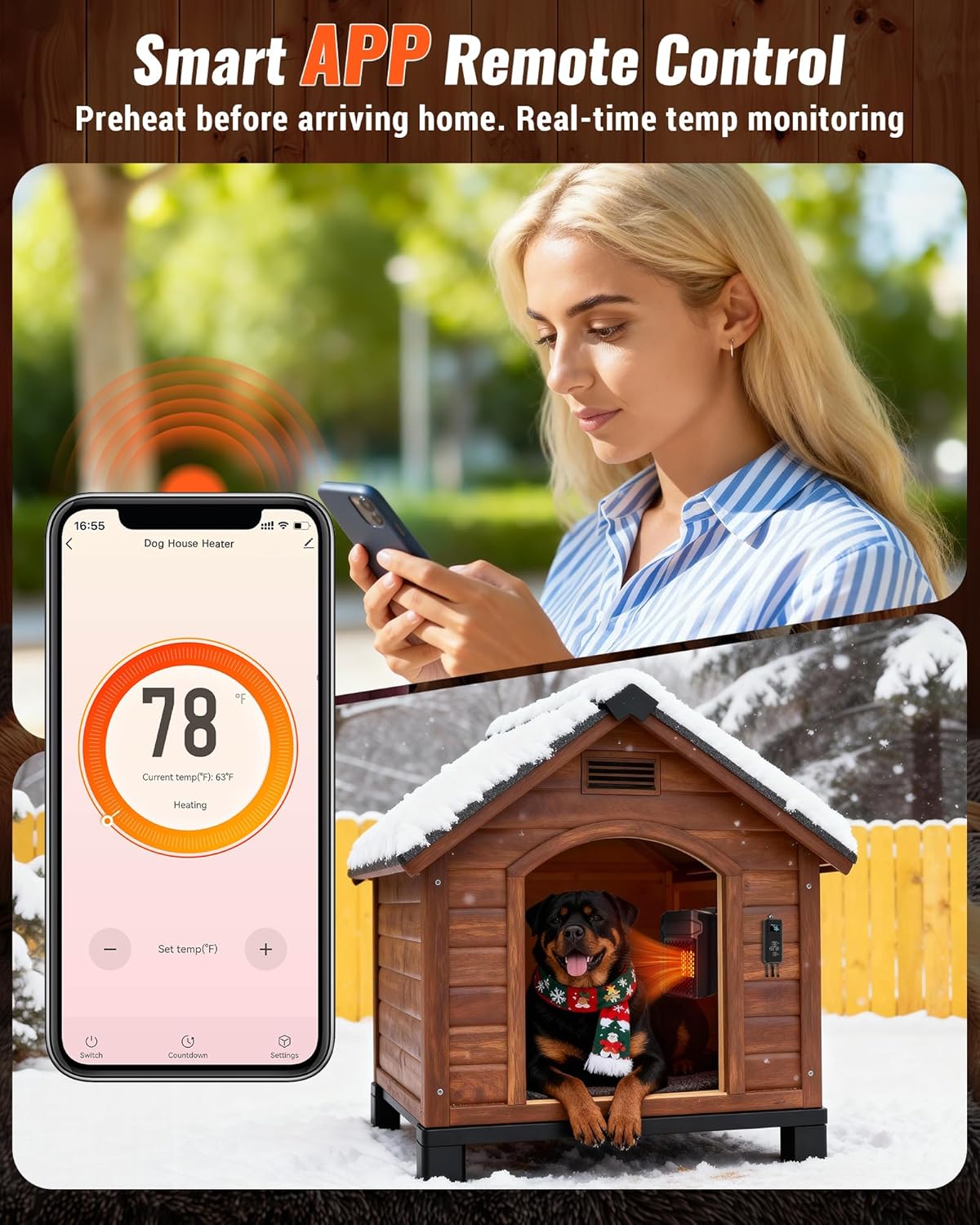
This image illustrates the PETNF heater's smart APP remote control feature, showing a user adjusting settings on their phone while a dog rests warmly in its house.
6.3. Fast Heating
The 500W PTC ceramic heating element provides rapid heat. Once powered on and a target temperature is set, the heater will quickly begin to warm the space.

This image highlights the heater's rapid 500W PTC heating, adjustable temperature range of 41-113°F, 24-hour timer, and coverage for up to 150 cubic feet.
6.4. Smart ECO Mode
Activate ECO Mode for energy-efficient operation. In this mode, the heater will automatically turn off once the set temperature is reached and restart when the temperature drops by 2°C / 4°F. This maintains a consistent comfortable environment while minimizing power usage.

This image illustrates the energy-saving ECO Auto Mode, where the heater automatically adjusts to maintain temperature and reduce power consumption.
6.5. Timer Function
Use the 24-hour timer function to schedule heating periods. This can be set via the control panel or the mobile app, allowing you to preheat the shelter or ensure warmth during specific times.

This image demonstrates the smart auto start/stop function, allowing users to set precise heating schedules via the app for their pet's comfort.
6.6. External Temperature Probe
The external temperature probe ensures accurate temperature readings at your pet's actual resting spot, preventing overheating or insufficient heating. Position the probe near where your pet typically rests for optimal performance.

This image emphasizes the importance of the external temperature probe, which accurately monitors the pet's actual resting spot to ensure optimal warmth.
6.7. Versatile Application
The PETNF D2303 heater is suitable for various outdoor animal enclosures, providing warmth and comfort to a range of pets and livestock.

This image showcases the versatility of the PETNF heater, suitable for various outdoor animal enclosures including dog houses, chicken coops, pig houses, and cat shelters.
7. Maintenance
Regular maintenance ensures the longevity and efficient operation of your heater:
- Cleaning: Ensure the heater is unplugged and cool before cleaning. Wipe the exterior with a soft, damp cloth. Do not use abrasive cleaners or allow water to enter the unit.
- Air Vents: Keep the air intake and output vents clear of dust, debris, or pet hair to maintain optimal airflow and prevent overheating.
- Cord Inspection: Periodically check the power cord and external probe cable for any signs of wear, cuts, or damage. If damaged, discontinue use and contact customer support.
- Storage: If storing the heater for an extended period, ensure it is clean, dry, and stored in a safe place.
8. Troubleshooting
If you encounter issues with your PETNF D2303 heater, please refer to the following common solutions:
- Heater Not Turning On:
- Ensure the power cord is securely plugged into a working outlet.
- Check if the circuit breaker has tripped.
- Verify the power button on the control panel is pressed.
- No Heat Output:
- Confirm the target temperature is set higher than the current ambient temperature.
- Check if ECO Mode is active and the target temperature has been reached.
- Ensure the external probe is properly connected and not obstructed.
- APP Connectivity Issues:
- Ensure your smartphone is connected to a 2.4GHz Wi-Fi network.
- Restart your router and the heater.
- Confirm the Wi-Fi indicator on the control panel is active.
- Try re-pairing the device through the Smart Life app.
- Inaccurate Temperature Reading:
- Ensure the external probe is placed in the pet's resting area and not directly exposed to the heater's output or external elements.
- Check for any damage to the external probe cable.
If these steps do not resolve the issue, please contact PETNF customer support for further assistance.
9. Specifications
| Feature | Specification |
|---|---|
| Brand | PETNF |
| Model Number | D2303 |
| Power Source | AC |
| Heat Output | 500 watts |
| Heating Method | Radiant (PTC Ceramic) |
| Heating Coverage | 125-150 Cubic Feet |
| Min Temperature Setting | 41 °F (5 °C) |
| Max Temperature Setting | 113 °F (45 °C) |
| Temperature Accuracy | ±1 °F |
| Dimensions (D x W x H) | 6.7"D x 4.7"W x 8.4"H |
| Indoor/Outdoor Usage | Outdoor |
| Special Features | Child Lock, Cool Touch Exterior, Electronic Thermostat, Programmable Thermostat, Wi-Fi Enabled, External Probe |
10. Warranty and Customer Support
PETNF provides a 2-Year Manufacturer Warranty for this product. We are committed to ensuring your satisfaction and the comfort of your pets. If you have any questions, require assistance with installation, or experience any issues with your heater, please do not hesitate to contact our responsive customer service team. We are here to help you achieve the best winter heating experience for your pets.
For support, please refer to the contact information provided on the product packaging or the official PETNF website.