
Introduction
Thank you for choosing the MOPUP Automatic Motion Sensor Trash Can. This smart trash bin is designed for convenience and hygiene, featuring touchless operation, automatic bagging, and a slim profile suitable for various spaces. Please read this manual thoroughly before use to ensure proper operation and maintenance.
Safety Information
- Do not immerse the product in water or expose it to excessive moisture.
- Keep the device away from direct sunlight and heat sources.
- Do not attempt to disassemble or repair the unit yourself. Contact customer support for assistance.
- Ensure the charging port is dry before connecting the charging cable.
- Keep out of reach of children and pets to prevent accidental activation or damage.
Package Contents
- MOPUP Automatic Motion Sensor Trash Can
- 30-count trash bags
- Note: A Type-C charging cable is required but not included in the packaging.
Product Overview
Familiarize yourself with the components of your MOPUP Automatic Motion Sensor Trash Can.

Image: Labeled diagram of the trash can components.
- Sensing Area: Detects motion for automatic lid opening.
- Top Cover: The main lid of the trash can.
- Pressure Ring Lid: Secures the trash bag in place.
- Hidden Trash Bags Ring: Area for storing and dispensing trash bags.
- Barrel Body: The main container of the trash can.
- Power Switch: Located inside the lid, controls the motion sensor and adsorption function.
- Trash Bag Slot: Area for the automatic packing system.
- Waterproof Type-C Charging Port: For recharging the internal battery.
- Bottom Suction Cup: Helps prevent tipping and secures the can in place.
Setup
1. Initial Charging
Upon receiving the product, it is recommended to charge it for 5 hours before first use to maximize battery life. Use a Type-C charging cable (not included) with a 5.0V, 1A input power supply.
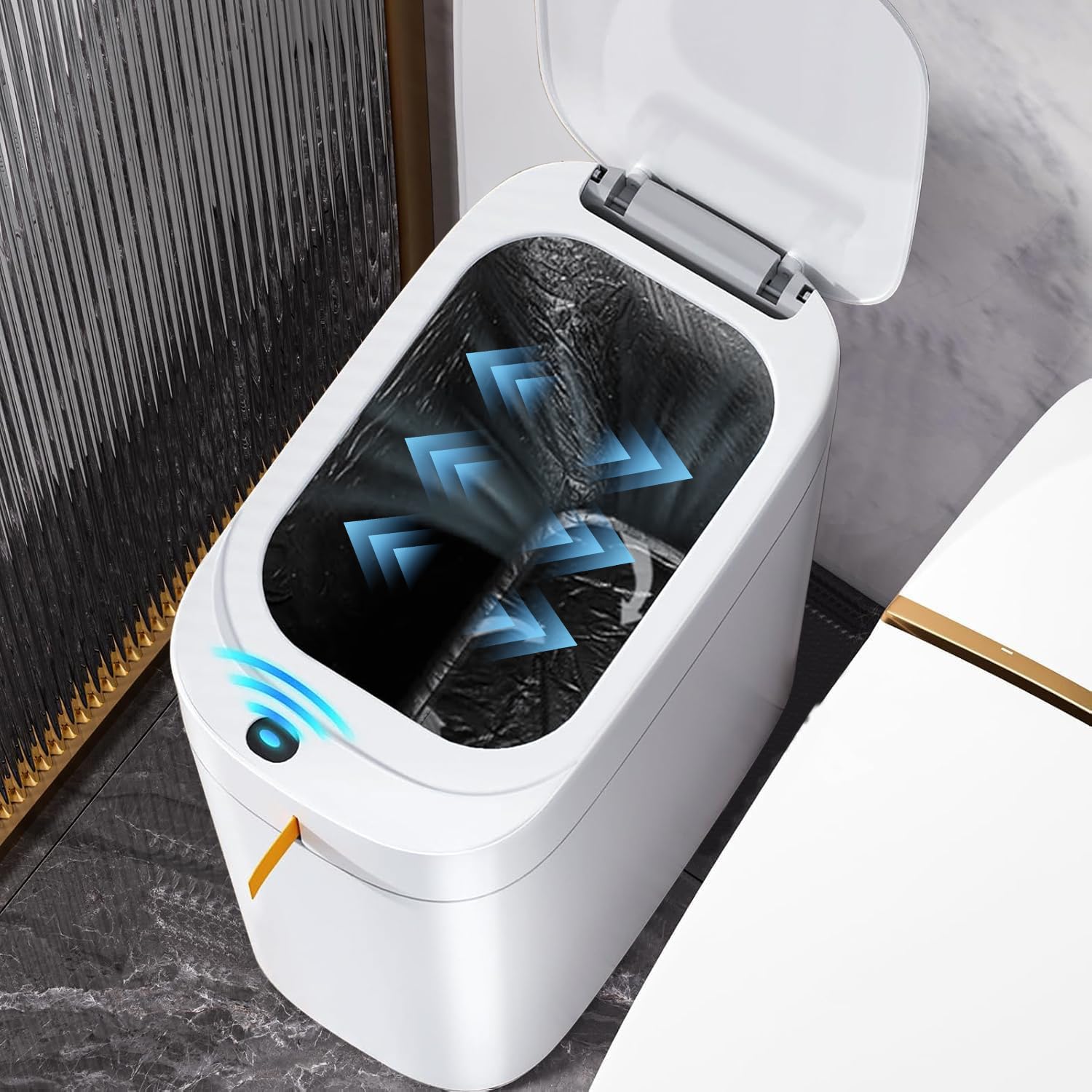
Image: The Type-C charging port on the trash can.
2. Installing the Trash Bag
- Open the top cover of the trash can.
- Place a trash bag from the provided 30-count roll into the inner barrel.
- Ensure the trash bag is properly seated around the pressure ring lid.
- Activate the vacuum trash bag sucking system (if not automatic upon closing) to ensure the bag fits closely to the inner wall, maximizing volume and preventing slippage.

Image: Proper installation of a trash bag.
3. Powering On
Locate the power switch inside the lid and turn it to the 'on' position to activate the motion sensor and automatic functions.
Video: This video demonstrates the setup and basic operation of a sensor-activated trash can, including how to install the trash bag and activate the sensor.
Operating Instructions
1. Motion Sensor Operation
The trash can is equipped with a sensitive sensor chip that allows for 0.2-second quick lid opening. Simply wave your hand or approach the sensing area, and the lid will open automatically. It will close after a few seconds of inactivity.

Image: Touchless operation in a kitchen environment.
Video: A brief demonstration of the automatic lid opening and closing feature of the trash can.
2. Automatic Bagging and Packing
The innovative vacuum trash bag sucking system 2.0 ensures the bag adheres tightly to the inner wall. When it's time to dispose of a full bag, the 1-second automatic packing system will seal the bag, reducing direct contact with waste and simplifying the cleaning process.

Image: Illustration of the self-absorbing and packing features.
Maintenance
Cleaning
To clean the exterior of the trash can, wipe it with a soft, damp cloth. Do not use abrasive cleaners or immerse the unit in water. For the interior, ensure the trash bag is removed before wiping with a damp cloth and mild detergent if necessary. Allow all parts to dry completely before reassembling.
Battery Care
Recharge the trash can when the battery indicator suggests low power. Regular charging helps maintain battery health. Avoid completely draining the battery frequently.
Troubleshooting
- Lid not opening automatically:
- Ensure the power switch is in the 'on' position.
- Check if the battery needs charging.
- Ensure the sensing area is not obstructed or dirty.
- Automatic bagging/packing not working:
- Verify the trash bag is correctly installed and not jammed.
- Check for any obstructions in the bagging mechanism.
- Charging issues:
- Confirm you are using a compatible Type-C charging cable and a 5.0V, 1A power adapter.
- Ensure the charging port is clean and free of debris.
Specifications
| Feature | Detail |
|---|---|
| Brand | MOPUP |
| Model | B0G2QN4T4F |
| Capacity | 3.5 Gallons |
| Color | White |
| Opening Mechanism | Motion-Sensor |
| Material | Plastic |
| Dimensions (L x W x H) | 11.2" x 6.8" x 13.2" |
| Item Weight | 3 Pounds |
| Power Supply | Type-C, 5.0V, 1A (USB rechargeable) |
| Special Feature | Odor Seal, Automatic Bagging, Vacuum Sucking Technology |

Image: Product dimensions.
Warranty and Support
For warranty information or technical support, please refer to the product packaging or contact MOPUP customer service directly through the retailer's platform where the product was purchased. Keep your purchase receipt for warranty claims.