
1. Introduction
The Osight SE Green Dot Sight is a compact and robust enclosed optical rifle scope designed for precision and reliability. It features a durable 7075 aluminum alloy housing and a versatile multi-reticle system. This manual provides essential information for the proper setup, operation, and maintenance of your Osight SE Green Dot Sight.
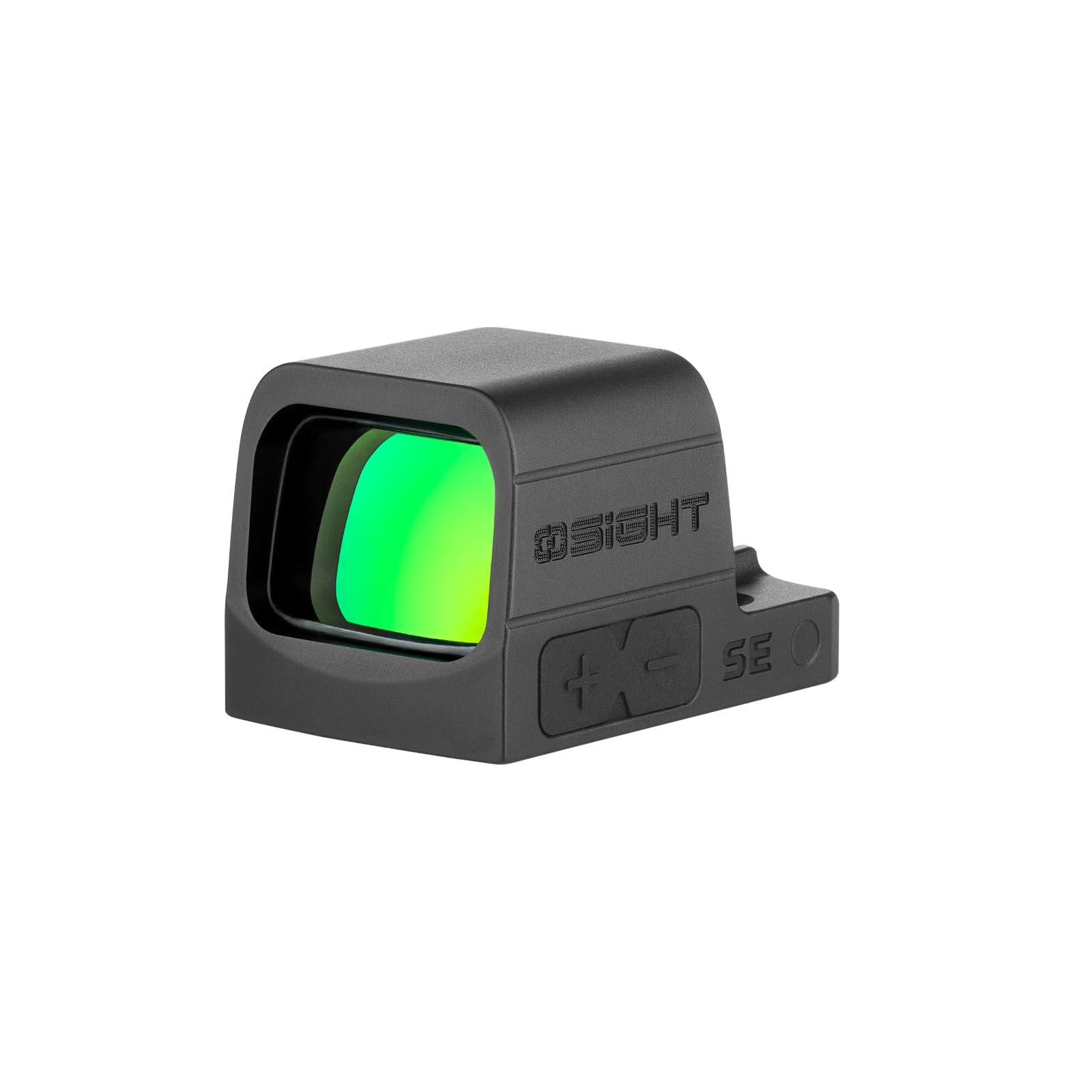
Figure 1: Osight SE Green Dot Sight. This image shows the compact design of the sight.
2. Setup
2.1 Unpacking and Contents
Carefully unpack your Osight SE Green Dot Sight and verify all components are present. The package should include:
- Osight SE Green Dot Sight (CR1632 battery included)
- Adjustment Tool
- READ ME Card
- M3*10.5mm Screws (3 pcs)
- M3*11.5mm Screws (3 pcs)
- M4*9.4mm Screws (3 pcs)
- M4*10.5mm Screws (3 pcs)
- #6-32*0.374 inch Screws (3 pcs)
- #6-40*0.449 inch Screws (3 pcs)
- Battery Case Screws (2 pcs)
- Screw Box
- Cleaning Cloth
- User Manual

Figure 2: Package contents of the Osight SE Green Dot Sight. Ensure all listed items are present.
2.2 Battery Installation
The Osight SE features a side-loading battery compartment for easy replacement without removing the optic from its mount.
- Locate the battery compartment on the side of the sight.
- Using the provided tool or a suitable screwdriver, carefully open the battery compartment.
- Insert the CR1632 battery with the positive (+) side facing up.
- Close the battery compartment securely.

Figure 3: Side-mounted battery installation. The battery can be replaced without dismounting the optic.

Figure 4: Detailed view of the side battery compartment for easy access.
2.3 Mounting the Sight
The Osight SE is designed with an RMSc footprint for direct mounting to optics-ready slides. It is also compatible with Picatinny and Weaver mounts.
- Ensure the firearm is unloaded and safe.
- Align the sight with the mounting plate or slide cut.
- Use the appropriate screws from the included set to secure the sight. Do not overtighten.
- Verify the sight is firmly attached and does not wobble.

Figure 5: Mounting the Osight SE Green Dot Sight onto a firearm slide. The RMSc footprint ensures a secure fit.

Figure 6: The RMSc footprint allows for direct mounting to compatible slides, offering seamless integration.
Compatibility Table (Reference Only)
The following tables provide a reference for compatible firearms and required screws. Always consult your firearm's manual for specific mounting instructions.

Figure 7: Part 1 of the compatibility table, listing various firearm models and recommended screw sizes.

Figure 8: Part 2 of the compatibility table, providing additional firearm models and their corresponding mounting details.
3. Operating Instructions
3.1 Power On/Off and Motion Sensor
The Osight SE features a motion sensor for automatic power management.
- The sight will automatically power on when motion is detected.
- If no motion is detected for 3 minutes, the sight will automatically power off to conserve battery.
- Any movement will reactivate the sight instantly.

Figure 9: The motion sensor automatically turns the sight on with movement and off after 3 minutes of inactivity to save power.
3.2 Reticle Selection and Brightness Adjustment
The Osight SE offers a versatile multi-reticle system and adjustable brightness settings.
- The sight features a 2 MOA dot and a 32 MOA circle reticle. You can switch between the dot, circle, or both combined for precise and rapid target acquisition.
- There are 8 daylight brightness settings and 2 night vision compatible settings to suit various lighting conditions.
- Use the '+' and '-' buttons on the side of the sight to adjust brightness and cycle through reticle options.
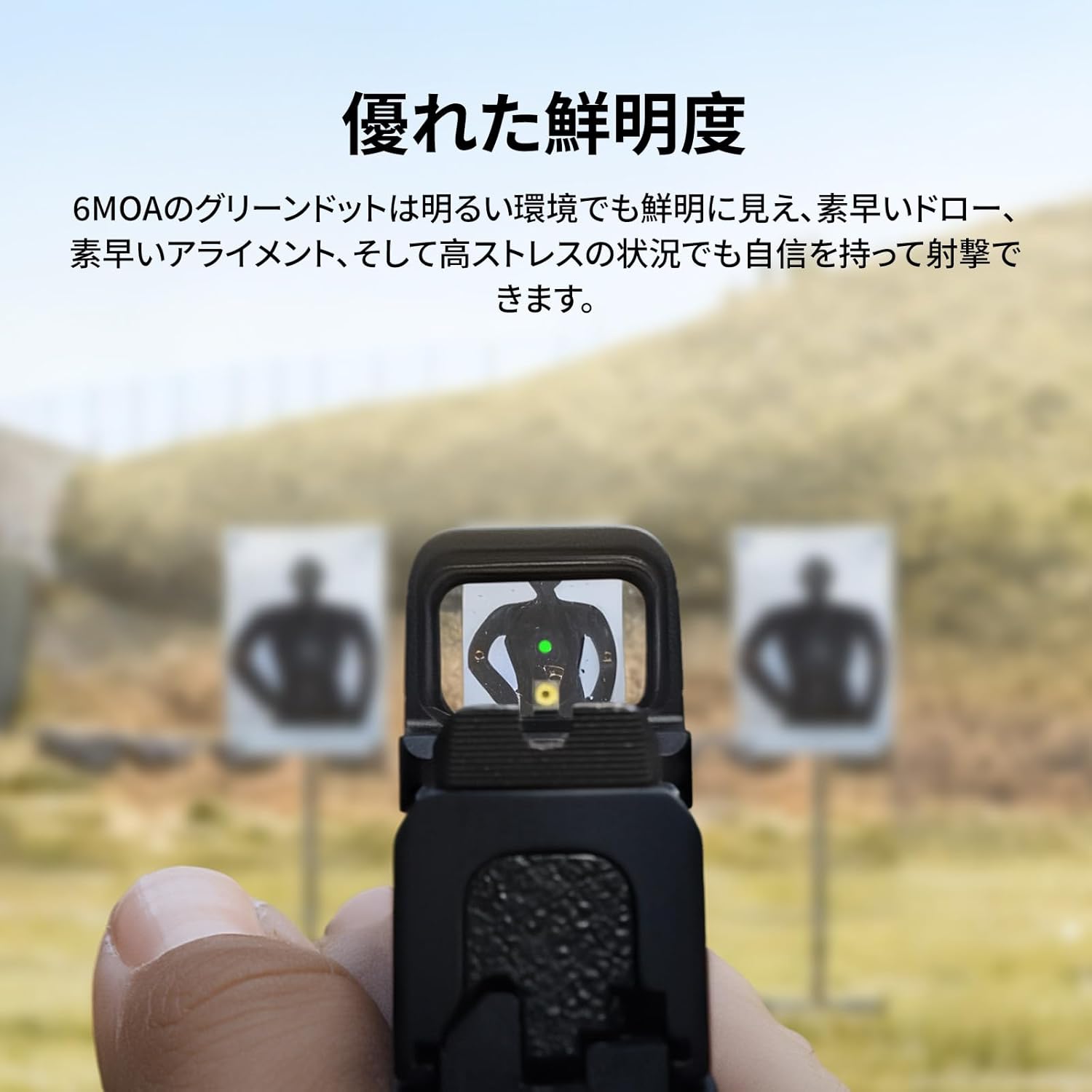
Figure 10: View through the sight showing the green dot on a target, demonstrating excellent clarity even in bright environments.

Figure 11: The sight offers 2 MOA dot, 32 MOA circle, or both combined for versatile targeting.

Figure 12: Adjust brightness and reticle settings using the side buttons.
3.3 Zeroing the Sight
After mounting, it is crucial to zero your sight to your firearm. Use the adjustment tool to make precise windage and elevation adjustments. The aspherical lens ensures zero distortion and parallax for accurate aiming.

Figure 13: Diagram showing the sight's dimensions and the 6 MOA green dot, highlighting its precision.

Figure 14: The ultra-low base height allows for co-witnessing with most factory iron sights.
4. Maintenance
4.1 Cleaning
To maintain optimal performance, keep the lenses clean. Use the provided cleaning cloth or a soft, lint-free cloth with lens cleaning solution. Avoid abrasive materials or harsh chemicals.
4.2 Battery Replacement
The sight features a low battery indicator. When the battery voltage drops below 2.2V, the reticle will flash 3 times every minute, signaling that the battery needs to be replaced. Refer to section 2.2 for battery installation instructions.

Figure 15: The low battery indicator flashes the reticle to alert you when the battery needs replacement.
5. Troubleshooting
| Problem | Possible Cause | Solution |
|---|---|---|
| Reticle not visible | Battery depleted or incorrectly installed. | Replace battery (see Section 4.2) or ensure correct polarity. |
| Reticle flickers or is dim | Low battery. | Replace battery (see Section 4.2). |
| Sight does not turn on with motion | Battery depleted or motion sensor malfunction. | Replace battery. If issue persists, contact customer support. |
| Inaccurate aiming | Sight not properly zeroed or loose mount. | Re-zero the sight (see Section 3.3). Check mounting screws for tightness. |
6. Specifications
| Feature | Detail |
|---|---|
| Model | Osight SE GN |
| Reticle | 2 MOA Dot, 32 MOA Circle, or both |
| Reticle Color | Green |
| Brightness Settings | 8 Daylight, 2 Night Vision compatible |
| Lens Type | Aspherical (Zero Distortion, Parallax-Free) |
| Housing Material | 7075 Aluminum Alloy |
| Battery Type | CR1632 |
| Battery Life Indicator | Yes (Reticle flashes below 2.2V) |
| Motion Sensor | Yes (Auto On/Off) |
| Mounting Footprint | RMSc (Direct mount), Picatinny/Weaver compatible |
| Product Dimensions | 8 cm (L) x 6 cm (W) x 5 cm (H) |
| Product Weight | 0.1 kg (100 g) |
| Environmental Protection | Closed optical parts, robust against rain, dust, humidity, physical shock. (IPX7 rating implied from image) |

Figure 16: Detailed dimensions of the Osight SE Green Dot Sight.

Figure 17: The sight's closed optical system and 7075 aluminum housing provide exceptional durability and reliable performance in harsh conditions, including IPX7 water resistance.
7. Warranty & Support
For warranty information and customer support, please refer to the official Osight website or contact your retailer. Keep your purchase receipt as proof of purchase.
8. Product Videos
Osight SE Product Overview
This video provides a general overview of the Osight SE Green Dot Sight, showcasing its features such as the battery indicator, mounting process, and reticle options.


