Welcome
This manual provides essential information for using your OUKITEL C5 Unlocked Cell Phone. Please read it carefully to ensure proper operation and maintenance of your device.
Device Overview
Key Features
- 6.52-inch HD+ Display
- 5000mAh Battery
- 13MP Main Camera, 5MP Front Camera
- Android 14 Operating System
- Dual SIM Support
- Face Unlock
- Built-in GPS, GLONASS, Beidou, Galileo
- 3.5mm Headphone Jack
- Expandable Storage up to 1TB
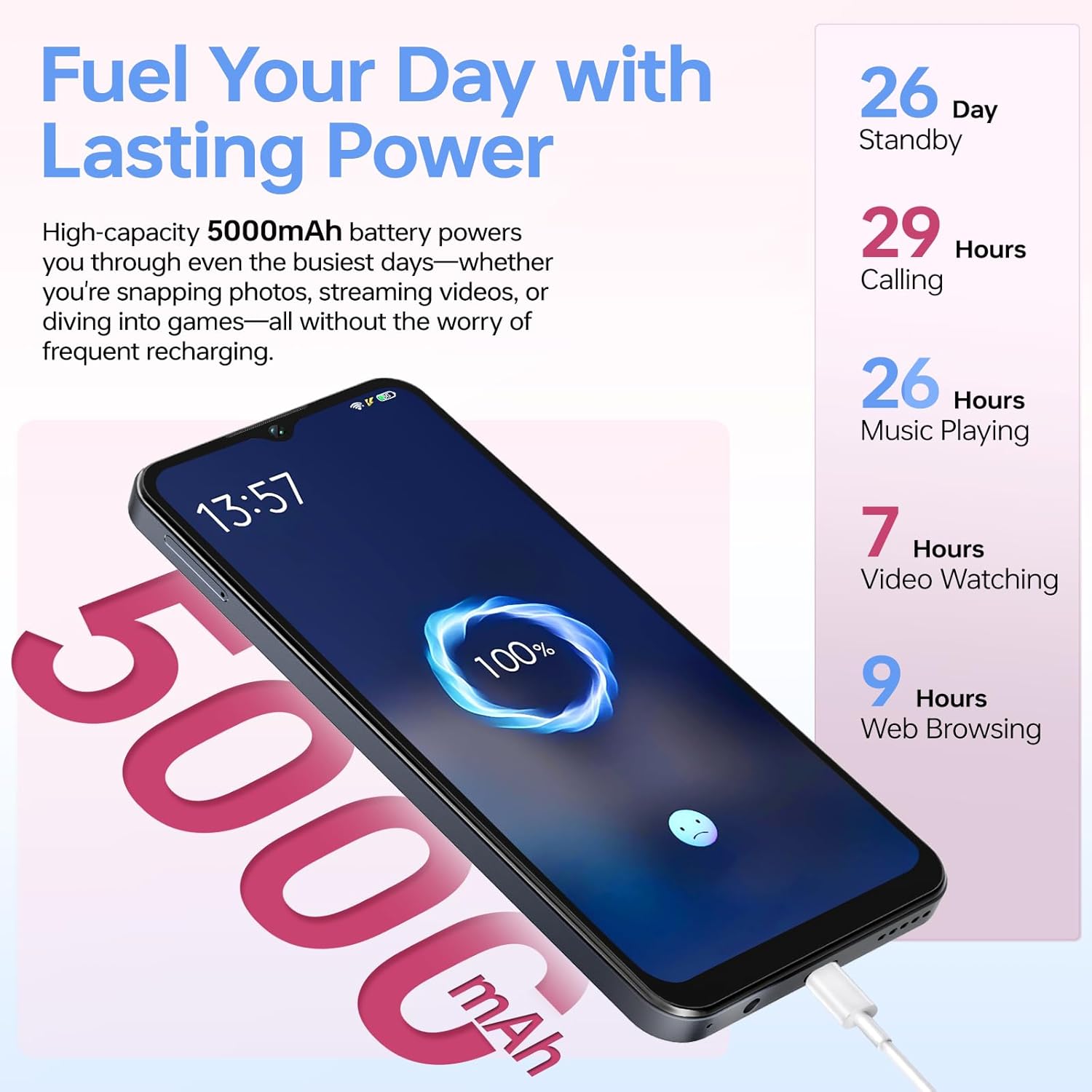
Image: The OUKITEL C5 smartphone, highlighting its design.
Package Contents
The OUKITEL C5 package typically includes:
- 1 x OUKITEL C5 Cell Phone
- 1 x USB Cable
- 1 x Type-C Charger
- 1 x Card Needle (SIM Ejector Tool)
- 1 x User Manual
- 1 x Phone Case

Image: OUKITEL C5 smartphone and included accessories.
Setup
Inserting SIM Card and MicroSD Card
The OUKITEL C5 supports dual Nano-SIM cards and a MicroSD card for expandable storage.
- Locate the SIM card tray on the side of the phone.
- Insert the provided card needle into the small hole next to the tray to eject it.
- Place your Nano-SIM cards and/or MicroSD card into the designated slots on the tray. Ensure the gold contacts face downwards.
- Carefully reinsert the tray into the phone until it clicks into place.
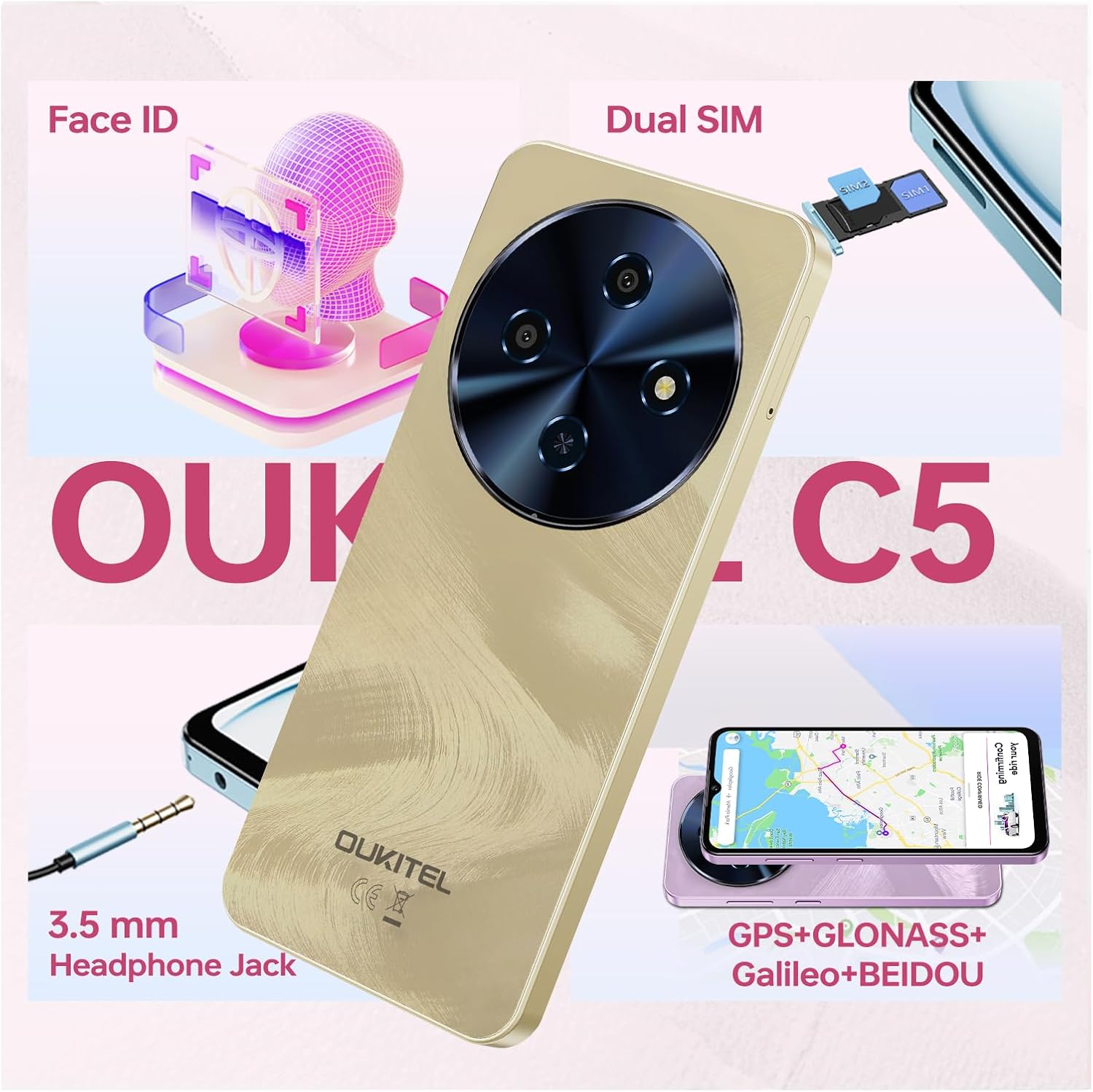
Image: Illustration of inserting SIM and MicroSD cards into the OUKITEL C5.
Initial Power On
Press and hold the Power button (located on the right side of the phone) until the OUKITEL logo appears. Follow the on-screen instructions to complete the initial setup, including language selection, Wi-Fi connection, and Google account setup.
Charging the Battery
Before first use, fully charge the phone battery. Connect the USB cable to the phone's Type-C port and the other end to the charger. Plug the charger into a power outlet. The charging indicator will appear on the screen.

Image: OUKITEL C5 connected to its charger, illustrating battery capacity and estimated usage times.
Operating Your Phone
Screen Navigation
- Tap: Select an item or open an application.
- Touch and Hold: Access context menus or move items.
- Swipe: Scroll through screens or lists.
- Pinch: Zoom in or out on images and web pages.
Making Calls
- Open the "Phone" application.
- Enter the phone number using the dial pad or select a contact.
- Tap the call icon to initiate the call.
Camera Usage
The OUKITEL C5 features a 13MP main camera and a 5MP front camera.
- Open the "Camera" application.
- Select between photo, video, or other modes (e.g., HDR, Night Mode, Panorama).
- Tap the shutter button to capture an image or start/stop video recording.
- Use the front/rear camera switch icon to change cameras.

Image: The 13MP main camera of the OUKITEL C5 and a sample image.

Image: The 5MP front camera of the OUKITEL C5 and a sample selfie.
Face Unlock
- Go to Settings > Security & privacy > Face unlock.
- Follow the on-screen instructions to register your face.
- Once registered, you can unlock your phone by looking at the front camera.

Image: Visual representation of the Face ID feature on the OUKITEL C5, alongside other connectivity options.
Battery Management
The 5000mAh battery provides extended usage. To optimize battery life:
- Adjust screen brightness.
- Close unused applications.
- Enable battery saver mode when needed.
- Avoid extreme temperatures.

Image: OUKITEL C5 displaying battery charge status and estimated usage times.
Maintenance
Cleaning Your Device
Use a soft, lint-free cloth to clean the screen and body of the phone. Avoid using harsh chemicals or abrasive materials.
Software Updates
Regularly check for and install software updates to ensure optimal performance and security. Go to Settings > System > System update.
Data Backup
Periodically back up your important data to a cloud service or computer to prevent loss.
Troubleshooting
Phone Not Turning On
- Ensure the battery is charged. Connect the charger and wait a few minutes before attempting to power on.
- Press and hold the Power button for at least 10-15 seconds to force a restart.
Apps Crashing or Freezing
- Close and reopen the app.
- Clear the app's cache and data (Settings > Apps > [App Name] > Storage > Clear cache/data).
- Restart the phone.
Poor Network Signal
- Check if your SIM card is properly inserted.
- Move to an area with better network coverage.
- Restart the phone.
Battery Drains Quickly
- Review battery usage in Settings > Battery to identify power-hungry apps.
- Reduce screen brightness and disable unnecessary features like Wi-Fi, Bluetooth, or GPS when not in use.
- Close background applications.
Specifications
| Feature | Detail |
|---|---|
| Brand | OUKITEL |
| Model | C5 |
| Operating System | Android 14 |
| RAM | 16 GB (4GB fixed + 12GB virtual) |
| Internal Storage | 128 GB |
| Expandable Storage | Up to 1 TB (MicroSD) |
| Screen Size | 6.52 Inches |
| Display Resolution | 540*1200 Pixels (HD+) |
| Refresh Rate | 60 Hz |
| Main Camera | 13 MP |
| Front Camera | 5 MP |
| Battery Capacity | 5000 mAh |
| Cellular Technology | 4G |
| Connectivity | Bluetooth, Wi-Fi |
| Special Features | Dual SIM, Built-In GPS (GPS+GLONASS+Beidou+Galileo), Face Unlock, 3.5mm Headphone Jack, OTG |
| Dimensions | 9.3mm Ultra-Slim Profile |
| Weight | 198g (Ultra-light) |
Warranty and Support
OUKITEL offers a 30-day, no-questions-asked return policy and a two-year warranty for the OUKITEL C5 smartphone. Long-term technical support and 24/7 online customer service are also provided.
For further assistance, please contact OUKITEL customer service through their official channels or the retailer where the product was purchased.
Product Video
Video: An official product video showcasing the OUKITEL C5 Unlocked Cell Phone's features and design.


