1. Introduction
Thank you for purchasing the JOYROOM Portable Electric Air Pump. This device is designed for efficient inflation and deflation of various inflatable products, and also features an integrated camping light. Please read this manual carefully before use to ensure proper operation and to maximize the product's lifespan.

Image: The JOYROOM Portable Electric Air Pump shown with its included accessories, including various nozzles and charging cables.
2. Safety Information
To prevent injury or damage to the product, please observe the following safety precautions:
- Do not operate the pump near flammable liquids or gases.
- Keep the device away from water and extreme temperatures.
- Do not block the air intake or outlet during operation.
- This air pump is not suitable for inflating high-pressure items such as car tires, balloons, basketballs, footballs, jet boats for adults, fishing boats, or SUPs.
- Do not point the air outlet directly at eyes or other body parts.
- Keep out of reach of children.
- When using the camping light, avoid direct eye exposure to the light source.

Image: Visual representation of items that should not be inflated with this pump, including sports balls, balloons, and bicycle tires.
3. Package Contents
Verify that all items are present in the package:
- JOYROOM Portable Electric Air Pump
- 6 x Nozzles (various sizes and types)
- 1 x Type-C Charging Cable
- 1 x Storage Bag
- 1 x User Manual (this document)

Image: All components included in the product package: the air pump, six different nozzles, a Type-C charging cable, a storage bag, and the user manual.
4. Product Overview
Components and Controls
The JOYROOM Portable Electric Air Pump features a compact design with intuitive controls and multiple functionalities.
- Inflation Port: Used for inflating items.
- Deflation Port: Used for deflating items.
- Power/Mode Button: Activates the pump and cycles through light modes.
- Camping Light: Provides illumination with adjustable brightness.
- Charging Port (Type-C): For recharging the internal battery.
- Battery Indicator: Shows current battery level.
- Hanging Hook: For attaching the pump to backpacks or tents.

Image: A detailed diagram highlighting the inflation port, deflation port, camping light, and the multi-function control button on the device.
Portability
The pump is designed to be highly portable, smaller than a standard soda can and lightweight, making it easy to carry in a backpack or pocket. It includes two hooks for convenient attachment to outdoor gear.

Image: The air pump demonstrated as a compact and portable device, easily fitting into a backpack or pocket.
5. Setup
Charging the Device
Before first use, fully charge the air pump. Connect the provided Type-C charging cable to the pump's charging port and a compatible USB power source. The battery indicator will show the charging status.
- Green light: 60%-100% charged
- Orange light: 25%-60% charged
- Red light: 1%-25% charged
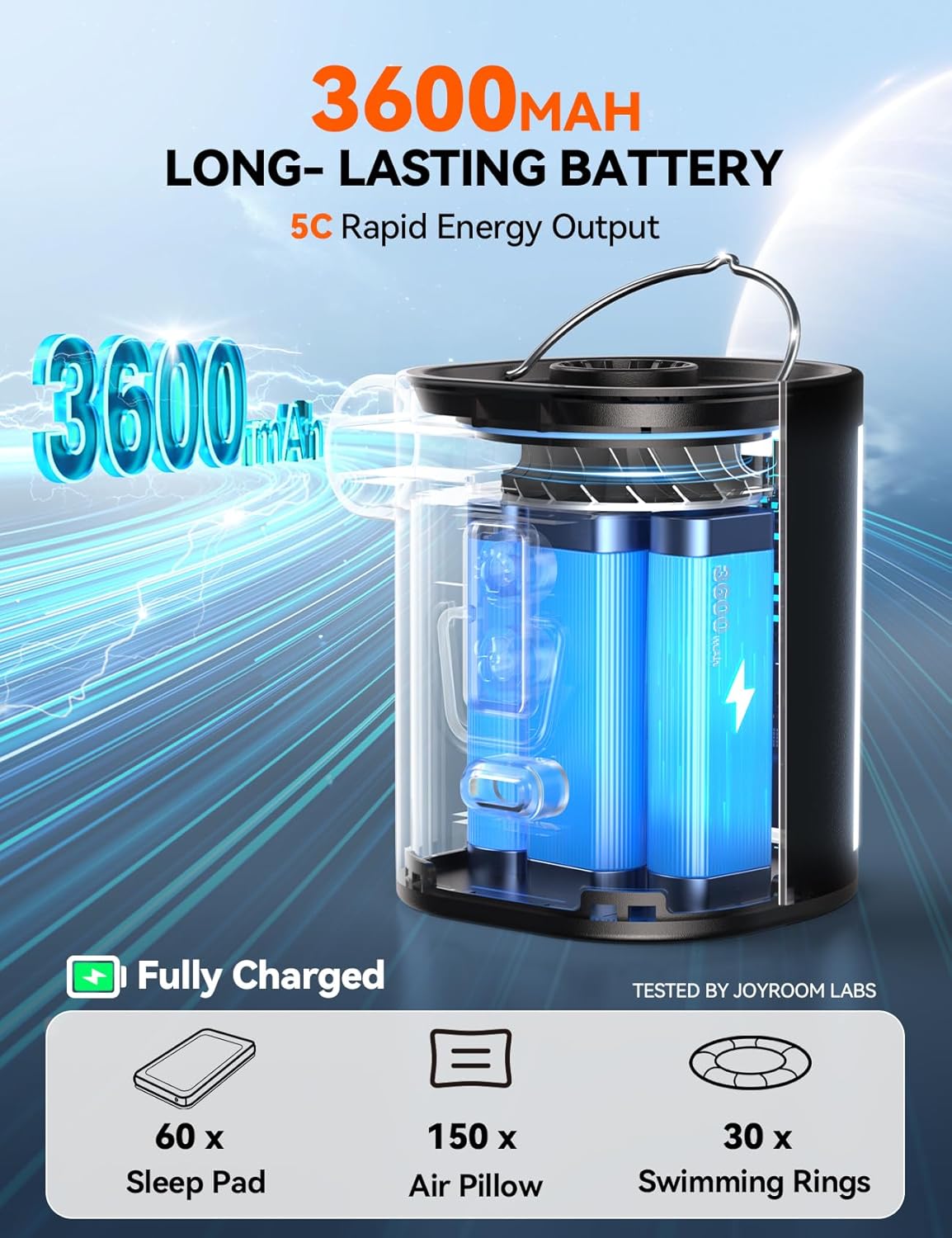
Image: An illustration of the pump's internal 3600 mAh battery, highlighting its capacity for extended use.
Attaching Nozzles
Select the appropriate nozzle for your inflatable item. The pump comes with six different nozzles to accommodate various valve types.
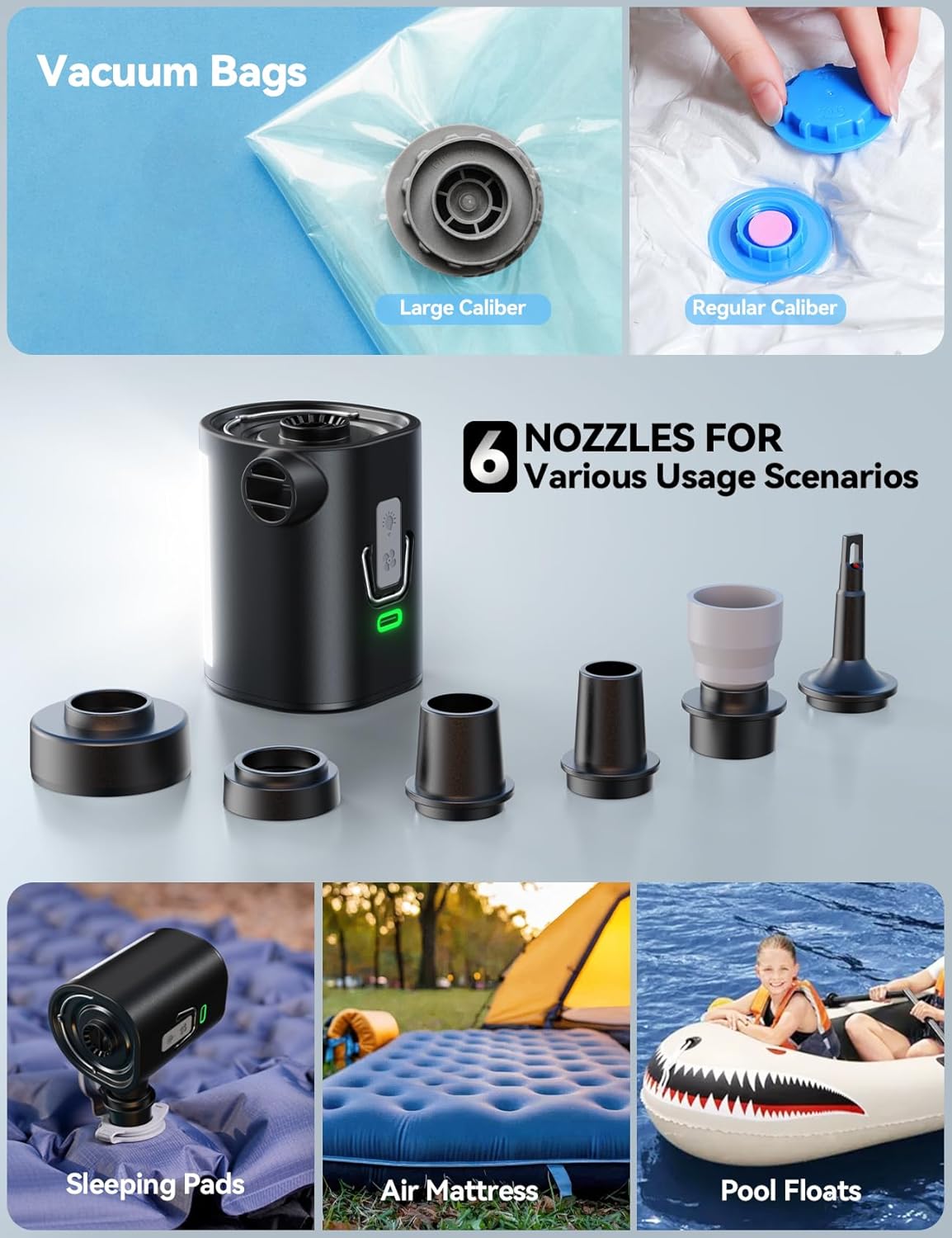
Image: The six included nozzles are displayed, along with examples of their application for vacuum bags, sleeping pads, air mattresses, and pool floats.
6. Operating Instructions
Inflation
- Select the correct nozzle for the item you wish to inflate.
- Attach the nozzle securely to the inflation port of the air pump.
- Insert the nozzle into the valve of the inflatable item.
- Press the power button to start inflation. The pump will operate at high speed for rapid inflation.
- Once the item is inflated to the desired firmness, press the power button again to turn off the pump.
- Remove the nozzle and close the inflatable item's air valve.

Image: A visual guide showing the process of both inflating and deflating an air mattress with the JOYROOM air pump.
Deflation
- Select the correct nozzle for the item you wish to deflate.
- Attach the nozzle securely to the deflation port of the air pump.
- Insert the nozzle into the valve of the inflatable item.
- Press the power button to start deflation. The pump will rapidly extract air.
- Once the item is deflated, press the power button again to turn off the pump.
- Remove the nozzle and close the inflatable item's air valve.
Using the Camping Light
The integrated camping light offers three brightness levels and an SOS emergency mode.
- To turn on the light, press the light button.
- Press the button repeatedly to cycle through the three brightness levels.
- A fourth press will activate the SOS emergency flashing mode.
- Press again to turn off the light.

Image: The camping light feature is illustrated, showing its three adjustable brightness levels and an SOS emergency mode, with examples of use for tent hooks and camp tables.
Instructional Video
Watch this video for a visual guide on how to use the JOYROOM Portable Electric Air Pump for inflation, deflation, and light functions.
Video: A demonstration of the JOYROOM Portable Electric Air Pump, showcasing its use for inflating air mattresses and pillows, deflating vacuum bags, and operating the integrated camping light.
7. Maintenance
Cleaning
Wipe the exterior of the pump with a soft, dry cloth. Do not use abrasive cleaners or immerse the device in water.
Storage
Store the air pump and its accessories in the provided storage bag in a cool, dry place, away from direct sunlight and extreme temperatures. Ensure the device is fully charged before long-term storage to maintain battery health.
8. Troubleshooting
| Problem | Possible Cause | Solution |
|---|---|---|
| Pump does not turn on | Low battery; Device malfunction | Charge the pump; Contact customer support |
| Weak airflow | Low battery; Blocked intake/outlet; Incorrect nozzle | Charge the pump; Clear obstructions; Use appropriate nozzle |
| Light does not work | Low battery; Device malfunction | Charge the pump; Contact customer support |
| Pump overheats | Continuous operation for too long | Allow the pump to cool down before resuming use. Avoid prolonged continuous operation. |
9. Specifications
- Model: B0FPFX1FXD
- Air Pressure: 0.69 PSI (4.8 kPa)
- Wind Speed: 13 CFM (Cubic Feet per Minute) / 360 L/MIN (Liters per Minute)
- Battery Capacity: 3600 mAh
- Charging: Type-C USB
- Light Modes: 3 brightness levels + SOS emergency mode
- Dimensions: 2.3 x 2.1 x 2.75 inches (approx.)
- Weight: 0.25 Kilograms (approx.)

Image: A comparison chart detailing the specifications of the JOYROOM air pump against other similar products, highlighting its battery capacity, operating power, number of nozzles, and illumination levels.
10. Warranty and Support
JOYROOM products are manufactured to high-quality standards. For warranty information, technical support, or service inquiries, please refer to the contact information provided on the product packaging or visit the official JOYROOM website. Please retain your proof of purchase for warranty claims.


