
Introduction
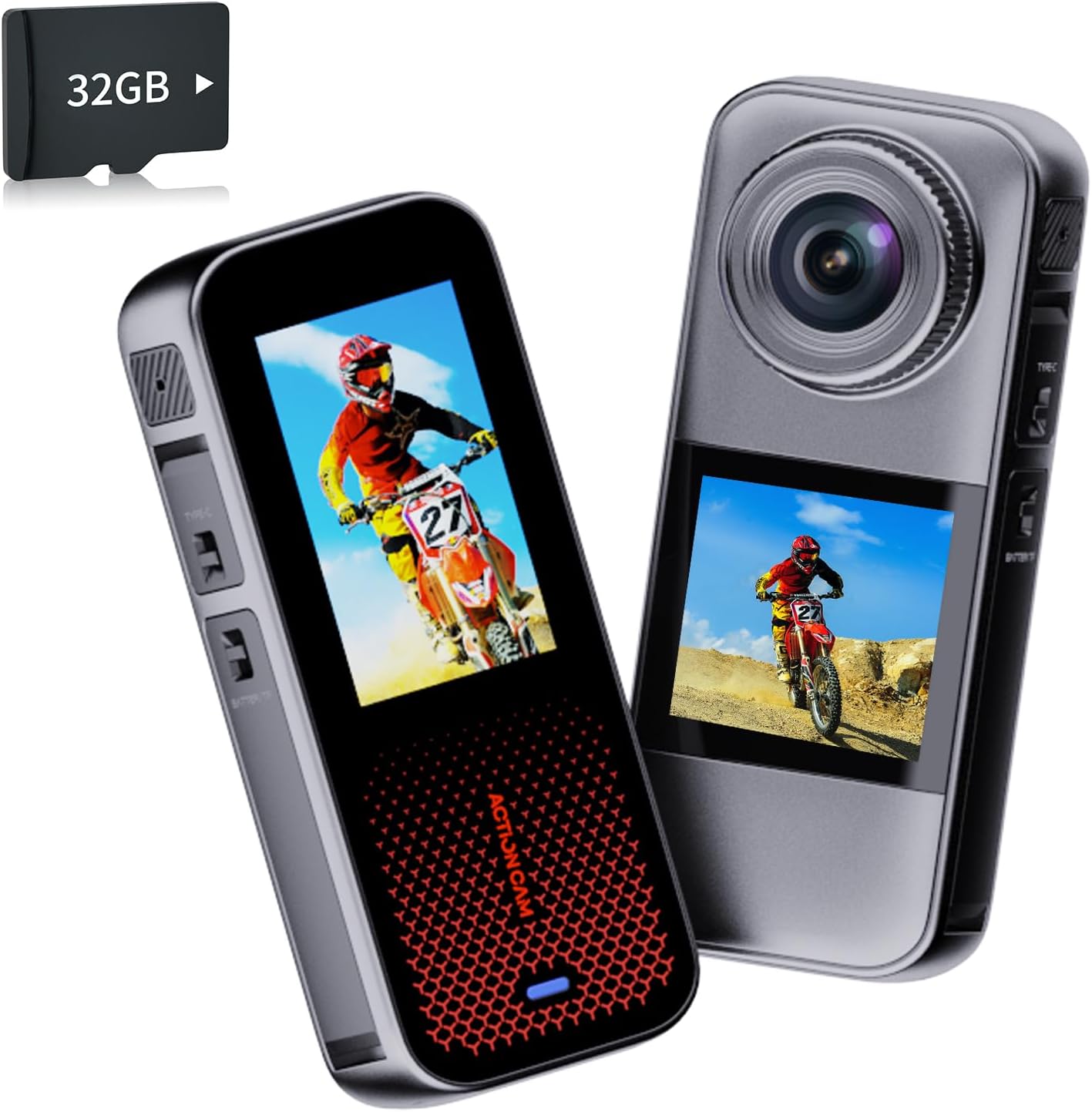
Thank you for choosing the Xilecam HC09 Action Camera. This camera features a dual-screen design, rain protection, and comes with essential accessories for various activities. This manual provides detailed instructions to help you set up, operate, and maintain your camera for optimal performance. Please read this manual thoroughly before use.
What's in the Box
Verify that all items are present in your package:
- Camera Body
- 2 x 1350mAh Batteries
- 32GB Memory Card
- Multi-Function Accessories (various mounting brackets, straps, USB cables)
Product Features
- Dual-Screen Design: Features a 2.0-inch front screen for easy selfie framing and a 1.3-inch rear screen for clear shot preview and settings adjustment.
- Rain Protection: Designed to be rainproof (IP67 bare metal waterproof), suitable for use in rainy weather and splashes. Note: Not suitable for diving or prolonged submersion.
- Extended Battery Life: Includes two 1350mAh batteries, each providing up to 180 minutes of continuous recording.
- Versatile Mounting: Comes with various mounting brackets compatible with helmets, bikes, skateboards, and more.
- Included Storage: A 32GB memory card is provided, allowing immediate recording.
- Multi-Mode Operation: Supports various shooting modes including car mode, webcam, motion detection, time-lapse video, loop video, single shot, and timed shot.

Setup
1. Charging the Battery
Before first use, fully charge the batteries. Insert a battery into the camera. Connect the camera to a USB power source using the provided USB cable. The charging indicator will illuminate during charging and turn off when fully charged.
2. Inserting the Memory Card
Locate the memory card slot on the side of the camera. Gently insert the provided 32GB Micro SD card with the gold contacts facing the back of the camera until it clicks into place. To remove, push the card in again until it springs out.
3. Attaching Mounts and Accessories
The camera comes with various mounts. Select the appropriate mount for your activity (e.g., helmet mount, bicycle mount). Attach the camera securely to the chosen mount using the provided screws and adapters. Ensure all connections are tight before use.

Operating Instructions
1. Power On/Off
Press and hold the Power button (usually located on the side or top) for a few seconds to turn the camera on or off.
2. Switching Screens
The camera features a 2.0-inch main screen and a 1.3-inch front screen. Use the screen switch button (refer to camera diagram in packaging) to toggle between the front and rear displays. The front screen is ideal for self-recording.
3. Recording Video
In video mode, press the Shutter/Record button once to start recording. Press it again to stop. The camera records in 1080p resolution.
4. Taking Photos
Switch to photo mode. Press the Shutter/Record button once to capture a 16MP still image.
5. Mode Selection
Use the Mode button to cycle through different shooting modes such as video, photo, car mode, webcam, motion detection, time-lapse video, loop video, single shot, and timed shot. Refer to the on-screen icons for current mode indication.

6. Rain Protection Guidelines
The camera is designed for rain and splash protection (IP67). This means it can withstand rain and splashes but should not be used for diving or prolonged submersion in water to prevent damage.

Maintenance
1. Cleaning the Camera
Wipe the camera body with a soft, dry cloth. For stubborn dirt, use a slightly damp cloth and then dry thoroughly. Do not use strong detergents or solvents. Clean the lens gently with a lens cleaning cloth.
2. Battery Care
Store batteries in a cool, dry place. Avoid extreme temperatures. If not using the camera for an extended period, remove the batteries. Recharge batteries periodically to maintain their lifespan.
3. Storage
When not in use, store the camera in a protective case or bag to prevent scratches and dust accumulation. Keep it away from direct sunlight and high humidity.
Troubleshooting
- Camera not powering on: Ensure the battery is fully charged and correctly inserted. Try using the second battery.
- Recording issues: Check if the memory card is inserted correctly and has sufficient free space. Format the memory card if necessary (this will erase all data).
- Poor image/video quality: Ensure the lens is clean. Check lighting conditions.
- Camera unresponsive: If the camera freezes, press and hold the Power button for 10 seconds to force a shutdown, then restart.
Specifications
| Brand Name | Xilecam |
| Model Number | HC09 |
| Item Weight | 13.4 ounces |
| Product Dimensions | 1.8 x 1.3 x 4.4 inches |
| Batteries | 2 Nonstandard Battery batteries required (included) |
| Special Features | Bare-body waterproof, Dual display screens |
| Photo Sensor Technology | CMOS |
| Video Capture Resolution | 1080p |
| Maximum Focal Length | 22 Millimeters |
| Maximum Aperture | 3 f |
| Flash Memory Type | Micro SD |
| Video Capture Format | AVI |
| Supported Audio Format | AAC |
| Screen Size | 2 Inches (main) / 1.3 Inches (front) |
| Connectivity Technology | USB |

Official Product Videos
Product overview and usage demonstration.
Vertical format video showcasing camera features.
Detailed look at the camera's functionality.
Demonstration of camera in action during various activities.
Another vertical video highlighting key features.
Showcase of camera's performance in different environments.
Extended video demonstrating advanced features and settings.
User guide and tips for optimal camera use.
Quick start guide for new users.
Highlights of the camera's key selling points.
Warranty and Support
The Xilecam HC09 Action Camera comes with a standard manufacturer's warranty. For specific warranty details, please refer to the warranty card included in your product packaging or contact Xilecam customer support. For technical assistance, troubleshooting not covered in this manual, or replacement parts, please visit the official Xilecam website or contact their customer service department.
