
1. Introduction
This manual provides essential information for the safe and efficient operation of your HAPPRUN KC7 PRO Projector. Please read it thoroughly before using the device and retain it for future reference. The HAPPRUN KC7 PRO is a versatile projector designed for both indoor and outdoor home theater experiences, featuring built-in streaming apps, 4K decoding resolution, Dolby Audio, WiFi 6, and Bluetooth 5.2 connectivity.
2. Product Overview
The HAPPRUN KC7 PRO Projector offers a comprehensive entertainment solution with the following key features:
- Built-in Streaming System: Access over 1,000 apps including Netflix, Prime Video, YouTube, and Hulu directly without external equipment.
- High Brightness: With 2,500 ANSI Lumens, the projector delivers clear, vibrant images even in well-lit environments or during daylight.
- Automatic Adjustments: Smart AI technology provides instant auto-focus and image alignment, eliminating the need for manual adjustments.
- Superior Image Quality: Supports 4K decoding resolution with a 20,000:1 contrast ratio and 95% color gamut, enhanced by HDR10+ for rich colors and deep blacks.
- Immersive Audio: Dual 10W high-fidelity speakers with Dolby Audio deliver balanced sound with crisp highs and deep bass.
- Advanced Connectivity: Features Bluetooth 5.2 for wireless audio pairing and Wi-Fi 6 for fast, stable streaming of 4K content.
- Large Projection Size: Capable of projecting images up to 300 inches, creating a true theater-scale viewing experience.
- Flexible Setup: Adaptable for various installations including ceiling-mounted, tabletop, or tripod use.
- Universal Compatibility: Seamlessly connects with smartphones, USB drives, laptops, tablets, and game consoles via Wi-Fi, Bluetooth, HDMI, and USB.
3. What's in the Box
Verify that all items are present upon unboxing:
- HAPPRUN KC7 PRO Projector
- HDMI Cable
- Power Cord
- Remote Control
- User Manual (this document)
- Cleaning Kit
4. Setup
4.1 Placement
The HAPPRUN KC7 PRO projector offers flexible placement options:
- Tabletop: Place the projector on a stable, flat surface.
- Tripod: Mount the projector onto a compatible tripod for quick adjustments and portability.
- Ceiling Mounted: For a permanent home theater setup, the projector can be ceiling-mounted. Ensure proper ventilation.
4.2 Power Connection
- Connect the power cord to the projector's power input.
- Plug the other end of the power cord into a suitable electrical outlet.
4.3 Initial Power On and Automatic Adjustments
Upon powering on, the projector's Smart AI will automatically analyze your room and adjust the focus and image alignment. This eliminates the need for manual tweaking, providing a perfect picture instantly.

Image: The HAPPRUN KC7 PRO Projector automatically adjusting focus and image alignment, ensuring a clear and perfectly squared picture without manual intervention.
5. Operating
5.1 Built-in Streaming Apps
The HAPPRUN KC7 PRO comes with pre-installed streaming applications for immediate entertainment:
- Use the remote control to navigate the user interface.
- Dedicated buttons on the remote allow one-click access to popular services like Netflix and YouTube.
- Explore the app store for additional streaming services such as Prime Video, Hulu, Disney+, and more.

Image: The projector's interface showing various built-in streaming applications, ready for instant access.
5.2 Screen Mirroring
Mirror content from your smartphone or tablet to the projector using AirPlay or other screen mirroring functions. Ensure both devices are connected to the same Wi-Fi network for optimal performance.

Image: A smartphone screen being mirrored onto the projector, demonstrating lag-free streaming via Wi-Fi 6.
6. Connectivity
6.1 Wi-Fi 6
The projector supports Wi-Fi 6 technology for lightning-fast and ultra-reliable streaming. This ensures smooth playback of 4K content without buffering, even with multiple devices connected to your network.
6.2 Bluetooth 5.2
Connect external audio devices wirelessly using Bluetooth 5.2. This allows you to pair with speakers for a room-filling sound experience or headphones for private listening.

Image: The projector wirelessly connected to a soundbar and two external speakers via Bluetooth 5.2, enhancing the audio experience.
6.3 Physical Ports
The projector includes various physical ports for universal connectivity:
- HDMI: Connect laptops, game consoles, and other HDMI-enabled devices.
- USB: Play media directly from USB drives.
- 3.5mm Audio Jack: Connect wired headphones or external speakers.
7. Audio
Experience immersive, theater-quality sound with the HAPPRUN KC7 PRO Projector.
- Dual 10W High-Fidelity Speakers: Built-in speakers deliver rich, balanced sound.
- Dolby Audio Support: Enjoy enhanced audio clarity and depth for a true cinematic experience.

Image: An internal view highlighting the dual 10W high-fidelity speakers and Dolby Audio technology for superior sound.
8. Image Quality & Projection
The HAPPRUN KC7 PRO is engineered to deliver stunning visual performance:
- Brightness: 2,500 ANSI Lumens ensure vibrant and sharp images, even in environments with ambient light.
- Resolution: Supports 4K decoding resolution (native 1920 x 1080) for ultra-clear and lifelike visuals.
- Contrast and Color: A 20,000:1 contrast ratio and 95% color gamut, along with HDR10+ support, provide richer colors, deeper blacks, and enhanced shadow detail.
- Projection Size: Achieve a massive 300-inch projection size, transforming any suitable surface into a large screen.
- Smart Image Optimization: Features auto-focus, digital keystone correction, auto obstacle avoidance, and auto screen alignment for a consistently perfect picture.
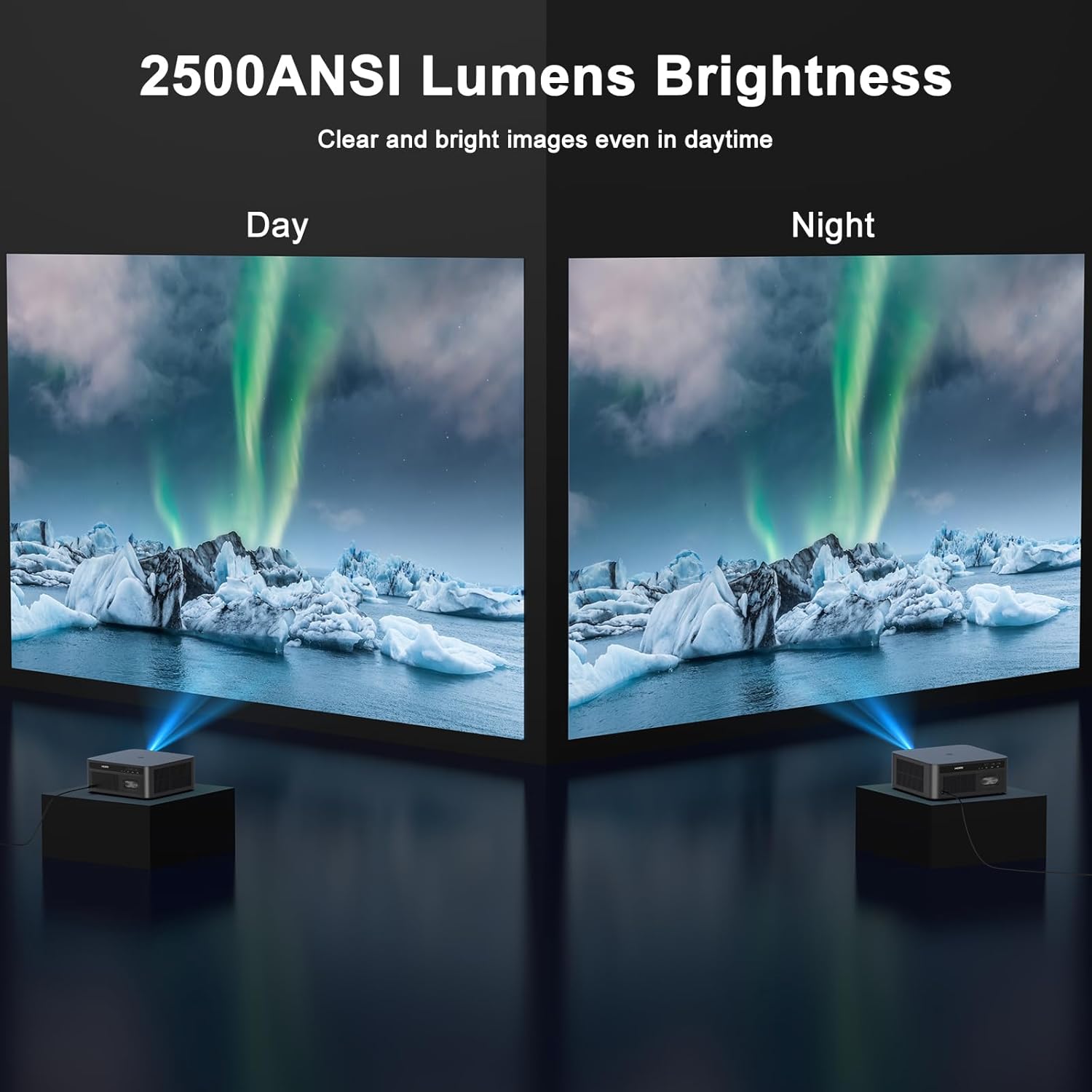
Image: A visual comparison demonstrating the projector's clear and bright image quality during both day and night, thanks to its 2500 ANSI Lumens brightness.

Image: The projector showcasing its 4K decoding resolution with an ultra-clear and delicate image of an underwater scene.

Image: The projector creating a massive 300-inch screen, transforming a living room into an IMAX-like theater.
9. Maintenance
To ensure the longevity and optimal performance of your HAPPRUN KC7 PRO Projector, follow these maintenance guidelines:
- Cleaning: Use the provided cleaning kit to gently clean the lens and exterior surfaces. Avoid abrasive materials or harsh chemicals.
- Ventilation: Ensure the projector's vents are not obstructed to allow the built-in cooling system to function effectively.
- Dust Protection: The projector is designed to be dust-proof, but regular cleaning of the surrounding area can further prevent dust accumulation.
- Storage: When not in use for extended periods, store the projector in a cool, dry place, protected from dust and direct sunlight.
10. Troubleshooting
If you encounter issues with your HAPPRUN KC7 PRO Projector, refer to the following common solutions:
- No Power: Check if the power cord is securely connected to both the projector and the electrical outlet. Ensure the outlet is functional.
- No Image: Verify that the input source is correctly selected. Check HDMI or USB connections. Allow the projector to complete its automatic focus and keystone adjustments.
- Blurry Image: The projector features auto-focus. If the image remains blurry, try repositioning the projector slightly or restarting it to trigger the auto-adjustment.
- No Sound: Check the volume settings on both the projector and any connected external audio devices. Ensure Bluetooth devices are properly paired.
- Wi-Fi/Bluetooth Connection Issues: Restart the projector and your router. Ensure the projector is within range of your Wi-Fi network or Bluetooth device.
For persistent issues, please contact HAPPRUN customer support.
11. Specifications
| Feature | Specification |
|---|---|
| Brand | HAPPRUN |
| Model Number | KC7 PRO |
| Brightness | 2500 ANSI Lumens |
| Display Resolution | 1920 x 1080 (Native), 4K Decoding |
| Contrast Ratio | 20,000:1 |
| Color Gamut | 95% |
| HDR Support | HDR10+ |
| Connectivity Technology | 3.5mm Jack, Bluetooth 5.2, HDMI, USB, Wi-Fi 6 |
| Special Features | Portable, Lightweight, Built-in Wi-Fi, Built-in Speaker, Auto Focus, Digital Keystone Correction, Auto Obstacle Avoidance, Auto Screen Alignment, Built-in Cooling System, Media Player, Dust-proof |
| Audio | Dual 10W High-Fidelity Speakers, Dolby Audio |
| Product Dimensions | 8.7 x 8.35 x 5.41 inches |
| Item Weight | 0.156 ounces |
| Color Name | Black |
12. Warranty and Support
For warranty information or technical assistance, please refer to the official HAPPRUN website or contact their customer support directly. Keep your purchase receipt as proof of purchase.
13. Official Product Video
Video: An official product overview of the HAPPRUN 2500 ANSI Lumens Projector, provided by HAPPRUN Pro Direct-JHS.


