
Introduction
This manual provides instructions for the Atogou APS101-C Digital Kitchen Food Scale. This scale is designed for precise measurements in cooking, meal preparation, and package weighing, offering high accuracy up to 33lb (15kg) with a full-view display and dual power options. Please read this manual thoroughly before use to ensure proper operation and longevity of your device.
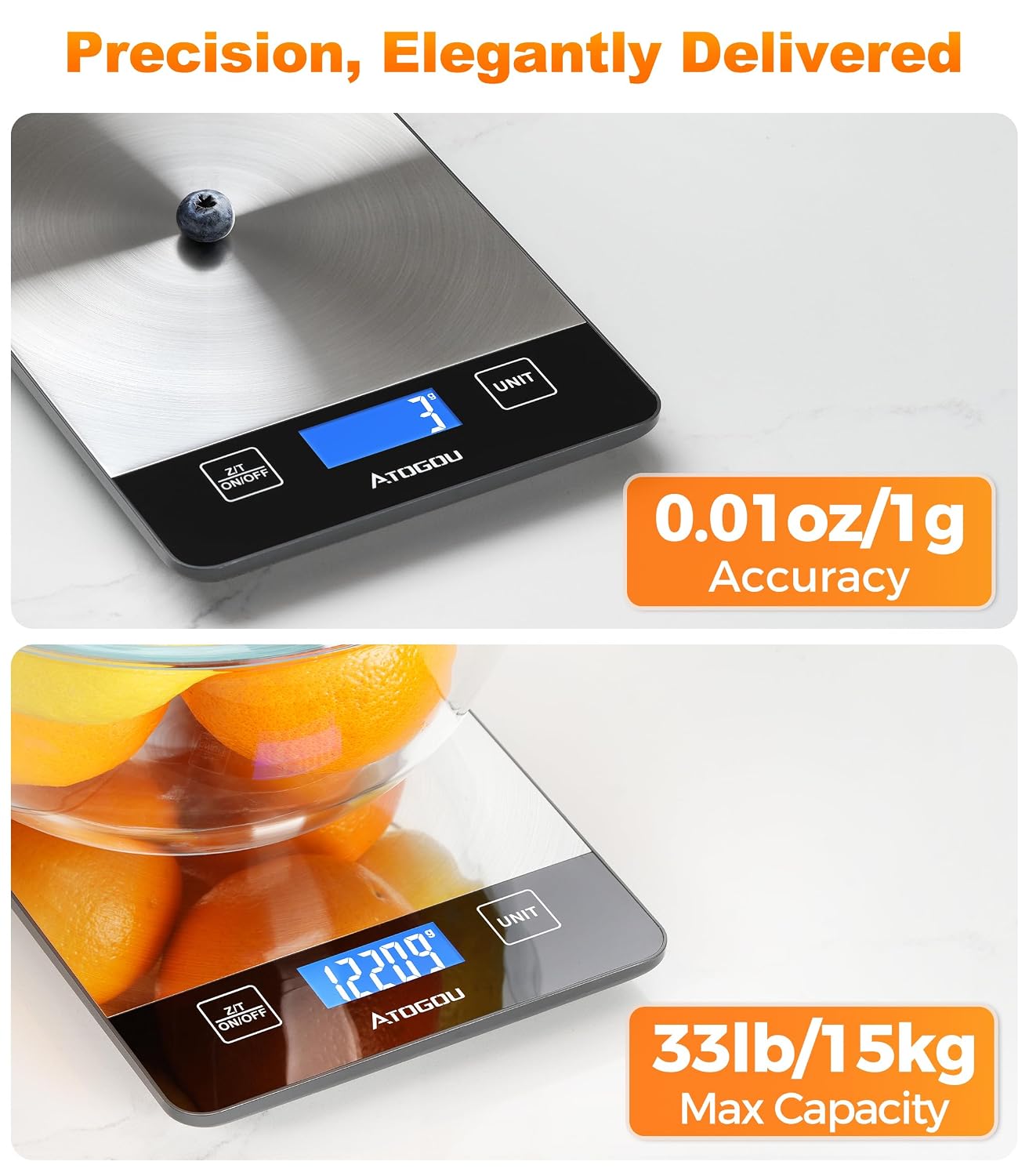
Image: The Atogou Digital Kitchen Food Scale demonstrating its high accuracy with a small item (blueberry) and its large capacity with a bowl of oranges, displaying measurements in grams.
Setup
- Unpacking: Carefully remove the scale and all included accessories from the packaging. Verify that you have: 1x Digital scale, 1x USB cable, 1x Operation manual, and 2x Trial AAA batteries.
- Power Supply: Your scale offers dual power options:
- USB-C Rechargeable: Connect the provided USB-C cable to the scale's port and a compatible USB power source (e.g., USB adapter, computer USB port). The built-in lithium battery will begin charging.
- AAA Batteries: Alternatively, open the battery compartment on the underside of the scale and insert the 2 AAA batteries. Ensure correct polarity (+/-) as indicated inside the compartment. Note: The included AAA batteries are for trial purposes and are non-rechargeable.
- Placement: Place the scale on a flat, stable, and level surface to ensure accurate readings. Avoid placing it on soft or uneven surfaces.

Image: Illustration of the dual power supply options for the scale, showing both USB-C charging and AAA battery installation.
Operating Instructions
1. Power On/Off
Press the Z/T ON/OFF button to turn the scale on. Press and hold the same button for a few seconds to turn the scale off.
2. Unit Conversion
Press the UNIT button to cycle through the available measurement units. The scale supports: ounces (oz), pounds (lb), grams (g), kilograms (kg), milliliters (ml), and milk milliliters (milk ml).

Image: The scale demonstrating its ability to display measurements in six different units, including grams, kilograms, milliliters, and ounces.
3. Tare Function
The tare function allows you to weigh items in a container by subtracting the container's weight.
- Place an empty container on the scale platform. The display will show its weight.
- Press the Z/T ON/OFF button (or TARE if labeled separately) to reset the display to zero.
- Add the items you wish to weigh into the container. The display will show only the net weight of the items.

Image: Step-by-step visual guide on how to use the one-click tare function for weighing ingredients in a bowl.
4. Weighing Items
Place items directly on the stainless steel platform or in a tared container. The weight will be displayed on the full-view backlit LCD screen.

Image: The scale's full-view backlit display, showing clear readability from various angles and in dim lighting conditions.
5. Auto-Off Function
The scale is equipped with an adjustable auto-off feature to conserve battery life. If no operation is performed for a set period, the scale will automatically turn off.
Maintenance
- Cleaning: The stainless steel platform is splash-resistant and designed for easy cleanup. Wipe the surface with a damp cloth. Avoid using abrasive cleaners. Do not immerse the scale in water or wash it under running water directly, as this can damage internal components.
- Storage: Store the scale in a dry, cool place away from extreme temperatures and humidity. Its compact size (8″ × 5.5″) allows for easy storage.
- Handling: Handle the scale with care. Avoid dropping it or subjecting it to strong impacts, which can affect its accuracy.

Image: Demonstrates the splash-resistant feature and ease of cleaning, with a crucial reminder not to immerse the scale in water.

Image: The compact dimensions of the scale (8x5.5 inches), highlighting its suitability for easy storage in any kitchen.
Troubleshooting
| Problem | Possible Cause | Solution |
|---|---|---|
| Inaccurate Readings | Scale not on a flat, stable surface; nearby electromagnetic interference; overloaded. | Ensure scale is on a firm, level surface. Move away from electronic devices. Do not exceed maximum capacity (33lb/15kg). |
| Display shows "Lo" | Low battery. | Recharge the scale via USB-C or replace the AAA batteries. |
| Display shows "Err" | Scale overloaded; unstable surface; internal error. | Remove items exceeding capacity. Place scale on a stable surface. If error persists, contact support. |
| Scale does not turn on | No power; dead batteries; power button not pressed correctly. | Check battery installation or charge level. Press the ON/OFF button firmly. |
Specifications
- Brand: Atogou
- Model: APS101-C
- Capacity: 3g – 15kg (33lb)
- Accuracy: 1g / 0.01oz
- Display Type: LCD, Full-View Backlit
- Power Supply: USB-C Rechargeable (built-in lithium battery) or 2x AAA Batteries
- Special Features: Tare function, 6 unit conversions (oz, lb, g, kg, ml, milk ml), Auto-off, Splash-resistant stainless steel platform, Compact size (8″ × 5.5″)
- Included Components: 1x Digital scale, 1x USB cable, 1x Operation manual, 2x Trial AAA batteries (non-rechargeable)
- Manufacturer: Dongguan Changxie Technology Co., Ltd.
Product Video
Video: Official product video demonstrating the Atogou 33lb Digital Kitchen Scale's features, including its rechargeable capability and full-view display.
Warranty and Support
For warranty information, technical assistance, or any questions regarding your Atogou APS101-C Digital Kitchen Food Scale, please refer to the contact details provided with your purchase documentation. You may also visit the official Atogou brand store online for further support and product information.
Thank you for choosing Atogou.