
Introduction
Welcome to the Boytond S19AI AI Translation Earbuds. These earbuds are designed to provide real-time language translation, enabling seamless communication across various languages and scenarios. This manual will guide you through the setup, operation, and maintenance of your new device.
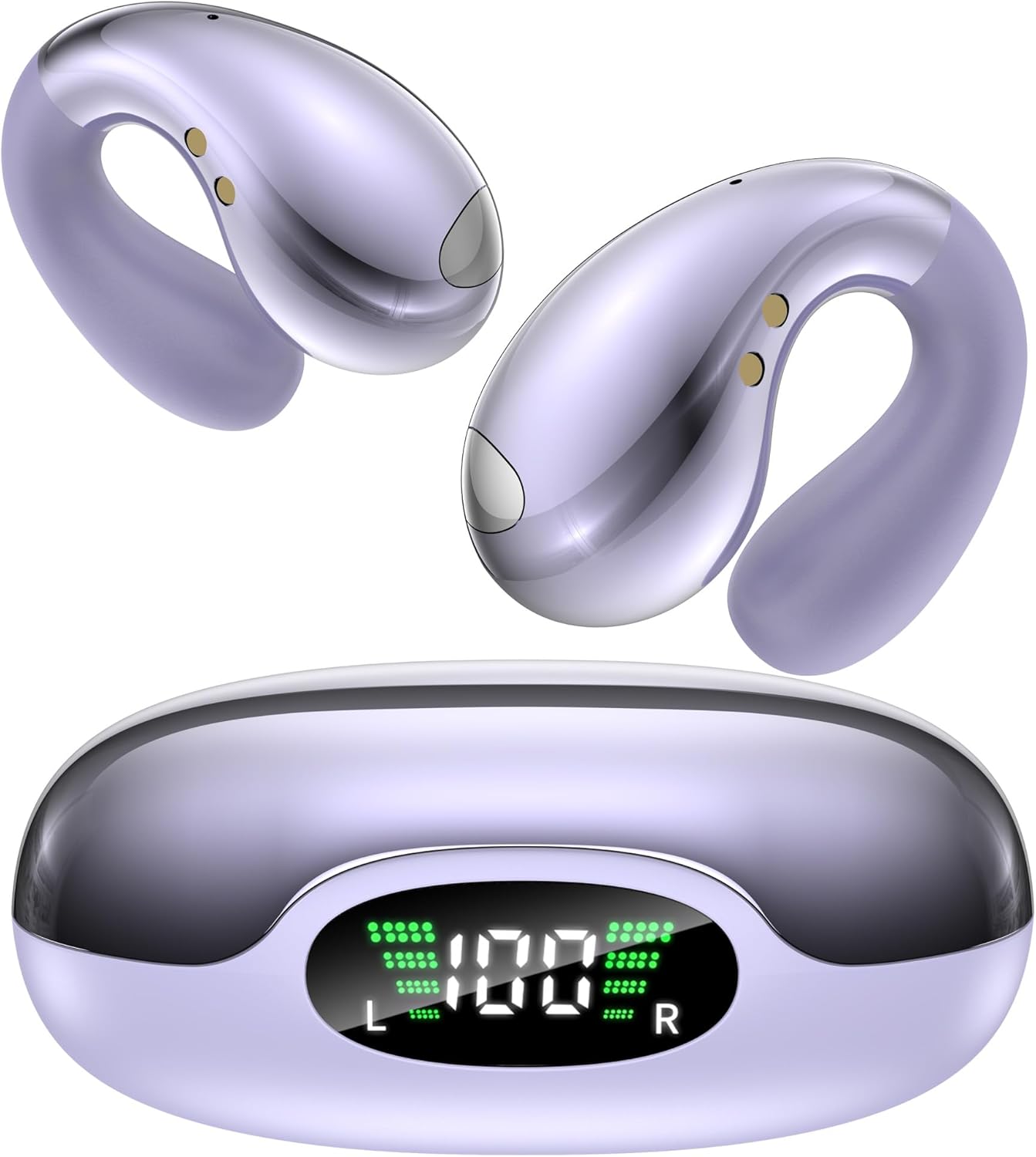
Image: Boytond S19AI AI Translation Earbuds and their charging case, showcasing the crystal purple color and digital display on the case.
Package Contents
Please verify that all items are present in your package:
- 2 x Boytond S19AI AI Translation Earbuds
- 1 x Charging Case
- 1 x USB-C Charging Cable
- 1 x User Manual (this document)
Specifications
| Model Name | S19AI |
| Brand | Boytond |
| Connectivity Technology | Wireless (Bluetooth 5.4) |
| Audio Driver Type | 16.3mm Dynamic Driver |
| Battery Life (Earbuds) | Up to 8 hours |
| Total Playtime (with Case) | Up to 50 hours |
| Charging Time | Approximately 1 hour (for earbuds) |
| Fast Charging | 10 minutes charge provides 3 hours playtime |
| Weight (per earbud) | 5 grams |
| Material | Silicone (with purple coating) |
| Water Resistance | Water Resistant |
| Control Type | Touch Control, App Control |
| Ear Placement | Open Ear |
Setup Guide
Follow these steps to set up your Boytond S19AI AI Translation Earbuds:
- Download the Bitdynamic App: The translation features require the dedicated Bitdynamic app.
Scan the QR code below with your smartphone or visit bitdynamic.ai/app/download.html to download the app for iOS or Android.

Image: A QR code for downloading the Bitdynamic app, alongside screenshots illustrating the app download, Bluetooth pairing, sign-up/login, and app exploration process.
- Pair via Bluetooth:
- Open the charging case. The earbuds will automatically enter pairing mode.
- On your smartphone, go to Bluetooth settings and select "S19AI" from the list of available devices.
- Once connected, you will hear an audio prompt.
- Sign Up or Log In to the App: Open the Bitdynamic app and follow the on-screen instructions to create an account or log in.
- Explore the App: Once logged in and connected, you will have unlimited access to all translation features within the app.
Operating Modes
The Boytond S19AI earbuds offer four smart translation modes to suit various communication needs:
- In-Person Translation: Ideal for face-to-face conversations. One person speaks, and the earbuds translate for the other.
- Simultaneous Interpretation: For continuous, real-time translation during presentations or discussions.
- Voice & Video Call Translation: Translate conversations during phone or video calls.
- Offline Mode: Provides translation capabilities even without an internet connection. This feature supports most regions globally.

Image: Illustration of the four smart translation modes available with the earbuds, showing icons for In-Person Translation, Simultaneous Interpretation, Voice & Video Call Translation, and Offline Mode.
Audio Features
Experience high-quality audio with your Boytond S19AI earbuds:
- 16.3mm Dynamic Drivers: Deliver rich sound with deep bass and clear treble.
- Bluetooth 5.4: Ensures a stable and efficient wireless connection for both audio and translation.
- Open-Ear Design: Allows you to remain aware of your surroundings while enjoying audio or translations.
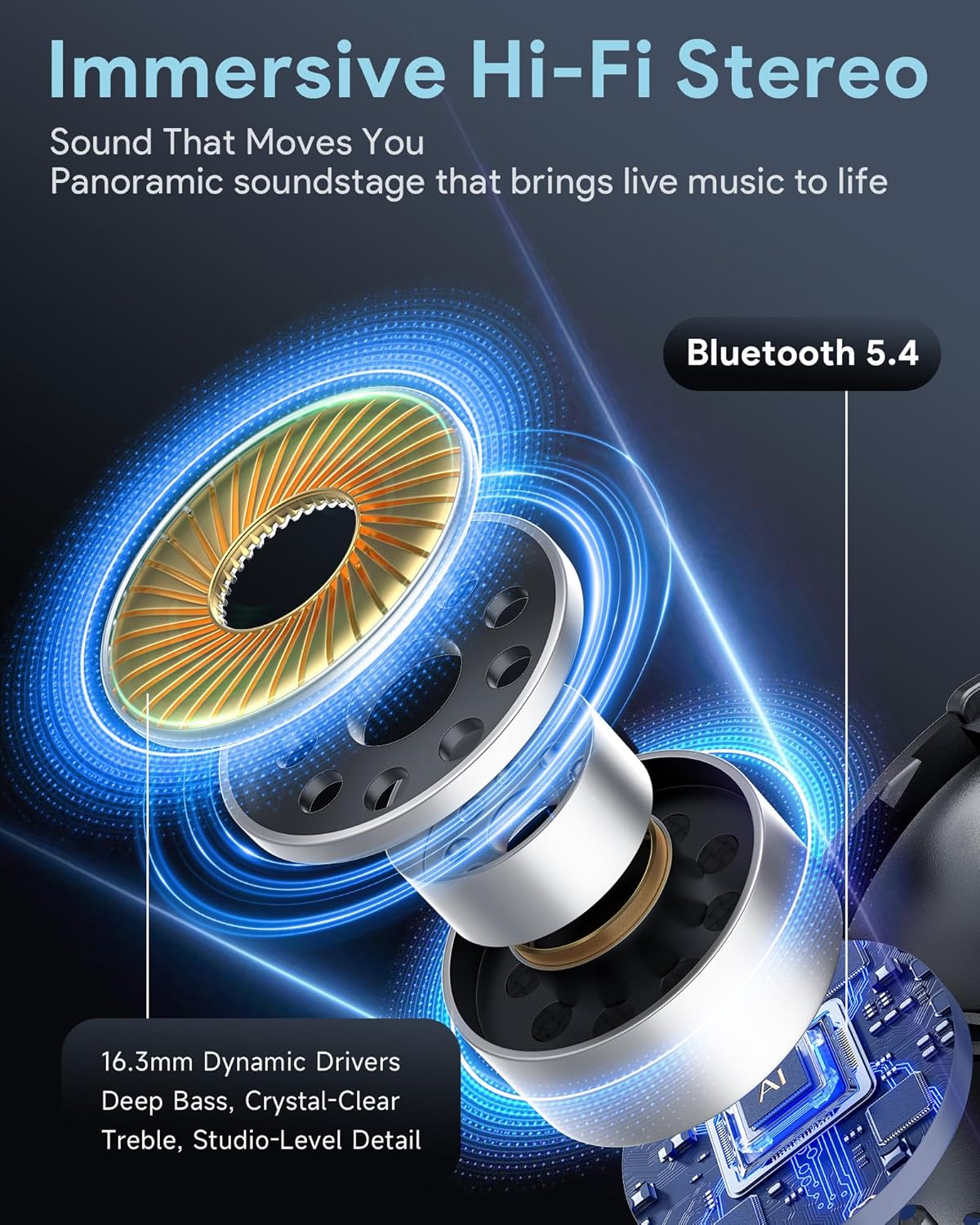
Image: A detailed diagram highlighting the 16.3mm dynamic drivers and Bluetooth 5.4 technology within the earbud, emphasizing immersive Hi-Fi stereo sound.
Battery and Charging
The Boytond S19AI earbuds are designed for extended use:
- Earbud Battery Life: Up to 8 hours of continuous use on a single charge.
- Total Playtime: Up to 50 hours of total playtime with the included charging case.
- Fast Charging: A 10-minute charge provides approximately 3 hours of playtime.
- Charging the Case: Use the provided USB-C cable to charge the case. The digital display on the case indicates battery levels.

Image: The charging case with a digital display showing "100%" battery, illustrating the "Week-Long Battery Life" of up to 50 hours and fast charging capability.
Comfort and Design
The S19AI earbuds are engineered for comfort and secure fit:
- Lightweight: Each earbud weighs only 5 grams, providing a feather-light feel.
- Ergonomic Open-Ear Design: Designed to fit securely and comfortably without pressure, suitable for extended wear.
- Water Resistant: Built to withstand splashes and sweat, making them suitable for various activities.

Image: Illustrations demonstrating the lightweight nature of the earbuds (5g) and their custom, pressure-free ergonomic fit for all ear shapes.
Troubleshooting
If you encounter issues with your earbuds, please refer to the following common solutions:
- Earbuds Not Pairing:
- Ensure both earbuds are in the charging case and fully charged.
- Turn off and on your device's Bluetooth.
- Forget "S19AI" from your device's Bluetooth list and attempt to re-pair.
- Restart your smartphone.
- No Sound:
- Check the volume levels on both your earbuds and your connected device.
- Ensure the earbuds are properly connected via Bluetooth.
- Try playing audio from a different application or source.
- Translation Not Working in App:
- Ensure the earbuds are connected to your phone and the Bitdynamic app is open and active.
- Check your internet connection (unless using Offline Mode).
- Verify that the correct source and target languages are selected in the app.
- Update the Bitdynamic app to the latest version.
- Earbuds Not Charging:
- Ensure the charging cable is securely connected to both the case and a power source.
- Check if the charging contacts on the earbuds and inside the case are clean and free of debris.
- Try a different USB-C cable and power adapter.
Maintenance and Care
To ensure the longevity and optimal performance of your earbuds, follow these care instructions:
- Cleaning: Gently wipe the earbuds and charging case with a soft, dry, lint-free cloth. Do not use harsh chemicals or abrasive materials.
- Storage: Store the earbuds in their charging case when not in use to protect them and keep them charged.
- Water Exposure: While water resistant, avoid submerging the earbuds in water or exposing them to heavy rain. Dry them thoroughly if they get wet.
- Temperature: Avoid exposing the earbuds to extreme temperatures (hot or cold) or direct sunlight for prolonged periods.
Safety Information
Please read and follow these safety guidelines to prevent injury or damage to your device:
- Do not attempt to disassemble or modify the earbuds or charging case.
- Keep the device away from children and pets.
- Avoid using the earbuds at excessively high volumes for prolonged periods to prevent hearing damage.
- Be aware of your surroundings when using the earbuds, especially in traffic or hazardous environments.
- Dispose of batteries and electronic components responsibly according to local regulations.
Warranty and Support
Your Boytond S19AI AI Translation Earbuds come with a manufacturer's warranty. For detailed warranty information, please refer to the warranty card included in your package or visit the official Boytond website.
For technical support, troubleshooting assistance, or any questions regarding your product, please contact Boytond customer service through their official website or the contact information provided in the Bitdynamic app.
You can also visit the Boytond Store on Amazon for more product information and support resources.