Introduction
This manual provides instructions for the safe and efficient operation of your Gourmia GSC517 4.5 Quart Slow Cooker. Please read all instructions thoroughly before first use and retain this manual for future reference.
The Gourmia GSC517 Slow Cooker is designed for preparing various meals with ease. It features a 4.5-quart capacity, 5 one-touch cooking presets, a digital display, a customizable timer up to 24 hours, and an automatic keep-warm function.
Important Safeguards
When using electrical appliances, basic safety precautions should always be followed, including:
- Read all instructions before use.
- Do not touch hot surfaces. Use handles or oven mitts.
- To protect against electrical shock, do not immerse the cord, plugs, or the appliance in water or other liquid.
- Close supervision is necessary when any appliance is used by or near children.
- Unplug from the outlet when not in use and before cleaning. Allow to cool before putting on or taking off parts.
- Do not operate any appliance with a damaged cord or plug, or after the appliance malfunctions or has been damaged in any manner.
- The use of accessory attachments not recommended by the appliance manufacturer may cause injuries.
- Do not use outdoors.
- Do not let the cord hang over the edge of a table or counter, or touch hot surfaces.
- Do not place on or near a hot gas or electric burner, or in a heated oven.
- Extreme caution must be used when moving an appliance containing hot oil or other hot liquids.
- Always attach the plug to the appliance first, then plug the cord into the wall outlet. To disconnect, turn any control to "off", then remove the plug from the wall outlet.
- Do not use the appliance for other than its intended use.
- Avoid sudden temperature changes, such as adding refrigerated foods into a heated pot.
Product Components
Familiarize yourself with the parts of your Gourmia Slow Cooker:

Image: Components of the Gourmia GSC517 Slow Cooker
- Cooker Base: The main unit housing the heating element and control panel.
- Ceramic Pot: Removable inner pot for cooking.
- Handles: For safe transport of the cooker base.
- Locking Bands & Hooks: Secure the lid for spill-free transport.
- Shatter-Resistant Glass Lid: Allows viewing of food during cooking.
- Touchscreen Display: Digital interface for setting modes and time.
Before First Use
- Remove all packaging materials, stickers, and labels from the appliance.
- Wash the ceramic pot and glass lid in warm, soapy water. Rinse thoroughly and dry.
- Wipe the exterior of the cooker base with a damp cloth. Do not immerse the cooker base in water.
- Ensure all parts are completely dry before assembly and use.
Operating Instructions
The Gourmia GSC517 Slow Cooker offers various settings for convenient meal preparation.

Image: Control Panel with Presets and Temperature Settings
Control Panel Overview
- Power Button: Turns the unit on/off.
- Mode Button: Cycles through preset cooking modes.
- +/- Buttons: Adjust cooking time.
- Delay Start Button: Sets a delayed start time.
- Start/Stop Button: Initiates or cancels cooking.
Using Preset Modes
The slow cooker includes 5 one-touch presets for common dishes:
- Braise
- Chicken
- Meat
- Soup
- Beans
To use a preset:
- Place ingredients into the ceramic pot and cover with the lid.
- Plug in the slow cooker. The display will show "0:00".
- Press the Mode button repeatedly until the desired preset (e.g., CHICKEN, SOUP) is highlighted. The default time for that preset will appear.
- Press Start/Stop to begin cooking.
Setting Custom Cook Time
You can manually adjust the cooking time from 30 minutes to 24 hours.

Image: Custom Cook Time and Delay Start Features
- After selecting a preset or if no preset is selected, use the + or - buttons to adjust the cooking time.
- Press Start/Stop to begin cooking with the custom time.
Delay Start Function
The delay start function allows you to program the slow cooker to begin cooking at a later time.
- Set your desired cooking mode and time.
- Press the Delay Start button. The display will flash.
- Use the + or - buttons to set the delay time (e.g., 2 hours).
- Press Start/Stop. The timer will count down the delay time, then automatically begin cooking.
Automatic Keep Warm
Once the cooking cycle is complete, the slow cooker will automatically switch to the "Keep Warm" setting. This function maintains the food at a safe serving temperature without overcooking. The display will show "Warm" and count up the time spent in this mode.
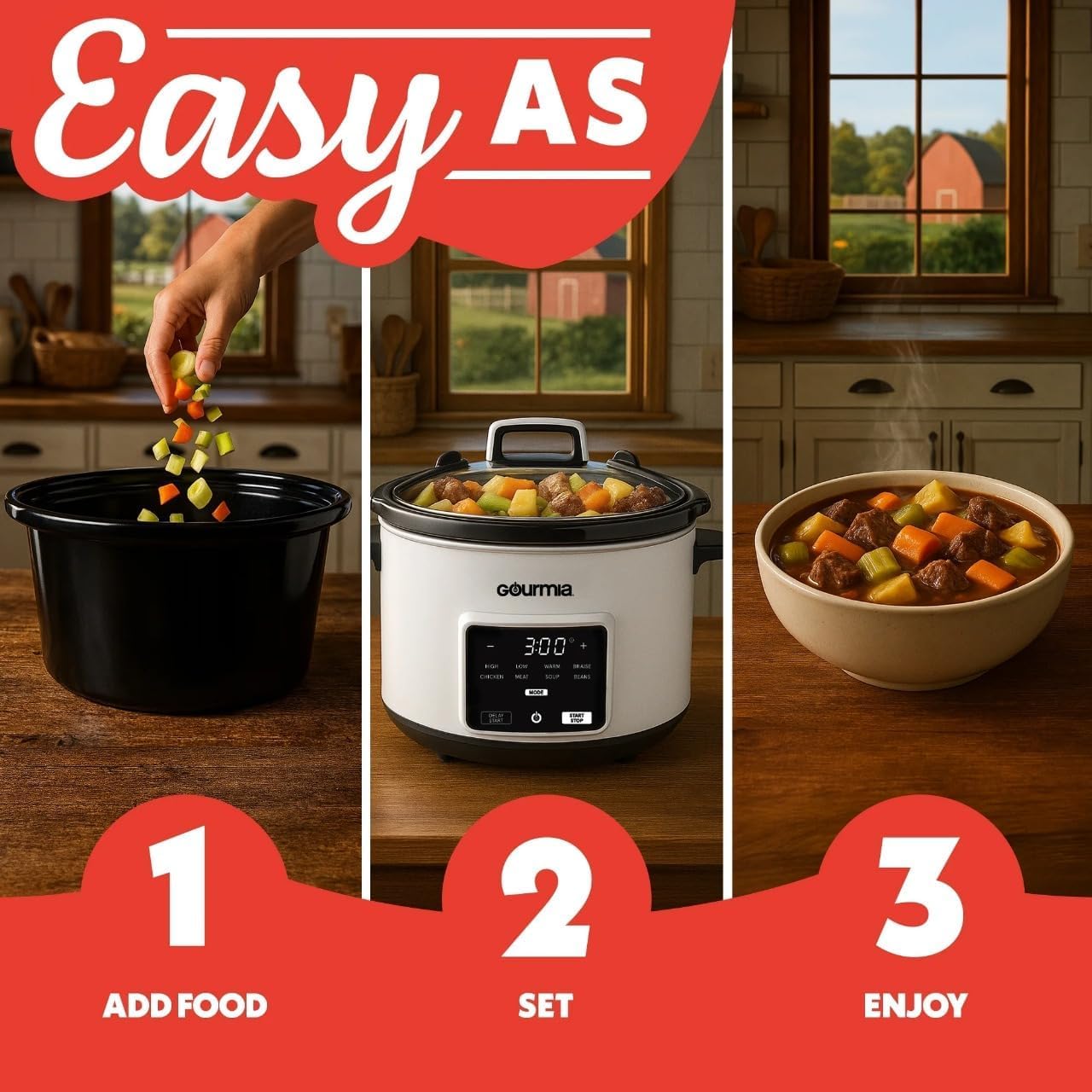
Image: Simple 3-Step Operation Guide
Cleaning and Maintenance
Proper cleaning and maintenance ensure the longevity and performance of your slow cooker.
- Always unplug the slow cooker and allow it to cool completely before cleaning.
- The ceramic pot and glass lid are dishwasher safe. Alternatively, wash them in warm, soapy water, rinse, and dry thoroughly.
- Wipe the exterior of the cooker base with a damp cloth. Do not use abrasive cleaners or scouring pads, as they may damage the surface.
- Ensure all parts are completely dry before storing.
- For transport, utilize the locking bands and hooks to secure the lid, preventing spills.
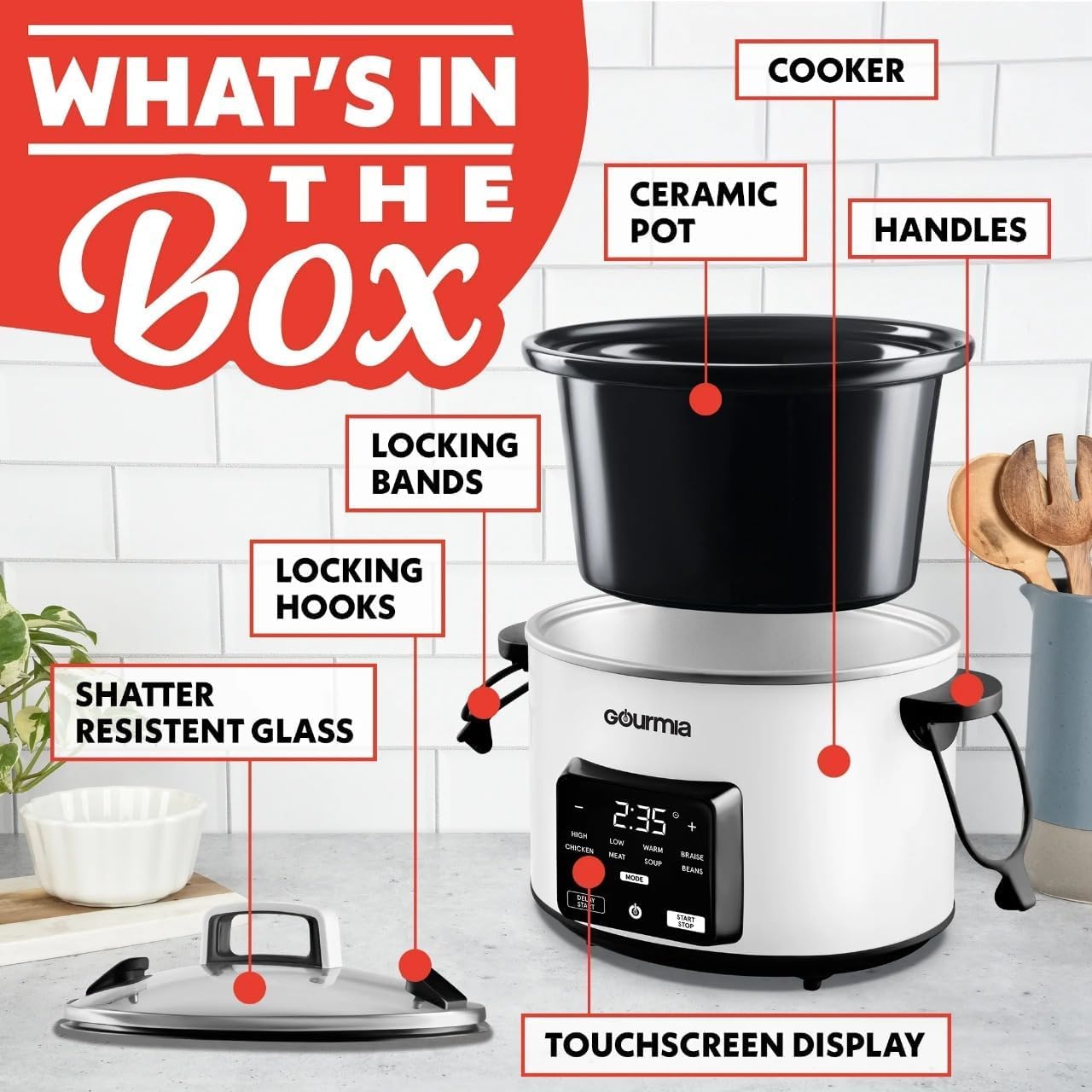
Image: Locking Mechanism for Secure Transport
Troubleshooting
If you encounter issues with your slow cooker, refer to the following common solutions:
- Appliance does not turn on: Ensure the power cord is securely plugged into a working electrical outlet. Check your household circuit breaker.
- Food not cooking properly: Verify that the lid is seated correctly on the ceramic pot. Ensure the correct cooking mode and time have been selected. Allow sufficient time for preheating and cooking.
- Lid does not seal tightly: Check for any food debris or obstructions around the rim of the ceramic pot or lid. Ensure the locking bands are properly engaged.
For further assistance, please contact customer support.
Specifications
Detailed specifications for the Gourmia GSC517 Slow Cooker:
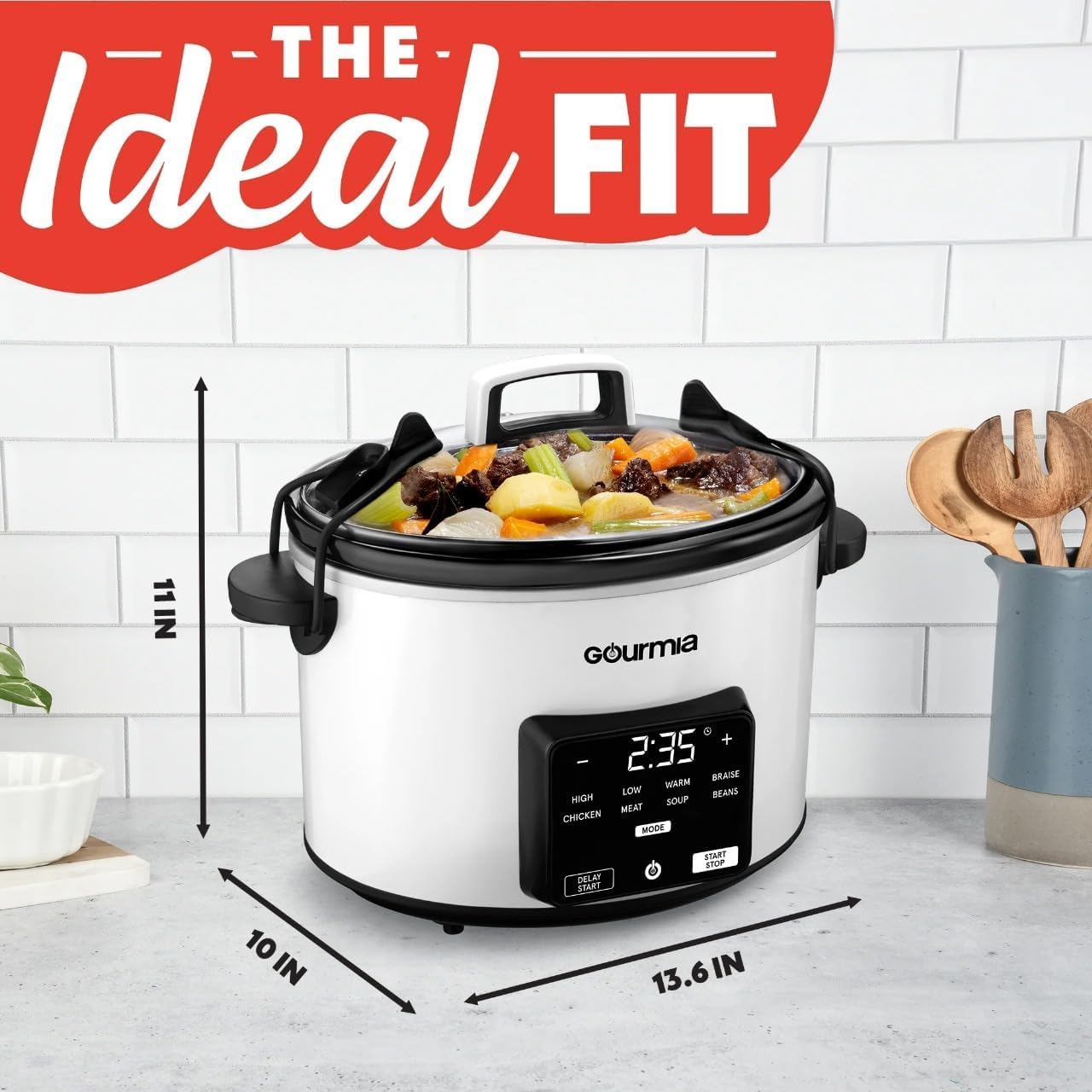
Image: Gourmia GSC517 Slow Cooker Dimensions
| Brand | Gourmia |
| Model Number | GSC517 |
| Capacity | 4.5 Quarts |
| Wattage | 260 watts |
| Voltage | 120 Volts |
| Material | Ceramic, Stainless Steel |
| Product Dimensions | 13.98"D x 10.04"W x 10.63"H |
| Item Weight | 4.5 Pounds |
| Control Method | Touch |
| Number of Settings | 5 (Presets) |
| Controller Type | Digital Display |
| Dishwasher Safe | Yes (Removable parts) |
Warranty and Support
For warranty information or technical support, please refer to the warranty card included with your product or contact Gourmia customer service directly. Keep your purchase receipt as proof of purchase.


