
1. Introduction
The Ring Battery Doorbell 2K (2nd Gen) provides advanced home security with its Retinal 2K video, wide-angle view, and up to 6x Enhanced Zoom. Designed for ease of use, it features Two-Way Talk, real-time motion detection alerts, and a built-in rechargeable battery. This manual will guide you through the installation, operation, and maintenance of your new Ring Doorbell.

Image 1.1: The Ring Battery Doorbell 2K (2nd Gen) installed on a doorframe, showcasing its sleek design and integration into a home security setup.
2. What's in the Box
Verify that all components are present before beginning installation:
- Battery Doorbell 2K (2nd Gen)
- Universal Mounting Plate
- Installation Tools and Hardware
- Setup Guide
- Security Sticker
3. Setup and Installation
The average installation time for the Ring Battery Doorbell 2K is approximately 10 minutes. Follow these steps for a smooth setup:
- Charge the Battery: Fully charge the built-in battery using a USB-C cable (not included) before installation.
- Download the Ring App: Download the Ring app from your device's app store and create an account or log in.
- In-App Setup: Follow the in-app instructions to connect your doorbell to your home Wi-Fi network (2.4Ghz Single Band WiFi).
- Mounting: Use the provided Universal Mounting Plate, tools, and hardware to securely attach the doorbell to your desired location. Ensure it is within Wi-Fi range.
- Optional Wiring: If wiring, connect to a standard doorbell system with 8-24 VAC, 40VA max, 50/60Hz doorbell transformer.

Image 3.1: A hand demonstrating the simple DIY installation process of attaching the Ring Battery Doorbell 2K to its mounting bracket on a doorframe.
4. Operating Instructions
4.1 Video Features
The Ring Battery Doorbell 2K captures video in Retinal 2K resolution, providing clear and detailed footage. Utilize the 6x Enhanced Zoom feature to focus on specific areas or details within the video feed.

Image 4.1: A demonstration of the Retinal 2K video quality and 6x Enhanced Zoom, highlighting the ability to capture fine details from a distance.
4.2 Two-Way Talk and Live View
Engage in real-time conversations with visitors at your door using the Two-Way Talk feature. The Live View function allows you to see, hear, and speak to anyone at your door from your smartphone, even when you're away.
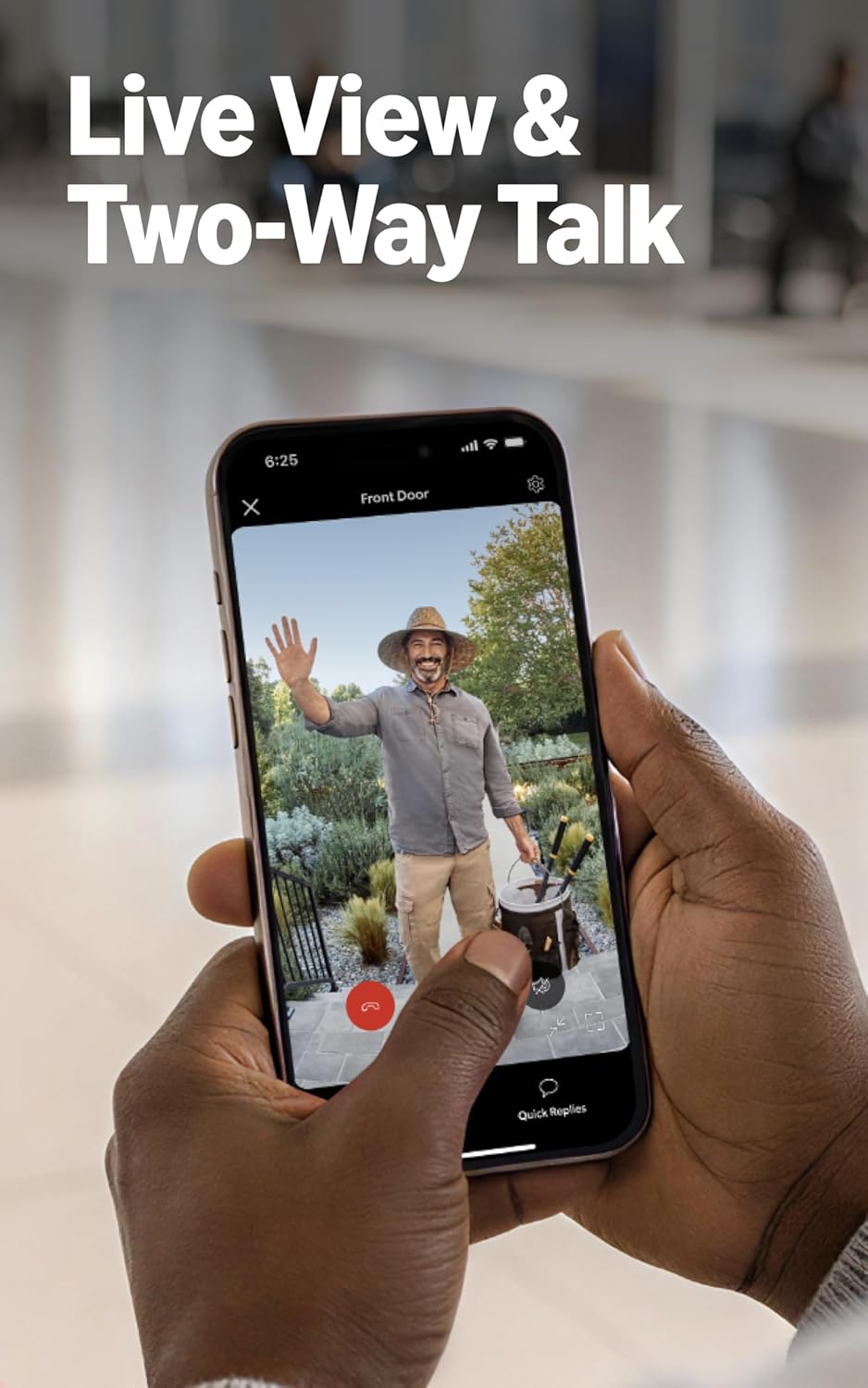
Image 4.2: A smartphone displaying the Live View interface, enabling two-way communication with a person at the door.
4.3 Motion Detection and Alerts
Receive instant notifications on your phone when motion is detected at your doorstep. Customize motion zones and sensitivity settings within the Ring app to optimize alerts and reduce false alarms.

Image 4.3: An illustration of the motion detection feature, showing an alert generated when activity is detected at the front door.
4.4 Alexa Integration
Your Ring Doorbell works seamlessly with Alexa-enabled devices. Hear custom notifications from Echo Dot, launch video feeds on Echo Show, and enjoy hands-free home monitoring by linking your Ring account with Alexa.
4.5 Ring Protect Subscription (Sold Separately)
For enhanced features, consider a compatible Ring Protect subscription. This allows you to scroll back in time to rewatch missed events, receive AI-powered alerts, and access other advanced functionalities. Video recordings are stored for up to 180 days.
5. Charging and Power
The Ring Battery Doorbell 2K is powered by a built-in Lithium Ion Battery. To recharge, simply detach the doorbell from its mounting plate using the included removal tool, then connect a USB-C cable (not included) to the charging port. Ensure the rubber cover is removed to access the port.

Image 5.1: The rear view of the Ring Battery Doorbell 2K, indicating the location of the USB-C charging port for convenient recharging.
6. Maintenance
The Ring Battery Doorbell 2K is designed to be weather-resistant and operates in temperatures from -4°F to 120°F (-20°C to 48.5°C). To ensure optimal performance and longevity:
- Cleaning: Periodically wipe the camera lens and the doorbell's exterior with a soft, damp cloth to remove dust and debris. Avoid abrasive cleaners.
- Battery Health: Monitor battery levels via the Ring app and recharge as needed.
- Placement: While weather-resistant, prolonged exposure to direct sunlight and extreme conditions may affect performance. Consider placement to minimize such exposure.
7. Troubleshooting
If you encounter issues with your Ring Battery Doorbell 2K, consider the following common solutions:
- No Power/Not Charging: Ensure the USB-C cable is properly connected and the power source is active. Check for debris in the charging port.
- Wi-Fi Connectivity Issues: Verify your Wi-Fi network is active and the doorbell is within range. Restart your router and the doorbell. Ensure your internet upload speed meets the recommended 10 Mbps for 2K devices.
- Poor Video Quality: Check your internet connection speed. Video resolution may vary depending on bandwidth. Clean the camera lens.
- Motion Detection Not Working: Review motion settings in the Ring app, including motion zones and sensitivity. Ensure the doorbell's view is unobstructed.
For further assistance, visit the official Ring support website or contact customer service.
8. Specifications
| Feature | Detail |
|---|---|
| Dimensions | 2.11 in x 5.78 in x 1.41 in (5.36 cm x 14.68 cm x 3.58 cm) |
| Video | Retinal 2K with 6x Enhanced Zoom |
| Motion Detection | Yes |
| Field of View | 140° Horizontal, 140° Vertical Head-to-Toe Field of View |
| Audio | Two-Way Talk |
| Power | Lithium Ion Battery |
| Internet Requirements | Minimum 10 Mbps upload speed recommended for 2K devices |
| Connectivity | WiFi 4, 2.4Ghz Single Band WiFi |
| Average Install Time | 10 minutes |
| Operating Conditions | -4°F to 120°F (-20°C to 48.5°C), Weather Resistant |
| Setup Requirement (Wired) | Standard doorbell system with 8-24 VAC, 40VA max, 50/60Hz transformer |
| Generation | Battery Doorbell 2K (2nd Gen) - 2026 release |
9. Warranty and Support
Your Ring Battery Doorbell 2K (2nd Gen) comes with a one-year limited warranty.
For information regarding software security updates, please visit the Ring Control Center. If you require technical support or have questions not covered in this manual, please visit the official Ring support website or contact their customer service.