
1. Introduction
The GEEKOM A7 Max Mini PC is a compact and powerful computing solution designed for various applications, including remote work, creative tasks, and gaming. Featuring an AMD Ryzen 9 7940HS processor and Radeon 780M graphics, it offers high performance in a small form factor. This manual provides essential information for setting up, operating, and maintaining your device.
Package Contents
Verify that all items listed below are present in your package. If any items are missing or damaged, please contact GEEKOM support.
- GEEKOM A7 Max Mini PC Unit
- VESA Mount
- Power Adapter
- Japanese-spec AC Power Cable
- HDMI Cable
- Instruction Manual (Japanese)

Image: GEEKOM A7 Max Mini PC and its included accessories.
2. Product Overview
The GEEKOM A7 Max is designed for efficiency and versatility. Its compact size allows for easy integration into any workspace, while its robust connectivity options support a wide range of peripherals and display configurations.

Image: GEEKOM A7 Max Mini PC overview highlighting its main features and compact dimensions.
Front and Rear Panels
Familiarize yourself with the ports and buttons on your Mini PC:

Image: Detailed view of the GEEKOM A7 Max Mini PC's front and rear ports.
- Front Panel: 1x SD Card Reader, 4x USB 3.2 Gen 2 Type-A, 1x 3.5mm Audio Jack, 1x Power Button, 1x Kensington Lock Slot.
- Rear Panel: 1x DC Input, 2x 2.5G RJ45 LAN Ports, 2x USB4 (40Gbps, Power Delivery output), 2x HDMI 2.0, 1x USB 2.0 Type-A.
3. Setup
Follow these steps to set up your GEEKOM A7 Max Mini PC for the first time.
- Connect Peripherals: Connect your monitor(s) using the HDMI or USB4 ports. Connect your keyboard and mouse to the available USB ports.
- Connect to Power: Plug the power adapter into the DC input port on the rear panel, then connect the AC power cable to a power outlet.
- Power On: Press the power button on the front panel. The system will boot up.
- Initial Windows 11 Setup: Follow the on-screen instructions to complete the Windows 11 setup process. This includes selecting your region, language, and setting up your user account.
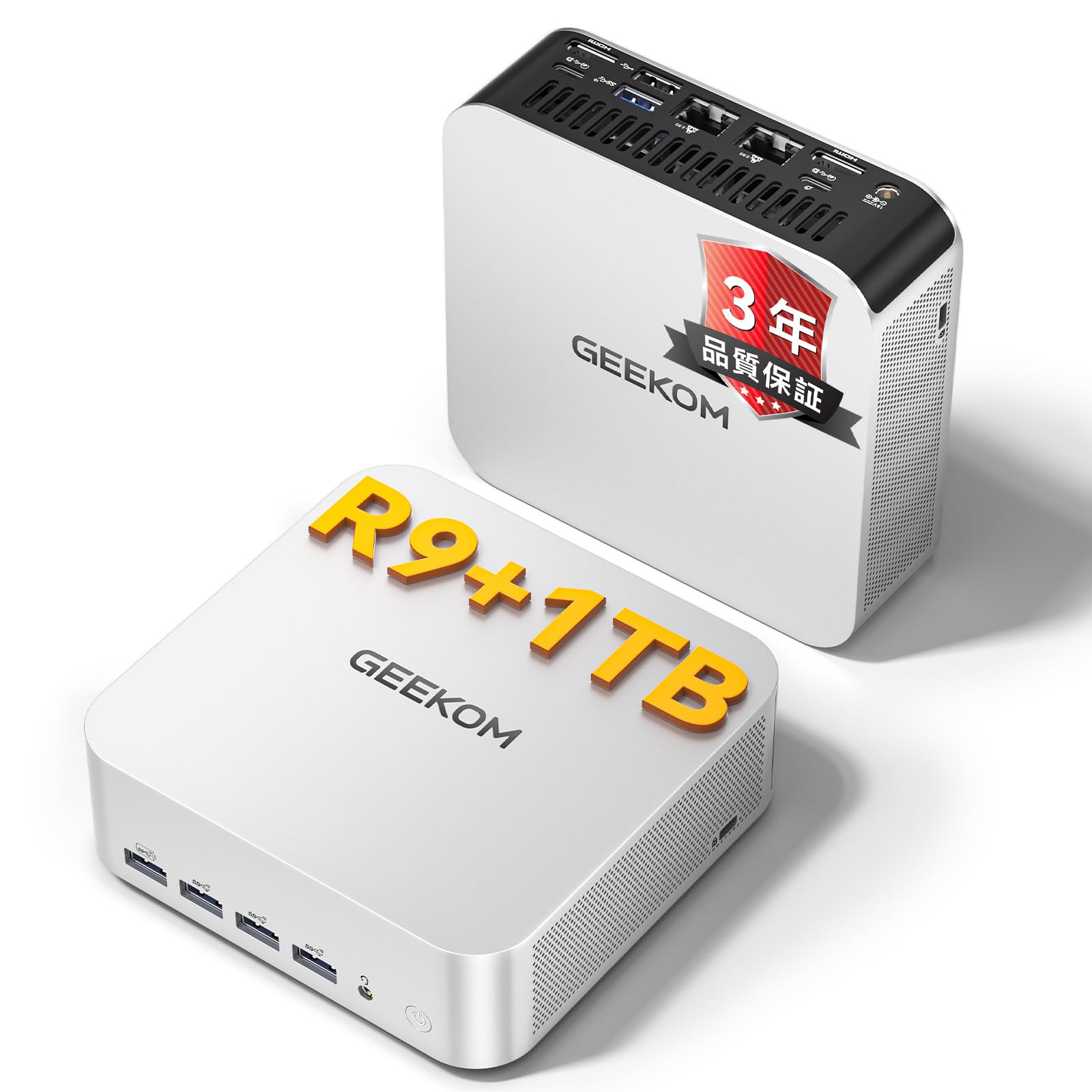
Image: The GEEKOM A7 Max Mini PC in a typical desktop setup.
4. Operating Your Mini PC
Performance Modes
The GEEKOM A7 Max offers four performance modes to optimize power consumption and performance based on your needs:
- Silent Mode (35W): Ideal for light tasks and quiet environments, such as watching movies or browsing.
- Balanced Mode (45W): Suitable for everyday office work and general computing. This is the default mode.
- Performance Mode (54W): Provides enhanced performance for more demanding applications.
- Turbo Mode (70W): Maximizes performance for intensive tasks like gaming or video editing. The system automatically switches to Turbo mode under high load.

Image: Visual representation of the four intelligent scheduling modes.
Multi-Display Setup
The GEEKOM A7 Max supports up to four displays simultaneously, with 8K resolution output, using its two HDMI 2.0 ports and two USB4 ports. This allows for an expansive workspace for productivity, creative work, or immersive gaming.

Image: Example of an 8K quad-display setup with the GEEKOM A7 Max.
Storage and Memory Expansion
The Mini PC comes with 16GB of DDR5 RAM and a 1TB PCIe 4.0 NVMe SSD. The DDR5 memory is user-replaceable and expandable up to 128GB, offering a future-proof solution. The storage can also be expanded up to 4TB.

Image: Internal view emphasizing DDR5 memory and SSD expandability.
Connectivity
The GEEKOM A7 Max provides comprehensive connectivity options:
- Dual USB4 Ports: Two USB4 ports offer ultra-high-speed data transfer up to 40Gbps, 8K video output, and Power Delivery support. They also support eGPU connections for enhanced graphics performance.
- Dual 2.5G LAN Ports: Two 2.5 Gigabit Ethernet ports enable high-speed wired network connections, supporting network segmentation and Link Aggregation for advanced users and home servers.
- Wi-Fi 6E & Bluetooth 5.2: Integrated Wi-Fi 6E provides fast and stable wireless internet, while Bluetooth 5.2 allows seamless connection to wireless keyboards, mice, headphones, and other devices.
- SD Card Reader: A built-in SD card reader (UHS-II compatible) facilitates quick transfer of photos and files from cameras and other devices.

Image: Dual USB4 ports for next-generation connectivity.
5. Maintenance
Cooling System
The GEEKOM A7 Max features a proprietary "SilentStorm" cooling system with dual copper heat pipes and a large silent fan. This design ensures efficient heat dissipation, keeping operating noise below 36dB even under heavy loads, providing a quiet working environment.

Image: SilentStorm cooling system components and performance.
Cleaning
To maintain optimal performance and longevity, regularly clean your Mini PC:
- Use a soft, dry cloth to wipe the exterior surfaces.
- For dust accumulation in vents, use compressed air. Ensure the device is powered off and unplugged before cleaning.
- Avoid using liquid cleaners or abrasive materials.

Image: The GEEKOM A7 Max operates quietly, suitable for any environment.
6. Troubleshooting
This section addresses common issues you might encounter with your GEEKOM A7 Max Mini PC.
| Problem | Possible Cause | Solution |
|---|---|---|
| No power / System does not turn on | Power cable not connected properly; Power adapter malfunction; Power outlet issue. | Ensure all power cables are securely connected. Try a different power outlet. Check the power adapter for damage. |
| No display on monitor | Monitor cable loose or incorrect port; Monitor not powered on or incorrect input selected. | Check display cable connections. Ensure monitor is powered on and set to the correct input source. Try a different display cable or port. |
| System is slow or unresponsive | Too many applications running; Insufficient RAM; Overheating. | Close unnecessary applications. Check system resource usage. Ensure proper ventilation and clean dust from vents. Consider upgrading RAM if frequently encountering this issue. |
| Wi-Fi or Bluetooth not working | Drivers not installed or updated; Wireless features disabled; Interference. | Check device manager for wireless adapter status. Ensure Wi-Fi/Bluetooth is enabled in Windows settings. Update drivers from the GEEKOM website. Reduce interference from other devices. |
7. Technical Specifications
Detailed specifications for the GEEKOM A7 Max Mini PC.
| Feature | Specification |
|---|---|
| Brand | GEEKOM |
| Model | A7 Max |
| Operating System | Windows 11 |
| CPU Model | AMD Ryzen 9 7940HS |
| CPU Speed | 3.2 GHz (Max Boost 5.2 GHz) |
| Graphics Coprocessor | AMD Radeon 780M |
| RAM Memory Technology | DDR5 |
| Installed RAM | 16 GB (Expandable up to 128 GB) |
| Memory Speed | 4800 MHz |
| Storage Type | SSD (PCIe 4.0 NVMe) |
| Storage Capacity | 1 TB (Expandable up to 4 TB) |
| USB Ports | 4x USB 3.2 Gen 2 Type-A, 1x USB 2.0 Type-A, 2x USB4 (40Gbps, PD output) |
| Video Output | 2x HDMI 2.0, 2x USB4 (DisplayPort Alt Mode) |
| Max Display Resolution | 8K (7680 x 4320) |
| LAN | 2x 2.5G RJ45 LAN |
| Wireless Connectivity | Wi-Fi 6E, Bluetooth 5.2 |
| Cooling Method | Air Cooling (SilentStorm System) |
| Product Dimensions | 112.4 x 112.4 x 37 mm (approx. 0.47L volume) |
| Power Consumption | 54 Watts (typical) |
| Certifications | PSE, TELEC, CE, FCC, CB, RoHS |
8. Warranty and Support
GEEKOM is committed to providing high-quality products and excellent customer service.
Warranty Information
The GEEKOM A7 Max Mini PC comes with a 3-year full warranty, which is a testament to its quality and reliability. This includes:
- 1-year free replacement warranty
- 2-year free repair warranty
- 24/7/365 customer support
Customer Support
For any inquiries or technical assistance, please contact GEEKOM support:
- Email Support: service@geekom.jp (Responses typically within 24 hours)
- Online Support: Visit the official GEEKOM website for FAQs and further assistance.

Image: GEEKOM's quality standards and support commitment.


