
1. Safety Information
Please read all instructions carefully before using the UMAY X5-15 treadmill. Retain this manual for future reference.
- Maximum User Weight: Do not exceed the maximum load capacity of 136 kg (299 lbs).
- Placement: Place the treadmill on a flat, stable surface. Ensure adequate clear space around the treadmill for safe operation and emergency dismount.
- Power Supply: Connect the treadmill to a grounded power outlet. Do not use extension cords or adapters.
- Children and Pets: Keep children and pets away from the treadmill during operation.
- Emergency Stop: Familiarize yourself with the emergency stop function before use.
- Medical Conditions: Consult a physician before starting any exercise program, especially if you have pre-existing medical conditions.
- Quality and Safety: This treadmill has been rigorously tested to ensure quality and safety, resisting 100,000 running cycles without deformation or cracks. The anti-slip tread ensures secure use.
2. Package Contents
Verify that all components are present in the package:
- UMAY X5-15 Treadmill Unit
- Remote Control
- Tool Kit for assembly
- User Manual
3. Product Overview
The UMAY X5-15 is a versatile 4-in-1 folding electric treadmill designed for home use, offering various exercise modes and features for an efficient workout.
Key Features:
- 4-in-1 Exercise Modes: Supports working, walking, jogging, and running modes.
- Adjustable Incline: Manual 3-level incline adjustment (up to 16%) to increase workout intensity.
- Powerful and Quiet Motor: 3.0 HP brushless motor with a maximum speed of 10 km/h and low noise operation (<45 dB).
- Advanced Shock Absorption: Multi-layer design with 8 internal silicone shock absorbers and 4 external honeycomb rubber pads for knee protection and reduced vibration.
- LED Display and Remote Control: Intuitive LED control panel and a convenient remote control for easy adjustments.
- Space-Saving Design: Foldable design with integrated wheels for easy storage and portability.
- High Load Capacity: Supports users up to 136 kg.

Figure 3.1: UMAY Treadmill illustrating its 4-in-1 exercise modes: Working (1-2.5 km/h), Walking (2.5-4 km/h), Jogging (4-6 km/h), and Running (6-10 km/h).
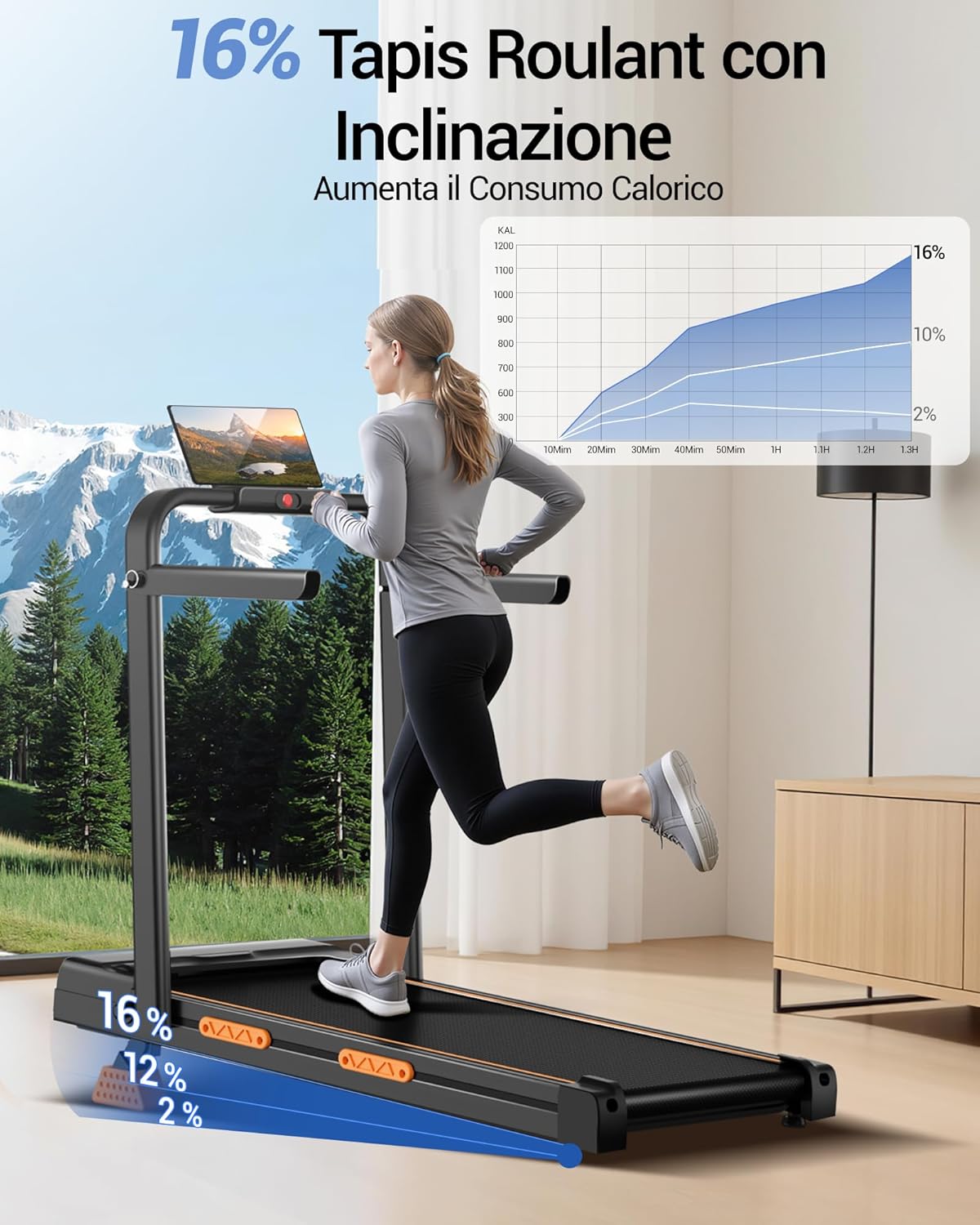
Figure 3.2: The treadmill's 16% incline feature, designed to increase calorie consumption during workouts.

Figure 3.3: Illustration of the 3.0 HP powerful and quiet motor, highlighting its low noise level (<45 dB) and 136 kg load capacity.
4. Setup Instructions
4.1 Unpacking
- Carefully remove all packaging materials from the box.
- Lift the treadmill unit out of the box and place it on a flat, stable surface.
- Remove any protective films or ties.
4.2 Unfolding the Treadmill
The UMAY X5-15 treadmill features a portable and foldable design for easy storage.
- Ensure the treadmill is powered off and unplugged.
- Gently lift the handle assembly until it locks into the upright position. Refer to Figure 4.1.
- Adjust the handles to your desired height or position for comfortable use.
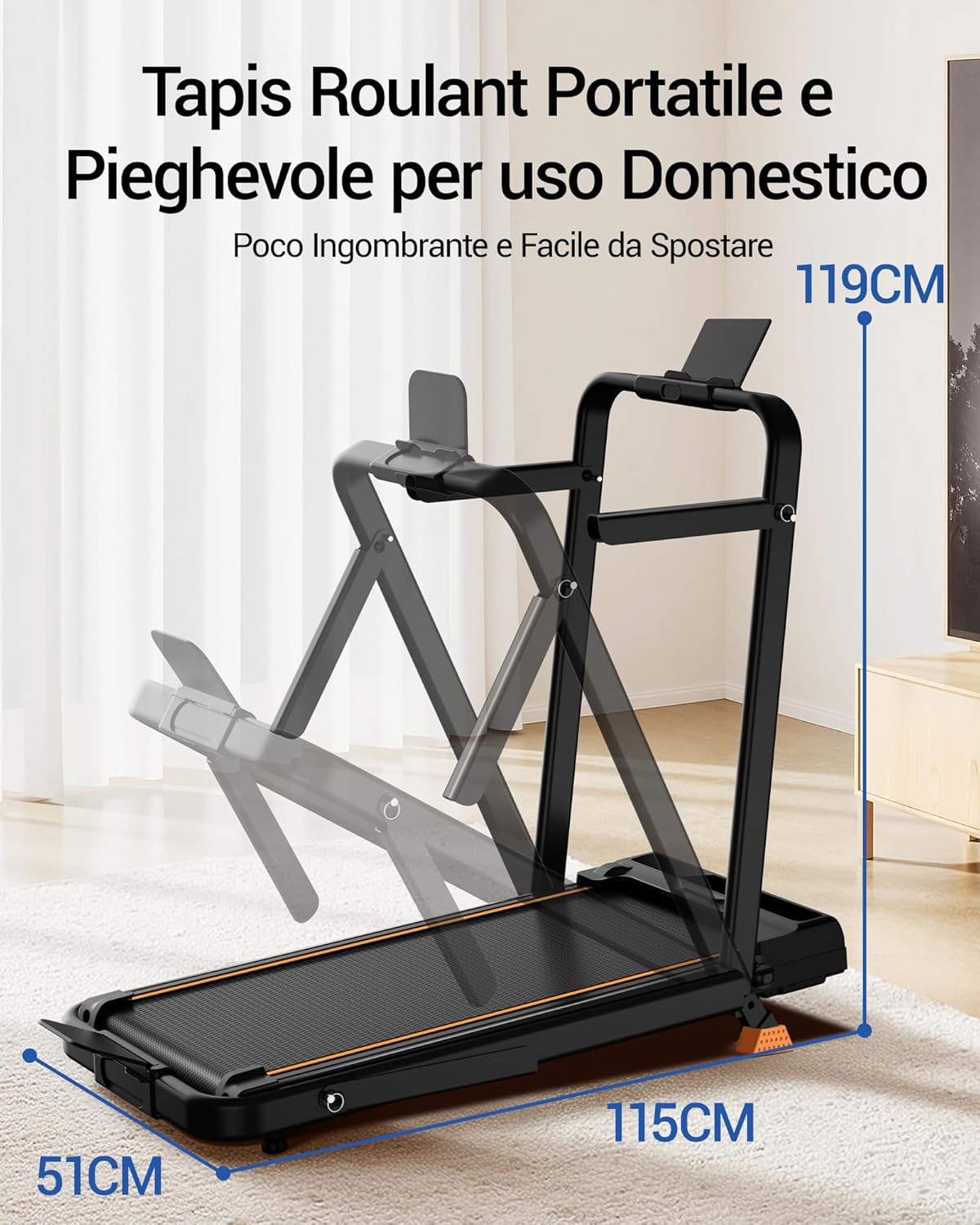
Figure 4.1: The treadmill's portable and foldable design, illustrating how it can be set up for use.

Figure 4.2: The adjustable handles, designed to meet various usage needs and training goals.
4.3 Incline Adjustment
The treadmill offers 3 levels of manual incline adjustment. To change the incline:
- Power off and unplug the treadmill.
- Carefully lift the rear of the treadmill.
- Adjust the support feet underneath the running deck to select one of the three incline levels. Ensure both sides are set to the same level for stability.
- Gently lower the treadmill back down, ensuring it is stable before use.
4.4 Storage
To store the treadmill, fold the handle assembly down. The integrated wheels allow for easy movement, and its compact size (121 x 58 x 10 cm when folded) enables storage under sofas, beds, or desks.

Figure 4.3: The treadmill's running belt dimensions (92cm x 39cm) and its space-saving storage capability with smooth moving wheels.
5. Operating Instructions
5.1 Powering On/Off
- Plug the power cord into a grounded electrical outlet.
- Flip the main power switch (usually located at the front base of the treadmill) to the 'ON' position.
- To power off, flip the main power switch to 'OFF' and unplug the unit.
5.2 Using the Remote Control
The treadmill is operated via an intuitive LED control panel and a remote control.

Figure 5.1: The treadmill's tablet holder, LED display, and remote control with key functions: Speed+, Speed-, Start, and Stop. The display shows Speed, Time, Distance, and Calories.
- Start (Avvio): Press to begin the treadmill belt movement.
- Stop (Arresto): Press to stop the treadmill belt movement.
- Speed+ (Velocità+): Press to increase the treadmill speed.
- Speed- (Velocità-): Press to decrease the treadmill speed.
5.3 LED Display
The LED display provides real-time workout data:
- Speed: Current speed in km/h.
- Time: Duration of your workout.
- Distance: Total distance covered.
- Calories: Estimated calories burned.
5.4 Exercise Modes
The UMAY X5-15 offers four distinct modes to suit various fitness levels and activities:
- Working Mode (1-2.5 km/h): Ideal for light activity while working at a standing desk.
- Walking Mode (2.5-4 km/h): Suitable for brisk walking and light cardio.
- Jogging Mode (4-6 km/h): For moderate intensity jogging.
- Running Mode (6-10 km/h): For higher intensity running workouts.
6. Maintenance
Regular maintenance ensures the longevity and optimal performance of your treadmill.
6.1 Cleaning
- Wipe down the treadmill surfaces with a damp cloth after each use to remove sweat and dust.
- Do not use abrasive cleaners or solvents.
- Ensure the treadmill is unplugged before cleaning.
6.2 Belt Lubrication
The running belt requires periodic lubrication to reduce friction and extend its lifespan. Note: Lubricant is not included with this product and must be purchased separately.
- Turn off and unplug the treadmill.
- Loosen the rear roller bolts slightly to lift the belt.
- Apply a thin layer of 100% silicone treadmill lubricant evenly under the center of the running belt.
- Tighten the rear roller bolts, ensuring the belt is centered and tensioned correctly.
- Run the treadmill at a low speed for a few minutes to distribute the lubricant.
6.3 Belt Tension and Alignment
If the running belt slips or drifts to one side, it may need adjustment.
- Tension: If the belt slips, tighten both rear roller bolts a quarter turn clockwise. Test and repeat if necessary.
- Alignment: If the belt drifts to the right, tighten the right rear roller bolt a quarter turn clockwise. If it drifts to the left, tighten the left rear roller bolt a quarter turn clockwise. Run the treadmill at a low speed to check alignment.
7. Troubleshooting
This section addresses common issues you might encounter with your treadmill.
| Problem | Possible Cause | Solution |
|---|---|---|
| Treadmill does not start | Power cord not plugged in; Power switch off; Circuit breaker tripped. | Ensure power cord is securely plugged in; Turn power switch ON; Reset circuit breaker. |
| Running belt slips | Belt tension too loose; Belt needs lubrication. | Adjust belt tension (refer to Section 6.3); Lubricate belt (refer to Section 6.2). |
| Running belt drifts to one side | Belt alignment incorrect. | Adjust belt alignment (refer to Section 6.3). |
| Unusual noise during operation | Loose components; Belt friction; Motor issue. | Check and tighten all visible bolts and screws; Lubricate belt; If noise persists, contact customer support. |
If you encounter issues not listed here or if solutions do not resolve the problem, please contact UMAY customer support.
8. Specifications
Detailed technical specifications for the UMAY X5-15 Treadmill.

Figure 8.1: The UMAY Treadmill demonstrating its robust build with a maximum load capacity of 136 kg.
| Feature | Detail |
|---|---|
| Model Number | X5-15 |
| Product Dimensions (Unfolded) | 129 x 61 x 110 cm (50.8 x 24 x 43.3 inches) |
| Folded Dimensions | 121 x 58 x 10 cm (47.6 x 22.8 x 3.9 inches) |
| Item Weight | 18 kg (39.7 lbs) |
| Maximum Load Capacity | 136 kg (299 lbs) |
| Motor Horsepower | 3.0 HP |
| Maximum Speed | 10 km/h (6.2 mph) |
| Incline Adjustment | Manual, 3 levels (up to 16%) |
| Running Belt Dimensions | 92 x 39 cm (36.2 x 15.4 inches) |
| Display Type | LED |
| Metrics Displayed | Speed, Distance, Calories Burned |
| Frame Material | Aluminum |
| Power Source | Corded Electric |
| Special Features | Pre-installed workout programs, Shock absorption, Wheels for transport, Adjustable speed |
| Color | Black |
9. Warranty and Support
UMAY is committed to providing reliable customer service and product quality.
- Warranty: This product comes with a 2-year warranty.
- Customer Service: We provide 24/7 customer assistance.
- Return/Replacement Policy: A 730-day return/replacement policy is available to ensure your complete satisfaction.
For any questions, concerns, or warranty claims, please contact UMAY customer support through the retailer where you purchased the product or visit the official UMAY website.


