1. Introduction
This manual provides essential information for the safe and efficient use of your realme C85 5G Smartphone. Please read this guide thoroughly before operating the device to ensure optimal performance and longevity. Keep this manual for future reference.
2. Safety Information
Always follow basic safety precautions when using your smartphone to reduce the risk of injury, electric shock, fire, or damage to the device. Avoid exposing the device to extreme temperatures, direct sunlight, or liquids. Use only manufacturer-approved accessories.
3. Package Contents
Verify that all items are present in your realme C85 5G Smartphone package:
- realme C85 5G Smartphone
- USB Cable (Type-C)
- Power Adapter (45W)
- SIM Tray Ejector
- Protective Phone Case
4. Device Overview
Familiarize yourself with the physical components of your realme C85 5G Smartphone.
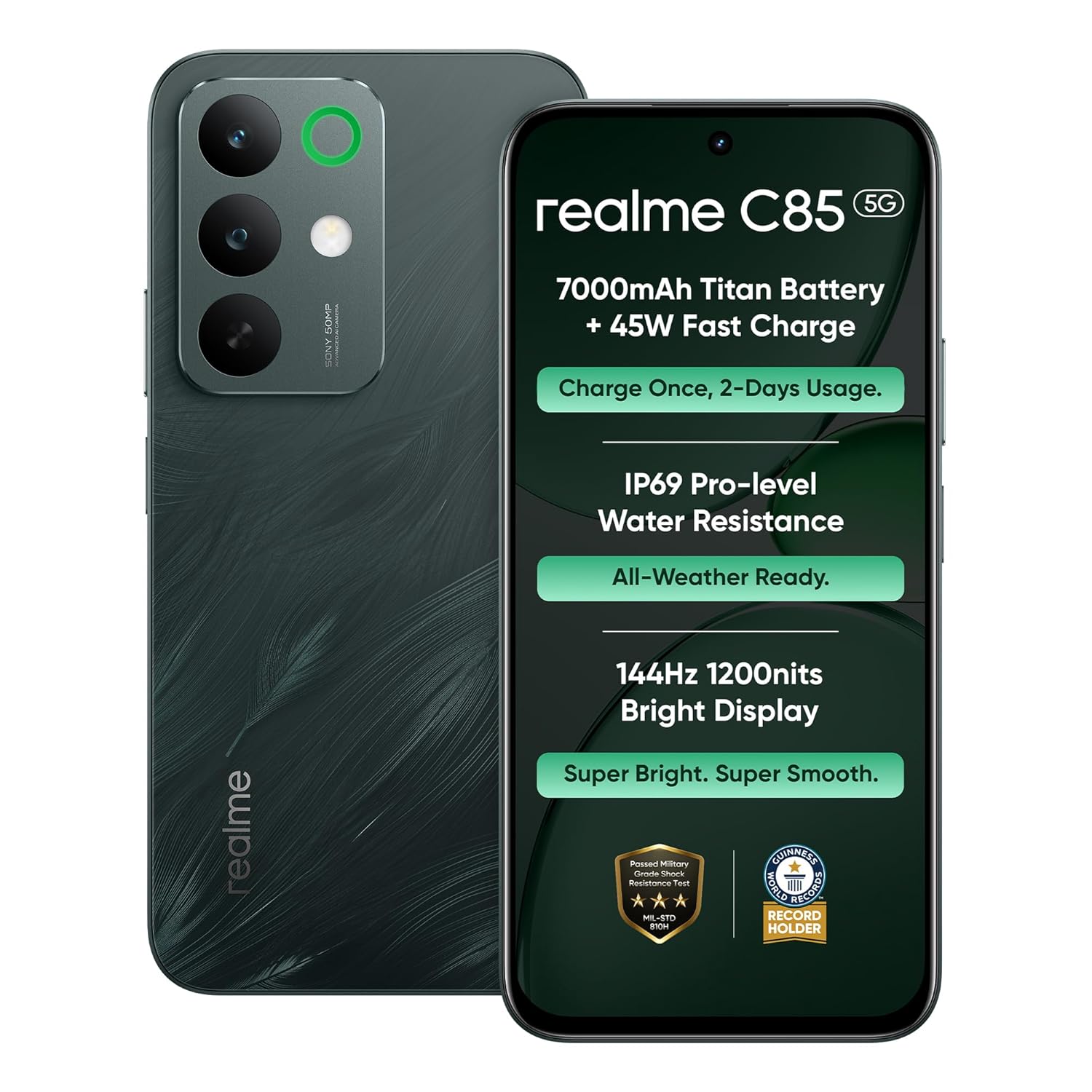
Image: Front and back view of the realme C85 5G Smartphone, highlighting its design and camera module.

Image: Front view of the realme C85 5G Smartphone with the display active, showing the punch-hole camera.
Physical Features:
- Display: 6.8-inch screen with a punch-hole front camera.
- Rear Camera Module: Located on the back, featuring multiple lenses and an LED flash.
- Power Button: Typically on the right side, often integrated with a fingerprint sensor.
- Volume Buttons: Usually located on the side, above or below the power button.
- USB Type-C Port: For charging and data transfer, located at the bottom.
- SIM Tray: Slot for inserting SIM cards and potentially a microSD card.
5. Setup
5.1. SIM Card Installation
- Locate the SIM tray on the side of your device.
- Insert the SIM tray ejector tool into the small hole next to the tray and press firmly until the tray pops out.
- Place your Nano-SIM cards (and microSD card, if applicable) into the designated slots on the tray, ensuring the gold contacts face downwards.
- Carefully reinsert the SIM tray into the phone until it clicks into place.
5.2. Initial Charging
Before first use, it is recommended to fully charge your device.
- Connect the USB Type-C cable to the charging port at the bottom of your phone.
- Connect the other end of the USB cable to the 45W Power Adapter.
- Plug the power adapter into a wall outlet.
- The charging indicator will appear on the screen.
5.3. Powering On/Off
- To Power On: Press and hold the Power button until the realme logo appears.
- To Power Off: Press and hold the Power button, then select 'Power off' from the options on the screen.
6. Display Features
The realme C85 5G features an immersive 6.8-inch display designed for smooth visuals and clear outdoor visibility.

Image: The realme C85 5G display showcasing its 1200 Nits brightness for clear outdoor viewing, along with enhanced audio and signal strength.
- Screen Size: 6.8 Inches
- Refresh Rate: 144Hz for fluid scrolling and gaming.
- Brightness: Up to 1200 Nits for clear visibility even under bright sunlight.
- Resolution: 1570 x 720 pixels.
- Display Type: LCD.
7. Camera Operation
Capture detailed and vivid moments with the realme C85 5G's advanced camera system.

Image: Visual representation of the 50MP AI Camera capabilities of the realme C85 5G, showing various photo scenarios.
- Rear Camera: 50MP sensor for high-resolution photos.
- Front Camera: 8MP sensor for clear selfies and video calls.
- Camera Flash: LED flash for improved low-light photography.
- Digital Zoom: Up to 10x digital zoom.
- Video Capture: Supports 1080p video recording.
Using the Camera:
- Open the Camera application from your home screen or app drawer.
- Select your desired mode (Photo, Video, Portrait, etc.).
- Tap the screen to focus on your subject.
- Press the Shutter button to capture a photo or start/stop video recording.
8. Battery Management
The realme C85 5G is equipped with a large capacity battery and fast charging capabilities.

Image: Details of the 7000mAh Titan Battery, showing usage estimates for video streaming, calling, and music playback.

Image: Illustration of the 45W Fast Charge feature and the 6.5W Reverse Charging capability, allowing the phone to charge other devices.

Image: Demonstrates the phone's ability to maintain functionality even at 1% battery, alongside information about 6-year battery health optimization.
- Battery Capacity: 7000mAh for extended usage.
- Fast Charging: Supports 45W fast charging to quickly replenish power.
- Reverse Charging: Features 6.5W reverse charging, allowing you to charge other compatible devices.
- Battery Health: Designed for 6-year battery health, ensuring long-term performance.
9. Performance and Connectivity
The realme C85 5G delivers smooth performance and high-speed connectivity.

Image: Diagram illustrating the MediaTek Dimensity 6300 processor, 4GB RAM, and 128GB ROM, emphasizing smooth multitasking and gaming.
- Processor: MediaTek Dimensity 6300 for efficient multitasking and gaming.
- Operating System: Android 15, offering the latest features and security updates.
- RAM: 4GB installed.
- Internal Storage: 128GB.
- Cellular Technology: 5G for blazing fast internet speeds.
- Connectivity: Bluetooth, USB Type-C, Wi-Fi.
- Biometric Security: Fingerprint Recognition.
10. Durability and Protection
The realme C85 5G is built to withstand daily challenges with its robust design.

Image: Demonstrates the IP69 Pro-level Water Resistance of the realme C85 5G, showing the phone being exposed to water splashes.
- Water Resistance: IP69 rating, providing protection against dust and high-pressure water spray.
- Shock Resistance: Military-grade shock resistance for enhanced durability against drops and impacts.
11. Specifications
| Feature | Specification |
|---|---|
| Brand | realme |
| Model | C85 |
| Operating System | Android 15 |
| Processor | MediaTek Dimensity 6300 (2.4 GHz) |
| RAM | 4 GB |
| Storage | 128 GB |
| Display Size | 6.8 Inches |
| Display Resolution | 1570 x 720 Pixels |
| Refresh Rate | 144 Hz |
| Rear Camera | 50 MP |
| Front Camera | 8 MP |
| Battery Capacity | 7000 mAh |
| Fast Charging | 45W |
| Water Resistance | IP69 |
| Connectivity | 5G, Bluetooth, USB Type C, Wi-Fi |
| Dimensions | 16.6 x 7.8 x 0.8 cm |
| Weight | 215 Grams |
12. Troubleshooting
This section addresses common issues you might encounter with your realme C85 5G Smartphone.
Common Issues and Solutions:
- Device not powering on: Ensure the battery is charged. Connect the phone to the charger for at least 10 minutes, then try powering on again. If it still doesn't turn on, perform a forced restart by holding the Power button for 10-15 seconds.
- Slow performance: Close unnecessary background applications. Clear cache from apps. Check for system updates. If issues persist, consider a factory reset (back up your data first).
- Battery draining quickly: Reduce screen brightness. Disable unused features like Wi-Fi, Bluetooth, GPS when not needed. Limit background app refresh. Check battery usage in settings to identify power-hungry apps.
- Network connectivity issues: Ensure your SIM card is correctly inserted. Check if airplane mode is off. Restart your device. If problems persist, contact your network provider.
- Camera not working: Restart the camera app or the phone. Clear the camera app's cache and data in settings. Ensure no physical obstruction is blocking the lens.
13. Warranty and Support
Your realme C85 5G Smartphone comes with a manufacturer's warranty and dedicated customer support.
- Manufacturer Warranty: 2 Year Manufacturer Warranty.
- Customer Support: For any service-related queries or assistance, please contact realme customer support at 1800 102 2777.
14. Product Video Overview
Watch this short video for a quick overview of the realme C85 5G Smartphone's key features.
Video: A brief overview highlighting the main features and design of the realme C85 5G Smartphone.


